4000行代码撑起一个Agent框架?nanobot架构深度解析

4000行代码撑起一个Agent框架?nanobot架构深度解析

腾讯云开发者
发布于 2026-06-09 11:24:38
发布于 2026-06-09 11:24:38
关注腾讯云开发者,一手技术干货提前解锁👇
香港大学数据科学实验室(HKUDS)的 nanobot,2026 年 2 月初开源,30 天内:
- 28,500+ GitHub Stars
- 8 次大版本发布
- 核心代码 3,935 行
对比项:LangChain 核心代码 430,000+ 行。
这个反差值得认真分析。这篇文章拆解 nanobot 的每一个设计决策,包括它的优势、局限,和可以借鉴的架构模式。
01
整体架构:控制面集中化
先看全局结构:
Chat Platforms (13 channels)
         ↓
   MessageBus (asyncio.Queue)
    inbound / outbound
         ↓
   AgentLoop(核心控制面)
    ├── SessionManager  → 历史对话加载
    ├── ContextBuilder  → system prompt + messages 组装
    └── while loop: LLM → tool calls → execute → append → LLM...
         ↓
  ┌──────────────────────────────┐
  │ ToolRegistry   SubagentMgr   │
  │ exec/fs/web    asyncio.Task  │
  │ spawn/mcp/cron               │
└──────────────────────────────┘这个架构的决定性特征:控制面完全集中在 AgentLoop。
没有 LangChain 的 Chain/Runnable/LCEL 等编排层,没有 LangGraph 的节点/边/DAG,没有 AutoGPT 的显式 PLAN 步骤。所有决策路径都穿过同一个 while 循环。
这是个极强的设计约束:可理解性最大化,但弹性空间也随之缩小(后文展开)。
02
核心:ReAct 循环的极简实现
agent/loop.py 是整个框架的心脏:
async def _run_agent_loop(self, initial_messages, on_progress):
    messages = initial_messages
    while iteration < self.max_iterations:   # 默认 40 次
        response = await self.provider.chat(
            messages=messages,
            tools=self.tools.get_definitions(),
            model=self.model,
        )
        if response.has_tool_calls:
            for tool_call in response.tool_calls:
                result = await self.tools.execute(tool_call.name, tool_call.arguments)
                messages = append_tool_result(messages, tool_call.id, result)
        else:
            final_content = response.content
            break
    return final_content
约 20 行,这就是整个 agent 编排逻辑的全部。
几个关键工程细节值得注意:
错误响应不持久化到 session history。 防止"400 中毒循环"——如果错误消息存入历史,后续 LLM 调用携带格式错误的 history 会触发 API 400,进而导致更多错误,形成无法自愈的循环。
工具结果存入 session 时截断为 500 字符。 当前 turn 内 LLM 能看到完整结果,但历史记录只保存摘要。这控制了上下文增长速率,代价是跨会话的工具结果不可追溯。
错误处理只有一行:
if result.startswith("Error"):
    return result + "\n\n[Analyze the error above and try a different approach.]"
把错误恢复的全部责任交给 LLM。这在 GPT-4 级别的模型上工作,在较弱模型上可能导致无效循环。
03
Tool 系统:Python 插件的最小接口
class Tool(ABC):
    @property
    @abstractmethod
    def name(self) -> str: ...

    @property
    @abstractmethod
    def description(self) -> str: ...

    @property
    @abstractmethod
    def parameters(self) -> dict: ...  # JSON Schema

    @abstractmethod
    async def execute(self, **kwargs) -> str: ...  # 硬约束:必须返回 str
execute 返回值强制为 str 是个有意思的设计选择。好处是接口统一,LLM 天然消费字符串;代价是结构化数据需要在 execute 内部序列化,丢失了类型信息。
一个数据库工具示例:
class MyDatabaseTool(Tool):
    @property
    def name(self): return "query_database"

    @property
    def description(self): return "执行只读 SQL 查询"

    @property
    def parameters(self):
        return {
            "type": "object",
            "properties": {"sql": {"type": "string"}},
            "required": ["sql"]
        }

    async def execute(self, sql: str, **kwargs) -> str:
        rows = await db.fetch(sql)
        return "\n".join(str(r) for r in rows)
然后在初始化时注册:
self.tools.register(MyDatabaseTool(connection_string="..."))没有装饰器、没有注册配置文件、没有元类。代价是 JSON Schema 要手写——LangChain 的 @tool 装饰器可以从 docstring 和类型注解自动生成 schema,nanobot 这里需要人工维护。
04
Skill 系统:用 Markdown 扩展 LLM 能力
这是 nanobot 最独特的设计,也是最值得深入分析的部分。
核心理念:Skills 不是 Python 代码,而是 Markdown 文档,教 LLM 如何使用已有的 CLI 工具。
一个天气 skill:
---
name: weather
description: Get current weather and forecasts (no API key required).
metadata: {"nanobot":{"emoji":"🌤️","requires":{"bins":["curl"]}}}
---

# Weather

## wttr.in (primary)

```bash
curl -s "wttr.in/London?format=3"系统通过 `shutil.which` 检查 `bins` 里的工具是否存在。如果存在,这个 skill 的 `available` 标记为 `true`。
### Progressive Loading:用文件系统做懒加载
关键机制:系统不把所有 skill 内容塞进 system prompt,而是注入一个 XML 索引:
```xml
<skills>
<skill available="true">
<name>weather</name>
<description>Get current weather...</description>
<location>/path/to/skills/weather/SKILL.md</location>
</skill>
<skill available="false">
<name>github</name>
<description>Interact with GitHub via gh CLI</description>
<requires>Binary: gh</requires>
<location>/path/to/skills/github/SKILL.md</location>
</skill>
</skills>System prompt 里明确告诉 LLM:需要用某个 skill 时,用 read_file 读取它的 SKILL.md。
这是用文件系统作为懒加载机制。LLM 自主决定何时需要加载哪个 skill,按需加载,不用的 skill 零 token 开销。
相比向量检索的优势:确定性(没有相似度阈值的不确定性)、可审计(你能直接读 SKILL.md 知道 LLM 在做什么)、零额外成本。
局限:当 skill 数量极大时(比如几百个),XML 索引本身会占满 context window。这个机制在规模上有天花板。
4.1 Skill vs Tool 的分工原则
场景 | 用Tool | 用Skill |
|---|---|---|
需要执行 Python 逻辑 | ✓ | |
包装已有 CLI 工具 | ✓ | |
需要直接调用 API | ✓ | |
包装有完善文档的服务(gh CLI 等) | ✓ | |
添加能力但无 Python 经验 | ✓ |
这个分工使得非工程师也能扩展 agent 能力:只需写 Markdown,描述如何用某个命令行工具完成任务,下次会话自动生效。
05
记忆系统:"grep beats RAG"
两个 Markdown 文件,不用向量库:
文件 | 内容 | 加载方式 |
|---|---|---|
MEMORY.md | 长期事实、用户偏好 | 每次都注入 system prompt |
HISTORY.md | 对话摘要,追加写入 | LLM 用 exec grep 按需搜索 |
当 unconsolidated_messages >= 100 时,异步触发记忆整合:
async def consolidate(self, session, provider, model):
    response = await provider.chat(
        messages=[...],
        tools=_SAVE_MEMORY_TOOL,   # save_memory(history_entry, memory_update)
        model=model,
    )
    # LLM 决定写什么进 MEMORY.md 和 HISTORY.md
整合以独立 asyncio.Task 运行,不阻塞主流程。
作者的设计论据(Discussion #566):
"grep beats RAG for agent memory — deterministic, auditable, zero-cost, composable"
这个论断在个人规模(数百条历史)成立。在企业规模(数万条历史、多用户共享知识库、跨语言搜索)时,文件 grep 的局限会暴露出来。
社区持续有人要求加 Qdrant/LanceDB 向量记忆,作者坚持极简路线。这是个合理的范围决策:nanobot 的定位是个人助手,不是企业知识管理平台。
06
Subagent 系统:消息总线重注入
spawn 工具允许主 agent 把长任务委托给后台 asyncio.Task:
async def spawn(self, task, label, origin_channel, origin_chat_id):
    task_id = str(uuid.uuid4())[:8]
    asyncio.create_task(
        self._run_subagent(task_id, task, label, origin)
    )
    return f"Subagent [{label}] started (id: {task_id}). I'll notify you when done."
Subagent 有明确的能力约束:
- 没有 message 工具(不能直接给用户发消息)
- 没有 spawn 工具(防止递归生成子 agent)
- 最多 15 次迭代(主 agent 40 次)
- 无 memory/history(独立的 system prompt)
结果通知的巧妙设计:Subagent 完成后,通过消息总线重新注入一条 InboundMessage:
async def _announce_result(self, task_id, label, task, result, origin):
    msg = InboundMessage(
        channel="system",
        chat_id=f"{origin['channel']}:{origin['chat_id']}",
        content=f"[Subagent '{label}' completed]\nResult: {result}",
    )
    await self.bus.publish_inbound(msg)
主 agent 像处理普通用户消息一样处理这条消息,自然地总结给用户。无需特殊的结果传递协议,无需主 agent 轮询子任务状态。
代价:asyncio.Task 在同一个进程内运行,无法跨进程/机器分布。大规模 agent swarm 场景需要替换这层。(社区正在 RFC 两种方案:软件层角色模拟 vs 原生多进程。)
07
MCP 集成:标准协议桥接
MCP 工具被自动包装为原生 Tool 对象:
class MCPToolWrapper(Tool):
    def __init__(self, session, server_name, tool_def):
        self._name = f"mcp_{server_name}_{tool_def.name}"  # 命名空间隔离
        self._description = tool_def.description
        self._parameters = tool_def.inputSchema

    async def execute(self, **kwargs) -> str:
        result = await asyncio.wait_for(
            self._session.call_tool(self._original_name, arguments=kwargs),
            timeout=self._tool_timeout,
        )
        return "\n".join(block.text for block in result.content)
支持 stdio(子进程)和 streamable-http 两种 MCP 服务器。配置:
{
  "tools": {
    "mcp_servers": {
      "my_server": {
        "command": "npx",
        "args": ["-y", "@my/mcp-server"],
        "tool_timeout": 30
      }
    }
  }
}
MCP 工具对 LLM 完全透明,和内置工具无区别,只是名字带 mcp_{server}_ 前缀做命名空间隔离。
这个设计的长期价值:随着 MCP 生态扩张,nanobot 可以零成本接入所有 MCP 兼容工具。
08
可借鉴的架构模式
拆解到这里,几个可迁移的设计原则值得单独提炼:
- 配置驱动的能力扩展(Markdown-as-Config) 把 prompt 工程从代码层分离出来,用文件系统管理。能力的添加不需要改代码、不需要重启服务。适用于任何需要给 LLM 注入领域知识的场景。
- 懒加载 + 文件系统作为 context 管理策略 不在 system prompt 里预载所有知识,只放索引。让 LLM 用工具按需加载详细内容。降低常规 token 消耗,代价是加载时有额外的 tool call 延迟。
- 消息总线解耦异步任务的结果通知 子任务完成后不通过回调或轮询通知,而是重新注入到输入流,让主处理逻辑统一处理所有输入来源。消除了"结果传递协议",但耦合了子任务与消息总线格式。
- 工具接口的最小公共类型 所有工具返回 str,统一接口。放弃结构化返回值,换取接口的绝对一致性。在 LLM 消费所有输出的场景下这个取舍合理。
- 错误恢复委托给 LLM 工具错误不在框架层处理重试或回退,只追加一句引导提示,让 LLM 决定下一步。这在强模型上有效,减少了框架的复杂度,但把系统的健壮性依赖转移到了模型能力上。
09
使用建议
适合的场景:
- 个人自托管 AI 助手,想接入多个聊天平台
- 需要快速原型,不想被框架概念淹没
- 想理解 agent 框架的最小实现,作为学习材料
不适合的场景:
- 需要精确的多 agent 协调(spawn 基于 asyncio.Task,无分布式支持)
- 大规模历史记忆(grep 文件有规模上限)
- 需要细粒度的 agent 行为控制(控制面集中化意味着定制点有限)
- 生产环境安全隔离(exec 工具的黑名单机制不够)
nanobot 是目前我见过最诚实的 agent 框架:它的代码量和功能声明是匹配的,没有用复杂的抽象隐藏简单的实现。这本身就值得学习。
相关链接:
- https://github.com/HKUDS/nanobot
- https://github.com/HKUDS/nanobot/discussions/431
- https://github.com/HKUDS/nanobot/discussions/566
-End-
原创作者|俞孟凡
感谢你读到这里,不如关注一下?👇

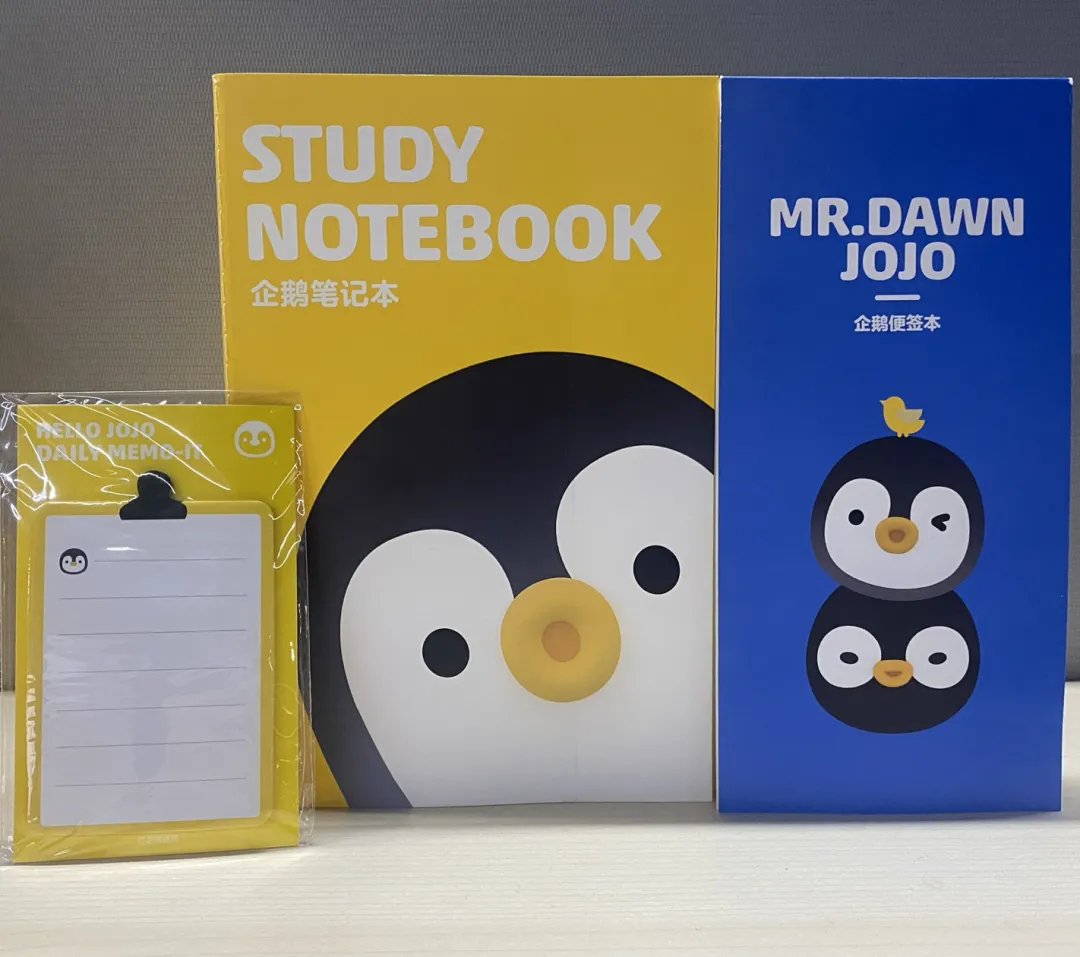
你对本文内容有哪些看法?同意、反对、困惑的地方是?欢迎留言,我们将邀请作者针对性回复你的评论,欢迎评论留言补充。我们将选取1则优质的评论,送出腾讯云定制文件袋套装1个(见下图)。6月16日中午12点开奖。
扫码领取腾讯云开发者专属服务器代金券!

图片



本文参与 腾讯云自媒体同步曝光计划,分享自微信公众号。
原始发表:2026-06-08,如有侵权请联系 cloudcommunity@tencent.com 删除
评论
登录后参与评论
推荐阅读
目录
腾讯云开发者

Copyright © 2013 - 2026 Tencent Cloud. All Rights Reserved. 腾讯云 版权所有
深圳市腾讯计算机系统有限公司 ICP备案/许可证号:粤B2-20090059  粤公网安备44030502008569号
腾讯云计算(北京)有限责任公司 京ICP证150476号 | 京ICP备11018762号