GPT Image 2刷屏后,设计工具AI化:结构、对话、图像 三条路怎么选?

GPT Image 2刷屏后,设计工具AI化:结构、对话、图像 三条路怎么选?

mixlab
发布于 2026-04-23 18:57:41
发布于 2026-04-23 18:57:41
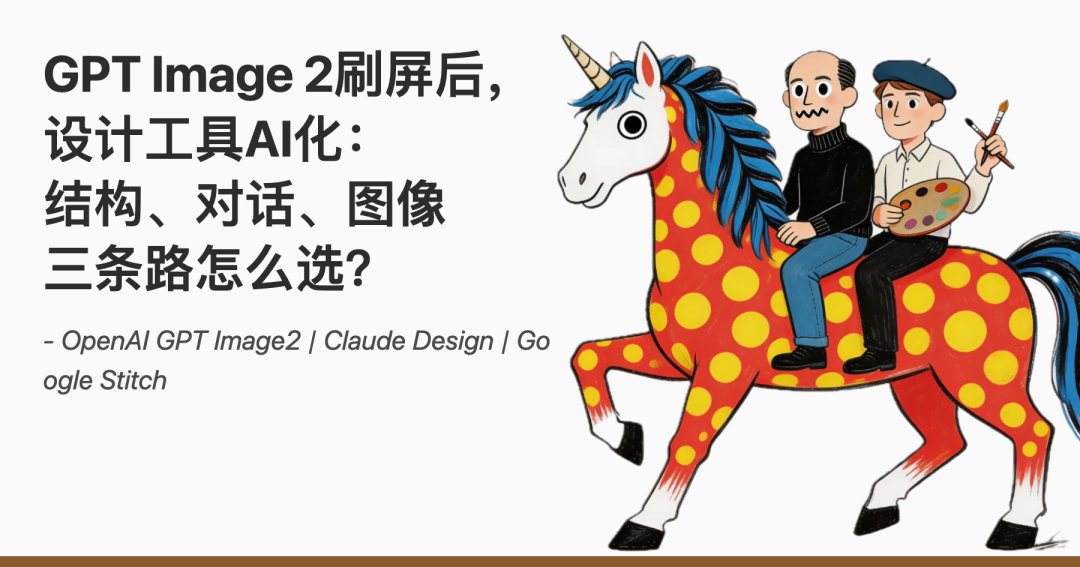
封面图片
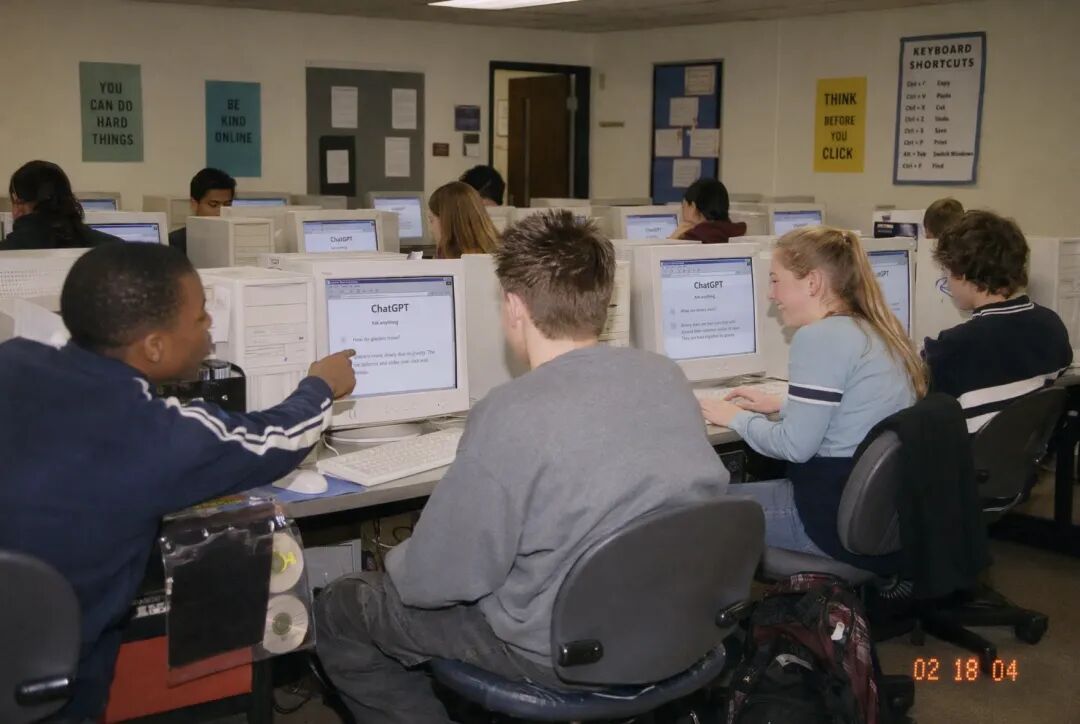
Prompt: Create one photorealistic candid disposable-camera snapshot from a fictional early 2000s American high school computer lab……
Prompt: Create one photorealistic candid disposable-camera snapshot from a fictional early 2000s American high school computer lab……
最近,OpenAI扔出一颗炸弹:GPT Image 2。
朋友圈炸了。
不是科技圈在转,是设计圈在刷屏 —— "AI把文字刻进大米""中文书法随便生成""8张图一致性,漫画党直接过年"。
最夸张的一条测试:把"GPT Image 2"刻在一粒大米上,字母清晰可读。
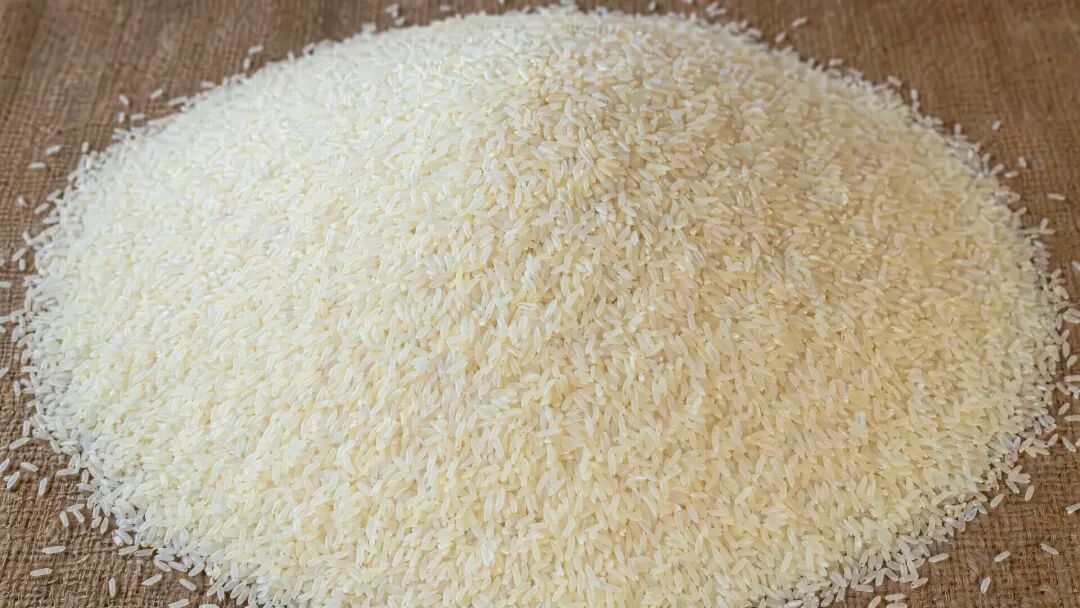
Prompt: Mound of rice with thousands of grains, zoomed out. One of those grains has "GPT Image 2" etched onto it……
Prompt: Mound of rice with thousands of grains, zoomed out. One of those grains has "GPT Image 2" etched onto it……
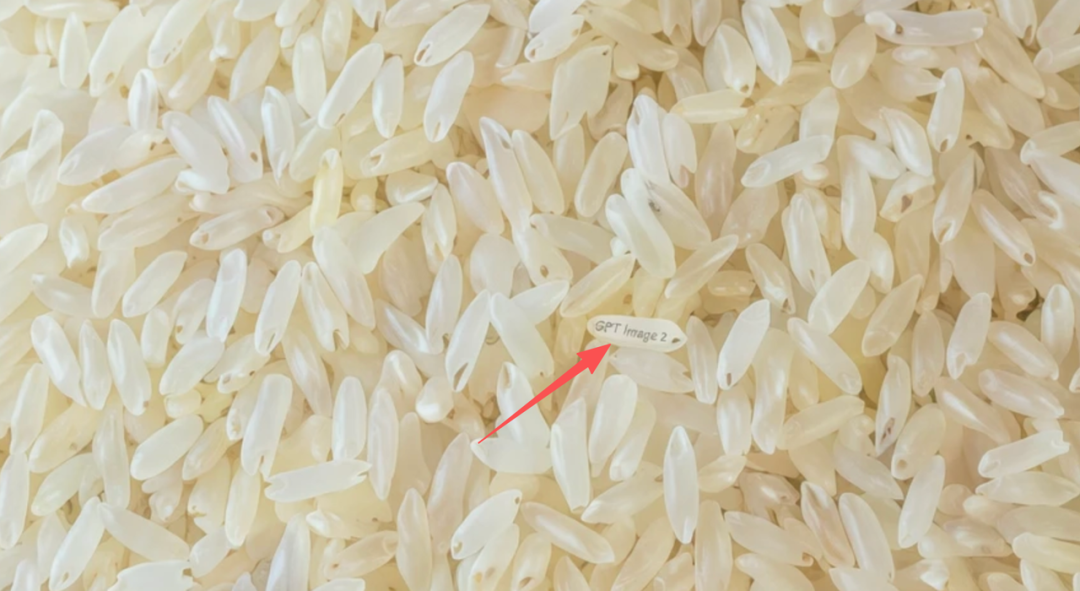
把"GPT Image 2"刻在一粒大米上,字母清晰可读
把"GPT Image 2"刻在一粒大米上,字母清晰可读
这不是修修补补。GPT Image 2 在 Image Arena 排行榜上领先第二名 242 分,创下图像生成模型有史以来最大领先幅度。
但真正让设计师群体睡不着觉的,不是这个分数。是那条评论收获了将近一千个赞:"这哪是在杀Figma,简直是把设计从少数人的专业技能,变成了所有人都能用的生产力工具。" 不是让 Figma 更好,重新定义"设计"这件事
为什么设计社区反应最强烈?
利益相关度高,门槛可量化。设计工具每一次进化,设计师的感受都格外敏锐——
不是因为他们害怕变化,而是因为他们最能看清"门槛降低"意味着什么。
理解这个问题,需要先看清三条已经成型的路径。
第一条路,是Stitch代表的DESIGN.md结构化思路。 Google在2026年3月18日推出的Stitch 2.0没有走"设计稿转代码"的老路,而是引入了一个全新格式——DESIGN.md。
DESIGN.md :设计系统第一次成为了 AI 可读的源代码
Gary作为从业近30年的设计师,用Stitch生成落地页,评价只有一个字:平庸。但Chris在同一个工具上跑了完整流程:截图 → Stitch生成专业设计 → 导出DESIGN.md → Claude Code读取规则 → 重构整个App UI。匹配度约80%。
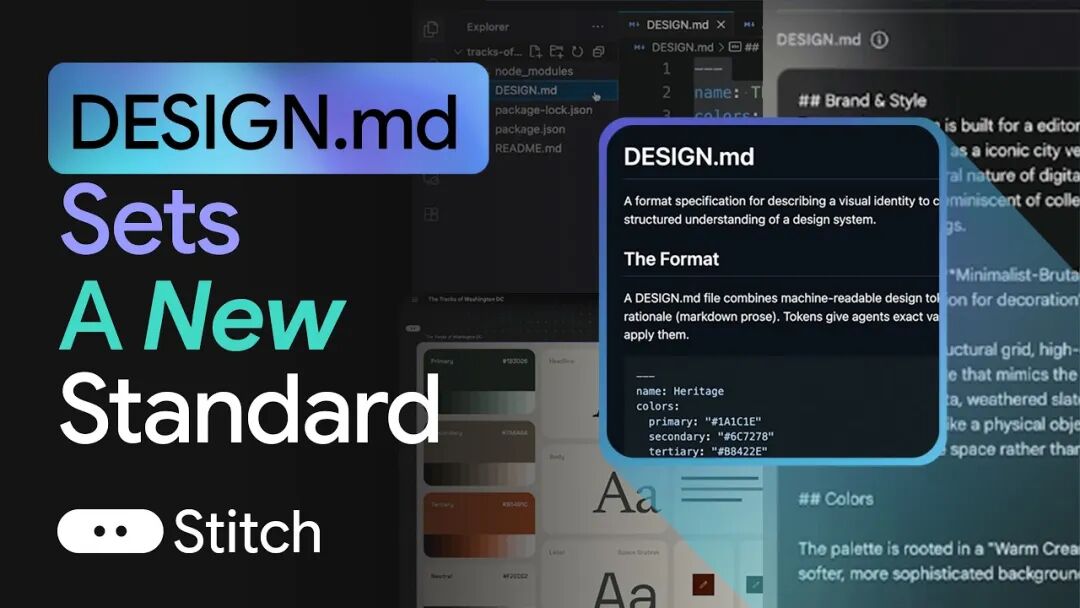
Google Stitch + DESIGN.md 作为开放标准让 AI 理解设计系统
Google Stitch + DESIGN.md 作为开放标准让 AI 理解设计系统
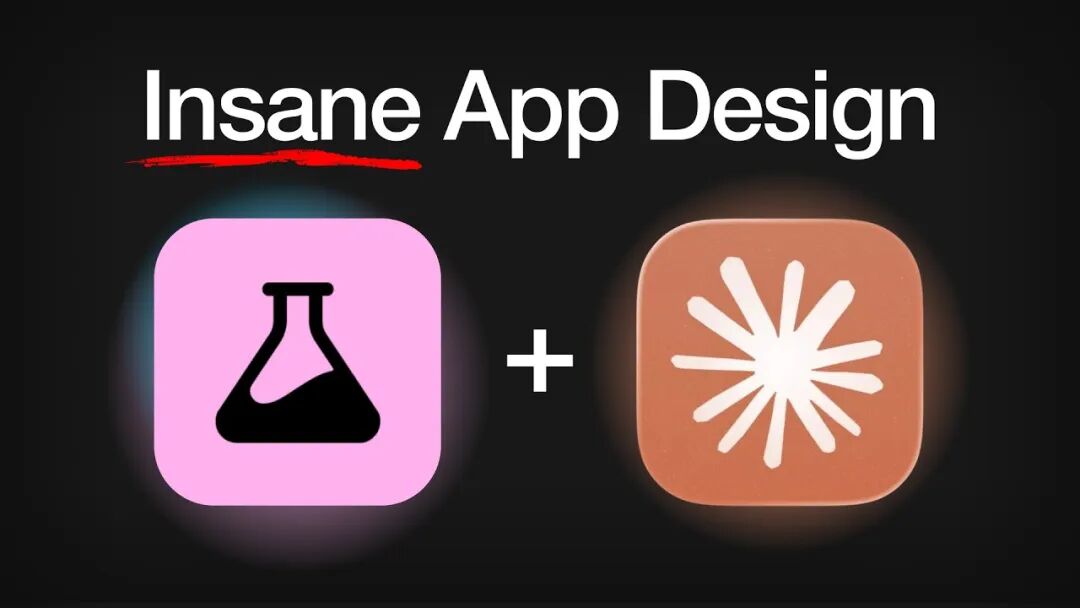
工作流: Stitch 生成 DESIGN.md → Claude Code 读取 → 重构 App UI
工作流: Stitch 生成 DESIGN.md → Claude Code 读取 → 重构 App UI
两个人,两种评价,差在哪里?
Gary的失望来自期待错位。他希望Stitch生成的设计能直接当最终成品。
而Chris把Stitch当作探索工具,目标是生成DESIGN.md,再交给Claude Code去执行代码重建。
DESIGN.md的本质,是给设计系统写一个schema——不是像素级还原,而是把设计意图抽象成可计算、可复用、可迭代的令牌体系。这正是"设计系统源文件化"的关键一步。
第二条路,是Claude Design代表的对话式生成。 2026年4月17日,Anthropic正式发布Claude Design。
你说话,它出图;
你说"再瘦一点""换个莫兰迪色系""按钮往左挪",它立刻改。
Figma股价当天暴跌4.26%,Adobe小幅下跌,连Canva也未能幸免。
Anthropic的CPO三天前刚从Figma董事会辞职。蓄谋已久的战略发布,不是突然杀入。Claude Design 来了
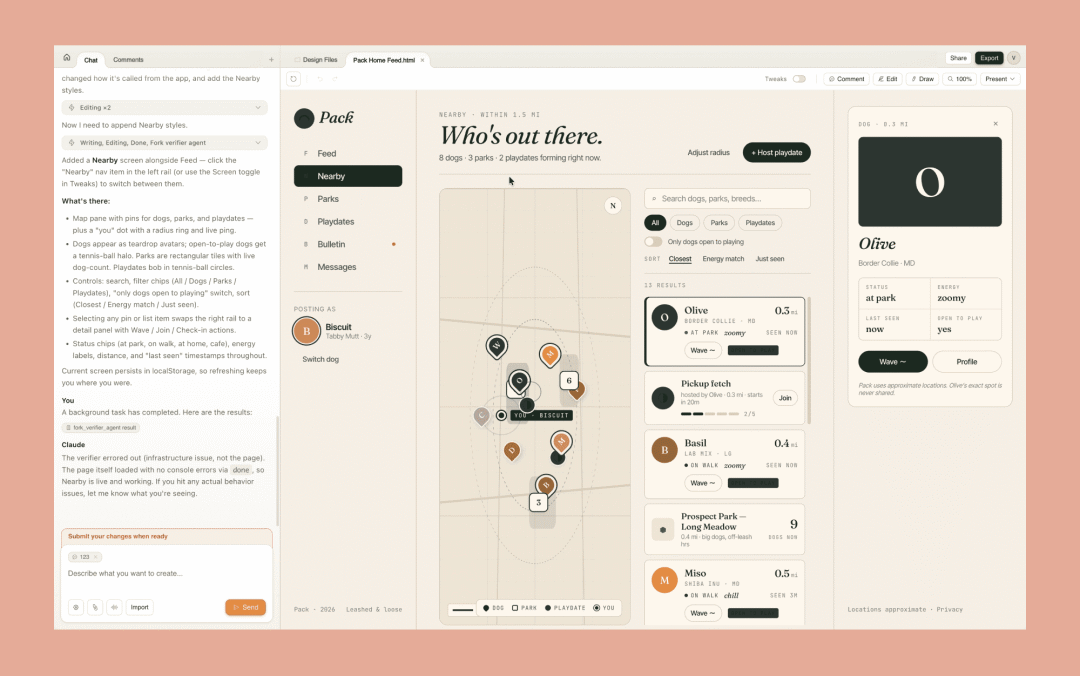
Claude Design 发布 - Did Anthropic just kill Figma?
Claude Design 发布 - Did Anthropic just kill Figma?
它的核心能力有三层:生成、沟通修改、设计系统对接。
描述一个界面、一张海报、一个App屏幕,Claude Design直接给出可交互的原型——
不是JPG,不是PDF,是能点的、能滑的、能在上面改文字的活原型。
第三条路,是GPT Image 2。 它的杀手锏不是一张图,而是一整套能力组合:
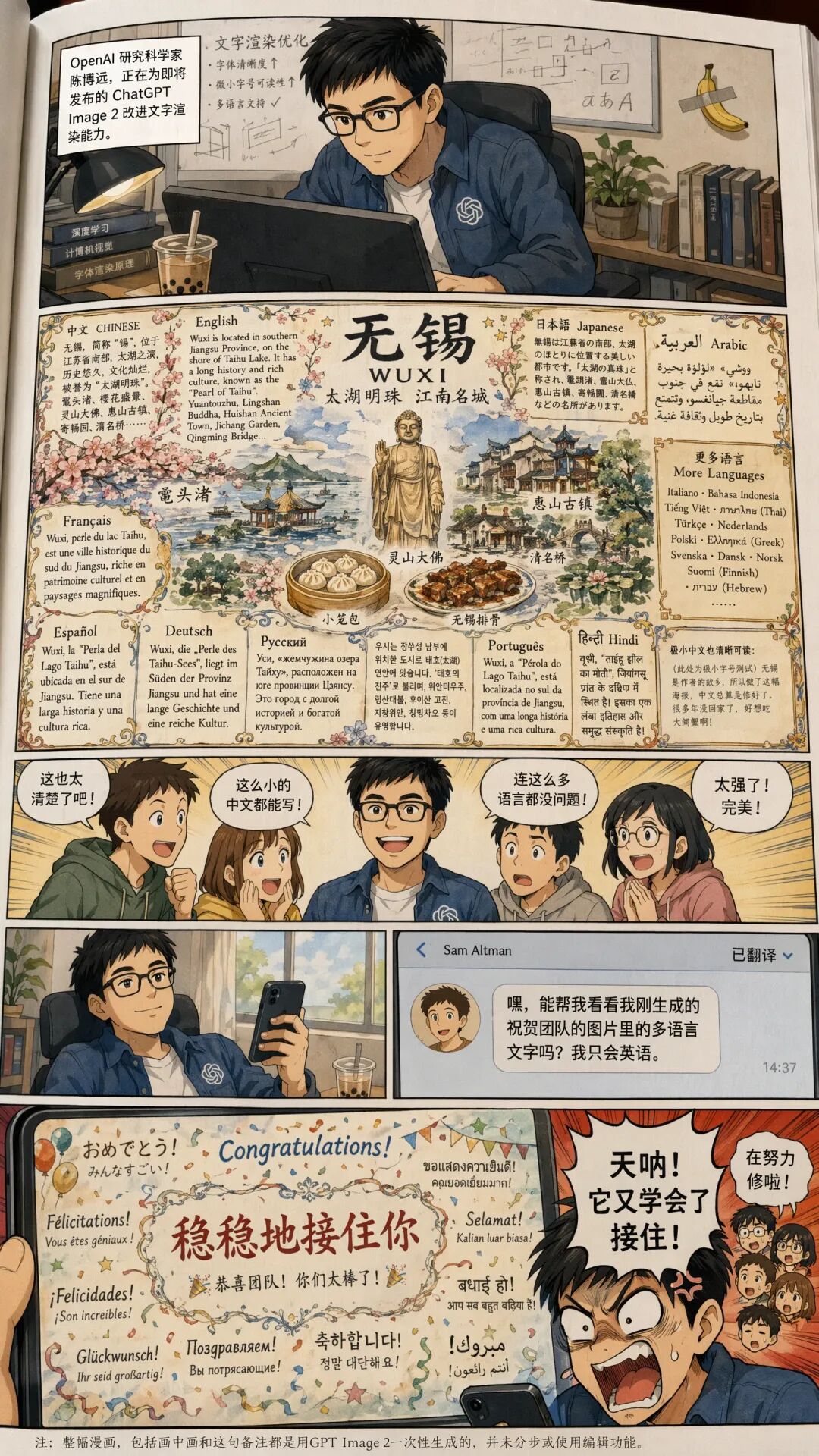
Prompt: Generate a full color Chinese-text manga about this OpenAI 研究科学家, 陈博远 (first picture), who works on improving the text rendering capability of ChatGPT Image 2 model for the upcoming……
Prompt: Generate a full color Chinese-text manga about this OpenAI 研究科学家, 陈博远 (first picture), who works on improving the text rendering capability of ChatGPT Image 2 model for the upcoming……
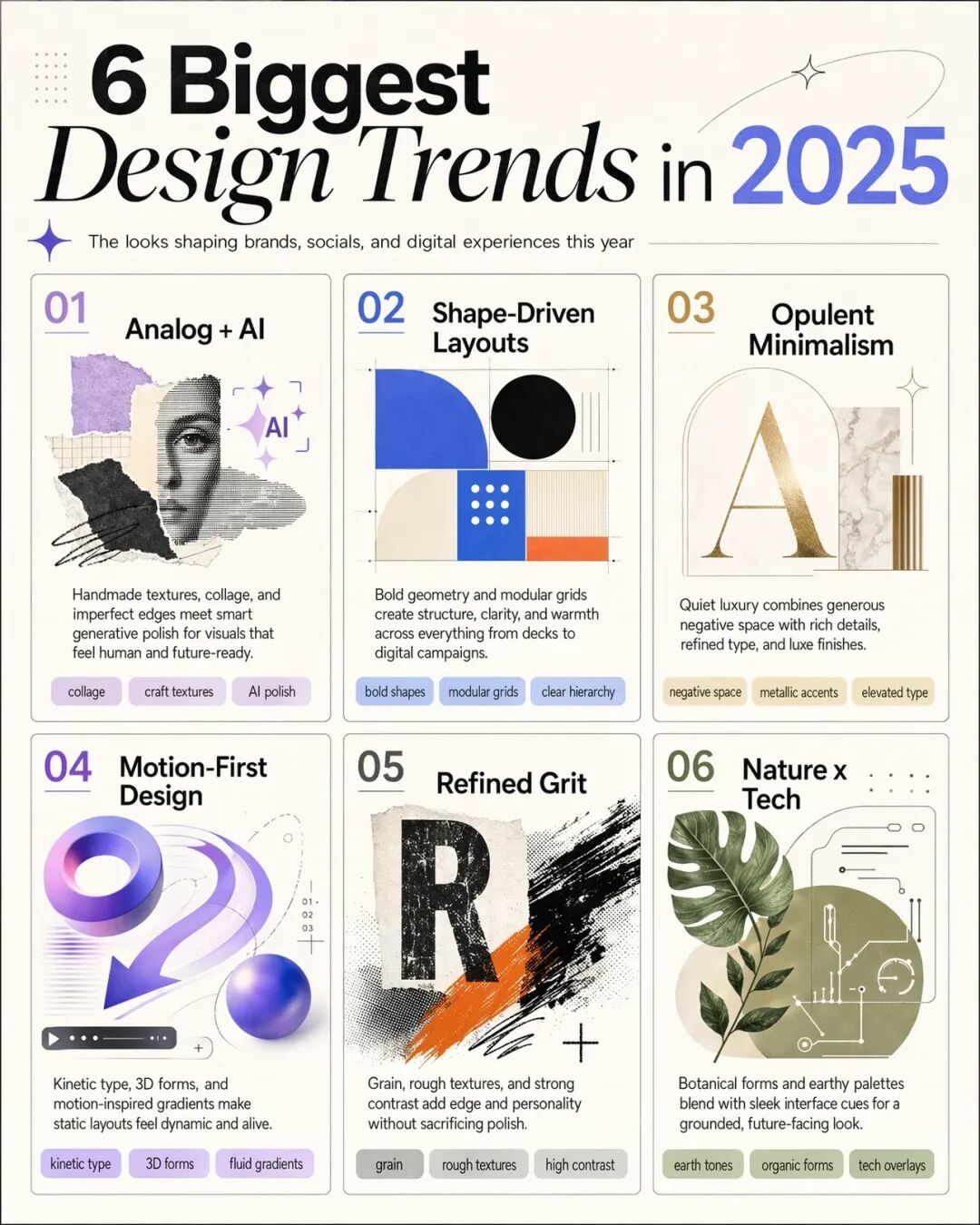
Prompt: make an infographic of the 6 biggest design trends in 2025 . make sure each pane is the same size.
Prompt: make an infographic of the 6 biggest design trends in 2025 . make sure each pane is the same size.
- 文字渲染:把"GPT Image 2"刻在一粒大米上,字母清晰可读。混乱背景中依然保持锐利。
- 8张连贯图像:单个提示词生成8张图,跨页面保持角色一致性。漫画分镜、房间重设计、海报系列一次搞定。
- 原生中文:书法、药方手写体、报纸排版,全都能生成。
- 2K分辨率:支持从3:1到1:3的宽高比,超宽屏到竖屏全覆盖。
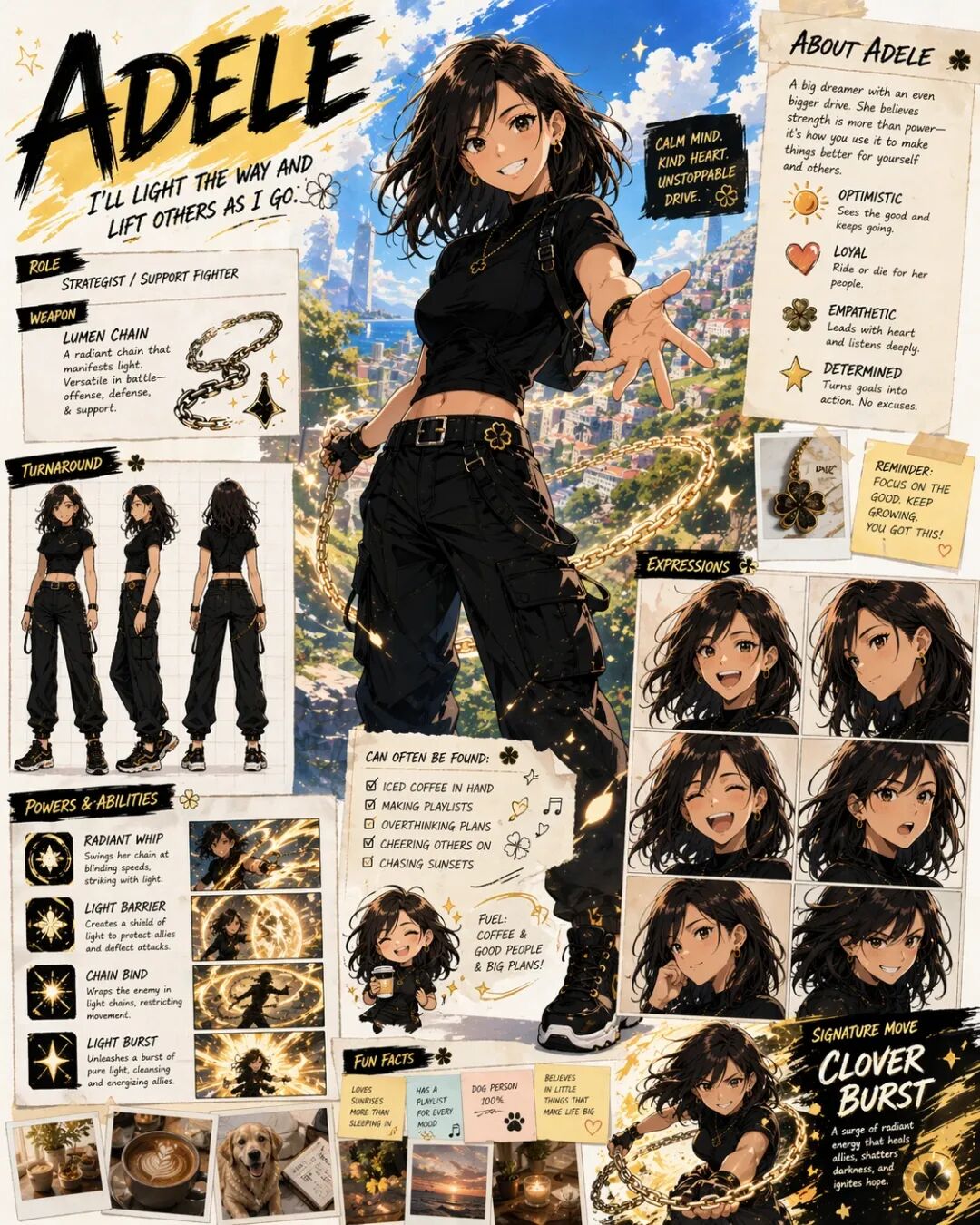
Prompt: Based on everything you know about me, make a character sheet of shonen-style anime character of me, name is……
Prompt: Based on everything you know about me, make a character sheet of shonen-style anime character of me, name is……
OpenAI自己说:"图像是一种语言,而不是装饰。好的图像,就像好的句子一样,会进行选择、组织与呈现。"
这句话的分量还没有被市场接受,“来得太快了!”
我在同一台设备上跑了三个工具,用同一套设计需求:为一个AI社区产品设计着陆页,包含hero区域、功能介绍、定价区块和三组用户证言。
Stitch生成的是一套结构化的DESIGN.md文件,包含颜色令牌、间距规范、组件描述—— 80%的匹配度意味着还需要20%的人工调优。
Claude Design给出的是一套可交互原型,界面干净、风格明确,但仔细看会发现这是"模板化设计"的典型特征,能用,缺乏惊喜。
GPT Image 2生成的是一张视觉效果惊艳的概念图,把"AI社区"翻译成了一个充满未来感的视觉隐喻。
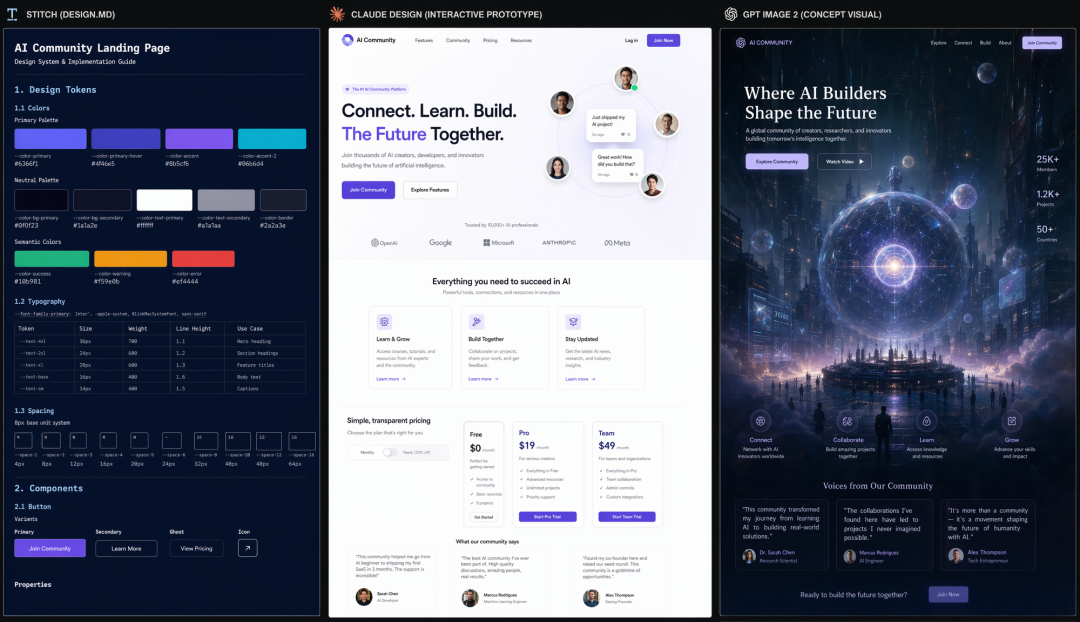
Stitch、Claude Design、GPT Image 2的特点对比
Stitch、Claude Design、GPT Image 2的特点对比
哪个更好?取决于你要什么。
如果你的目标是快速验证概念,GPT Image 2最强。
如果你的目标是建立设计系统,Stitch的DESIGN.md输出最有价值。
如果你的目标是交付给工程师直接开发,Claude Design的交互原型最接近最终产品。
设计师为什么要学AI编程? 答案藏在三条路径的交叉点。
Gary用"成品标准"评判Stitch,他没有意识到真正有价值的用法是"中间件标准"。设计工具AI化的本质,是让设计师拥有"从概念到代码"的完整闭环能力——不是让AI替代设计师,而是让设计师用AI放大自己的判断力。
一个人完成设计到代码的闭环,意味着什么?
意味着你可以在浏览器里构思,用自然语言调整细节,用DESIGN.md记录设计决策,用Claude Code直接生成可部署的代码。工具在进化,但设计眼光的判断标准从未改变。
AI负责降低执行门槛,专家负责定义何为"好"。
如果想现在就开始实验,这里有三条可以立刻试的路径。
Stitch的MCP连接: Google的Stitch已经支持MCP(Model Context Protocol)协议,可以在Claude Code里直接调用设计系统生成能力。关键是先建立你的设计令牌(tokens),再让AI理解这些令牌的含义。
Claude Design的设计工作流: 从"对话式探索"开始,用自然语言描述你想要的界面,拿到原型后直接修改,而不是一次性给出完整需求。这种迭代方式更接近"与设计师沟通"的体验。
GPT Image 2的API接入: gpt-image-2模型已在API中开放,标准质量每张5美分、高质量每张8美分,支持2K分辨率。关键用例是:用AI生成视觉概念图,再用设计工具完成精细化。
工具在变,但有一件事没有变:设计的本质是判断,AI负责降低执行的门槛。
你可以花三天时间学习一个新工具,也可以用这三个工具花三个小时完成过去需要三周的设计探索。
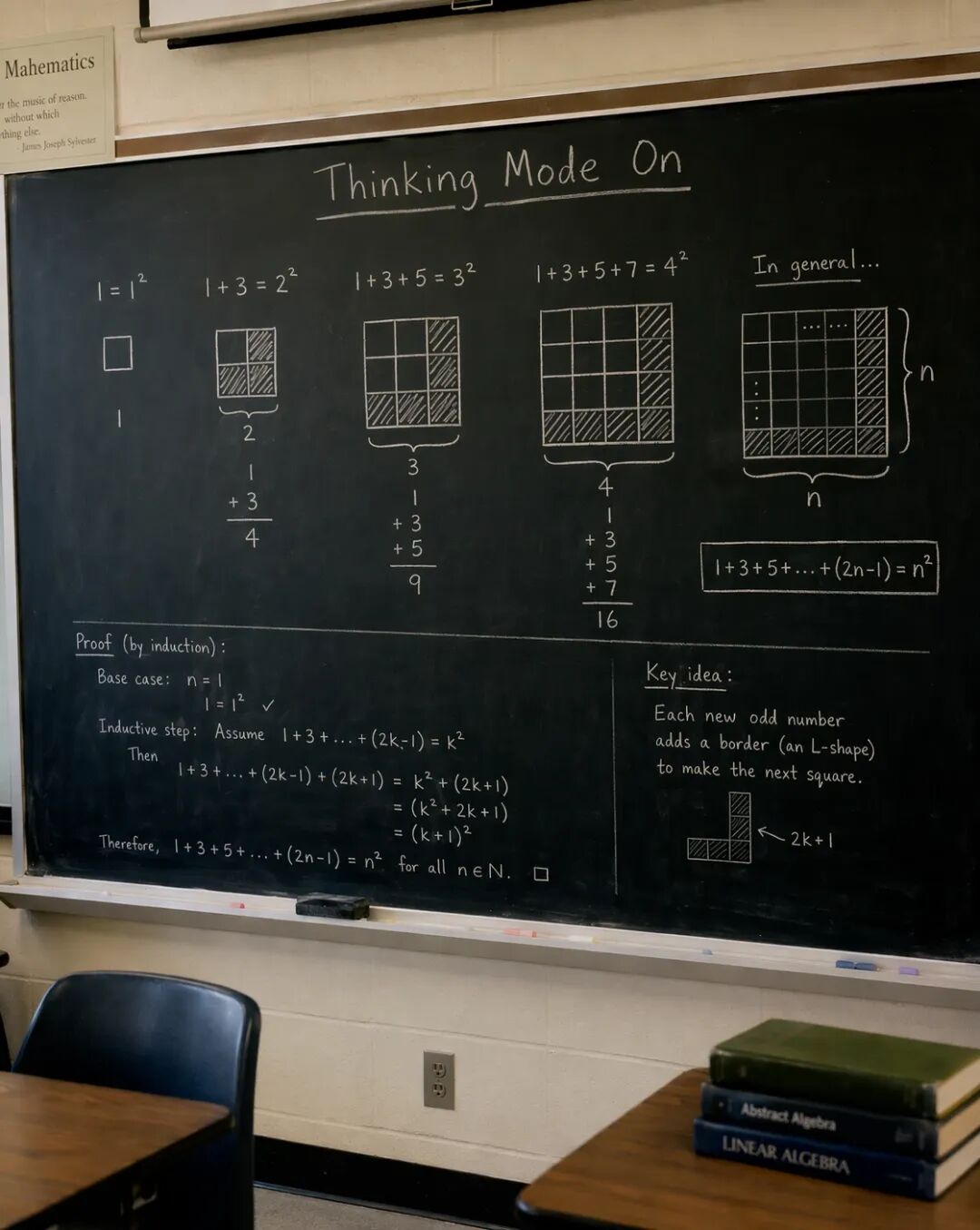
Prompt: a 35mm film photograph of a blackboard in a classroom, and on the blackboard is a visual proof of sum of odd numbers is a square. there is a title "Thinking Mode On" before the math proof ……
Prompt: a 35mm film photograph of a blackboard in a classroom, and on the blackboard is a visual proof of sum of odd numbers is a square. there is a title "Thinking Mode On" before the math proof ……
区别在于,你选择站在哪一边。
社群入口
如果你是正在探索AI设计工具边界的跨学科创作者,欢迎加入mixlab无界社区。这里聚集着最先触达未来的那一小部份人,一起把想法跑成实践。
你可以在社群中分享你在DESIGN.md、Claude Design或GPT Image 2上的实验结果,也可以提出你在设计工作流中遇到的具体问题。
参考
[1] OpenAI官方发布 — ChatGPT Images 2.0
[2] @OpenAI — 官方公告 x.com
[3] @arena — Image Arena排行榜
[4] @JoshKale — 详细功能列表 x.com
[5] @Lonely__MH — 中文能力实测 x.com
[6] Claude Design官方介绍 — Anthropic
[7] DESIGN.md格式说明 — Google Stitch文档
[8] fal.ai — GPT Image 2模型页面
本文参与 腾讯云自媒体同步曝光计划,分享自微信公众号。
原始发表:2026-04-22,如有侵权请联系 cloudcommunity@tencent.com 删除
评论
登录后参与评论
推荐阅读
腾讯云开发者

Copyright © 2013 - 2026 Tencent Cloud. All Rights Reserved. 腾讯云 版权所有
深圳市腾讯计算机系统有限公司 ICP备案/许可证号:粤B2-20090059  粤公网安备44030502008569号
腾讯云计算(北京)有限责任公司 京ICP证150476号 | 京ICP备11018762号