
Unity3D复制的NavMesh代理不移动
Unity3D复制的NavMesh代理不移动
提问于 2019-05-05 20:00:33
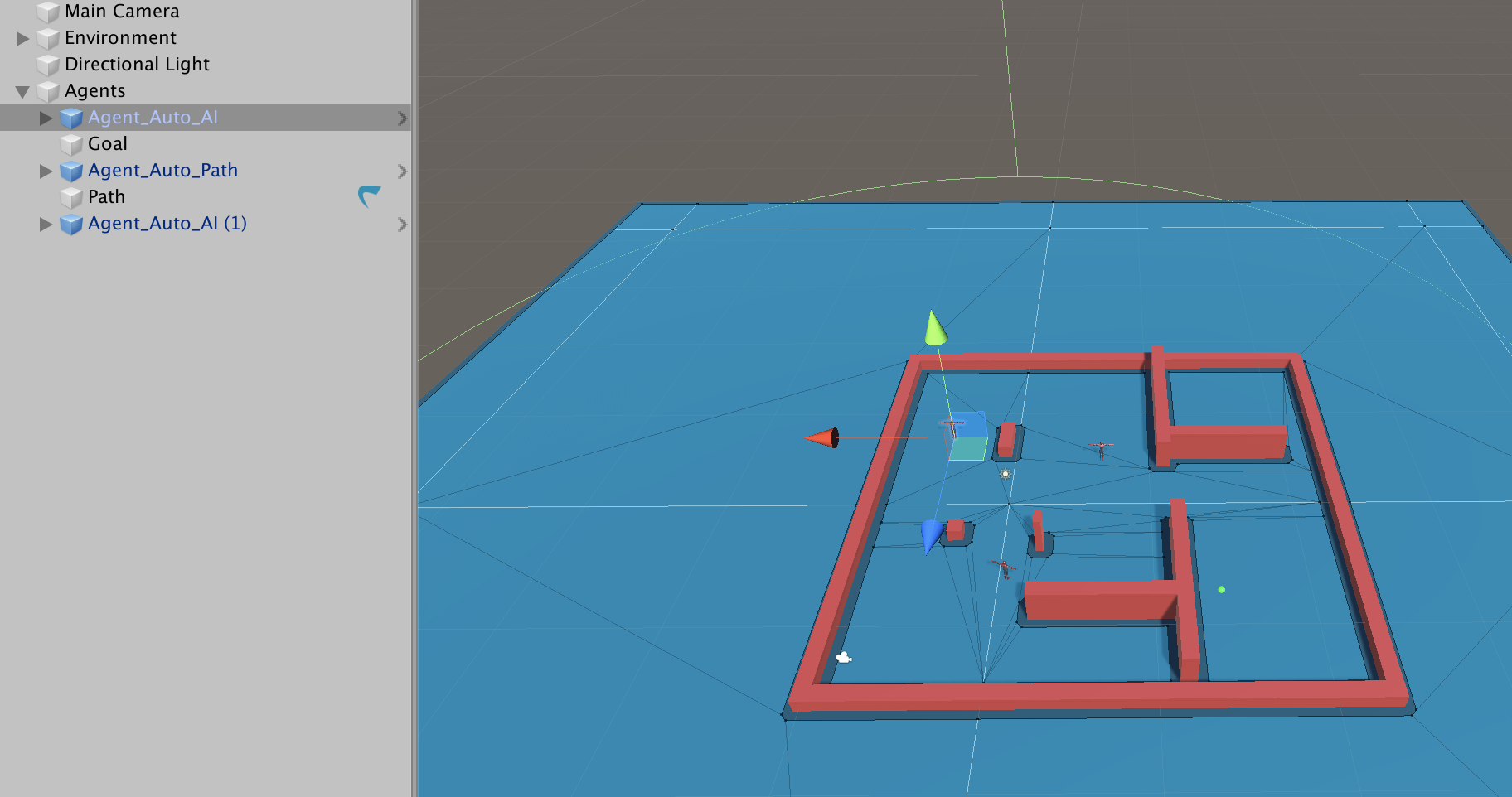
在我的场景中,我有一个特工,它会移动到一个特定的目的地。当我试图复制它以创建第二个代理时,产生的行为非常奇怪:代理被传送到映射的相反的拐角处,停止移动。此外,运行时的导航网格似乎有所改变(如您在第二个屏幕快照中所看到的)。一旦我禁用一个代理,另一个就开始按预期工作。
编辑:这是我为字符使用的代码(如您所见,我手动管理字符的旋转/转换,而不是委托代理,直到我将相同的脚本分配给前面提到的第二个字符为止)。
using System.Collections;
using System.Collections.Generic;
using UnityEngine;
using UnityEngine.AI;

public class AI_PlayerController : MonoBehaviour
{
    public Transform goal;
    bool isTracking = false;
    public float speed = 1.0f;
    Vector3 currentDirection;

    Animator anim;
    NavMeshAgent agent;
    Vector2 smoothDeltaPosition = Vector2.zero;
    Vector2 velocity = Vector2.zero;

    // Start is called before the first frame update
    void Start()
    {
        anim = GetComponent<Animator>();
        agent = GetComponent<NavMeshAgent>();
        agent.SetDestination(goal.position);
        agent.updatePosition = false;
        agent.updateRotation = false;
    }
void Update ()
    {
        if (agent.remainingDistance > agent.radius) {
            Vector3 worldDeltaPosition = agent.nextPosition - transform.position;
            worldDeltaPosition.y = 0;
            Quaternion rotation = Quaternion.LookRotation(worldDeltaPosition);
            transform.rotation = Quaternion.Slerp(transform.rotation, rotation, .1f);
            anim.SetBool("move", true);
        } else {
            anim.SetBool("move", false);
        }

    }

    void OnAnimatorMove ()
    {
        // Update position to agent position
        transform.position = agent.nextPosition;
    }
}

回答 1
Stack Overflow用户
发布于 2019-05-07 17:17:26
你把肚脐弄干净了吗?我不确定这是否有效,但也许能解决这个问题。否则,尝试删除并重新添加这两个组件上的NavMeshAgent组件。如果它们是预制的,那么您可能希望重新创建它们,而不是复制它们,这样就不会意外地在它们之间传播不必要的更改。
编辑:--很难在不看到代码的情况下确定问题。你能上传导航/移动脚本吗?
编辑2,您能尝试用以下移动脚本替换两个字符上的脚本吗?动画逻辑可以添加回稍后。
如果这不起作用,那么我建议检查NavMesh是否在您的场景中正确设置(例如,确保导航障碍被正确标记,并清除和反弹NavMesh)。
using System.Collections;
using System.Collections.Generic;
using UnityEngine;
using UnityEngine.AI;

[RequireComponent(typeof(NavMeshAgent))]
public class AI_PlayerController : MonoBehaviour
{
    public Transform goal;
    public float speed = 3.0f;
    public float acceleration = 8.0f;

    NavMeshAgent agent;

    // Start is called before the first frame update
    void Start()
    {
        agent = GetComponent<NavMeshAgent>();
        agent.speed = speed;
        agent.acceleration = acceleration;
        agent.SetDestination(goal.position);
    }
}页面原文内容由Stack Overflow提供。腾讯云小微IT领域专用引擎提供翻译支持
原文链接:
https://stackoverflow.com/questions/55995904
复制相关文章
相似问题
腾讯云开发者

Copyright © 2013 - 2026 Tencent Cloud. All Rights Reserved. 腾讯云 版权所有
深圳市腾讯计算机系统有限公司 ICP备案/许可证号:粤B2-20090059  粤公网安备44030502008569号
腾讯云计算(北京)有限责任公司 京ICP证150476号 | 京ICP备11018762号