
如何广播或矢量化使用scipy.ndimage map_coordinates的二维数组的线性插值?
我最近遇到了一个障碍,当涉及到性能。我知道如何手动循环,并通过强制/循环2d数组中的每一行和列来执行从原始单元格到所有其他单元格的插值。
然而,当我处理一个二维阵列的形状--比如说(3000,3000) --时,直线间距和插值会陷入停顿,严重影响性能。
我正在寻找一种方法,我可以优化这个循环,我知道矢量化和广播只是不确定我如何应用它在这种情况下。
我会用代码和数字来解释
import numpy as np
from scipy.ndimage import map_coordinates
m = np.array([
    [10,10,10,10,10,10],
    [9,9,9,10,9,9],
    [9,8,9,10,8,9],
    [9,7,8,0,8,9],
    [8,7,7,8,8,9],
    [5,6,7,7,6,7]])

origin_row = 3
origin_col = 3
m_max = np.zeros(m.shape)
m_dist = np.zeros(m.shape)

rows, cols = m.shape
for col in range(cols):
    for row in range(rows):
        # Get spacing linear interpolation
        x_plot = np.linspace(col, origin_col, 5)
        y_plot = np.linspace(row, origin_row, 5)

        # grab the interpolated line
        interpolated_line = map_coordinates(m,
                                      np.vstack((y_plot,
                                                 x_plot)),
                                      order=1, mode='nearest')
        m_max[row][col] = max(interpolated_line)
        m_dist[row][col] = np.argmax(interpolated_line)

print(m)
print(m_max)
print(m_dist)
正如你所看到的,这是非常野蛮的力量,我已经成功地广播了这个部分的所有代码,但仍然停留在这个部分上。下面是我想要达到的目标的一个例子,我将进行第一次迭代。
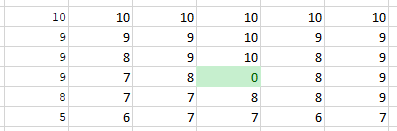
1.)输入数组
2.)从0,0到原点的第一个循环(3,3)
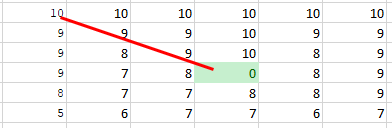
3.)这将返回10 9 9 8 0,最大值为10,索引为0。
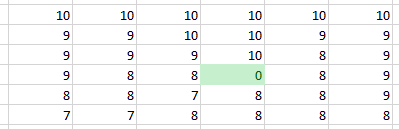
5.)下面是我使用的示例数组的输出
这里是基于接受的答案的性能更新。

回答 2
Stack Overflow用户
发布于 2018-12-23 03:24:12
为了加快代码的速度,您可以首先在循环之外创建x_plot和y_plot,而不是每一个循环创建几次:
#this would be outside of the loops
num = 5
lin_col = np.array([np.linspace(i, origin_col, num) for i in range(cols)])
lin_row = np.array([np.linspace(i, origin_row, num) for i in range(rows)])然后您可以通过x_plot = lin_col[col]和y_plot = lin_row[row]在每个循环中访问它们。
其次,可以通过在多个v_stack上使用v_stack来避免这两个循环(row,col)。为此,您可以使用x_plot和np.ravel创建np.tile和np.ravel的所有组合,例如:
arr_vs = np.vstack(( np.tile( lin_row, cols).ravel(),
np.tile( lin_col.ravel(), rows)))请注意,ravel并不是每次在同一个地方使用来获得所有组合的。现在,您可以将map_coordinates与这个arr_vs和reshape一起使用--结果与rows、cols和num的个数相同,以获得3D数组最后一个轴中的每个interpolated_line:
arr_map = map_coordinates(m, arr_vs, order=1, mode='nearest').reshape(rows,cols,num)最后,您可以在np.max的最后一个轴上使用arr_map和np.argmax来获得结果m_max和m_dist。所以所有的代码都是:
import numpy as np
from scipy.ndimage import map_coordinates
m = np.array([
    [10,10,10,10,10,10],
    [9,9,9,10,9,9],
    [9,8,9,10,8,9],
    [9,7,8,0,8,9],
    [8,7,7,8,8,9],
    [5,6,7,7,6,7]])

origin_row = 3
origin_col = 3
rows, cols = m.shape

num = 5
lin_col = np.array([np.linspace(i, origin_col, num) for i in range(cols)])
lin_row = np.array([np.linspace(i, origin_row, num) for i in range(rows)])

arr_vs = np.vstack(( np.tile( lin_row, cols).ravel(),
                     np.tile( lin_col.ravel(), rows)))

arr_map = map_coordinates(m, arr_vs, order=1, mode='nearest').reshape(rows,cols,num)
m_max = np.max( arr_map, axis=-1)
m_dist = np.argmax( arr_map, axis=-1)

print (m_max)
print (m_dist)
你就会像预期的那样:
#m_max
array([[10, 10, 10, 10, 10, 10],
       [ 9,  9, 10, 10,  9,  9],
       [ 9,  9,  9, 10,  8,  9],
       [ 9,  8,  8,  0,  8,  9],
       [ 8,  8,  7,  8,  8,  9],
       [ 7,  7,  8,  8,  8,  8]])
#m_dist
array([[0, 0, 0, 0, 0, 0],
       [0, 0, 2, 0, 0, 0],
       [0, 2, 0, 0, 0, 0],
       [0, 1, 0, 0, 0, 0],
       [0, 2, 0, 0, 0, 0],
[1, 1, 2, 1, 2, 1]])编辑:lin_col和lin_row是相关的,所以您可以做得更快:
if cols >= rows:
    arr = np.arange(cols)[:,None]
    lin_col = arr + (origin_col-arr)/(num-1.)*np.arange(num)
    lin_row = lin_col[:rows] + np.linspace(0, origin_row - origin_col, num)[None,:]
else:
    arr = np.arange(rows)[:,None]
    lin_row = arr + (origin_row-arr)/(num-1.)*np.arange(num)
lin_col = lin_row[:cols] + np.linspace(0, origin_col - origin_row, num)[None,:]Stack Overflow用户
发布于 2018-12-22 21:42:15
这是一种向量化的方法.它不是很优化,可能有一个或两个索引逐个错误,但它可能给你的想法。
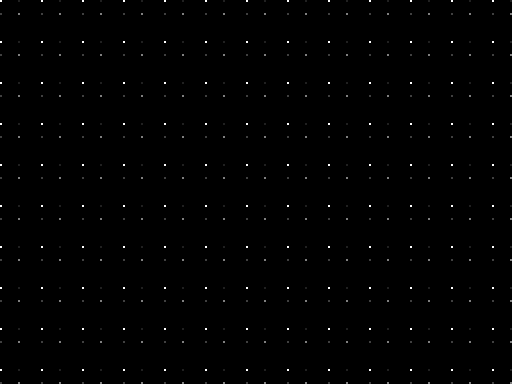
两个例子,单色384x512测试模式和“真实”3通道768x1024图像。两者都是uint8。这在我的机器上需要半分钟。
对于较大的图像,需要比我(8GB)更多的RAM。否则就得把它分解成小块了。
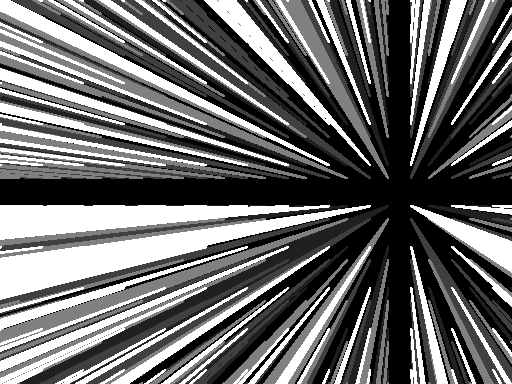
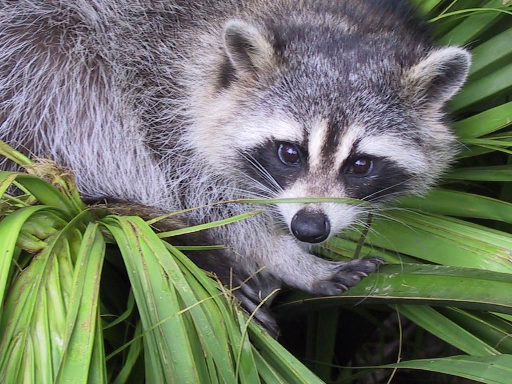
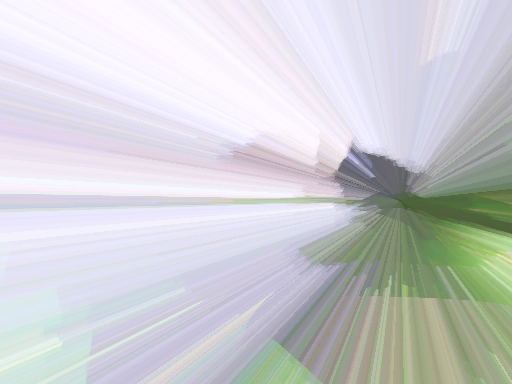
和密码
import numpy as np

def rays(img, ctr):
    M, N, *d = img.shape
    aidx = 2*(slice(None),) + (img.ndim-2)*(None,)
    m, n = ctr
    out = np.empty_like(img)
    offsI = np.empty(img.shape, np.uint16)
    offsJ = np.empty(img.shape, np.uint16)
    img4, out4, I4, J4 = ((x[m:, n:], x[m:, n::-1], x[m::-1, n:], x[m::-1, n::-1]) for x in (img, out, offsI, offsJ))
    for i, o, y, x in zip(img4, out4, I4, J4):
        for _ in range(2):
            M, N, *d = i.shape
            widths = np.arange(1, M+1, dtype=np.uint16).clip(None, N)
            I = np.arange(M, dtype=np.uint16).repeat(widths)
            J = np.ones_like(I)
            J[0] = 0
            J[widths[:-1].cumsum()] -= widths[:-1]
            J = J.cumsum(dtype=np.uint16)
            ii = np.arange(1, 2*M-1, dtype=np.uint16) // 2
            II = ii.clip(None, I[:, None])
            jj = np.arange(2*M-2, dtype=np.uint32) // 2 * 2 + 1
            jj[0] = 0
            JJ = ((1 + jj) * J[:, None] // (2*(I+1))[:, None]).astype(np.uint16).clip(None, J[:, None])
            idx = i[II, JJ].argmax(axis=1)
            II, JJ = (np.take_along_axis(ZZ[aidx] , idx[:, None], 1)[:, 0] for ZZ in (II, JJ))
            y[I, J], x[I, J] = II, JJ
            SH = II, JJ, *np.ogrid[tuple(map(slice, img.shape))][2:]
            o[I, J] = i[SH]
            i, o = i.swapaxes(0, 1), o.swapaxes(0, 1)
            y, x = x.swapaxes(0, 1), y.swapaxes(0, 1)
    return out, offsI, offsJ

from scipy.misc import face

f = face()
fr, *fidx = rays(f, (200, 400))
s = np.uint8((np.arange(384)[:, None] % 41 < 2)&(np.arange(512) % 41 < 2))
s = 255*s + 128*s[::-1, ::-1] + 64*s[::-1] + 32*s[:, ::-1]
sr, *sidx = rays(s, (200, 400))

import Image
Image.fromarray(f).show()
Image.fromarray(fr).show()
Image.fromarray(s).show()
Image.fromarray(sr).show()https://stackoverflow.com/questions/53898073
复制相似问题
腾讯云开发者

Copyright © 2013 - 2026 Tencent Cloud. All Rights Reserved. 腾讯云 版权所有
深圳市腾讯计算机系统有限公司 ICP备案/许可证号:粤B2-20090059  粤公网安备44030502008569号
腾讯云计算(北京)有限责任公司 京ICP证150476号 | 京ICP备11018762号