
使用libyuv缩放YUV420图像会产生奇怪的输出
可能重复的这问题与主要部分从这里挑选。我试过那里提供的任何解决方案,它们对我不起作用。
背景
我正在以888图像格式捕获从ARCore的frame.acquireCameraImage()方法返回的图像。由于我已经将相机配置设置为1920*1080分辨率,我需要将其缩小到224*224,以便将其传递给我的tensorflow实现。我是通过Android使用LibYuv库来做到这一点的。
Implementation
准备图像帧
    //Figure out the source image dimensions
    int y_size = srcWidth * srcHeight;

    //Get dimensions of the desired output image
    int out_size = destWidth * destHeight;

    //Generate input frame
    i420_input_frame.width = srcWidth;
    i420_input_frame.height = srcHeight;
    i420_input_frame.data = (uint8_t*) yuvArray;
    i420_input_frame.y = i420_input_frame.data;
    i420_input_frame.u = i420_input_frame.y + y_size;
    i420_input_frame.v = i420_input_frame.u + (y_size / 4);

    //Generate output frame
    free(i420_output_frame.data);
    i420_output_frame.width = destWidth;
    i420_output_frame.height = destHeight;
    i420_output_frame.data = new unsigned char[out_size * 3 / 2];
    i420_output_frame.y = i420_output_frame.data;
    i420_output_frame.u = i420_output_frame.y + out_size;
i420_output_frame.v = i420_output_frame.u + (out_size / 4);我用利比亚人的I420Scale方法来标尺我的图像
libyuv::FilterMode mode = libyuv::FilterModeEnum::kFilterBox;
jint result = libyuv::I420Scale(i420_input_frame.y, i420_input_frame.width,
                                i420_input_frame.u, i420_input_frame.width / 2,
                                i420_input_frame.v, i420_input_frame.width / 2,
                                i420_input_frame.width, i420_input_frame.height,
                                i420_output_frame.y, i420_output_frame.width,
                                i420_output_frame.u, i420_output_frame.width / 2,
                                i420_output_frame.v, i420_output_frame.width / 2,
                                i420_output_frame.width, i420_output_frame.height,
                                mode);
并将其返回给java。
    //Create a new byte array to return to the caller in Java
    jbyteArray outputArray = env -> NewByteArray(out_size * 3 / 2);
    env -> SetByteArrayRegion(outputArray, 0, out_size, (jbyte*) i420_output_frame.y);
    env -> SetByteArrayRegion(outputArray, out_size, out_size / 4, (jbyte*) i420_output_frame.u);
    env -> SetByteArrayRegion(outputArray, out_size + (out_size / 4), out_size / 4, (jbyte*) i420_output_frame.v);
实际图像:
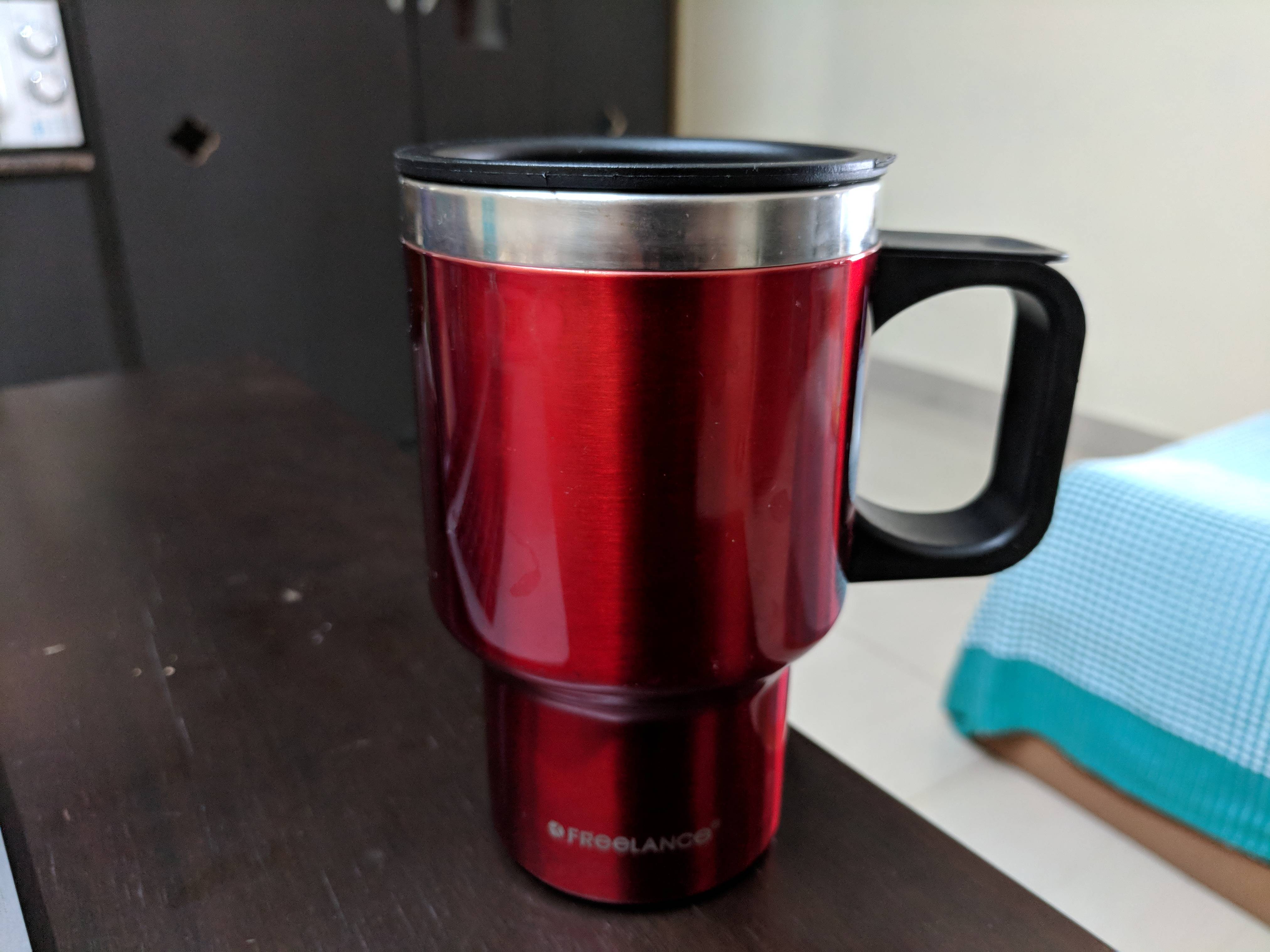
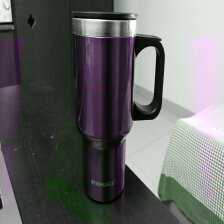
它看起来像后缩放:
如果我在没有缩放的情况下从i420_input_frame创建一个图像,它会是什么样子的:
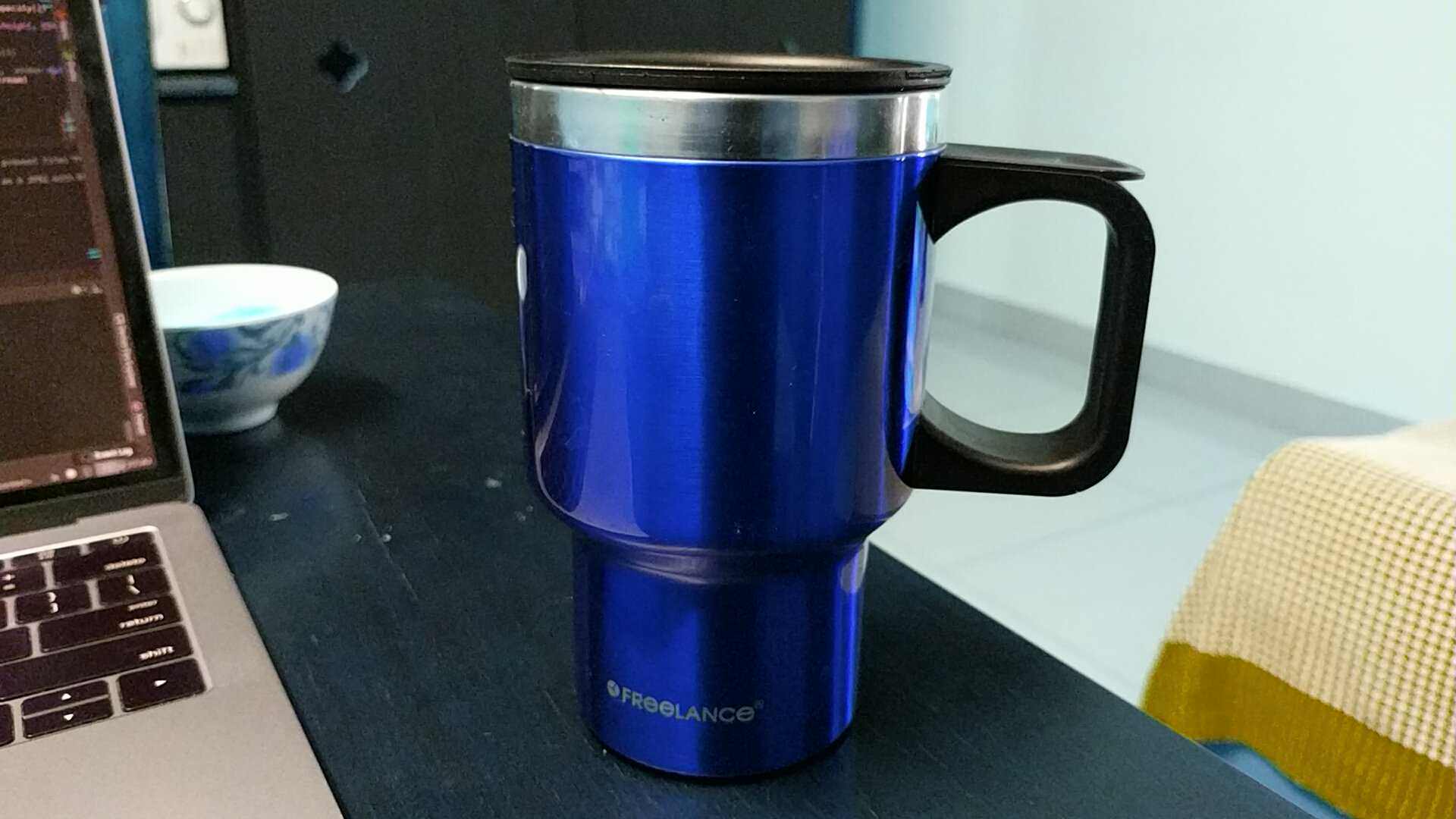
由于缩放严重扰乱了颜色,tensorflow无法正确识别对象。(在他们的示例应用程序中,它正确地识别出了),我做错了什么来破坏颜色呢?
回答 2
Stack Overflow用户
发布于 2018-10-03 11:25:41
要么是我做错了什么(我无法修复),要么是LibYuv在处理安卓的YUV图像时没有正确处理颜色。
参考利比亚图书馆官方发布的错误:https://bugs.chromium.org/p/libyuv/issues/detail?id=815&can=1&q=&sort=-id
他们建议我先使用Android420ToI420()方法,然后应用所需的任何转换。最后,我首先使用了Android420ToI420(),然后缩放,然后转换为RGB。最后,输出略好于上面贴出的杯子图像,但扭曲的颜色仍然存在。最后,我使用OpenCV缩小图像,并将其转换为RGBA或RGB格式。
// The camera image received is in YUV YCbCr Format at preview dimensions
// so we will scale it down to 224x224 size using OpenCV
// Y plane (0) non-interleaved => stride == 1; U/V plane interleaved => stride == 2
// Refer : https://developer.android.com/reference/android/graphics/ImageFormat.html#YUV_420_888
val cameraPlaneY = cameraImage.planes[0].buffer
val cameraPlaneUV = cameraImage.planes[1].buffer

// Create a new Mat with OpenCV. One for each plane - Y and UV
val y_mat = Mat(cameraImage.height, cameraImage.width, CvType.CV_8UC1, cameraPlaneY)
val uv_mat = Mat(cameraImage.height / 2, cameraImage.width / 2, CvType.CV_8UC2, cameraPlaneUV)
var mat224 = Mat()
var cvFrameRGBA = Mat()

// Retrieve an RGBA frame from the produced YUV
Imgproc.cvtColorTwoPlane(y_mat, uv_mat, cvFrameRGBA, Imgproc.COLOR_YUV2BGRA_NV21)


//Then use this frame to retrieve all RGB channel data
//Iterate over all pixels and retrieve information of RGB channels
  for(rows in 1 until cvFrameRGBA.rows())
      for(cols in 1 until cvFrameRGBA.cols()) {
          val imageData = cvFrameRGBA.get(rows, cols)
          // Type of Mat is 24
          // Channels is 4
          // Depth is 0
          rgbBytes.put(imageData[0].toByte())
          rgbBytes.put(imageData[1].toByte())
          rgbBytes.put(imageData[2].toByte())
}Stack Overflow用户
发布于 2018-11-15 09:47:19
造成颜色问题是因为您使用的是不同的YUV格式。相机框架使用的YUV格式是YUV NV21。此格式(NV21)是安卓相机预览的标准图片格式。YUV 4:2:0平面图像,用8位Y样本,然后用8位2x2次采样色样的交错V/U平面。
如果您的颜色是倒置的,这意味着:
- 您使用的是YUV NV12 (U平面为V,V为U)。
- 你的一个彩色飞机在做一些奇怪的事情。
要正确地使用libyuv,我建议您使用transformI420方法将相机输出转换为YUV I420,并按参数发送格式:
return libyuv::ConvertToI420(src, srcSize, //src data
                             dstY, dstWidth, //dst planes
                             dstU, dstWidth / 2,
                             dstV, dstWidth / 2,
                             cropLeft, cropTop, //crop start
                             srcWidth, srcHeight, //src dimensions
                             cropRight - cropLeft, cropBottom - cropTop, //dst dimensions
                             rotationMode,
libyuv::FOURCC_NV21); //libyuv::FOURCC_NV12完成此转换之后,您将能够使用所有的I420scale,I420rotate正确地使用libyuv .诸若此类。您的缩放方法应该如下所示:
JNIEXPORT jint JNICALL
Java_com_aa_project_images_yuv_myJNIcl_scaleI420(JNIEnv *env, jclass type,
                                                 jobject srcBufferY,
                                                 jobject srcBufferU,
                                                 jobject srcBufferV,
                                                 jint srcWidth, jint srcHeight,
                                                 jobject dstBufferY,
                                                 jobject dstBufferU,
                                                 jobject dstBufferV,
                                                 jint dstWidth, jint dstHeight,
                                                 jint filterMode) {

    const uint8_t *srcY = static_cast<uint8_t *>(env->GetDirectBufferAddress(srcBufferY));
    const uint8_t *srcU = static_cast<uint8_t *>(env->GetDirectBufferAddress(srcBufferU));
    const uint8_t *srcV = static_cast<uint8_t *>(env->GetDirectBufferAddress(srcBufferV));
    uint8_t *dstY = static_cast<uint8_t *>(env->GetDirectBufferAddress(dstBufferY));
    uint8_t *dstU = static_cast<uint8_t *>(env->GetDirectBufferAddress(dstBufferU));
    uint8_t *dstV = static_cast<uint8_t *>(env->GetDirectBufferAddress(dstBufferV));

    return libyuv::I420Scale(srcY, srcWidth,
                             srcU, srcWidth / 2,
                             srcV, srcWidth / 2,
                             srcWidth, srcHeight,
                             dstY, dstWidth,
                             dstU, dstWidth / 2,
                             dstV, dstWidth / 2,
                             dstWidth, dstHeight,
                             static_cast<libyuv::FilterMode>(filterMode));
}如果您想要将此图像转换为JPEG,则在完成所有处理后。您可以使用I420toNV21方法,然后使用从YUV到JPEG的android本机转换。此外,您还可以使用libJpegTurbo,这是一个用于这种情况的补充库。
https://stackoverflow.com/questions/52072540
复制相似问题
腾讯云开发者

Copyright © 2013 - 2026 Tencent Cloud. All Rights Reserved. 腾讯云 版权所有
深圳市腾讯计算机系统有限公司 ICP备案/许可证号:粤B2-20090059  粤公网安备44030502008569号
腾讯云计算(北京)有限责任公司 京ICP证150476号 | 京ICP备11018762号