
如何访问skimage抹布的属性
如何访问skimage抹布的属性
提问于 2018-07-11 20:41:43
我在python中进行图像处理,并使用skimage rag_mean_color和分割方法首先对图像进行分割。然后,我使用graph.cut_threshold以相似的颜色合并相邻的区域。在最后,我有一个非常大的单一颜色区域,我想要提取。我一直在使用另一种方法来尝试获取图片中最常见的颜色(kmeans),但没有得到我想要的结果。
我想知道是否有一种方法可以直接从图中得到区域的颜色。谢谢!
RAG代码:
img = cv2.imread(path)
# convert the image to HSV
img = cv2.cvtColor(img, cv2.COLOR_RGB2HSV)
# apply the RAG thresholding on the image
labels1 = segmentation.slic(img, compactness=10, n_segments=600)
out1 = color.label2rgb(labels1, img, kind='avg')
# create the region adjacency graph from the labels and image
g = graph.rag_mean_color(img, labels1)
# merge similar regions in the image/graph
labels2 = graph.cut_threshold(labels1, g, 20)
out2 = color.label2rgb(labels2, img, kind='avg')
# construct an updated graph for the image from the merged labels
g2 = graph.rag_mean_color(out2, labels2)
# merge similar regions a second time to ensure like regions are merged
labels3 = graph.cut_threshold(labels2, g2, 30)
out3 = color.label2rgb(labels3, out2, kind='avg')
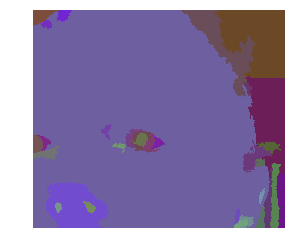
这就是我得到的图像:
占主导地位的颜色代码:
# get the dominant (most common) color in an image using kmeans
# convert the image into HSV color space
img = cv2.cvtColor(img, cv2.COLOR_BGR2HSV)
# reshape the photo to be rows of colors
data = img.copy().reshape((img.shape[0]*img.shape[1], 3)).astype(float)
# apply kmeans to the data
centroids, codes = kmeans2(data, 5)
# get the most common centroid
centroid = np.argmax(np.bincount(codes))
d_color = centroids[centroid].astype(np.uint8)
这是我得到的颜色:

回答 1
页面原文内容由Stack Overflow提供。腾讯云小微IT领域专用引擎提供翻译支持
原文链接:
https://stackoverflow.com/questions/51293876
复制相关文章
相似问题
腾讯云开发者

Copyright © 2013 - 2026 Tencent Cloud. All Rights Reserved. 腾讯云 版权所有
深圳市腾讯计算机系统有限公司 ICP备案/许可证号:粤B2-20090059  粤公网安备44030502008569号
腾讯云计算(北京)有限责任公司 京ICP证150476号 | 京ICP备11018762号