
如何在ARKit中实现自然采光?
如何在ARKit中实现自然采光?
提问于 2018-03-17 17:39:26
我希望在我的ARKit项目中添加的项目的照明类似于现实世界的对象。请解释一下如何实现这一点?谢谢
回答 1
Stack Overflow用户
回答已采纳
发布于 2018-03-18 07:10:52
您可以通过从一个SCNMaterial参数中进行选择来为lightingModel添加照明,例如:
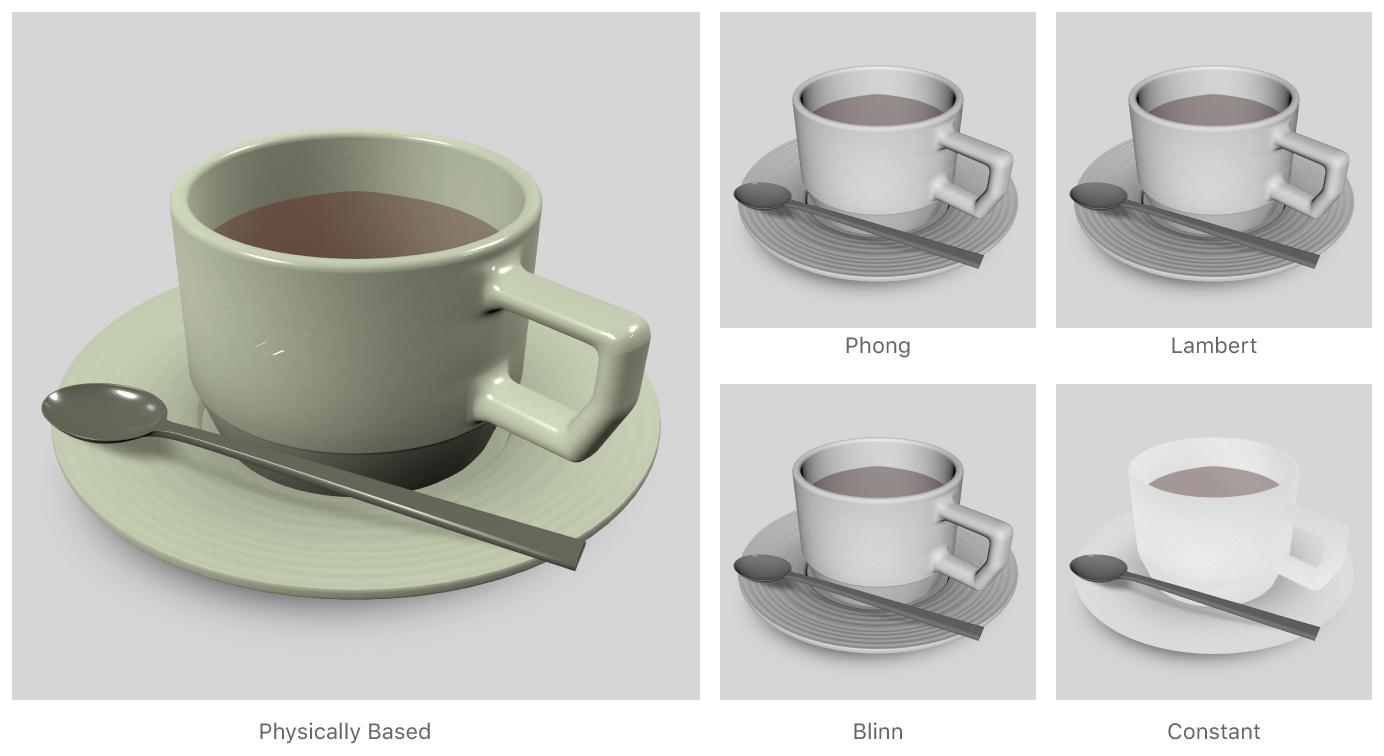
要将其中之一添加到SCNMaterial中,只需执行以下操作:
material.lightingModel = .constant 还可以通过使用SCNView的以下变量使对象看起来更逼真:
var autoenablesDefaultLighting: Bool { get set }autoEnablesDefaultLighting只是一个Boolean值,它决定了SceneKit是否会自动为场景添加灯光。
默认情况下,这被设置为false,意思是:
SceneKit用于渲染场景的唯一光源是场景图中包含的光源。
另一方面,如果这被设置为真:
SceneKit自动添加和放置全向光源时,渲染的场景不包含灯光或只包含周围的灯光。
因此,要将此设置应用于SCNView,只需使用以下内容:
augmentedRealityScene.autoenablesDefaultLighting = true除了这些建议之外,您还可以创建不同类型的灯光以添加到您的场景中,例如:
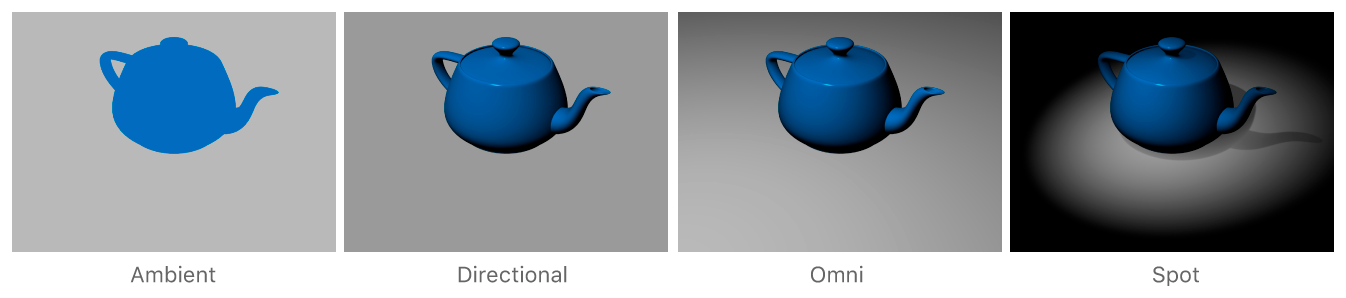
func createDirectionalLight(){

        let spotLight = SCNNode()
        spotLight.light = SCNLight()
        spotLight.scale = SCNVector3(1,1,1)
        spotLight.light?.intensity = 1000
        spotLight.castsShadow = true
        spotLight.position = SCNVector3Zero
        spotLight.light?.type = SCNLight.LightType.directional
        spotLight.light?.color = UIColor.white
}
希望这能帮上忙。
页面原文内容由Stack Overflow提供。腾讯云小微IT领域专用引擎提供翻译支持
原文链接:
https://stackoverflow.com/questions/49339916
复制相关文章
相似问题
腾讯云开发者

Copyright © 2013 - 2026 Tencent Cloud. All Rights Reserved. 腾讯云 版权所有
深圳市腾讯计算机系统有限公司 ICP备案/许可证号:粤B2-20090059  粤公网安备44030502008569号
腾讯云计算(北京)有限责任公司 京ICP证150476号 | 京ICP备11018762号