
SceneKit -在另一个SCNNode上添加SCNNode
我试着把球体放在盒子的顶部,但是位置很奇怪:球在盒子里是半隐藏的。我试着改变盒子和球体的枢轴,但没什么用。下面是代码:
    let cubeGeometry = SCNBox(width: 10, height: 10, length: 10,
    chamferRadius: 0)
    let cubeNode = SCNNode(geometry: cubeGeometry)
    //cubeNode.pivot = SCNMatrix4MakeTranslation(0, 1, 0)
    scene.rootNode.addChildNode(cubeNode)

    let ballGeometry = SCNSphere(radius: 1)
    let ballNode = SCNNode(geometry: ballGeometry)
    ballNode.pivot = SCNMatrix4MakeTranslation(0.5, 0, 0.5)
    ballNode.position = SCNVector3Make(0, 5, 0)
    cubeNode.addChildNode(ballNode)`
其结果是:
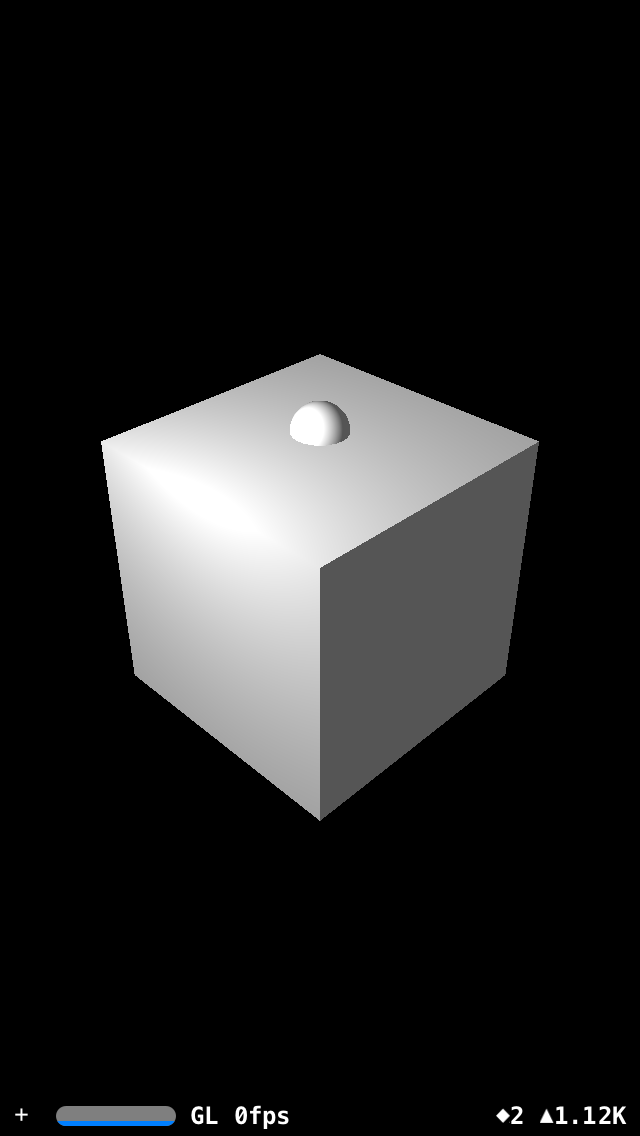
我做错什么了?如何把球放在盒子的最上面?
更新:如果我添加立方体而不是球,它看起来就像我想要的那样好
回答 2
Stack Overflow用户
发布于 2017-10-17 05:20:16
您需要通过cube-height/2 + sphere-radius在Y轴上进行转换.因此,你应该有:
ballNode.position = SCNVector3Make(0, 6, 0)这是截图:
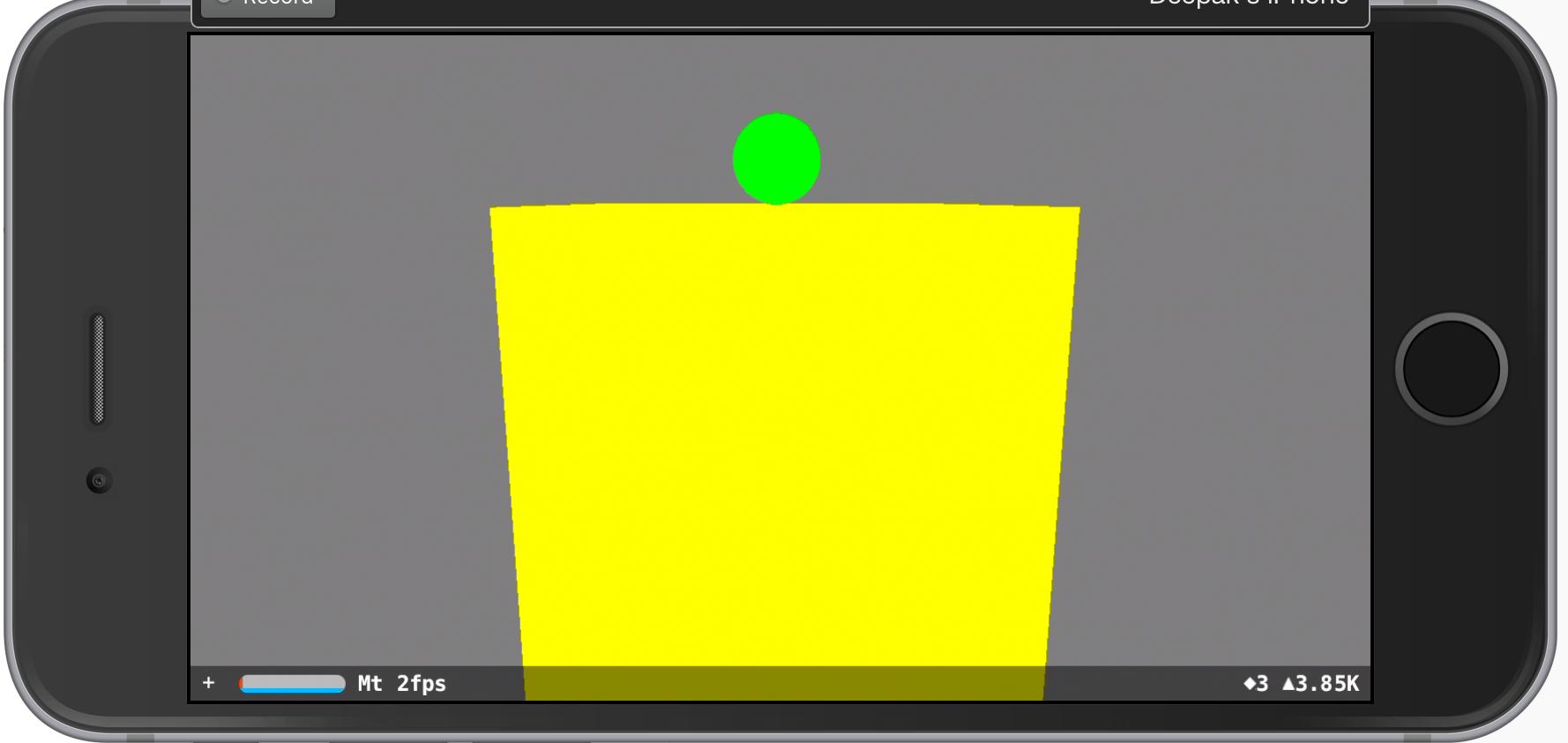
有关的完整守则:
override func viewDidLoad() {
    super.viewDidLoad()

    // create a new scene
    let scene = SCNScene()

    let cubeGeometry = SCNBox(width: 10, height: 10, length: 10,
                              chamferRadius: 0)
    cubeGeometry.firstMaterial?.diffuse.contents = UIColor.yellow
    let cubeNode = SCNNode(geometry: cubeGeometry)
    scene.rootNode.addChildNode(cubeNode)

    let ballGeometry = SCNSphere(radius: 1)
    ballGeometry.firstMaterial?.diffuse.contents = UIColor.green
    let ballNode = SCNNode(geometry: ballGeometry)
    ballNode.position = SCNVector3Make(0, 6, 0)
    cubeNode.addChildNode(ballNode)

    // retrieve the SCNView
    let scnView = self.view as! SCNView

    // set the scene to the view
    scnView.scene = scene

    // allows the user to manipulate the camera
    scnView.allowsCameraControl = true

    // show statistics such as fps and timing information
    scnView.showsStatistics = true

    // configure the view
    scnView.backgroundColor = UIColor.gray
}
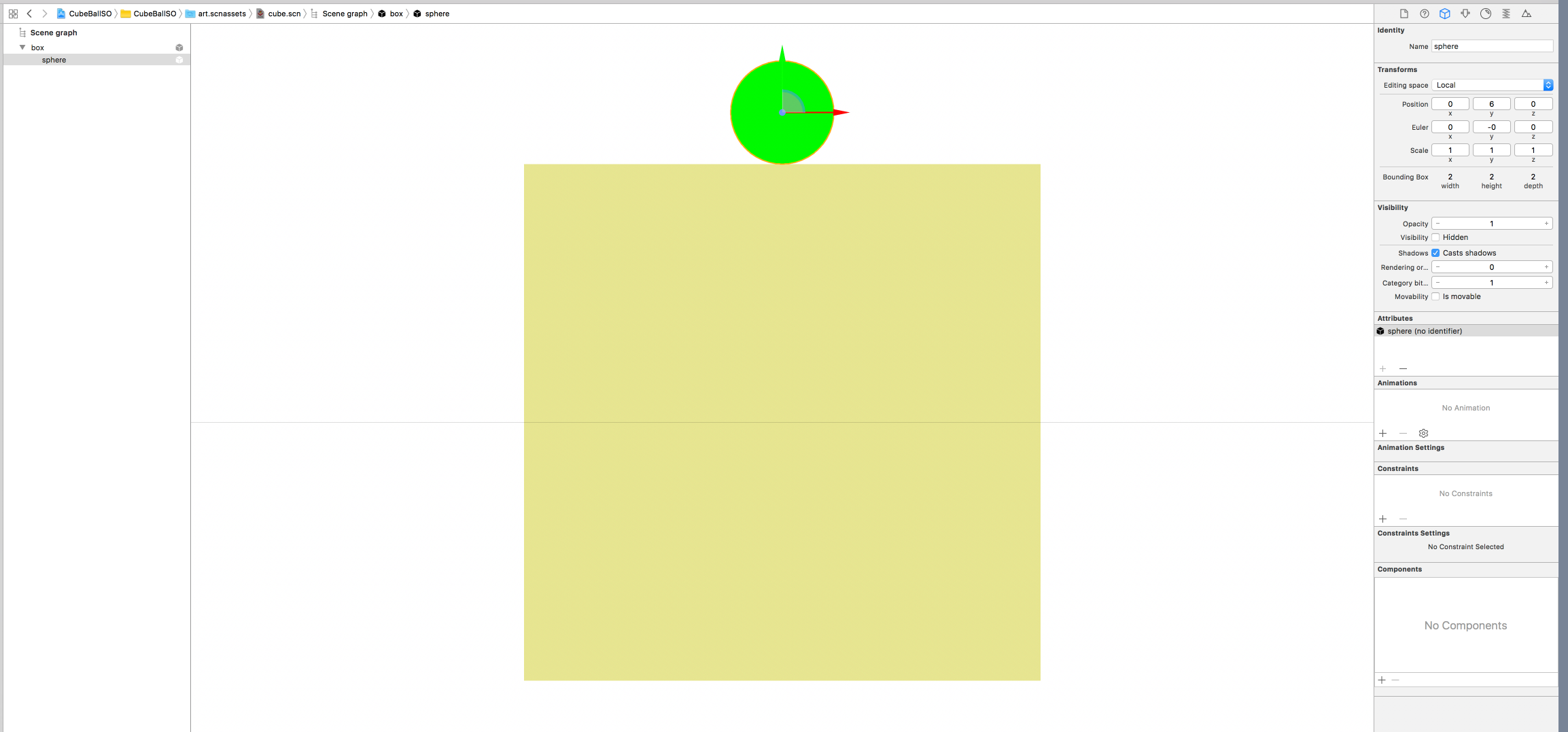
更新:为什么radius而不是radius / 2
请参阅Xcode中的场景编辑器截图。立方体的原始位置是(0,0,0),球的位置也是(0,0,0),因此球需要由r而不是r/2移动;当r/2时,高度r/2的球的下部仍在立方体内。您只需添加一个立方体和球体,就像下面编辑器中的场景一样,这将有助于澄清。
Stack Overflow用户
发布于 2017-10-16 20:10:05
一切正常运转。您将球节点添加到多维数据集节点。所以球节点的起源在立方体的中心。然后将球的位置改为y轴上立方体大小的一半。基本上,它会弹出,你会看到球的一半(半径是1)。
所以你必须再把球的一半大小加在立方体的顶端:
ballNode.position = SCNVector3Make(0, 5.5, 0)
https://stackoverflow.com/questions/46777901
复制相似问题
腾讯云开发者

Copyright © 2013 - 2026 Tencent Cloud. All Rights Reserved. 腾讯云 版权所有
深圳市腾讯计算机系统有限公司 ICP备案/许可证号:粤B2-20090059  粤公网安备44030502008569号
腾讯云计算(北京)有限责任公司 京ICP证150476号 | 京ICP备11018762号