
立体贴图问题(D3D11,C++)
我有一个纹理问题,我正在绘制的立方体地图,似乎无法解决它。我用直接x的纹理工具生成了一个立方体映射,然后使用
D3DX11CreateShaderResourceViewFromFile(device, L"cubemap.dds", 0, 0, &fullcubemap, 0);立体地图的纹理不是高质量的,它看起来真的拉伸/扭曲。我可以肯定地说,用于cubemap的图像是正确匹配的,但目前它一点也不太好。
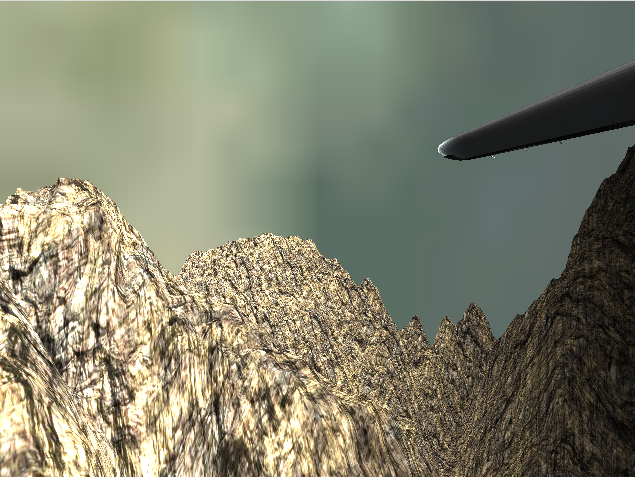
我不知道为什么会这样。是因为我的纹理太大/太小,还是别的什么东西?如果是由于纹理的大小,建议的纹理大小是什么?我用的是球体,而不是立方体。
编辑:
着色器:
cbuffer SkyboxConstantBuffer {
    float4x4 world;
    float4x4 view;
    float4x4 projection;
};

TextureCube gCubeMap;

SamplerState samTriLinearSam {
    Filter = MIN_MAG_MIP_LINEAR;
    AddressU = Wrap;
    AddressV = Wrap;
};

struct VertexIn {
    float4 position : POSITION;
};

struct VertexOut {
    float4 position : SV_POSITION;
    float4 spherePosition : POSITION;
};

VertexOut VS(VertexIn vin) {
    VertexOut vout = (VertexOut)0;

    vin.position.w = 1.0f;

    vout.position = mul(vin.position, world);
    vout.position = mul(vout.position, view);
    vout.position = mul(vout.position, projection);

    vout.spherePosition = vin.position;

    return vout;
}

float4 PS(VertexOut pin) : SV_Target {
    return gCubeMap.Sample(samTriLinearSam, pin.spherePosition);//float4(1.0, 0.5, 0.5, 1.0);
}

RasterizerState NoCull {
    CullMode = None;
};

DepthStencilState LessEqualDSS {
    DepthFunc = LESS_EQUAL;
};

technique11 SkyTech {
    pass p0 {
        SetVertexShader(CompileShader(vs_4_0, VS()));
        SetGeometryShader(NULL);
        SetPixelShader(CompileShader(ps_4_0, PS()));

        SetRasterizerState(NoCull);
        SetDepthStencilState(LessEqualDSS, 0);
    }
}
抽签:
immediateContext->OMSetRenderTargets(1, &renderTarget, nullptr);

XMMATRIX sworld, sview, sprojection;
SkyboxConstantBuffer scb;
sview = XMLoadFloat4x4(&_view);
sprojection = XMLoadFloat4x4(&_projection);
sworld = XMLoadFloat4x4(&_world);

scb.world = sworld;
scb.view = sview;
scb.projection = sprojection;

immediateContext->IASetIndexBuffer(cubeMapSphere->getIndexBuffer(), DXGI_FORMAT_R32_UINT, 0);
ID3D11Buffer*  vertexBuffer = cubeMapSphere->getVertexBuffer();
//ID3DX11EffectShaderResourceVariable * cMap;
////cMap = skyboxShader->GetVariableByName("gCubeMap")->AsShaderResource();
immediateContext->PSSetShaderResources(0, 1, &fullcubemap);//textures
//cMap->SetResource(fullcubemap);
immediateContext->IASetVertexBuffers(0, 1, &vertexBuffer, &stride, &offset);
immediateContext->VSSetShader(skyboxVertexShader, nullptr, 0);
immediateContext->VSSetConstantBuffers(0, 1, &skyboxConstantBuffer);
immediateContext->PSSetConstantBuffers(0, 1, &skyboxConstantBuffer);
immediateContext->PSSetShader(skyboxPixelShader, nullptr, 0);

immediateContext->UpdateSubresource(skyboxConstantBuffer, 0, nullptr, &scb, 0, 0);
immediateContext->DrawIndexed(cubeMapSphere->getIndexBufferSize(), 0, 0);
最初,我计划使用这个片段更新着色器中的TextureCube变量。
ID3DX11EffectShaderResourceVariable * cMap;
cMap = skyboxShader->GetVariableByName("gCubeMap")->AsShaderResource();
cMap->SetResource(fullcubemap);
但这似乎没有任何效果,事实上,如果没有下面这一行,我用的球面纹理和场景中另一个物体的纹理,所以这里可能发生了什么事情?我不知道怎么回事。
immediateContext->PSSetShaderResources(0, 1, &fullcubemap);//textures编辑:可能不是上述,意识到如果没有更新,旧的纹理将被应用,因为它从来没有擦除后,每次抽签。
编辑:尝试用一个球和一个立方体,仍然相同的纹理问题的立方体地图。
编辑:尝试以不同方式加载着色器资源视图
D3DX11_IMAGE_LOAD_INFO loadSMInfo;
loadSMInfo.MiscFlags = D3D11_RESOURCE_MISC_TEXTURECUBE;

ID3D11Texture2D* SMTexture = 0;
hr = D3DX11CreateTextureFromFile(device, L"cubemap.dds",
    &loadSMInfo, 0, (ID3D11Resource**)&SMTexture, 0);

D3D11_TEXTURE2D_DESC SMTextureDesc;
SMTexture->GetDesc(&SMTextureDesc);

D3D11_SHADER_RESOURCE_VIEW_DESC SMViewDesc;
SMViewDesc.Format = SMTextureDesc.Format;
SMViewDesc.ViewDimension = D3D11_SRV_DIMENSION_TEXTURECUBE;
SMViewDesc.TextureCube.MipLevels = SMTextureDesc.MipLevels;
SMViewDesc.TextureCube.MostDetailedMip = 0;

hr = device->CreateShaderResourceView(SMTexture, &SMViewDesc, &fullcubemap);
仍然产生同样的输出,有什么想法吗?
编辑:尝试增加的区域距离和纹理保持完全相同,无论我投入什么价值。
第二个纹理的例子,增加了视图的距离。
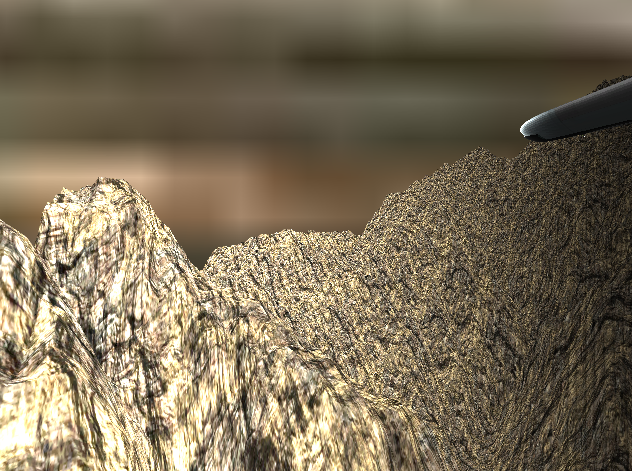
这个纹理是用在我的场景中的另一个物体上,结果很好。
编辑:我一直试图破坏纹理/对象的缩放。
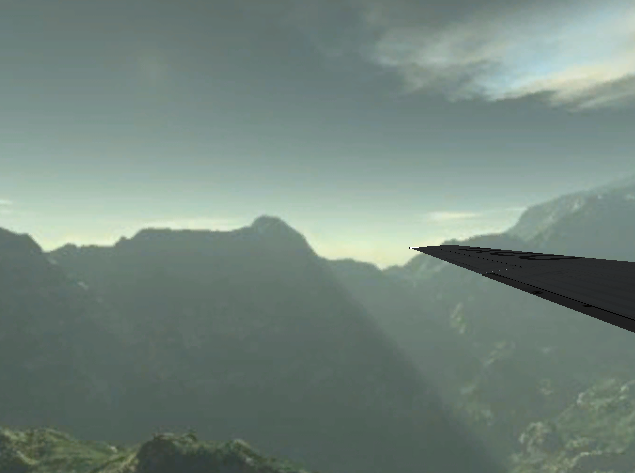
为此,我使用了vin.position = vin.position * 50.0f;
这看起来有点像它应该如何,然而,当我转动我的相机角度,图像消失了,所以我很明显知道这是不正确的,但是如果我能适当地缩放每像素或每一个顶点的图像,我肯定我能得到最终的结果。
编辑:
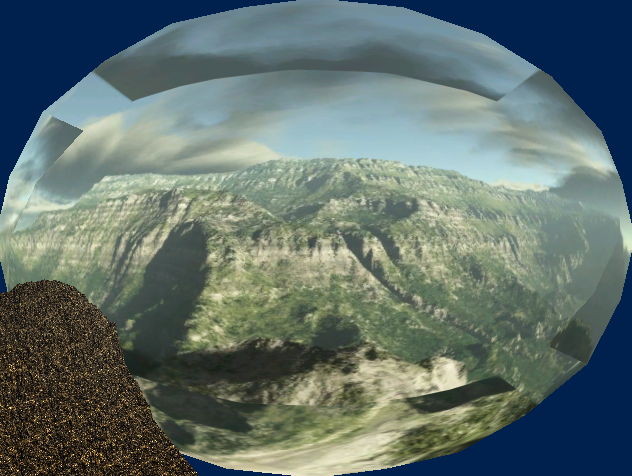
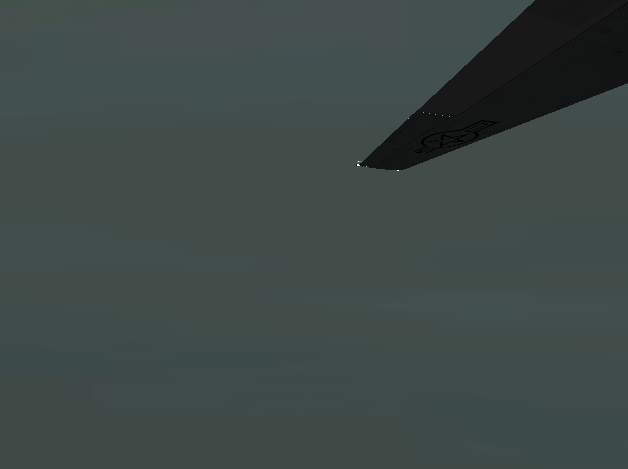
我可以确认cubemap的渲染是正确的,我忽略了视图/投影空间,只是使用了world并设法得到了这个,这是我想要的高质量的图像,只是不正确。是的,脸是不正确的,但我现在不担心,这是很容易交换他们周围,我只需要得到这种质量的渲染,在正确的空间。
在相机空间中,它是否考虑到它是否是球体的外部/内部?如果我的纹理是在球体的外面,而我从里面看到的话,它看起来就不一样了?
回答 2
Stack Overflow用户
发布于 2016-01-10 19:29:10
终于发现了这个问题,愚蠢的错误。
scb.world = XMMatrixTranspose(sworld);
scb.view = XMMatrixTranspose(sview);
scb.projection = XMMatrixTranspose(sprojection);Stack Overflow用户
发布于 2016-01-07 22:05:30
问题在于你的纹理大小,它很小,你把它应用在更大的表面,用更多的像素制作更大的纹理。
它证实了“天际”和“缩放”与此无关。
https://stackoverflow.com/questions/34561074
复制相似问题
腾讯云开发者

Copyright © 2013 - 2026 Tencent Cloud. All Rights Reserved. 腾讯云 版权所有
深圳市腾讯计算机系统有限公司 ICP备案/许可证号:粤B2-20090059  粤公网安备44030502008569号
腾讯云计算(北京)有限责任公司 京ICP证150476号 | 京ICP备11018762号