
XNA RenderTarget保存内容
XNA RenderTarget保存内容
提问于 2014-04-05 12:06:01
我试图在第一次绘图时将纹理加载到渲染目标中一次,然后保存内容以绘制每个帧的相同纹理,而无需重新创建它。
这是我的代码,但它不工作,只显示空的纹理区域和
RenderTarget2D rTarget = null;
        /// <summary>
        /// This is called when the game should draw itself.
        /// </summary>
        /// <param name="gameTime">Provides a snapshot of timing values.</param>
        protected override void Draw(GameTime gameTime)
        {
            GraphicsDevice.Clear(GameBackgroundColor);

            SpriteBatch.Begin();

            if (rTarget == null)
            {
                rTarget = new RenderTarget2D(Game.Graphics.GraphicsDevice,
                                           Game.Graphics.GraphicsDevice.PresentationParameters.BackBufferWidth,
                                           Game.Graphics.GraphicsDevice.PresentationParameters.BackBufferHeight,
                                           false,
                                           Game.Graphics.GraphicsDevice.PresentationParameters.BackBufferFormat,
                                           DepthFormat.Depth24, 0, RenderTargetUsage.PreserveContents);

                Game.Graphics.GraphicsDevice.SetRenderTarget(rTarget);

                Game.Graphics.GraphicsDevice.Clear(Color.Black);

                Game.SpriteBatch.Draw(ContentManager.Load<Texture2D>("tiles"), new Rectangle(0, 0, 100, 100), Color.White);

                Game.Graphics.GraphicsDevice.SetRenderTarget(null);
            }

            SpriteBatch.Draw(rTarget, new Rectangle(0, 0,400, 400), Color.White);

            //draw the character
            character.Draw(gameTime);

            SpriteBatch.End();

            base.Draw(gameTime);
        }
这就是最终的结果:
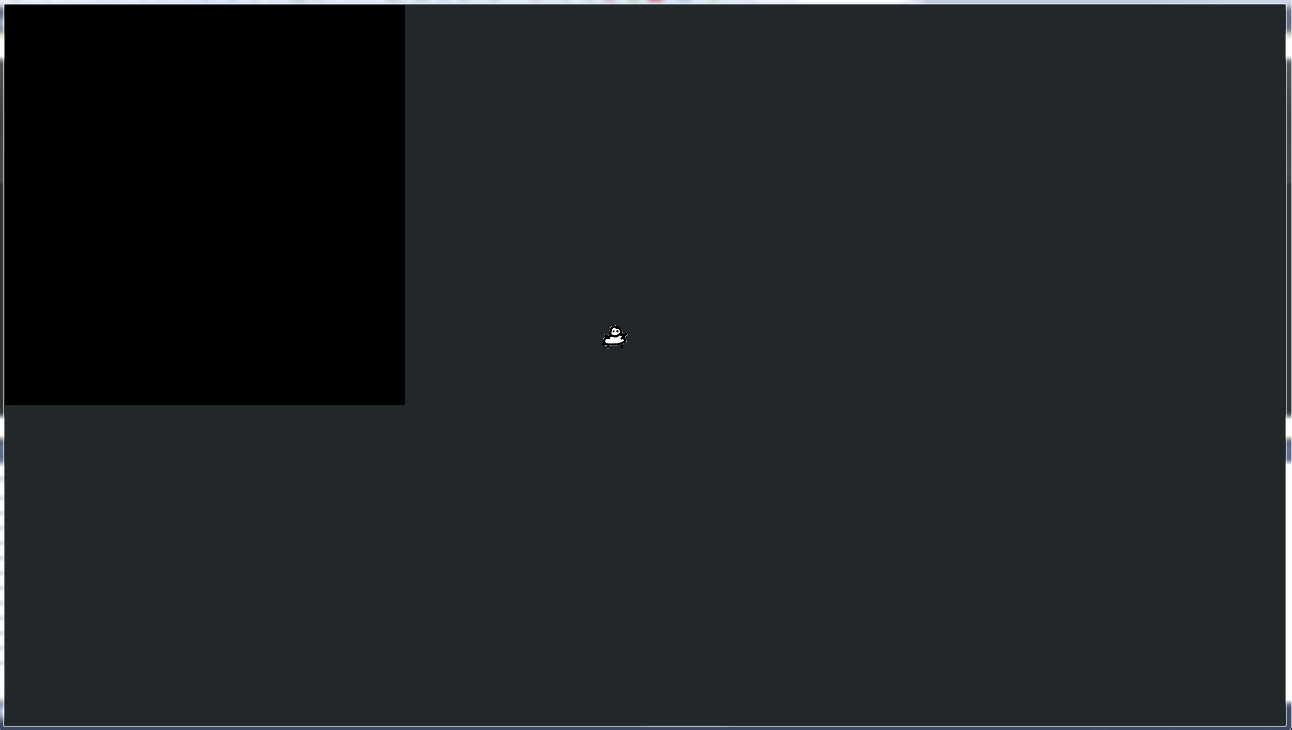
有人能解释我做错了什么吗?
回答 2
Stack Overflow用户
回答已采纳
发布于 2014-04-05 12:43:32
我想你忘记了渲染目标的Game.SpriteBatch.Begin()和End()。此外,我认为您应该将SpriteBatch.End()移到Draw(rTarget...方法调用附近(特别是如果Game.SpriteBatch和SpriteBatch是相同的变量)。
GraphicsDevice.Clear(GameBackgroundColor);
if (rTarget == null)
{
    rTarget = new RenderTarget2D(Game.Graphics.GraphicsDevice,
        Game.Graphics.GraphicsDevice.PresentationParameters.BackBufferWidth,
        Game.Graphics.GraphicsDevice.PresentationParameters.BackBufferHeight,
        false,
        Game.Graphics.GraphicsDevice.PresentationParameters.BackBufferFormat,
        DepthFormat.Depth24, 0, RenderTargetUsage.PreserveContents);

    Game.Graphics.GraphicsDevice.SetRenderTarget(rTarget);
    Game.Graphics.GraphicsDevice.Clear(Color.Black);

    Game.SpriteBatch.Begin();
    Game.SpriteBatch.Draw(ContentManager.Load<Texture2D>("tiles"), new Rectangle(0, 0, 100, 100), Color.White);
    Game.SpriteBatch.End();
    Game.Graphics.GraphicsDevice.SetRenderTarget(null);
}

SpriteBatch.Begin();
SpriteBatch.Draw(rTarget, new Rectangle(0, 0,400, 400), Color.White);

//draw the character
character.Draw(gameTime);

SpriteBatch.End();

base.Draw(gameTime);Stack Overflow用户
发布于 2014-04-05 12:46:46
找到答案--结果是,您需要SpriteBatch.Begin和SpriteBatch.End围绕每个绘制到一个渲染目标。
RenderTarget2D rTarget = null;
/// <summary>
/// This is called when the game should draw itself.
/// </summary>
/// <param name="gameTime">Provides a snapshot of timing values.</param>
protected override void Draw(GameTime gameTime)
{

    if (rTarget == null)
    {
        rTarget = new RenderTarget2D(Game.Graphics.GraphicsDevice,
                                        Game.Graphics.GraphicsDevice.PresentationParameters.BackBufferWidth,
                                        Game.Graphics.GraphicsDevice.PresentationParameters.BackBufferHeight,
                                        false,
                                        Game.Graphics.GraphicsDevice.PresentationParameters.BackBufferFormat,
                                        DepthFormat.Depth24, 0, RenderTargetUsage.PreserveContents);

        Game.Graphics.GraphicsDevice.SetRenderTarget(rTarget);

        Game.Graphics.GraphicsDevice.Clear(Color.Black);

        SpriteBatch.Begin(); //new

        Game.SpriteBatch.Draw(ContentManager.Load<Texture2D>("tiles"), new Rectangle(0, 0, 100, 100), Color.White);

        SpriteBatch.End(); //new

        Game.Graphics.GraphicsDevice.SetRenderTarget(null);
    }

    GraphicsDevice.Clear(GameBackgroundColor);

    SpriteBatch.Begin();

    SpriteBatch.Draw(rTarget, new Rectangle(0, 0,400, 400), Color.White);

    //draw the character
    character.Draw(gameTime);

    SpriteBatch.End();

    base.Draw(gameTime);
}页面原文内容由Stack Overflow提供。腾讯云小微IT领域专用引擎提供翻译支持
原文链接:
https://stackoverflow.com/questions/22880663
复制相关文章
相似问题
腾讯云开发者

Copyright © 2013 - 2026 Tencent Cloud. All Rights Reserved. 腾讯云 版权所有
深圳市腾讯计算机系统有限公司 ICP备案/许可证号:粤B2-20090059  粤公网安备44030502008569号
腾讯云计算(北京)有限责任公司 京ICP证150476号 | 京ICP备11018762号