
HSV中的颜色旋转
HSV中的颜色旋转
提问于 2014-03-19 11:10:21
其目的是将纯红色图像转换成彩色车轮的任何色调。
- 单色图像首先转换为RGB红色图像,例如:
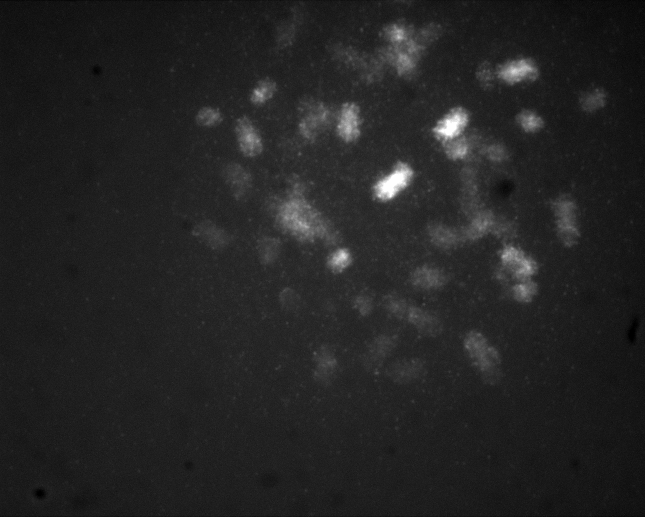
- 然后转换成HSV
- 通过添加一个与车轮颜色匹配的角度值来修改色调分量。
- 然后将hsv图像返回到rgb颜色空间。
问题是只能获得绿色或蓝色的图像(n一个角度为O黄色~30°):
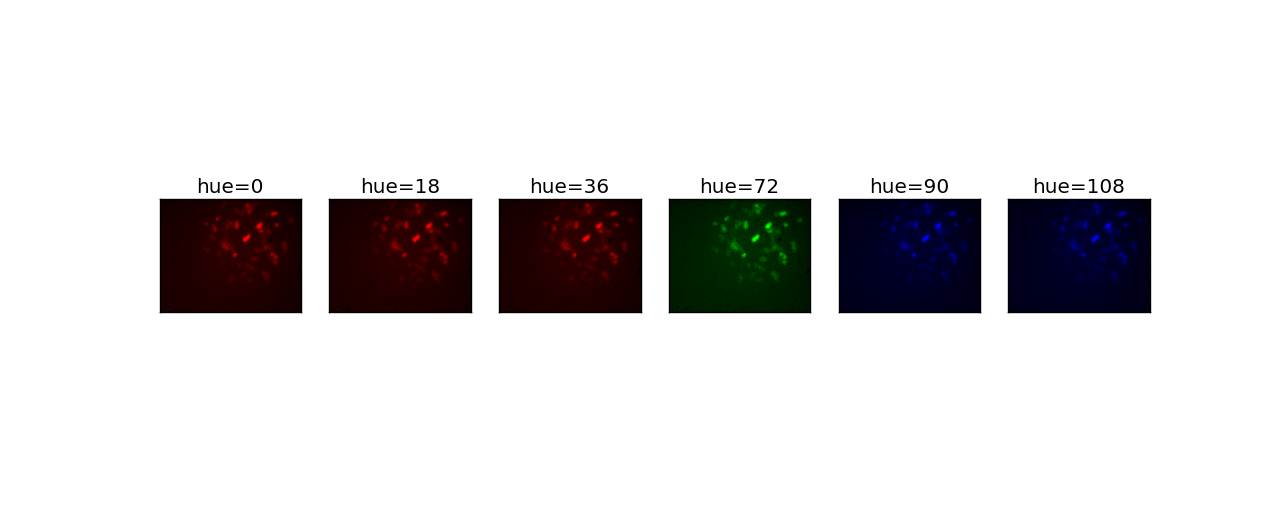
在某些ipython单元中执行的代码依赖于scikit-image 0.10dev:
from skimage import io
from skimage import color
from scipy import ndimage as nd
import numpy as np
from matplotlib import pyplot as plt
import os
cy55 = io.imread('/home/jeanpat/MFISH/PSI/P07/01/Cy5/P070109C.tif')

zero = np.zeros(cy55.shape,dtype=np.uint8)
rgb0 = np.dstack([cy55, zero,zero])

hue_rotations = [18, 36,72,90,108]
images = {}
images[0] = rgb0
hsv0 = color.rgb2hsv(rgb0)
print hsv0[:,:,0].dtype
for hue in hue_rotations:
    hsv = np.copy(hsv0)
    hsv[:,:,0] = hsv[:,:,0]+ hue
    rgb = color.hsv2rgb(hsv)
    images[hue] = rgb
i = 1
plt.figure(num=None, figsize=(15, 5),  facecolor='w', edgecolor='k')
for hue in np.sort(images.keys()):
    plt.subplot(1,6,i,xticks=[],yticks=[])
    plt.title('hue='+str(hue))
    plt.imshow(images[hue])
    i = i +1
plt.show()回答 1
Stack Overflow用户
回答已采纳
发布于 2014-03-20 22:20:06
我在邮件列表中回答了这个问题,但我将在这里复制解决方案,以便更容易找到(格式更漂亮)。
基本上,在色调表示方式(0-1而不是0-180)、uint8与浮动数据类型之间存在一些差异,也许还有一些问题涉及如何将灰度图像转换为RGB。一个简单的用法示例可能如下所示:
import numpy as np
import matplotlib.pyplot as plt
from skimage import color
from skimage import data


def colorize(image, hue):
    """Return image tinted by the given hue based on a grayscale image."""
    hsv = color.rgb2hsv(color.gray2rgb(image))
    hsv[:, :, 0] = hue
    hsv[:, :, 1] = 1  # Turn up the saturation; we want the color to pop!
    return color.hsv2rgb(hsv)


image = data.camera()[::2, ::2]

hue_rotations = np.linspace(0, 1, 6)  # 0--1 is equivalent to 0--180
colorful_images = [colorize(image, hue) for hue in hue_rotations]

fig, axes = plt.subplots(nrows=2, ncols=3)

for ax, array in zip(axes.flat, colorful_images):
    ax.imshow(array, vmin=0, vmax=1)
    ax.set_axis_off()

plt.show()
这意味着:

页面原文内容由Stack Overflow提供。腾讯云小微IT领域专用引擎提供翻译支持
原文链接:
https://stackoverflow.com/questions/22503938
复制相关文章
相似问题
腾讯云开发者

Copyright © 2013 - 2026 Tencent Cloud. All Rights Reserved. 腾讯云 版权所有
深圳市腾讯计算机系统有限公司 ICP备案/许可证号:粤B2-20090059  粤公网安备44030502008569号
腾讯云计算(北京)有限责任公司 京ICP证150476号 | 京ICP备11018762号