
ActionScript3.0--在colorTransform中使用if语句
ActionScript3.0--在colorTransform中使用if语句
提问于 2022-03-30 13:08:40
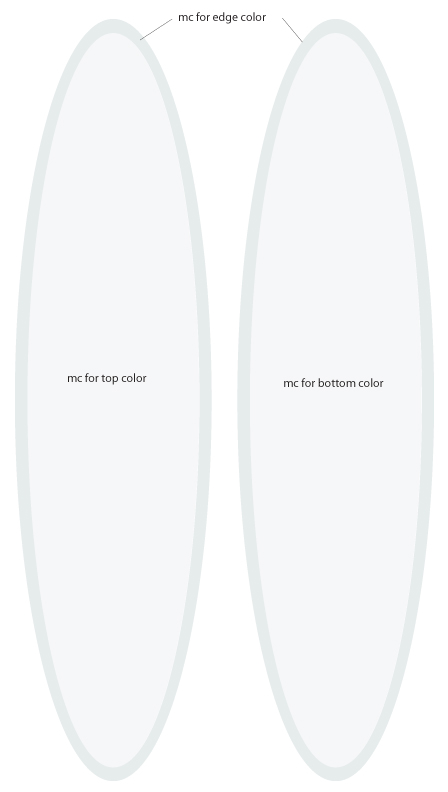
当点击按钮时,我正在为电影剪辑分配颜色。这些电影剪辑是包含在从Illustrator导入的椭圆形状中的矢量形状。
每个椭圆形都有一个顶部颜色,一个底部颜色和一个边缘/轨道颜色。我想要边缘颜色改变为一个组合的顶部和底部的颜色,根据选择的底色。
我一直试图在colorTransform中使用一个条件语句(在下面的代码底部)来完成这个任务,但是没有任何进展。有什么建议吗?
(我在下面列出了一张图片,以帮助想象我想要做的事情。)
//Define Red Colors
var red1:ColorTransform = new ColorTransform();
red1.color = 0xE66B5B;

//Define Blue Colors
var blue1:ColorTransform = new ColorTransform();
blue1.color = 0x00467F;

//Define Red/Blue Edge Color
var redBlue:ColorTransform = new ColorTransform();
redBlue.color = 0x1D113F;

//toggle red top colors
redDeck_btn.addEventListener(MouseEvent.CLICK, toggleRedDeck);
function toggleRedDeck(e: MouseEvent) {
    deckColor_mc.transform.colorTransform = red1;
}

//toggle blue bottom colors
blueBtm_btn.addEventListener(MouseEvent.CLICK, toggleBlueBtm);
function toggleBlueBtm(e: MouseEvent) {
    btmColor_mc.transform.colorTransform = blue1;

    //deck = red, rails = purple color
    if (deckColor_mc.transform.colorTransform == red1){
    deckRail1_mc.transform.colorTransform = redBlue;
    btmRail_mc.transform.colorTransform = redBlue;
        }else{
            deckRail1_mc.transform.colorTransform = redBlue;
            btmRail_mc.transform.colorTransform = redBlue;
            }
}
回答 1
Stack Overflow用户
发布于 2022-03-31 08:33:44
您需要比较对象的颜色属性,如下所示:
deckColor_mc.transform.colorTransform.color == red1.color页面原文内容由Stack Overflow提供。腾讯云小微IT领域专用引擎提供翻译支持
原文链接:
https://stackoverflow.com/questions/71677838
复制相关文章
相似问题
腾讯云开发者

Copyright © 2013 - 2026 Tencent Cloud. All Rights Reserved. 腾讯云 版权所有
深圳市腾讯计算机系统有限公司 ICP备案/许可证号:粤B2-20090059  粤公网安备44030502008569号
腾讯云计算(北京)有限责任公司 京ICP证150476号 | 京ICP备11018762号