Claude Code 桌面版官宣:AI 编程学会「分身术」

Claude Code 桌面版官宣:AI 编程学会「分身术」

GoLang学习记
发布于 2026-02-27 13:39:09
发布于 2026-02-27 13:39:09
她用曾经自己渴望的方式 去爱他
🧠 Claude Code 桌面版正式发布
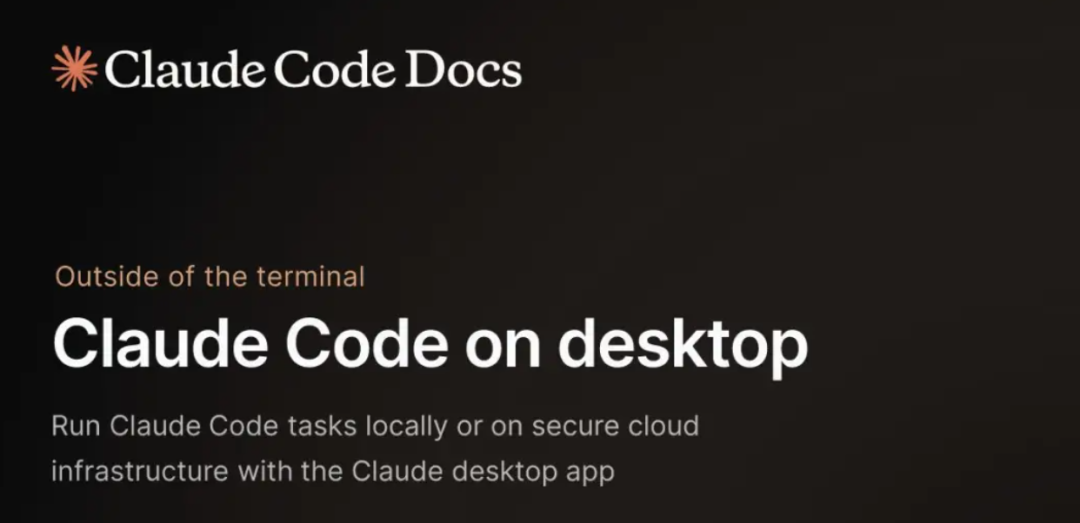
前几天,Anthropic 官方发布了 Claude Code 桌面版,让calude code的普及更加平民化了。
在这里插入图片描述
📸 先上图:从 CLI “苦行僧” 到 GUI “多开 CEO”
🖥️ 终端版:极简,但孤独
在这里插入图片描述
✅ 优点:轻量、快、黑客感拉满 ❌ 缺点:
- 一关窗口 = 会话蒸发
- 不能并行实验
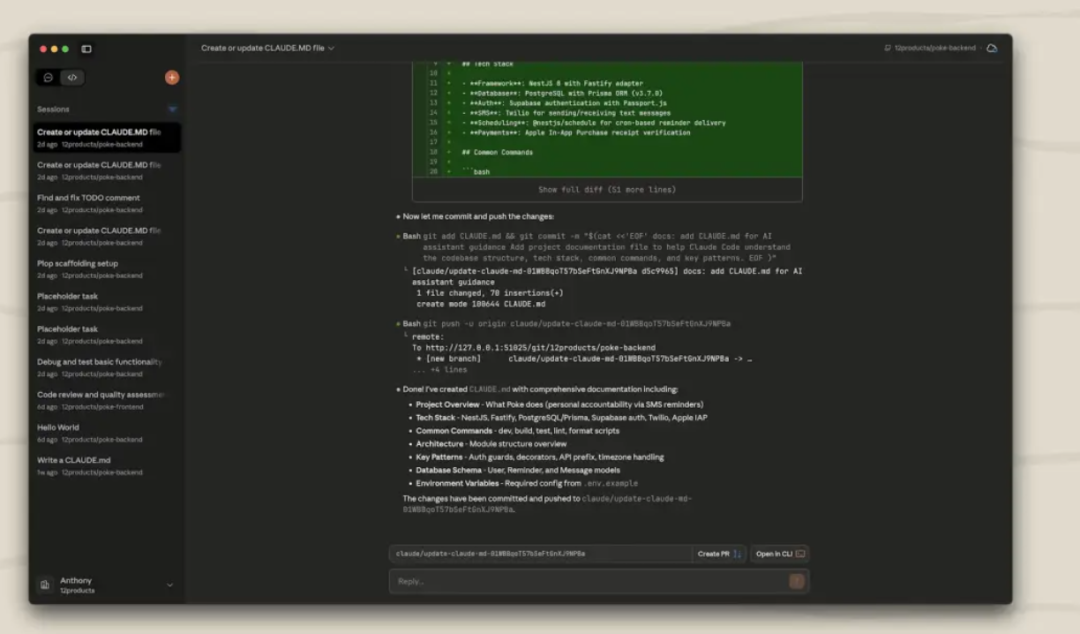
🪟 桌面版(2025):多会话 × Git 隔离 × 云地联动
下载地址:https://claude.com/download
在这里插入图片描述
✅ 新增三大核心能力:
- 🧩 多 Tab 会话(独立上下文)
- 🌲 每个会话 = 独立 Git worktree(天然防污染)
- ☁️ 一键切“本地运行” ↔ “Claude on the Web”
🧠 核心黑科技:Git Worktree = 多会话的「结界术」
你以为“多会话”只是开了 N 个 Terminal?
错。Claude Desktop 用 git worktree add 实现了真正的「空间折叠」:
ounter(lineounter(lineounter(lineounter(lineounter(line
~/.claude-worktrees/
├── session-fix-nil-slice/     ← worktree #1 → branch: fix/slice-bug
├── session-add-cache-layer/   ← worktree #2 → branch: feat/cache
├── session-refactor-utils/    ← worktree #3 → branch: refactor/utils
└── main/                      ← 原始 repo(只读参考)
需要注意的是:
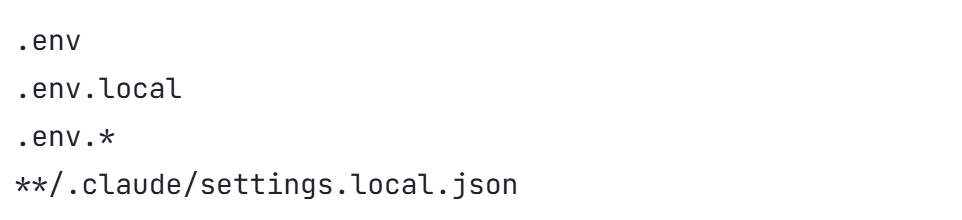
当 Claude Code 创建工作树时,通过 .gitignore 忽略的文件不会自动可用。
需要在仓库根目录创建 .worktreeinclude 文件可以解决这个问题,该文件指定哪些被忽略的文件应复制到新的工作树。
在这里插入图片描述
在这里插入图片描述
✅ 为什么用 Worktree 而不是 git clone?
方案 | 磁盘占用 | 启动速度 | 隔离性 | 同步便捷 |
|---|---|---|---|---|
git clone | ❌ 3× repo size | ❌ 慢(全 clone) | ✅ 高 | ❌ 需 git pull |
git worktree | ✅ +几百 KB | ✅ 秒开 | ✅ 高 | ✅ 共享 .git |
🔬 原理图解:
ounter(lineounter(lineounter(lineounter(lineounter(lineounter(lineounter(lineounter(lineounter(lineounter(lineounter(line
            ┌──────────────┐
            │   Main Repo  │ ← .git/objects(所有 commit/data 共享)
            └──────┬───────┘
                   │
     ┌────────────┼────────────┐
     ▼            ▼            ▼
┌─────────┐  ┌─────────┐  ┌─────────┐
│Session 1│  │Session 2│  │Session 3│ ← 各自有 working tree(文件副本)
│fix/xxx  │  │feat/yyy │  │refactor/│
└─────────┘  └─────────┘  └─────────┘
独立修改 → 互不干扰 → merge 时才见面 👋
💡 小技巧:在项目根放
.worktreeinclude文件,就能让.env、secrets.json也复制进 worktree(默认.gitignore的文件会被跳过)!
📜 结语:AI 编程助手的「工程化跃迁」
从 CLI 到 GUI,不是倒退,而是心智成本的持续下降:
- 当 AI 能自动隔离实验环境 → 你敢大胆试错
- 当它能
slices.Concat优化性能 → 你少写 10 行 benchmark - 当它生成的 commit message 能过 Gerrit → 你今晚能准时下班
我们正在见证: 「结对编程」从人类 ↔ 人类, 进化成人类 ↔ 有 Git 良知的 AI。
本文参与 腾讯云自媒体同步曝光计划,分享自微信公众号。
原始发表:2026-01-09,如有侵权请联系 cloudcommunity@tencent.com 删除
评论
登录后参与评论
推荐阅读
目录
腾讯云开发者

Copyright © 2013 - 2026 Tencent Cloud. All Rights Reserved. 腾讯云 版权所有
深圳市腾讯计算机系统有限公司 ICP备案/许可证号:粤B2-20090059  粤公网安备44030502008569号
腾讯云计算(北京)有限责任公司 京ICP证150476号 | 京ICP备11018762号