langchain4j 学习系列(8)-链式调用

langchain4j 学习系列(8)-链式调用

菩提树下的杨过
发布于 2026-01-04 08:09:05
发布于 2026-01-04 08:09:05
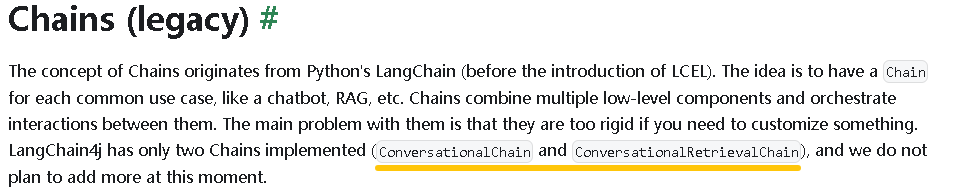
接上节继续,langchain4j的名字中既然有个chain,自然要体现出链式调用的特性。根据官网的介绍,目前langchain4j内置了2个chain
image
一、ConversationalChain示例
    @GetMapping(value = "/chat/chain", produces = MediaType.APPLICATION_JSON_VALUE)
    public ResponseEntity<String> chatChain(@RequestParam String query) {
        try {
            String responseText = ConversationalChain.builder()
                    .chatModel(ollamaChatModel)
                    .chatMemory(MessageWindowChatMemory.withMaxMessages(10))
                    .build()
                    .execute(query);
            return ResponseEntity.ok(responseText);
        } catch (Exception e) {
            log.error("chatChain", e);
            return ResponseEntity.ok("{\"error\":\"chatChain error: " + e.getMessage() + "\"}");
        }
    }
这段代码把 设置模型、对话记忆、执行查询 一并处理了
二、 ConversationalRetrievalChain示例
    /**
     * 示例用测试文本data.txt向量化存储(按行分隔)
     * @return
     */
    EmbeddingStore<TextSegment> getEmbeddingStore() {
        Resource resource = resourceLoader.getResource("classpath:data.txt");
        File file = null;
        try {
            file = resource.getFile();
        } catch (IOException e) {
            throw new RuntimeException(e);
        }
        String path = file.getAbsolutePath();

        EmbeddingStore<TextSegment> embeddingStore = new InMemoryEmbeddingStore<>();
        Document document = FileSystemDocumentLoader.loadDocument(path);
        DocumentByLineSplitter splitter = new DocumentByLineSplitter(100, 0);
        List<TextSegment> split = splitter.split(document);
        for (TextSegment textSegment : split) {
            Embedding embedding = ollamaEmbeddingModel.embed(textSegment).content();
            embeddingStore.add(embedding, textSegment);
        }
        return embeddingStore;
    }

    @GetMapping(value = "/rag/chain", produces = MediaType.APPLICATION_JSON_VALUE)
    public ResponseEntity<String> ragChain(@RequestParam String query) {
        try {
            String answer = ConversationalRetrievalChain.builder()
                    .chatModel(ollamaChatModel)
                    .contentRetriever(EmbeddingStoreContentRetriever
                            .builder()
                            .embeddingModel(ollamaEmbeddingModel)
                            .embeddingStore(getEmbeddingStore())
                            .maxResults(1)
                            .build())
                    .chatMemory(MessageWindowChatMemory.withMaxMessages(10))
                    .build()
                    .execute(query);
            return ResponseEntity.ok(answer);
        } catch (Exception e) {
            log.error("argChain", e);
            return ResponseEntity.ok("{\"error\":\"argChain error: " + e.getMessage() + "\"}");
        }
    }
与ConversationalChain相比,ConversationalRetrievalChain新增了RAG的链式处理。
文本示例完整代码:https://github.com/yjmyzz/langchain4j-study/tree/day08
本文参与 腾讯云自媒体同步曝光计划,分享自作者个人站点/博客。
原始发表:2026-01-03,如有侵权请联系 cloudcommunity@tencent.com 删除
评论
登录后参与评论
推荐阅读
腾讯云开发者

Copyright © 2013 - 2026 Tencent Cloud. All Rights Reserved. 腾讯云 版权所有
深圳市腾讯计算机系统有限公司 ICP备案/许可证号:粤B2-20090059  粤公网安备44030502008569号
腾讯云计算(北京)有限责任公司 京ICP证150476号 | 京ICP备11018762号