重学SpringBoot3-Profiles

重学SpringBoot3-Profiles

CoderJia
发布于 2024-10-18 09:08:18
发布于 2024-10-18 09:08:18
在现代软件开发中,应用通常需要在多个环境(如开发、测试、生产)中运行,每个环境可能需要不同的配置设置。Spring Boot 3 继续支持和扩展了 Profiles 的概念,提供了一种灵活且强大的方式来根据当前环境定制应用的行为。本文将介绍 Spring Boot 3 中 Profiles 的使用方法、最佳实践,以及如何利用它们来优化你的应用配置。
Profiles简介
Profiles 是 Spring 框架提供的一种机制,允许开发者为不同的环境定义不同的配置。在 Spring Boot 应用中,通过激活特定的 Profile,可以实现条件化的 Bean 注册、配置属性加载等,从而使应用能够根据运行的环境加载相应的配置。
如何在Spring Boot中使用Profiles
定义Profiles
在 Spring Boot 应用中,可以通过在 application.properties 或 application.yml 配置文件中指定 spring.profiles.active 属性来激活 Profiles。此外,还可以在配置文件名称中包含 Profile 名称,如 application-dev.yml,Spring Boot 会根据激活的 Profiles 自动加载对应的配置文件。
# application-dev.properties
# 自定义banner
spring.banner.location=banner_dev.txt
激活Profiles
Profiles 可以通过多种方式激活:
- 在配置文件中设置:通过
spring.profiles.active属性指定。
spring.profiles.active=dev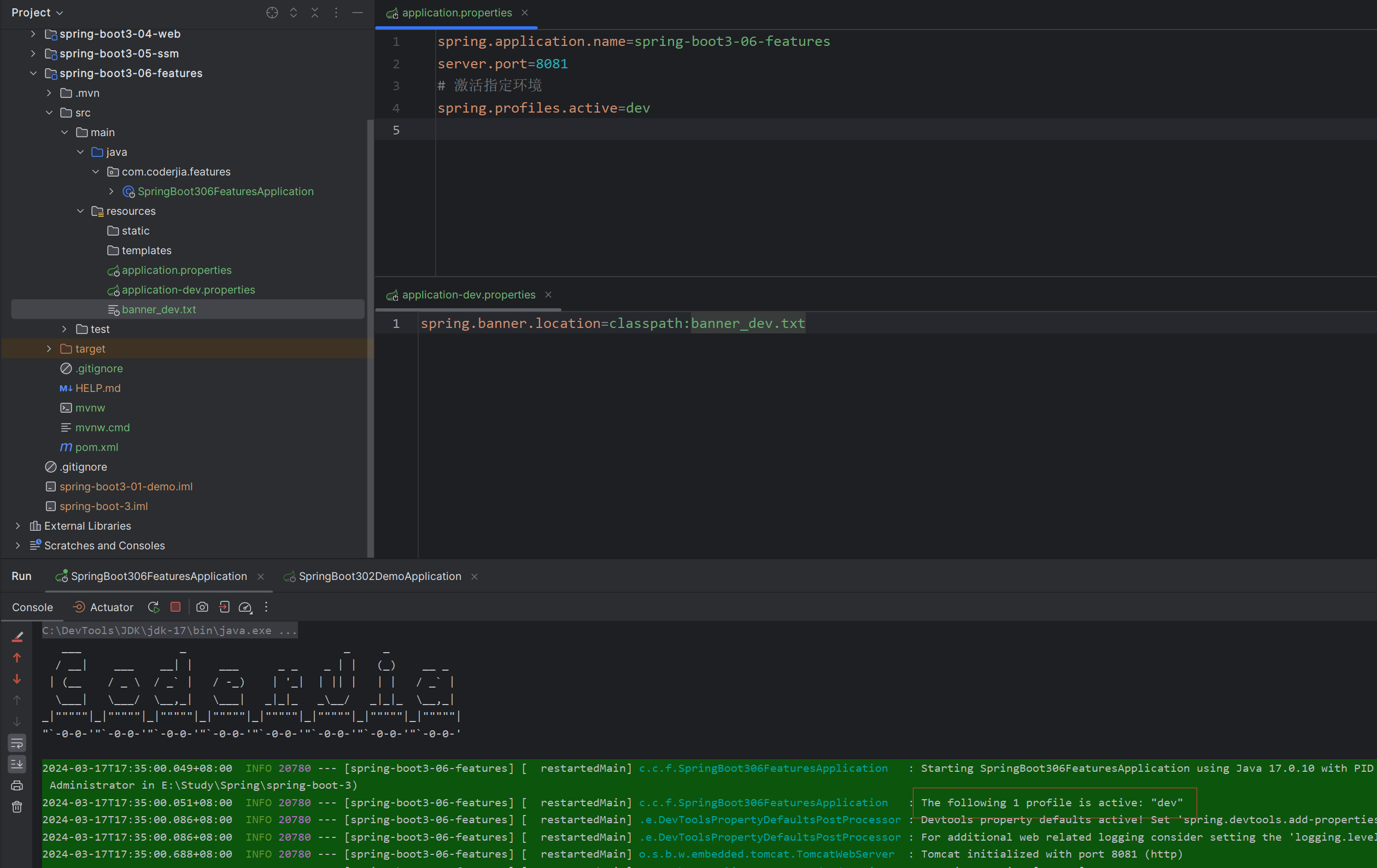
配置文件指定profile
- 作为命令行参数:在启动应用时通过
--spring.profiles.active指定。
java -jar myapp.jar --spring.profiles.active=dev,test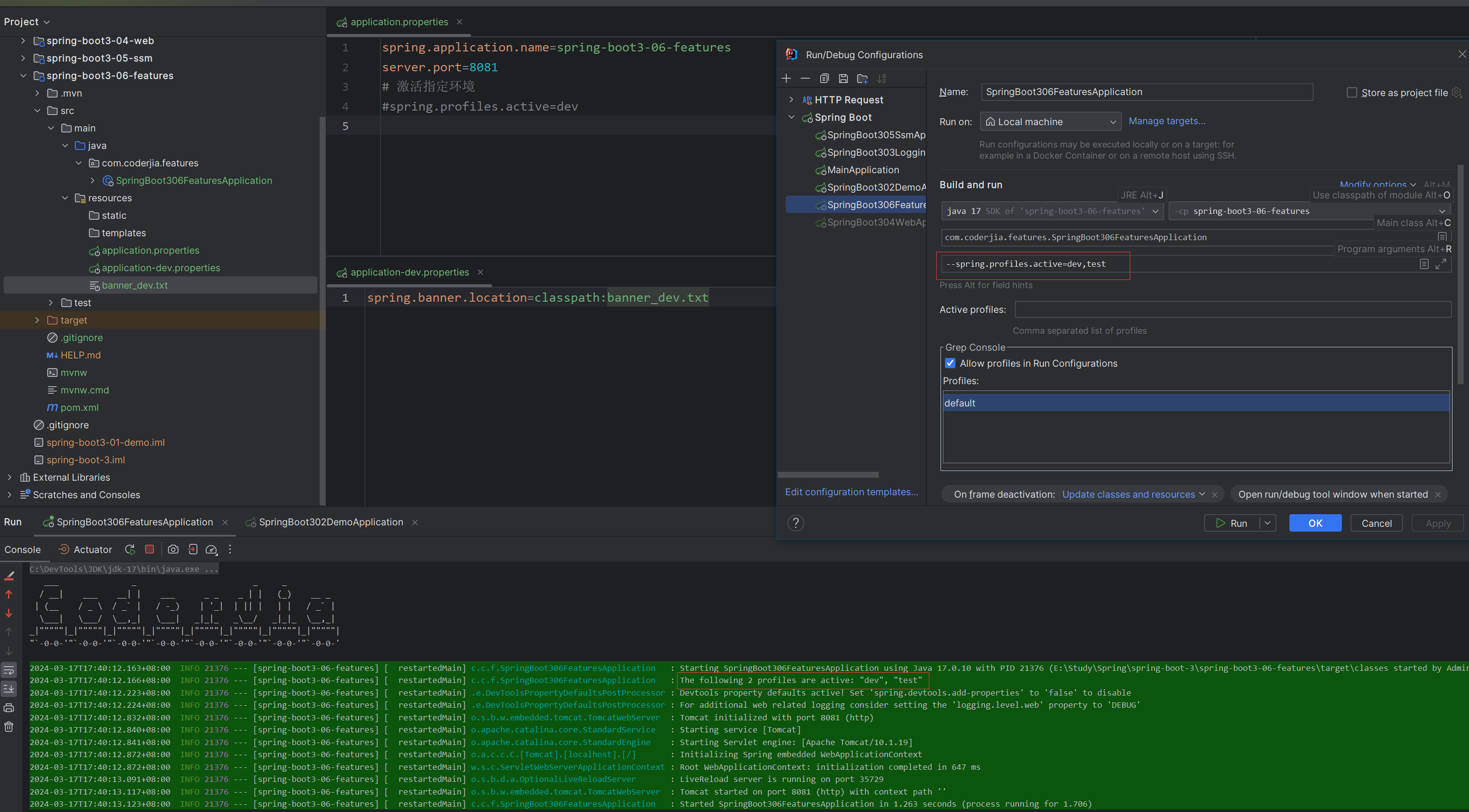
命令行参数指定profile
- 在环境变量中设置:设置
SPRING_PROFILES_ACTIVE环境变量。
export SPRING_PROFILES_ACTIVE=dev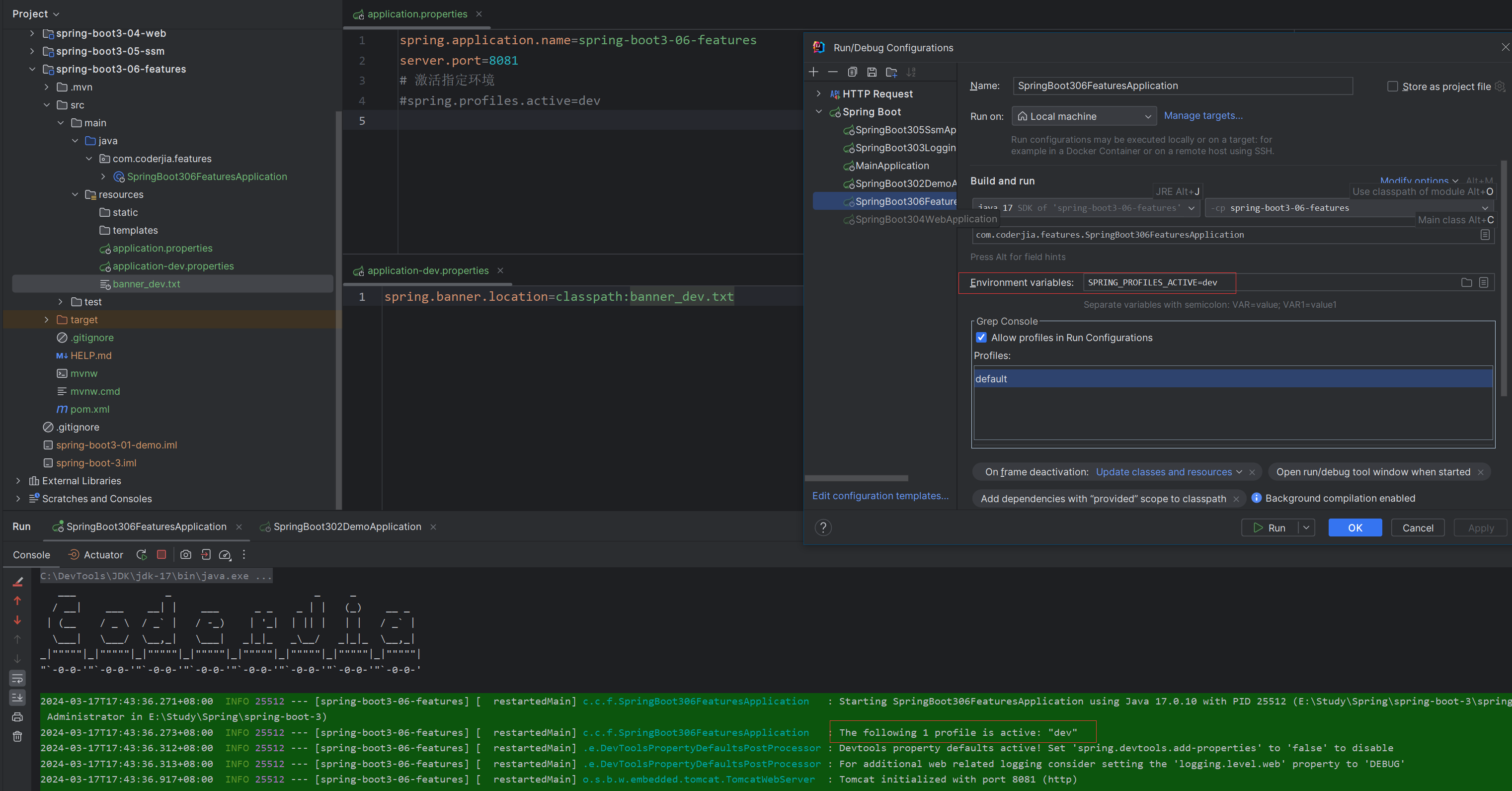
环境变量指定profile
IDEA设置active profile
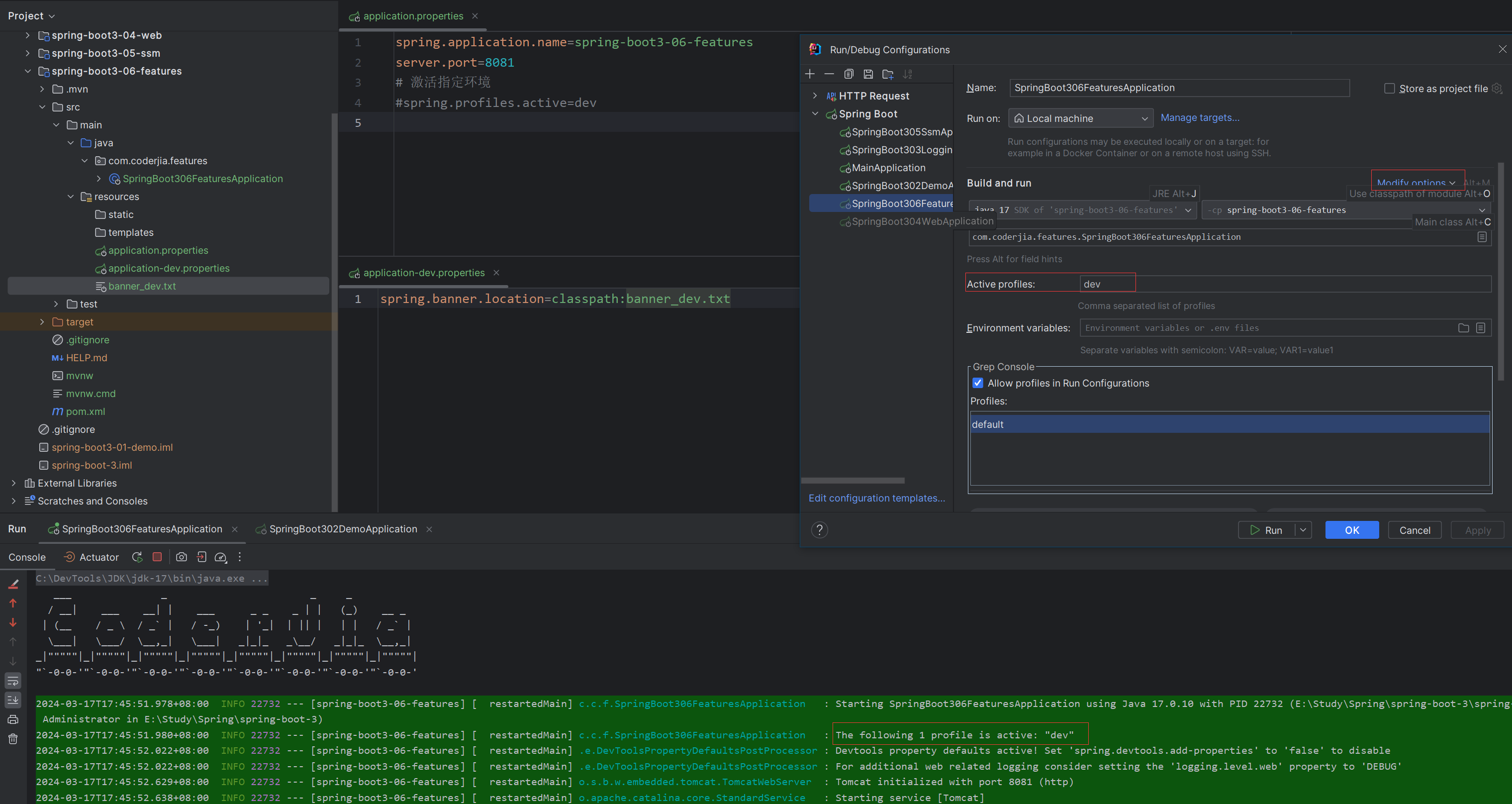
IDEA设置profile
使用Profile-specific配置文件
Spring Boot 允许为每个 Profile 创建特定的配置文件。例如,application-dev.yml 针对开发环境,application-prod.yml 针对生产环境。这些文件与主配置文件 application.yml 并列放置,Spring Boot 会根据激活的 Profile 自动选择并加载相应的配置文件。
条件化Bean注册
通过 @Profile 注解,就可以控制只有在特定 Profile 激活时,才注册某个 Bean。这对于只在某些环境下需要的组件非常有用。
@Configuration
@Profile("dev")
public class DevConfig {
    // 配置仅在开发环境中生效的Bean
}
条件化Bean注册
最佳实践
- 避免硬编码:尽量不要在代码中硬编码环境特定的值,而应该使用配置属性和 Profile 来管理这些值。
- 精简Profile数量:虽然 Spring Boot 支持同时激活多个 Profiles,但为了保持配置的简洁,建议尽量精简 Profile 的数量和复杂度。
- 使用Profile-specific配置文件:对于环境特定的配置,使用 Profile-specific 的配置文件(如
application-dev.yml),以便于管理和维护。
结论
Spring Boot 中的 Profiles 提供了一种强大且灵活的方式来管理应用在不同环境下的行为。通过合理使用 Profiles,可以大幅度提升配置的灵活性和应用的可维护性,从而使得应用的开发、测试和部署更加高效和可控。随着 Spring Boot 3 的进一步发展,利用 Profiles 优化应用配置仍然是实现高质量微服务架构的关键策略之一。
本文参与 腾讯云自媒体同步曝光计划,分享自作者个人站点/博客。
原始发表:2024-03-22,如有侵权请联系 cloudcommunity@tencent.com 删除
目录
腾讯云开发者

Copyright © 2013 - 2026 Tencent Cloud. All Rights Reserved. 腾讯云 版权所有
深圳市腾讯计算机系统有限公司 ICP备案/许可证号:粤B2-20090059  粤公网安备44030502008569号
腾讯云计算(北京)有限责任公司 京ICP证150476号 | 京ICP备11018762号