
 Vue组件监控添加福利群:解决AI开发者的「MCP实战痛点」
 github
详情内容
vite-plugin-vue-mcp




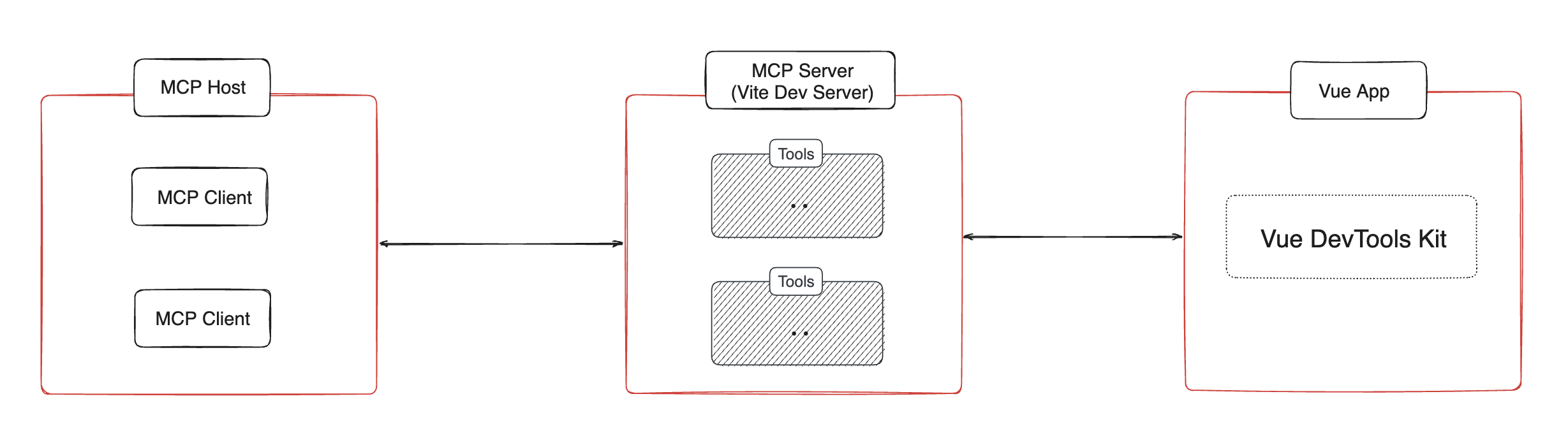
这是一个Vite插件,它为你的Vue应用启用MCP服务器,提供组件树、状态、路由以及Pinia树和状态的信息。
安装 📦
pnpm install vite-plugin-vue-mcp -D
使用 🔨
// vite.config.ts
import { VueMcp } from 'vite-plugin-vue-mcp'

export default defineConfig({
  plugins: [VueMcp()],
})

之后,MCP服务器将在http://localhost:[port]/__mcp/sse上可用。
如果你使用Cursor,在项目根目录创建一个.cursor/mcp.json文件,这个插件会自动为你更新它。关于MCP的更多细节,请查看官方Cursor文档。
选项
export interface VueMcpOptions {
  /**
   * 监听的host,默认是`localhost`
   */
  host?: string

  /**
   * 在控制台打印MCP服务器URL
   *
   * @默认 true
   */
  printUrl?: boolean

  /**
   * MCP服务器信息。当提供了`mcpServer`时会被忽略
   */
  mcpServerInfo?: McpServerInfo

  /**
   * 自定义MCP服务器,当提供这个时,内置的MCP工具会被忽略
   */
  mcpServer?: (viteServer: ViteDevServer) => Awaitable<McpServer>

  /**
   * 设置MCP服务器,这在MCP服务器创建时被调用
   * 你也可以返回一个新的MCP服务器来替换默认的
   */
  mcpServerSetup?: (server: McpServer, viteServer: ViteDevServer) => Awaitable<void | McpServer>

  /**
   * MCP服务器的路径,默认是`/__mcp`
   */
  mcpPath?: string

  /**
   * 更新Cursor配置文件`.cursor/mcp.json`中的MCP服务器地址,
   * 如果`.cursor`文件夹存在。
   *
   * @默认 true
   */
  updateCursorMcpJson?: boolean | {
    enabled: boolean
    /**
     * MCP服务器的名称,默认是`vue-mcp`
     */
    serverName?: string
  }

  /**
   * 将导入附加到以`appendTo`结尾的模块ID,而不是在body中添加脚本
   * 对于不使用html文件作为入口的项目很有用
   *
   * 警告:只有在你知道它具体做什么时才设置这个。
   * @默认 ''
   */
  appendTo?: string | RegExp
}
功能/工具 ✨
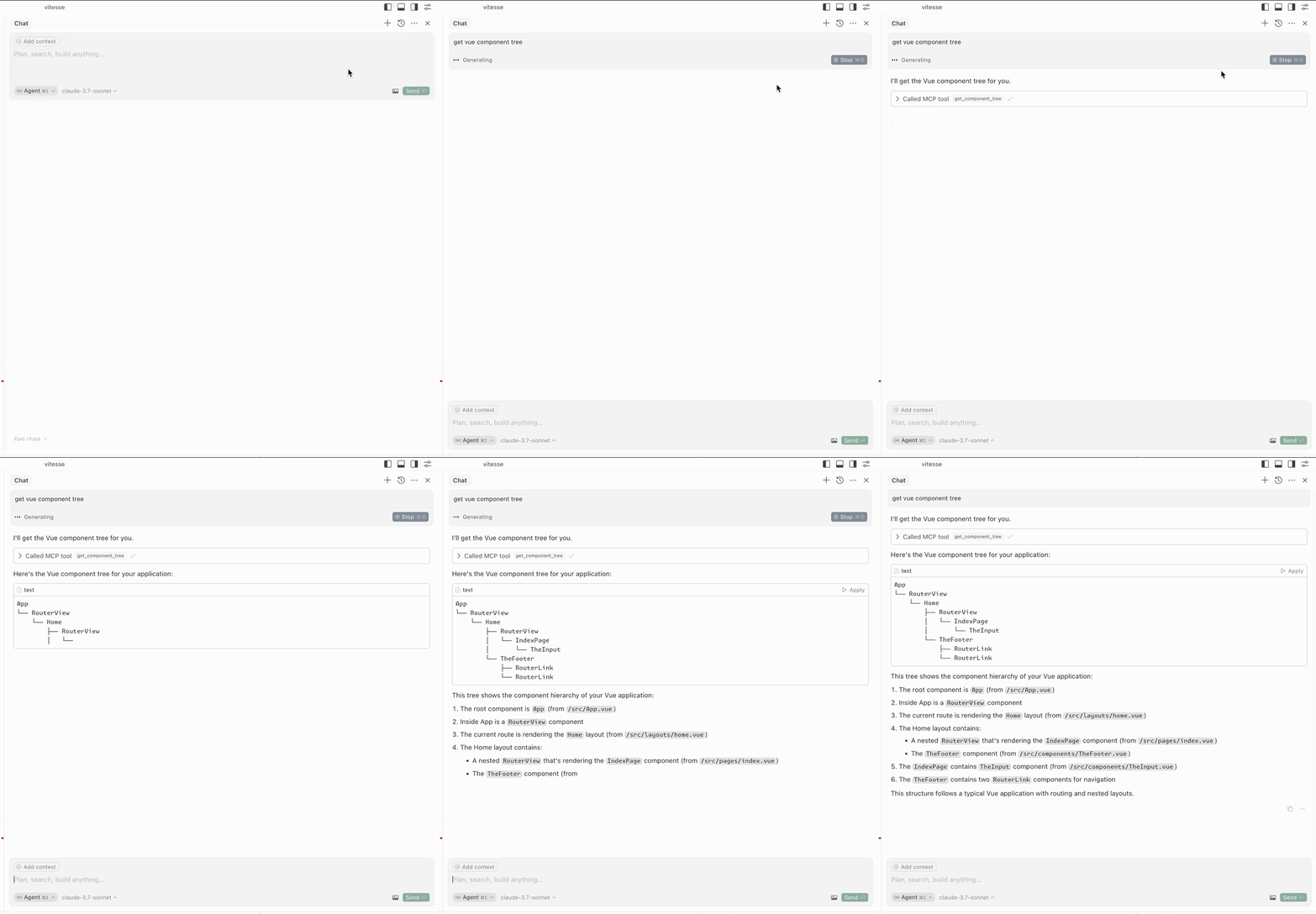
获取组件树
get-component-tree:获取Vue组件树。
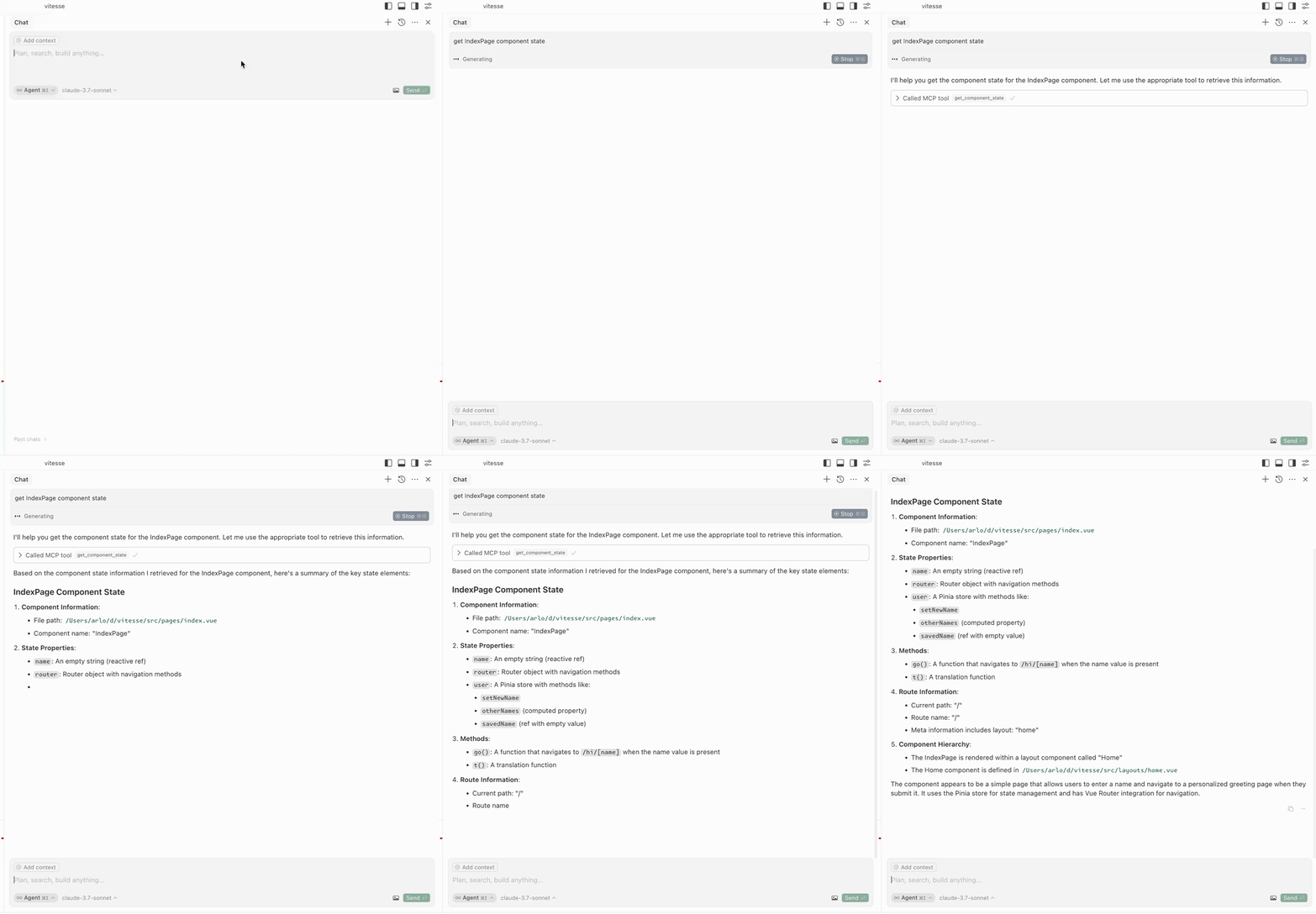
获取组件状态
get-component-state:获取组件的状态(输入:componentName)。
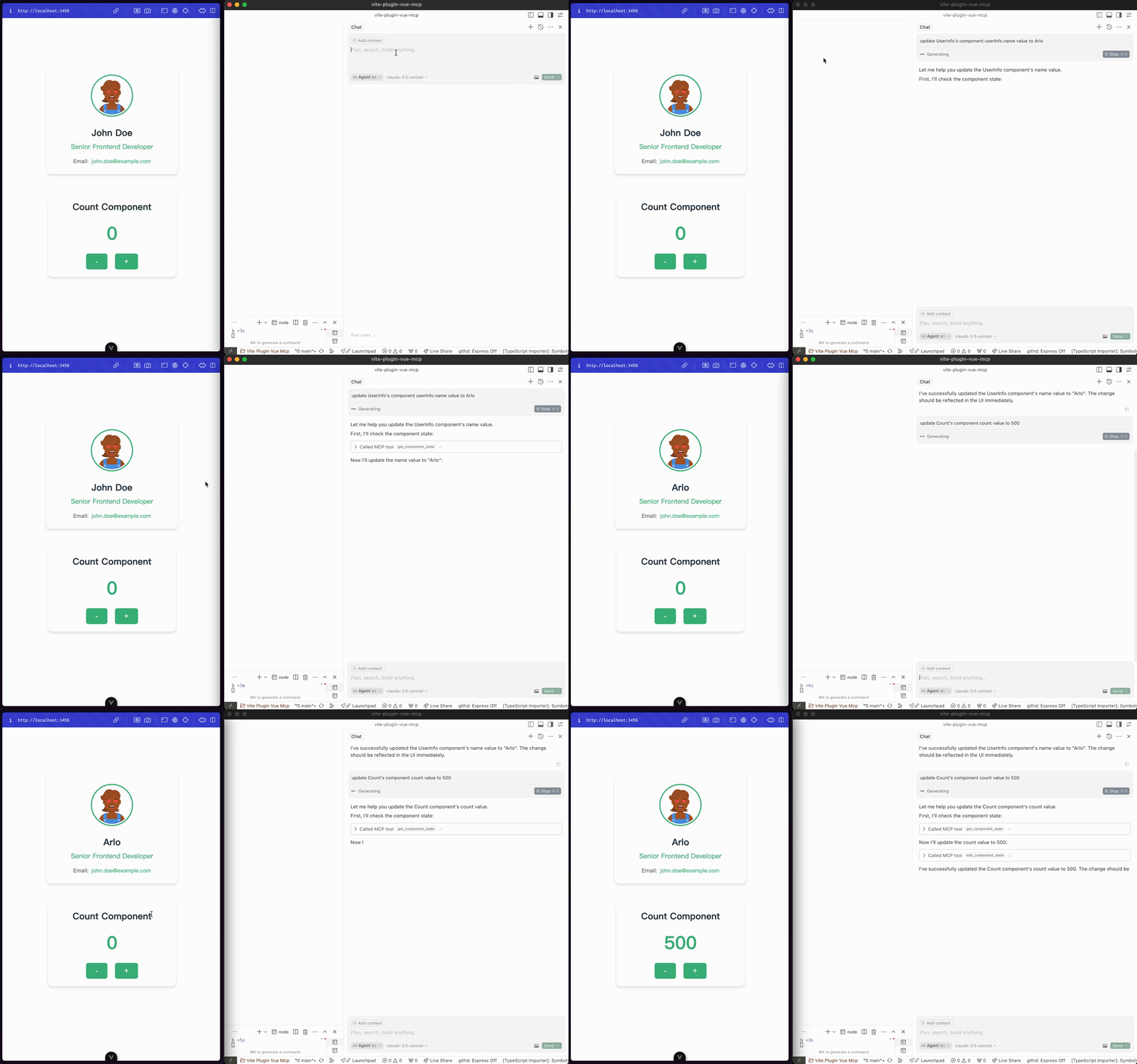
编辑组件状态
edit-component-state:编辑组件的状态(输入:componentName,path,value,valueType)。
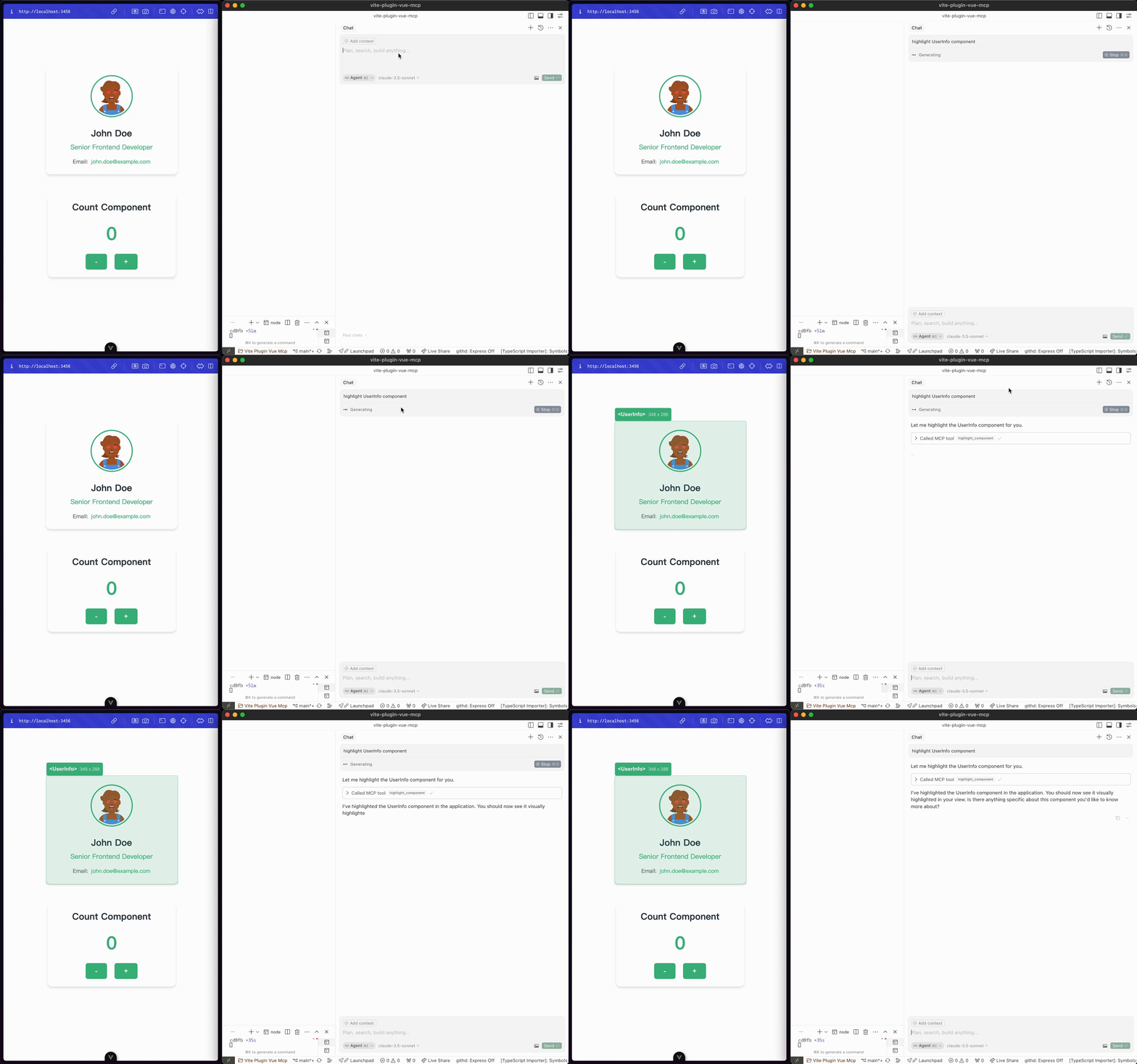
高亮组件
highlight-component:高亮显示一个组件(输入:componentName)。
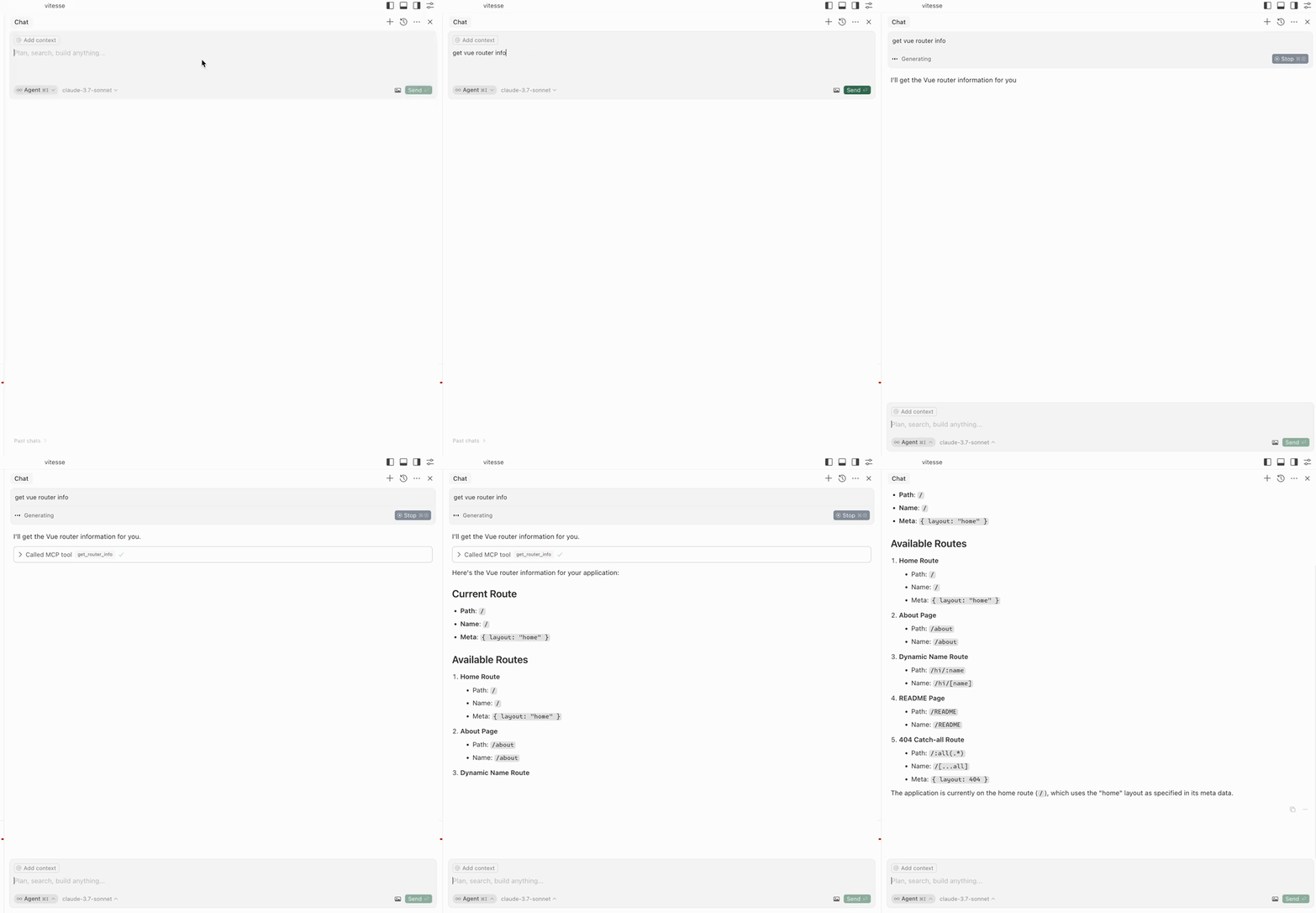
获取路由
get-router-info:获取应用的Vue路由信息。
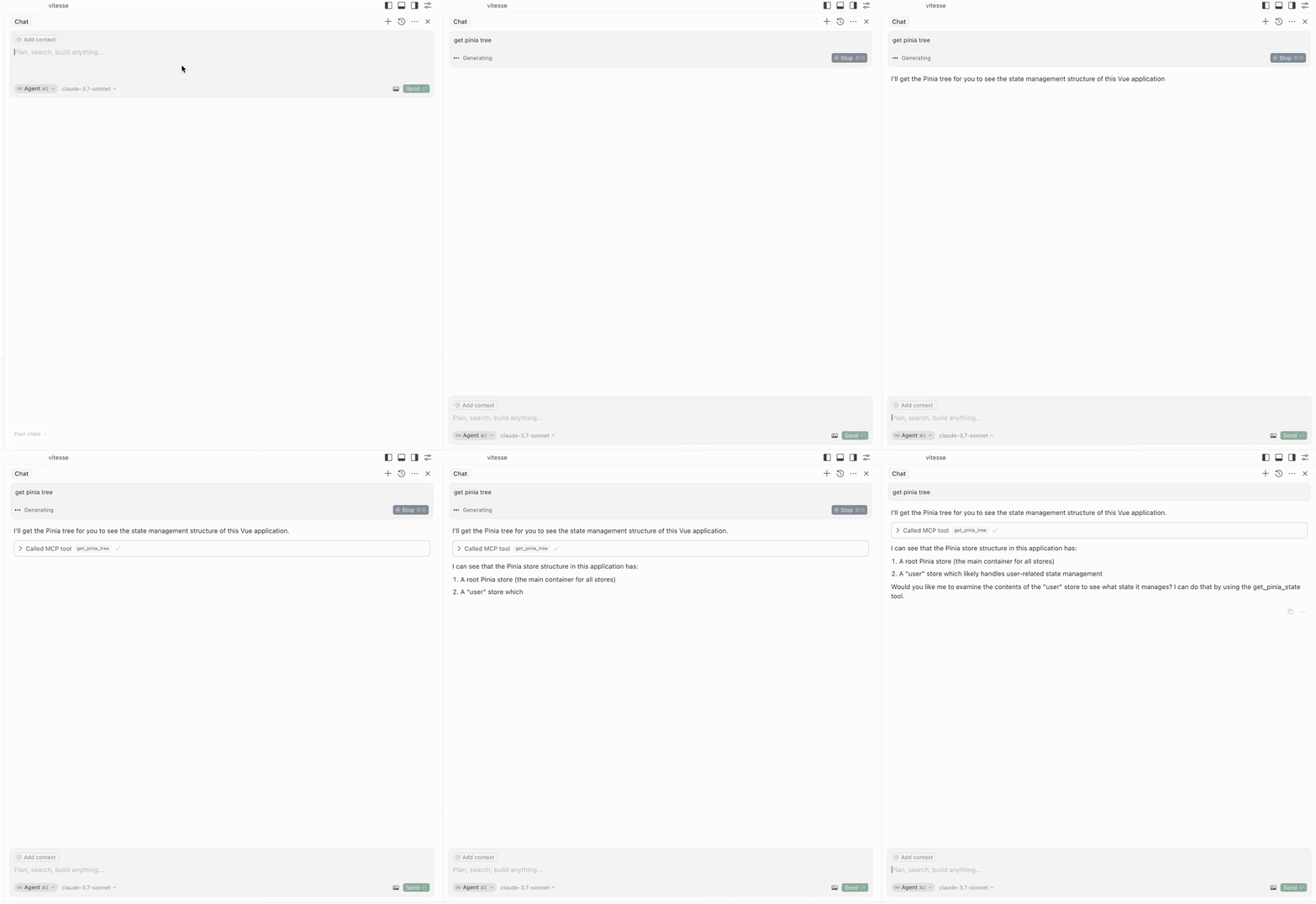
获取Pinia树
get-pinia-tree:获取应用的Pinia树。
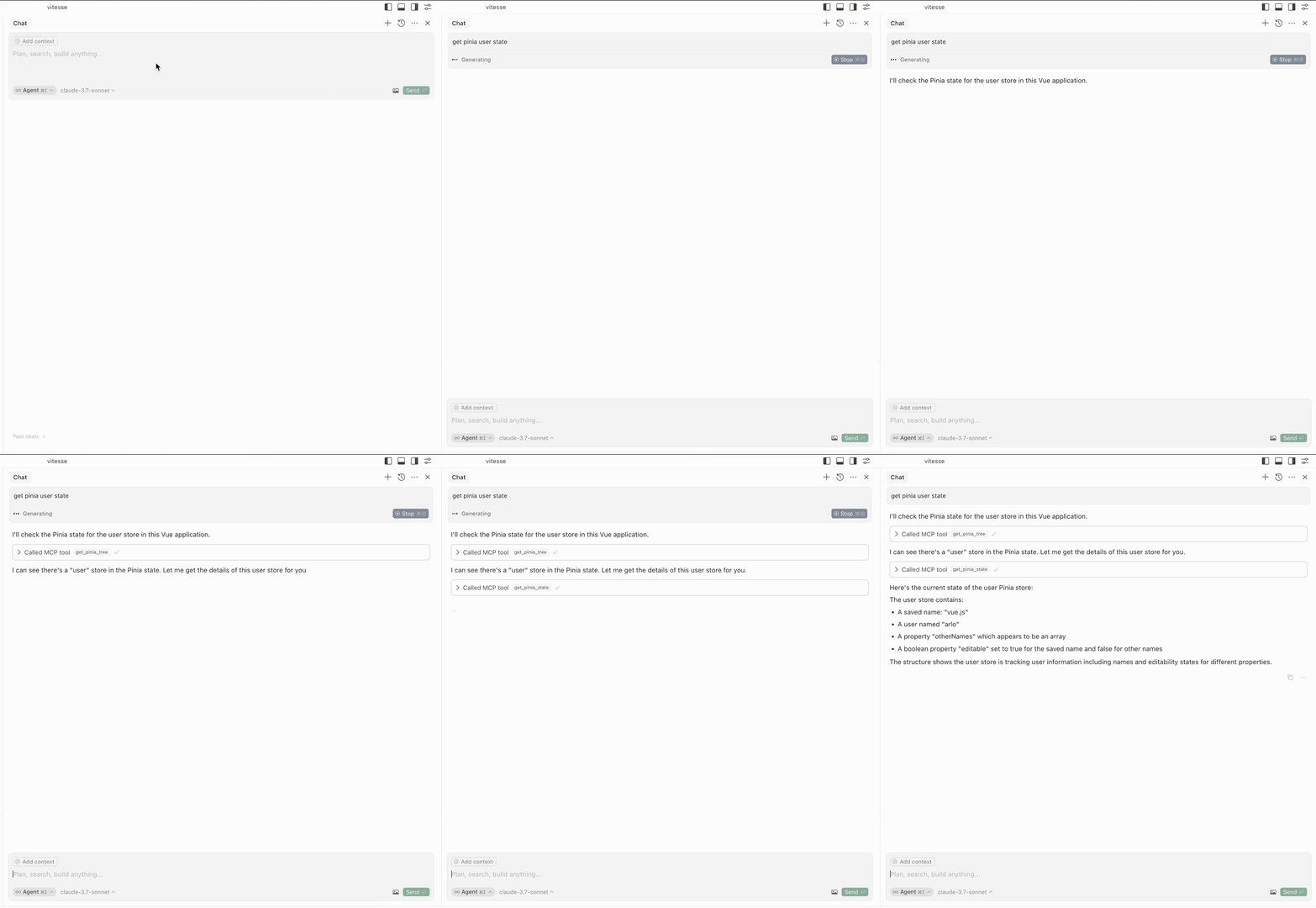
获取Pinia状态
get-pinia-state:获取应用的Pinia状态(输入:storeName)。
架构 ⚡️
注意 💡
请确保在使用这些功能之前,应用已经在你的浏览器中运行。
致谢 💖
这个项目受到vite-plugin-mcp的启发。感谢@antfu的出色工作。
许可证 📖
腾讯云开发者

Copyright © 2013 - 2026 Tencent Cloud. All Rights Reserved. 腾讯云 版权所有
深圳市腾讯计算机系统有限公司 ICP备案/许可证号:粤B2-20090059  粤公网安备44030502008569号
腾讯云计算(北京)有限责任公司 京ICP证150476号 | 京ICP备11018762号