
如何在Grub中自动加载Ubuntu服务器
如何在Grub中自动加载Ubuntu服务器
提问于 2013-11-06 18:30:57
这是我的/etc/default/grub:
# If you change this file, run 'update-grub' afterwards to update
# /boot/grub/grub.cfg.
# For full documentation of the options in this file, see:
#   info -f grub -n 'Simple configuration'

GRUB_DEFAULT=0
GRUB_HIDDEN_TIMEOUT=0
GRUB_HIDDEN_TIMEOUT_QUIET=true
GRUB_TIMEOUT=0
GRUB_DISTRIBUTOR=`lsb_release -i -s 2> /dev/null || echo Debian`
GRUB_CMDLINE_LINUX_DEFAULT=""
GRUB_CMDLINE_LINUX=""

# Uncomment to enable BadRAM filtering, modify to suit your needs
# This works with Linux (no patch required) and with any kernel that obtains
# the memory map information from GRUB (GNU Mach, kernel of FreeBSD ...)
#GRUB_BADRAM="0x01234567,0xfefefefe,0x89abcdef,0xefefefef"

# Uncomment to disable graphical terminal (grub-pc only)
#GRUB_TERMINAL=console


# The resolution used on graphical terminal
# note that you can use only modes which your graphic card supports via VBE
# you can see them in real GRUB with the command `vbeinfo'
#GRUB_GFXMODE=640x480

# Uncomment if you don't want GRUB to pass "root=UUID=xxx" parameter to Linux
#GRUB_DISABLE_LINUX_UUID=true

# Uncomment to disable generation of recovery mode menu entries
#GRUB_DISABLE_RECOVERY="true"

# Uncomment to get a beep at grub start
#GRUB_INIT_TUNE="480 440 1"
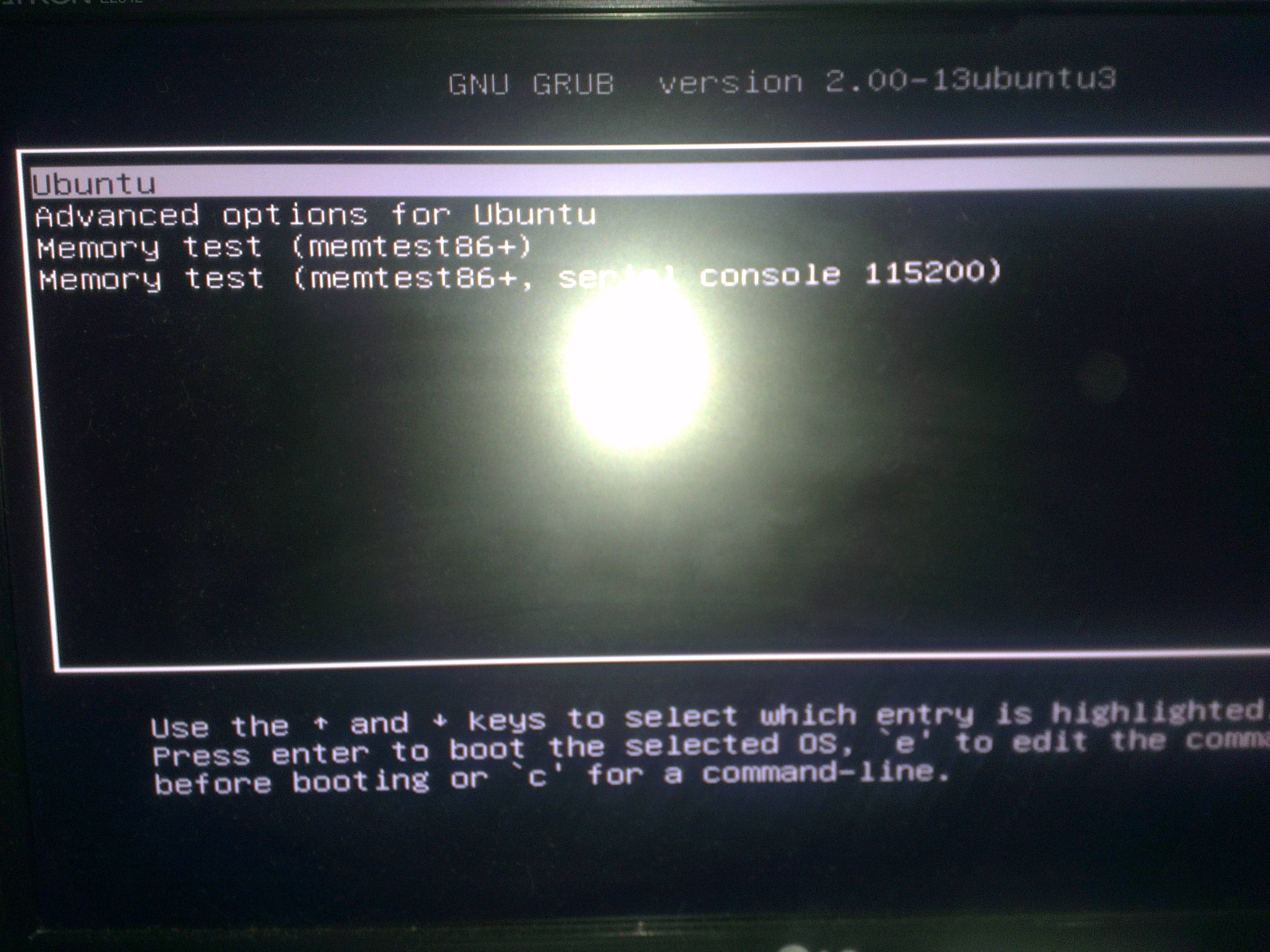
但是当我出现电源故障时,UbuntuServer12.10就会停留在这个屏幕上。我试着解决它编辑grub,但似乎没有影响。因为我没有显示附加,我需要它自动启动Ubuntu每次。
谢谢!
回答 1
Ask Ubuntu用户
回答已采纳
发布于 2013-11-06 19:09:31
编辑
/etc/grub.d/00_header并将第236行(这一行在make_timeout ()函数中)更改为:设置timeout=0
- 对于
timeout=-1,将没有倒计时,因此菜单将显示。 - 对于
timeout=0,即使启动失败,菜单也不会显示。 - 对于
timeout>=1,菜单将显示指定的秒数。
更改完成后运行sudo update-grub。特别感谢McCunha在Ubuntu论坛上的上述技巧。然而,上述更改仍然会导致GRUB2启动到文本图形模式。因此,需要进行额外的修改。编辑/etc/grub.d/10_linux并将第188行更改为:再次设置linux_gfx_mode=keep,在进行更改后运行sudo update-grub。
资料来源:上一次启动失败或启动到恢复模式
页面原文内容由Ask Ubuntu提供。腾讯云小微IT领域专用引擎提供翻译支持
原文链接:
https://askubuntu.com/questions/372164
复制相关文章
相似问题
腾讯云开发者

Copyright © 2013 - 2026 Tencent Cloud. All Rights Reserved. 腾讯云 版权所有
深圳市腾讯计算机系统有限公司 ICP备案/许可证号:粤B2-20090059  粤公网安备44030502008569号
腾讯云计算(北京)有限责任公司 京ICP证150476号 | 京ICP备11018762号