
无法看到客户端id
无法看到客户端id
提问于 2019-09-10 18:05:58
我们正在尝试使用Google SignIn设置帐户链接过程。
在这个过程中,它要求我们在步骤5中复制客户机Id:
- 打开客户端信息,并注意谷歌发布的客户端ID对您的行为的价值。
但是,我根本找不到帐户链接部分中的Client字段。
有没有其他方法可以产生这种情况呢?我尝试在developers.google.com中使用控制台,并创建了一个with类型的OAuth2.0客户机Id,但是使用这种方式生成的客户机ID会导致以下错误(当与DialogFlow一起使用时):
Error: Wrong recipient, payload audience != requiredAudience
    at OAuth2Client.verifySignedJwtWithCerts (/srv/node_modules/actions-on-google/node_modules/google-auth-library/build/src/auth/oauth2client.js:696:23)
    at OAuth2Client.<anonymous> (/srv/node_modules/actions-on-google/node_modules/google-auth-library/build/src/auth/oauth2client.js:514:38)
    at step (/srv/node_modules/actions-on-google/node_modules/google-auth-library/build/src/auth/oauth2client.js:57:23)
    at Object.next (/srv/node_modules/actions-on-google/node_modules/google-auth-library/build/src/auth/oauth2client.js:38:53)
    at fulfilled (/srv/node_modules/actions-on-google/node_modules/google-auth-library/build/src/auth/oauth2client.js:29:58)
    at <anonymous>
    at process._tickDomainCallback (internal/process/next_tick.js:229:7)
这些文档似乎已经过时,而且没有任何关于如何获取客户Id的信息。
回答 1
Stack Overflow用户
发布于 2019-09-23 13:35:03
更新2019年10月
看起来Google已经更新了这一点,您可以在google项目中的Google登录选项下再次看到您的客户ID。
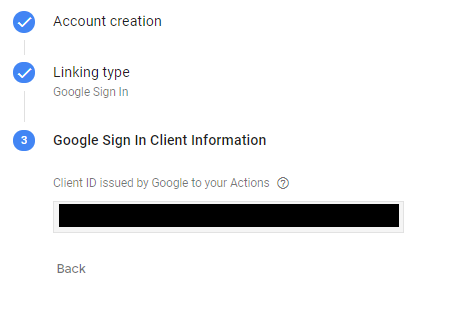
您可以在Google概述中看到客户机ID。
在左上角,选择要获取客户端ID的项目,然后在OAuth 2.0客户机ID部分下,您应该能够看到所有ID都连接到您的项目。
Google应该已经为您生成了一个名为“Google上的新动作”的应用程序。我也有过一些旧的项目,在这些项目中,它有不止一个键,而且它只能与另一个键一起工作。
这是最近更新的,而且文档似乎还没有更新。
页面原文内容由Stack Overflow提供。腾讯云小微IT领域专用引擎提供翻译支持
原文链接:
https://stackoverflow.com/questions/57876151
复制相关文章
相似问题
腾讯云开发者

Copyright © 2013 - 2026 Tencent Cloud. All Rights Reserved. 腾讯云 版权所有
深圳市腾讯计算机系统有限公司 ICP备案/许可证号:粤B2-20090059  粤公网安备44030502008569号
腾讯云计算(北京)有限责任公司 京ICP证150476号 | 京ICP备11018762号