
Steeltoe动态记录仪在.net核心2.2APP中不工作
我试图在我的https://steeltoe.io/docs/steeltoe-logging/#2-0-serilog-dynamic-logger核心2.2应用程序中使用新的https://steeltoe.io/docs/steeltoe-logging/#2-0-serilog-dynamic-logger。我使用了2.3.0版本的Steeltoe.Extensions.Logging.SerilogDynamicLogger包。在我的program.cs中,我有以下代码
public static IWebHostBuilder CreateWebHostBuilder(string[] args) =>
            WebHost.CreateDefaultBuilder(args)
                .UseStartup<Startup>()
                .ConfigureAppConfiguration((hostContext, configApp) =>
                {
                    configApp.AddCloudFoundry();
                    configApp.AddConfigServer();
                })
                .UseSerilog((hostingContext, loggerConfiguration) => loggerConfiguration
                     .ReadFrom.Configuration(hostingContext.Configuration)
                     .WriteTo.Trace())
                .ConfigureLogging((builderContext, loggingBuilder) =>
                 {
                     loggingBuilder.ClearProviders();
                     loggingBuilder.AddConfiguration(builderContext.Configuration.GetSection("Logging"));
                     // Add Serilog Dynamic Logger
                     loggingBuilder.AddSerilogDynamicConsole();
                 });
在上面这个街区,首先我不知道为什么
loggingBuilder.AddConfiguration(builderContext.Configuration.GetSection("Logging"));
是必需的,因为它是用于配置Microsoft ILogger的,而Serilog不推荐这样的设置。不管怎样,我的appsettings.json里都有
  "Logging": {
    "IncludeScopes": false,
    "LogLevel": {
      "Default": "Warning",
      "System": "Warning",
      "Microsoft": "Warning"
    }
  },

  "Serilog": {
    "MinimumLevel": {
      "Default": "Information"
    },
    "WriteTo": [
      {
        "Name": "Console",
        "Args": {
          "formatter": "Serilog.Formatting.Compact.CompactJsonFormatter, Serilog.Formatting.Compact"
        }
      },
      {
        "Name": "Trace",
        "Args": {
          "formatter": "Serilog.Formatting.Compact.CompactJsonFormatter, Serilog.Formatting.Compact"
        }
      }
    ],
    "Enrich": [ "FromLogContext" ]
  },
在部署到PCF之后,单击配置日志记录级别,我可以看到过滤器记录器下只有1/1,而且在更改默认日志记录程序时,日志级别没有得到控制。我使用的是PCF 2.4。任何关于它不起作用的想法都是有帮助的。
回答 1
Stack Overflow用户
发布于 2019-08-28 18:19:44
我在https://github.com/SteeltoeOSS/Samples/tree/master/Management/src/AspDotNetCore/CloudFoundry上用2.3.0测试了这个示例(目前是2.3.0-rc2,这是相同的)。它是为我工作的CF 2.6。您能否尝试在您的环境中部署示例并确保日志端点如下所示:
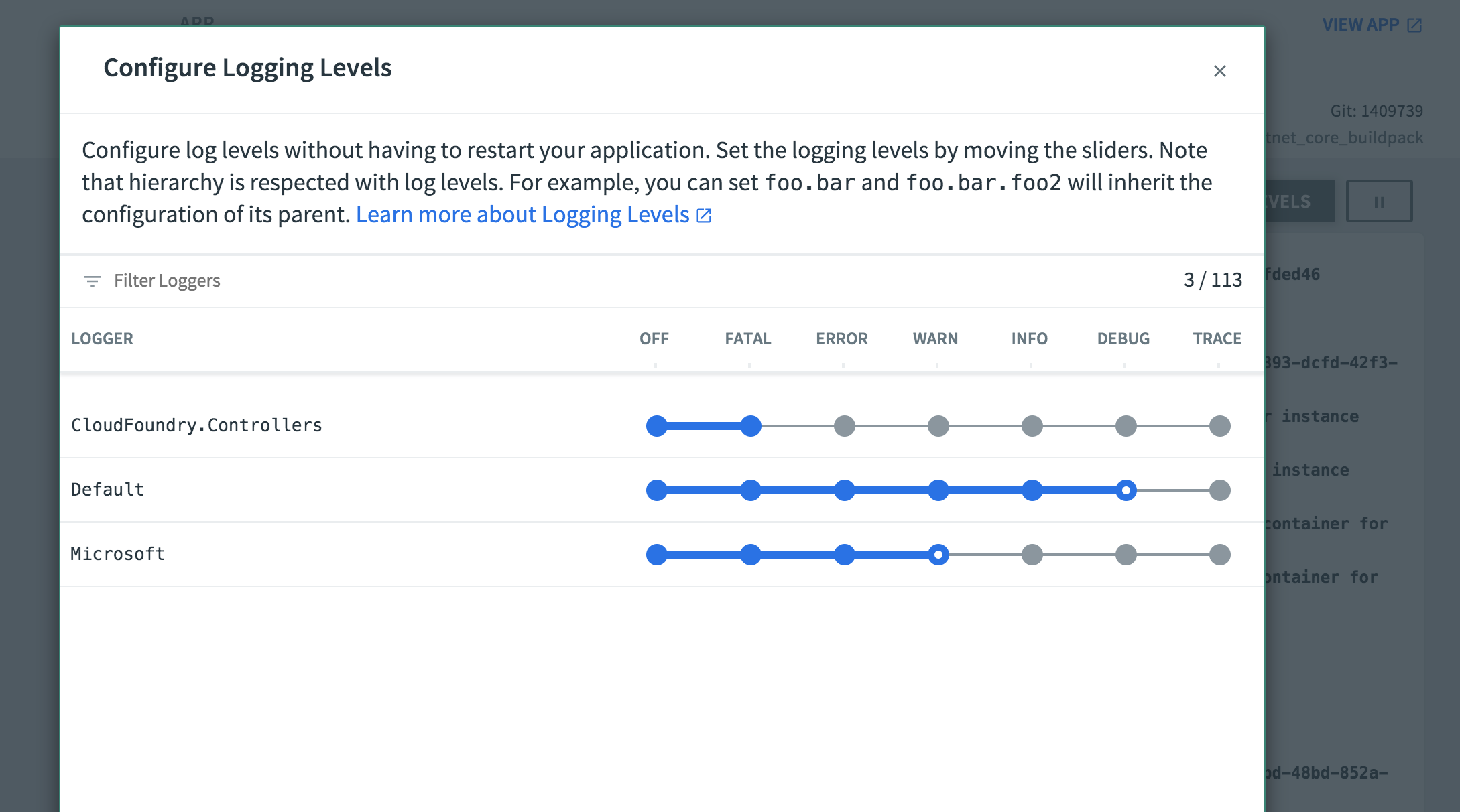
在您的cli中运行cf logs <sample app name> | grep Test。现在调整Cloudfoundry.Controllers日志记录级别,访问主页。您应该会看到日志的详细性有差异。希望有了这一点,您可以比较并查看应用程序/配置的不同之处。
    ➜  CloudFoundry git:(2.x) ✗ cf logs actuator | grep Test
   2019-08-28T12:51:17.67-0400 [APP/PROC/WEB/0] OUT   Test Critical message
   2019-08-28T12:51:17.67-0400 [APP/PROC/WEB/0] OUT   Test Error message
   2019-08-28T12:51:17.67-0400 [APP/PROC/WEB/0] OUT   Test Warning message
   2019-08-28T12:51:17.67-0400 [APP/PROC/WEB/0] OUT   Test Informational message
   2019-08-28T12:51:17.67-0400 [APP/PROC/WEB/0] OUT   Test Debug message

----- after adjusting ------

2019-08-28T12:52:16.29-0400 [APP/PROC/WEB/0] OUT Test Critical messagehttps://stackoverflow.com/questions/57677555
复制相似问题
腾讯云开发者

Copyright © 2013 - 2026 Tencent Cloud. All Rights Reserved. 腾讯云 版权所有
深圳市腾讯计算机系统有限公司 ICP备案/许可证号:粤B2-20090059  粤公网安备44030502008569号
腾讯云计算(北京)有限责任公司 京ICP证150476号 | 京ICP备11018762号