
颤振,ListView,如何在ListView顶部添加几个项目,并使其不滚动到顶部
当我在ListView上添加一些项目时,它会滚动到0索引的顶部。但我需要它保持与之前添加项目相同的位置。
例如,如果我打开任何信使(电报、WhatsApp等),则在消息列表的顶部进行聊天历史分页。打开聊天与长期的历史,并向下滚动下载的历史。历史记录将被添加到列表的顶部(每次从服务器到20条消息),但是列表将保持在相同的位置(同时滚动)。
如果添加到底部,颤振ListView的行为就会这样,但是如果添加到顶部,则会跳转到第一个添加的项。我想让它留下。
回答 2
Stack Overflow用户
发布于 2019-08-12 06:00:48
截图:
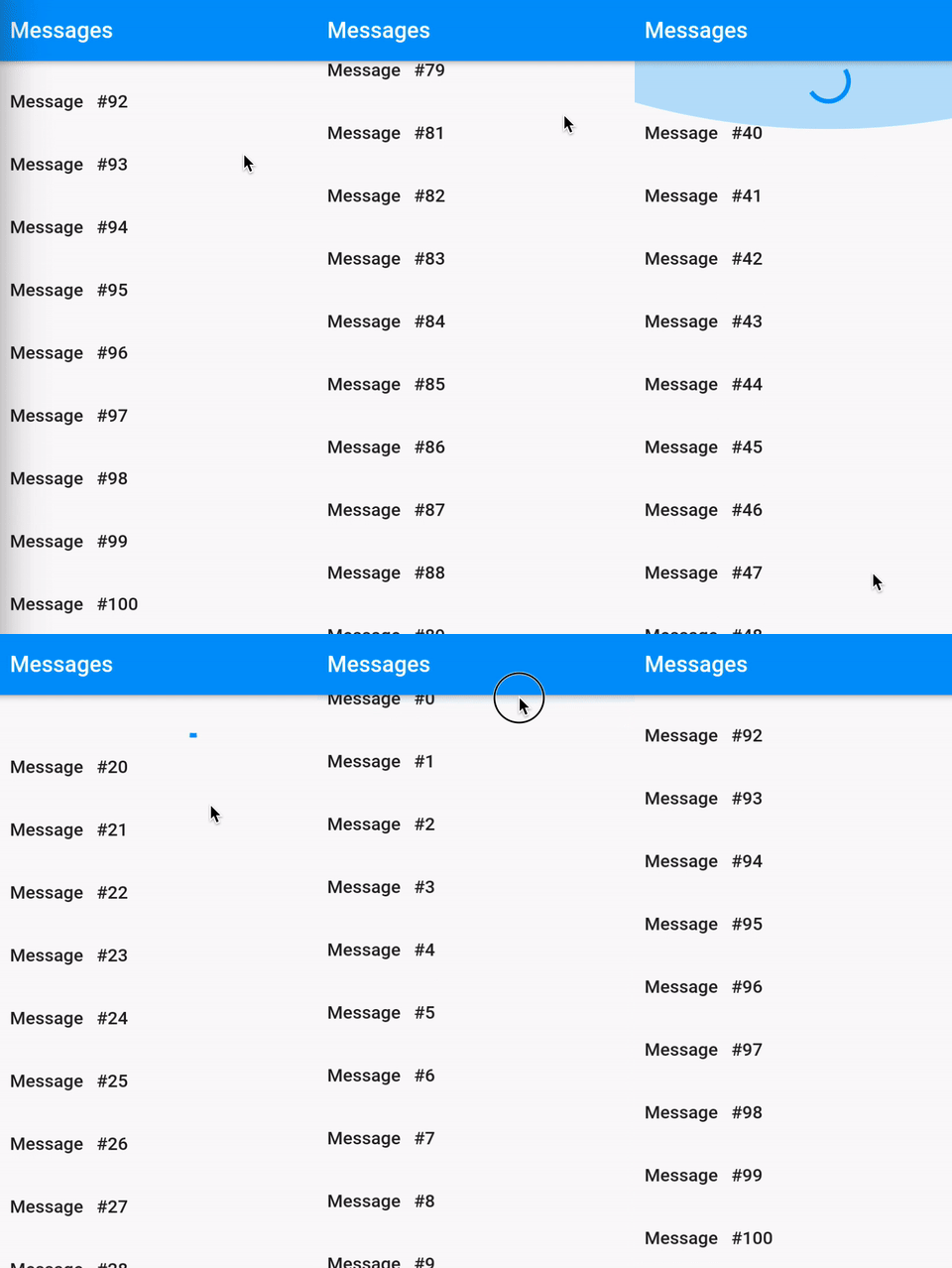
因为您没有共享任何代码,所以我只是创建了一个简单的演示来演示如何像一个消息应用程序那样实现这种效果。代码非常简单易懂,我几乎在任何地方都使用过注释。
密码(无保险柜):
class _MyPageState extends State<MyPage> {
  // Say you have total 100 messages, and you want to load 20 messages on each scroll.
  final int _totalMessages = 100, _loadInterval = 20;
  final double _loadingOffset = 20;
  late final List<String> _messages;
  bool _loading = false;
  final ScrollController _controller = ScrollController();

  @override
  void initState() {
    super.initState();

    // Initially, load only 20 messages.
    _messages = List.generate(20, (i) => 'Message   #${_totalMessages - i}');
    _controller.addListener(_scrollListener);
  }

  void _scrollListener() async {
    var max = _controller.position.maxScrollExtent;
    var offset = _controller.offset;

    // Reached at the top of the list, we should make _loading = true
    if (max - offset < _loadingOffset && !_loading) {
      _loading = true;

      // Load 20 more items (_loadInterval = 20) after a delay of 2 seconds
      await Future.delayed(Duration(seconds: 2));
      int lastItem = _totalMessages - _messages.length;
      for (int i = 1; i <= _loadInterval; i++) {
        int itemToAdd = lastItem - i;
        if (itemToAdd >= 0) _messages.add('Message   #$itemToAdd');
      }

      // Items are loaded successfully, make _loading = false
      setState(() {
        _loading = false;
      });
    }
  }

  @override
  Widget build(BuildContext context) {
    return Scaffold(
      appBar: AppBar(title: Text('Messages')),
      body: ListView.builder(
        controller: _controller,
        reverse: true,
        itemCount: _messages.length + 1, // +1 to show progress indicator.
        itemBuilder: (context, index) {
          // All messages fetched.
          if (index == _totalMessages) return Container();

          // Reached top of the list, show a progress indicator.
          if (index == _messages.length) return Align(child: CircularProgressIndicator());

          // Show messages.
          return ListTile(title: Text('${_messages[index]}'));
        },
      ),
    );
  }
}Stack Overflow用户
发布于 2021-07-20 03:42:58
如果您的提要只能向一个方向扩展,@CopsOnRoad提出的解决方案是有效的。
这解决方案适用于将项附加到列表的顶部和底部。解决方案的想法如下。创建两个SliverLists并将它们放入CustomScrollView中。
CustomScrollView(
  center: centerKey,
  slivers: <Widget>[
    SliverList(
      delegate: SliverChildBuilderDelegate(
        (BuildContext context, int index) {
            return Container(
              // Here we render elements from the upper group
              child: top[index]
            )
        }
    ),
    SliverList(
      // Key parameter makes this list grow bottom
      key: centerKey,
      delegate: SliverChildBuilderDelegate(
        (BuildContext context, int index) {
            return Container(
              // Here we render elements from the bottom group
              child: bottom[index]
            )
        }
    ),
)第一个列表向上滚动,而第二个列表向下滚动。它们的偏移零点固定在同一点,永不移动。如果您需要将某项添加到顶部列表,则将其推到最下面的列表中。这样,它们的偏移量就不会改变,滚动视图也不会跳转。您可以在下面是 dartpad示例中找到解决方案原型。
https://stackoverflow.com/questions/57434108
复制相似问题
腾讯云开发者

Copyright © 2013 - 2026 Tencent Cloud. All Rights Reserved. 腾讯云 版权所有
深圳市腾讯计算机系统有限公司 ICP备案/许可证号:粤B2-20090059  粤公网安备44030502008569号
腾讯云计算(北京)有限责任公司 京ICP证150476号 | 京ICP备11018762号