
用于QtWidgets应用程序的虚拟键盘还是屏幕键盘?
用于QtWidgets应用程序的虚拟键盘还是屏幕键盘?
提问于 2019-07-23 09:47:14
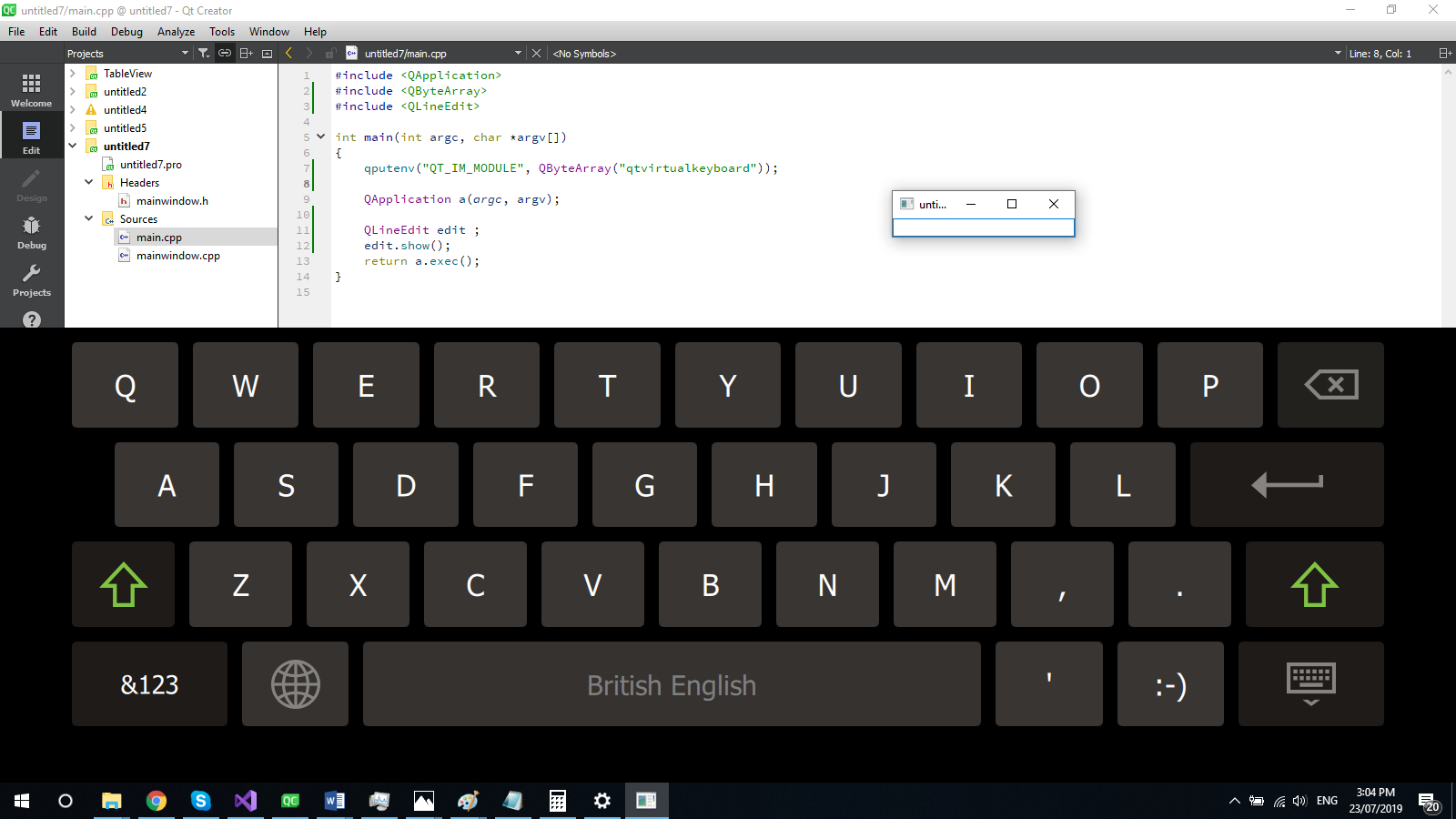
我将在基于小部件的应用程序中部署qtvirtualkeyboard,如下所示:
#include <QtWidgets>

int main(int argc, char *argv[]) {
    qputenv("QT_IM_MODULE", QByteArray("qtvirtualkeyboard"));
    QApplication app(argc, argv);
    QMainWindow window;
    QLineEdit input(&window);
    input.move(250, 250);
    window.show();
    return app.exec();
}
但是唯一的问题是虚拟键盘输入面板隐藏了底层的小部件并覆盖它们!
我该如何做到这一点?
是否有任何基于小部件的应用程序的文档或解决方案?
回答 2
Stack Overflow用户
回答已采纳
发布于 2019-07-30 10:56:36
终于找到解决办法了!
您只需要调用QGuiApplication::inputMethod()来获得应用程序范围的Qt输入方法,然后调用QInputMethod::keyboardRectangle()和QInputMethod::isVisible()获取输入方法属性,然后根据小部件的位置和键盘坐标保持计算,下面是一个可以共享的完整示例:
lineedit.h
class LineEdit :public QLineEdit {
    Q_OBJECT

public:
    LineEdit(QWidget *parent = nullptr);
    LineEdit(const QString&, QWidget *parent = nullptr);

protected:
    bool event(QEvent*) override;

private:
    bool _moved = false;
    int _lastDiff = 0;
};
lineedit.cpp
LineEdit::LineEdit(QWidget *parent) :QLineEdit(parent) {
    setAttribute(Qt::WA_InputMethodEnabled, true);
    setInputMethodHints(inputMethodHints() | Qt::InputMethodHint::ImhDigitsOnly);
}

LineEdit::LineEdit(const QString& txt, QWidget *parent) : QLineEdit(txt, parent) {
    setAttribute(Qt::WA_InputMethodEnabled, true);
    setInputMethodHints(inputMethodHints() | Qt::InputMethodHint::ImhDigitsOnly);
}

bool LineEdit::event(QEvent* e) {
    const auto keyboard_rect = QGuiApplication::inputMethod()->keyboardRectangle();
    const auto keyboard_visible = QGuiApplication::inputMethod()->isVisible();
    const auto global_y = QWidget::mapToGlobal(rect().topLeft()).y() + height();
    const auto k_global_y = keyboard_rect.topLeft().y();
    const auto diff = k_global_y - global_y;
    const auto need_to_move = diff < 0;

    /* move main widget */
    if (keyboard_visible && !_moved && need_to_move) {
        _moved = true;
        _lastDiff = diff;
        const auto g = parentWidget()->frameGeometry();
        parentWidget()->move(g.x(), g.y() - qAbs(_lastDiff));
    }
    /* roll back */
    if (!keyboard_visible && _moved) {
        _moved = false;
        const auto g = parentWidget()->frameGeometry();
        parentWidget()->move(g.x(), g.y() + qAbs(_lastDiff));
    }
    return QLineEdit::event(e);
}
main.cpp
#include <QtWidgets>

#define W 1024
#define H 768

int main(int argc, char *argv[]) {
    qputenv("QT_IM_MODULE", QByteArray("qtvirtualkeyboard"));
    QApplication app(argc, argv);

    QMainWindow window(nullptr, Qt::FramelessWindowHint);

    LineEdit lineedit1(&window);
    lineedit1.move(100, 450);

    LineEdit lineedit2(&window);
    lineedit2.move(100, 100);

    window.resize(W, H);
    window.show();
    return app.exec();
}
结果:

Stack Overflow用户
发布于 2019-07-23 10:58:46
您只需要在main.cpp中添加这一行
qputenv("QT_IM_MODULE", QByteArray("qtvirtualkeyboard"));并将在Qtwidget中使用虚拟键盘))
页面原文内容由Stack Overflow提供。腾讯云小微IT领域专用引擎提供翻译支持
原文链接:
https://stackoverflow.com/questions/57161308
复制相关文章
相似问题
腾讯云开发者

Copyright © 2013 - 2026 Tencent Cloud. All Rights Reserved. 腾讯云 版权所有
深圳市腾讯计算机系统有限公司 ICP备案/许可证号:粤B2-20090059  粤公网安备44030502008569号
腾讯云计算(北京)有限责任公司 京ICP证150476号 | 京ICP备11018762号