
如何使用Vue-SweetAlert2 2在单个弹出窗口中传递对象输入和更新数据
我目前正在尝试创建一个弹出窗口,其中用户应该填写他或她的个人信息,如下面的代码和附加的图像所示。
<template>
      <v-btn class="create-button" color="yellow" @click="alertDisplay">Create</v-btn>

    <br/>

    <p>Test result of createCustomer: {{ createdCustomer }}</p>
  </div>
</template>

<script>
  export default {
    data() {
      return {
        createdCustomer: null
      }
    },
    methods: {
      alertDisplay() {
        const {value: formValues} = await this.$swal.fire({
            title: 'Create private customer',
            html: '<input id="swal-input1" class="swal2-input" placeholder="Customer Number">' +
                '<select id="swal-input2" class="swal2-input"> <option value="fi_FI">fi_FI</option> <option value="sv_SE">sv_SE</option> </select>'
                 +
                '<input id="swal-input3" class="swal2-input" placeholder="regNo">' +
                '<input id="swal-input4" class="swal2-input" placeholder="Address">' +
                '<input id="swal-input5" class="swal2-input" placeholder="First Name">' +
                '<input id="swal-input6" class="swal2-input" placeholder="Last Name">'
                ,
            focusConfirm: false,
            preConfirm: () => {
                return [
                    document.getElementById('swal-input1').value,
                    document.getElementById('swal-input2').value,
                    document.getElementById('swal-input3').value,
                    document.getElementById('swal-input4').value,
                    document.getElementById('swal-input5').value,
                    document.getElementById('swal-input6').value
                ]
            }
        })
        if (formValues) {
            this.createdCustomer = this.$swal.fire(JSON.stringify(formValues));
            console.log(this.createdCustomer);
        }
      }
    }
  }
</script>
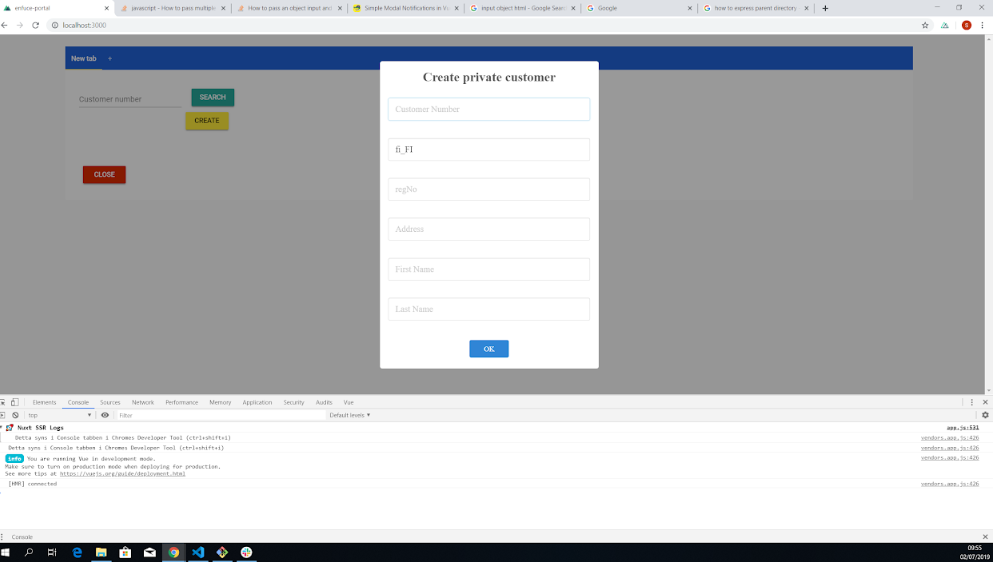
这样,我可以让用户填写多个字段,但我希望以对象的形式存储"Address“,而不仅仅是一个字符串。
"address": {
    "street": "string",
    "city": "string",
    "country": "string",
    "region": "string",
    "zipCode": "string"
}
我设法将这6种输入中的一种改为"select“类型,而不是"input”类型,后者只允许用户编写一些文本,但是当涉及到一个由多个字符串组成的对象类型时,当我需要使用HTML和preConfirm参数时,我不知道该如何做。
我该怎么做呢?首先,是否有可能将“地址”存储为对象?
更新
我要做的是让用户分别填写“街道”、“城市”、“乡村”、“区域”、"zipCode“,如下图所示,
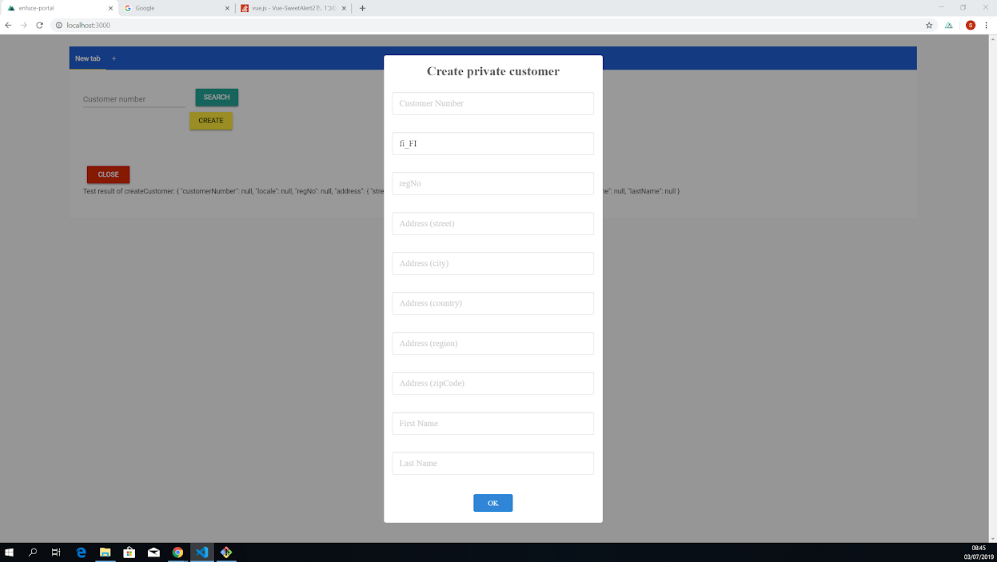
并将它们存储为"address“对象,如下所示
"address": {
    "street": "string",
    "city": "string",
    "country": "string",
    "region": "string",
    "zipCode": "string"
}
更新(Version2 )
V型不起作用
async alertDisplay() {

        const {value: formValues} = await this.$swal.fire({
            title: 'Create private customer',
            html: '<input id="swal-input1" class="swal2-input" placeholder="Customer Number">' +
                '<select id="swal-input2" class="swal2-input"> <option value="fi_FI">fi_FI</option> <option value="sv_SE">sv_SE</option> </select>'
                 +
                '<input id="swal-input3" class="swal2-input" placeholder="regNo">' +
                '<input v-model="createdCustomer.address.street" id="swal-input4" class="swal2-input" placeholder="Address (street)">' +
                '<input v-model="createdCustomer.address.city" id="swal-input5" class="swal2-input" placeholder="Address (city)">' +
                '<input v-model="createdCustomer.address.country" id="swal-input6" class="swal2-input" placeholder="Address (country)">' +
                '<input v-model="createdCustomer.address.region" id="swal-input7" class="swal2-input" placeholder="Address (region)">' +
                '<input v-model="createdCustomer.address.zipCode" id="swal-input8" class="swal2-input" placeholder="Address (zipCode)">' +
                '<input id="swal-input9" class="swal2-input" placeholder="First Name">' +
                '<input id="swal-input10" class="swal2-input" placeholder="Last Name">'
                ,
            focusConfirm: false,
            preConfirm: () => {
                return [
                    document.getElementById('swal-input1').value,
                    document.getElementById('swal-input2').value,
                    document.getElementById('swal-input3').value,
                    document.getElementById('swal-input4').value,
                    document.getElementById('swal-input5').value,
                    document.getElementById('swal-input6').value,
                    document.getElementById('swal-input7').value,
                    document.getElementById('swal-input8').value,
                    document.getElementById('swal-input9').value,
                    document.getElementById('swal-input10').value
                ]

            }
        })
        if (formValues) {
            this.createdCustomer = formValues;
            console.log('the content of this.createdCustomer');
            console.log(this.createdCustomer);
            console.log('the content of this.createdCustomer.address');
            console.log(this.createdCustomer.address);
        }
      }
输出量
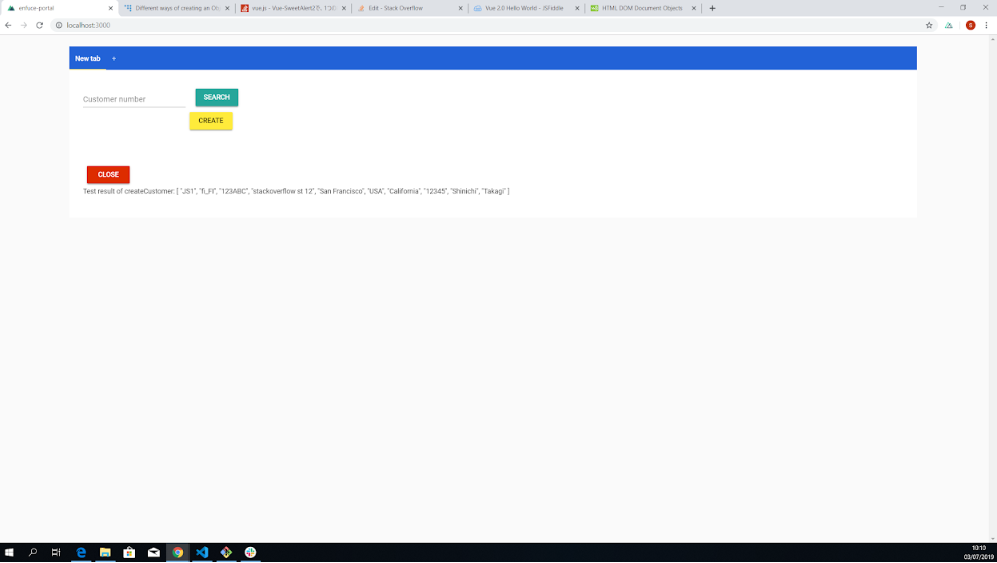
但我想让它像
Test result of createCustomer: [ "JS1", "fi_FI", "123ABC", {"stackoverflow st 12", "San Francisco", "USA", "California", "12345"}, "Shinichi", "Takagi" ]回答 2
Stack Overflow用户
发布于 2019-07-03 12:34:52
我设法找到了解决这个问题的办法,所以我会自己发一个答案。
问题的根源是部分中的单行this.createdCustomer = formValues;。
if (formValues) {
            this.createdCustomer = formValues;
            console.log('the content of this.createdCustomer');
            console.log(this.createdCustomer);
            console.log('the content of this.createdCustomer.address');
            console.log(this.createdCustomer.address);
        }
关于我最初的问题帖子。
因为用户输入被存储为10个单独的原始数据类型输入,而不是包含多个字符串的对象表单"address“,所以它是一个字符串数组,由formValues分配给formValues。
为了解决这个问题,我做了以下两件事。
- 以对象的形式声明
createdCustomer - 一个一个地分配formValues的每个值,通过引用它的索引号(,←,这是我这么长时间没有意识到的)
关于第一点,我声明createdCustomer如下。
data() {
      return {
        createdCustomer: {
          customerNumber: null,
          locale: null,
          regNo: null,
          address: {
            street: null,
            city: null,
            country: null,
            region: null,
            zipCode: null
          },
          firstName: null,
          lastName: null
        }
      }
    },
关于第二点,我逐个引用了formValue的索引,如下所示。
if (formValues) {
            //this.createdCustomer = formValues;   // this one line overwrote the entire createdCustomer object, which was the root of the problem
            this.createdCustomer.customerNumber = formValues[0];
            this.createdCustomer.locale = formValues[1];
            this.createdCustomer.regNo = formValues[2];
            this.createdCustomer.address.street = formValues[3];
            this.createdCustomer.address.city = formValues[4];
            this.createdCustomer.address.country = formValues[5];
            this.createdCustomer.address.region = formValues[6];
            this.createdCustomer.address.zipCode = formValues[7];
            this.createdCustomer.firstName = formValues[8];
            this.createdCustomer.lastName = formValues[9];

            console.log('the content of this.createdCustomer.address');
            console.log(this.createdCustomer.address);

            console.log('the content of this.createdCustomer.address.street');
            console.log(this.createdCustomer.address.street);

        }
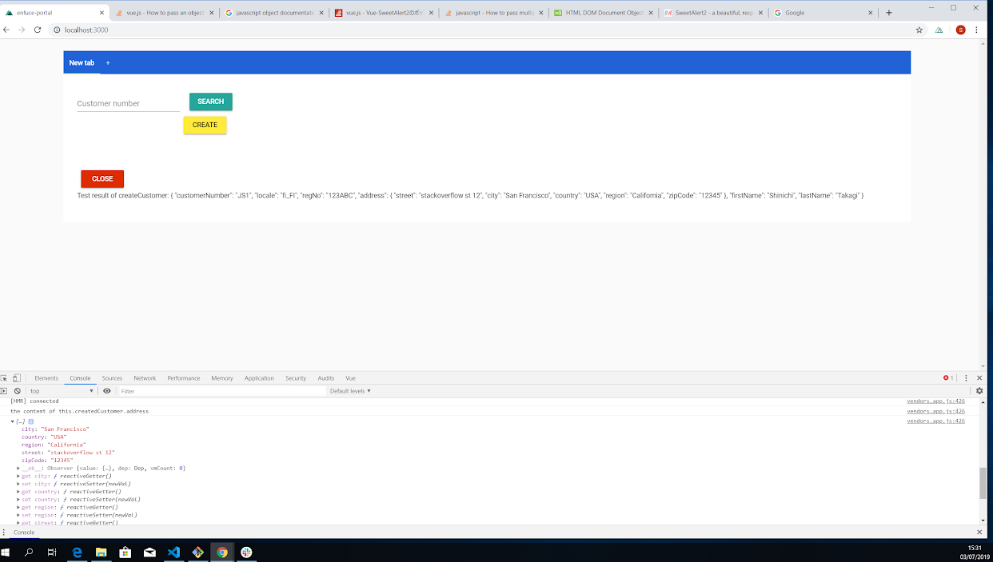
现在,"address“以"address”对象的形式传递,并且输出与预期的一样。
Test result of createCustomer: { "customerNumber": "JS1", "locale": "fi_FI", "regNo": "123ABC", "address": { "street": "stackoverflow st 12", "city": "San Francisco", "country": "USA", "region": "California", "zipCode": "12345" }, "firstName": "Shinichi", "lastName": "Takagi" }
Stack Overflow用户
发布于 2019-07-02 08:22:13
您可以使用v-model。这样,当您更改输入中的值时,address对象的值也会发生变化。
<input v-model="address.street">
<input v-model="address.city">
<input v-model="address.country">
<input v-model="address.region>
<input v-model="address.zipCode">参见下面的示例https://jsfiddle.net/greenfoxx/bo8cfxqz/5/
v-model https://v2.vuejs.org/v2/guide/forms.html参考资料
https://stackoverflow.com/questions/56847112
复制相似问题
腾讯云开发者

Copyright © 2013 - 2026 Tencent Cloud. All Rights Reserved. 腾讯云 版权所有
深圳市腾讯计算机系统有限公司 ICP备案/许可证号:粤B2-20090059  粤公网安备44030502008569号
腾讯云计算(北京)有限责任公司 京ICP证150476号 | 京ICP备11018762号