
在可可应用程序中运行终端命令
在可可应用程序中运行终端命令
提问于 2019-06-29 00:08:12
在可可应用程序上运行代码以运行一些命令行脚本时,我遇到了一个问题。
此函数在使用命令行工具时运行平稳,但在使用完全可可应用程序并使用一些Off UI时,它根本无法工作。
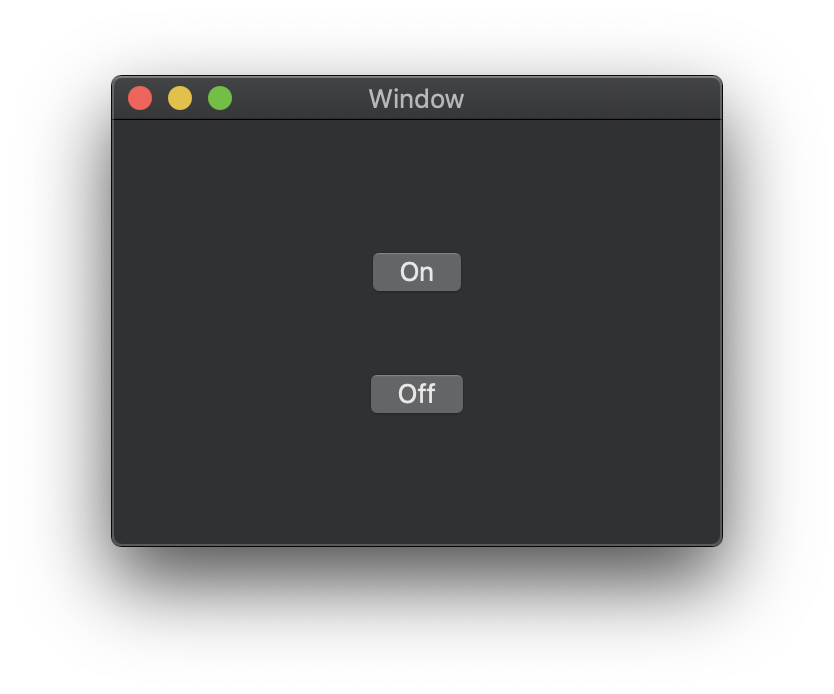
我的脚本应该打开/关闭http & https代理。
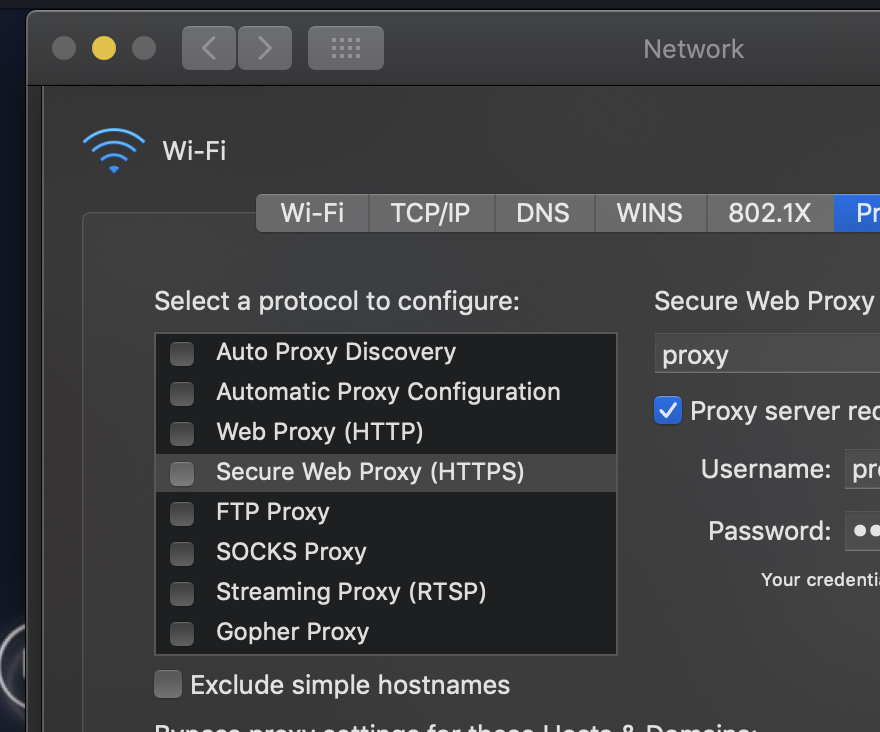
这是我的功能:
    private func runTask(_ cmd: String) {

        // Create a Task instance
        let task = Process()

        // Set the task parameters
        task.launchPath = "/bin/sh"
        task.arguments = ["-c", String(format:"%@", cmd)]

        // Create a Pipe and make the task
        // put all the output there
        let pipe = Pipe()
        task.standardOutput = pipe

        // Launch the task
        task.launch()

        // Get the data
        let data = pipe.fileHandleForReading.readDataToEndOfFile()
        guard let output = NSString(data: data, encoding: String.Encoding.utf8.rawValue) else { return }

        print(output)
    }
下面是我的完整ViewController课程:
import Cocoa

class ViewController: NSViewController {

    override func viewDidLoad() {
        super.viewDidLoad()

        // Do any additional setup after loading the view.
    }

    @IBAction func onButtonTapped(_ sender: NSButton) {
        print("onButtonTapped")
        let selected: Switch = .on
        let listOfNetworkCommands: String = [
            #"networksetup -setwebproxystate "Wi-fi" \#(selected)"#, // switch http proxy
            #"networksetup -setsecurewebproxystate "Wi-fi" \#(selected)"#, // switch https proxy
            #"networksetup -setpassiveftp "Wi-fi" \#(selected)"# // switch passive ftp
            ].joined(separator: " && ")

        runTask(listOfNetworkCommands)
    }

    @IBAction func offButtonTapped(_ sender: NSButton) {
        print("onButtonTapped")
        let selected: Switch = .off
        let listOfNetworkCommands: String = [
            #"networksetup -setwebproxystate "Wi-fi" \#(selected)"#, // switch http proxy
            #"networksetup -setsecurewebproxystate "Wi-fi" \#(selected)"#, // switch https proxy
            #"networksetup -setpassiveftp "Wi-fi" \#(selected)"# // switch passive ftp
            ].joined(separator: " && ")

        runTask(listOfNetworkCommands)
    }

    enum Switch: String {
        case on, off
    }

    private func runTask(_ cmd: String) {

        // Create a Task instance
        let task = Process()

        // Set the task parameters
        task.launchPath = "/bin/sh"
        task.arguments = ["-c", String(format:"%@", cmd)]

        // Create a Pipe and make the task
        // put all the output there
        let pipe = Pipe()
        task.standardOutput = pipe

        // Launch the task
        task.launch()

        // Get the data
        let data = pipe.fileHandleForReading.readDataToEndOfFile()
        guard let output = NSString(data: data, encoding: String.Encoding.utf8.rawValue) else { return }

        print(output)
    }

}
你知道为什么我的功能没有在可可应用程序中触发吗?
回答 1
Stack Overflow用户
回答已采纳
发布于 2019-07-01 00:24:08
简单的答案是禁用Cocoa应用程序中的Application (在你的项目应用程序目标>功能选项卡>Application开关下)。你会发现你被沙箱异常阻塞了。禁用沙箱应该可以解决问题。
如果您筛选应用程序名或沙箱进程,您也可以在Console.app中看到这一点。当启用沙箱时,您可能会有这样的条目:
错误00:21:57.502273 +0000沙箱: sh(17363)拒绝(1)文件读取-data /dev/ttys003
页面原文内容由Stack Overflow提供。腾讯云小微IT领域专用引擎提供翻译支持
原文链接:
https://stackoverflow.com/questions/56814198
复制相关文章
相似问题
腾讯云开发者

Copyright © 2013 - 2026 Tencent Cloud. All Rights Reserved. 腾讯云 版权所有
深圳市腾讯计算机系统有限公司 ICP备案/许可证号:粤B2-20090059  粤公网安备44030502008569号
腾讯云计算(北京)有限责任公司 京ICP证150476号 | 京ICP备11018762号