
团结与谷歌的Blockly图书馆集成

回答 2
Stack Overflow用户
发布于 2019-07-13 19:59:50
几个月前,我开发了一个非常类似于你的项目。最近,我从这个项目中推断出一个库,并将其发布在github上。这个库名为blockly-gamepad,允许您使用块创建game的结构,并使用play()或pause()等方法与其交互。
我相信这将大大简化blockly和unity之间的交互,如果您对文档感兴趣,您可以找到游戏的实时demo。
这里是一个演示的gif。
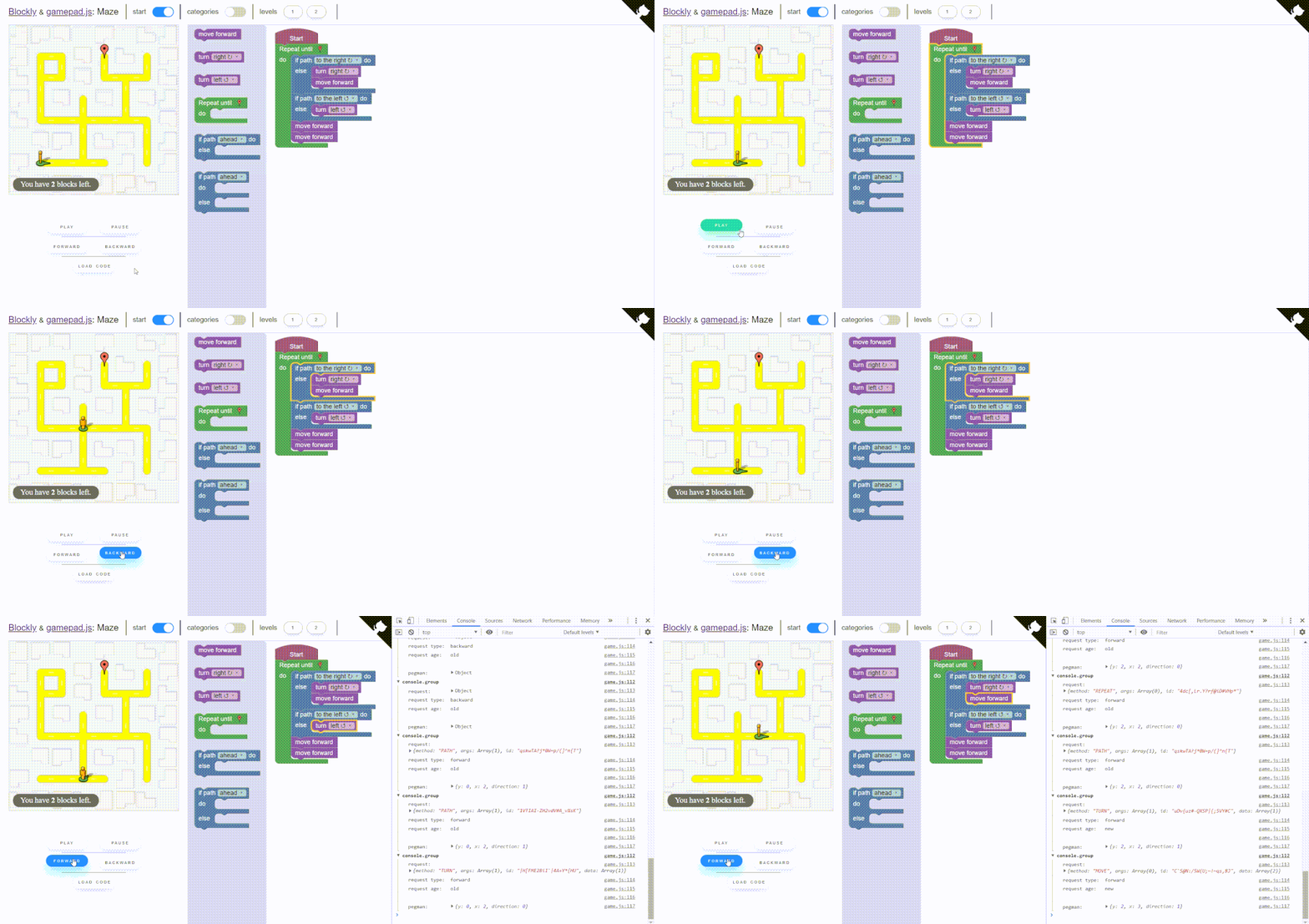
它是如何工作的
与块的正常使用相比,这是一种不同的、简化的方法。
首先,您必须定义块(参见如何在https://paol-imi.github.io/blockly-gamepad/#/blocks中定义它们)。
您不必定义any code generator,所有有关代码生成的操作都由库执行。

每个块生成一个请求。
// the request
{ method: 'TURN', args: ['RIGHT'] }当执行一个块时,相应的请求将传递给您的游戏。
class Game{
    manageRequests(request){
        // requests are passed here
        if(request.method == 'TURN')
            // animate your sprite
            turn(request.args)
    }
}您可以使用答应来管理异步动画。
class Game{
    async manageRequests(request){
        if(request.method == 'TURN')
            await turn(request.args)
    }
}块与游戏之间的链接由游戏垫管理。
let gamepad = new Blockly.Gamepad(),
    game = new Game()

// requests will be passed here
gamepad.setGame(game, game.manageRequest)游戏垫提供了一些方法来管理块的执行,因此请求生成。
// load the code from the blocks in the workspace
gamepad.load()
// reset the code loaded previously
gamepad.reset()

// the blocks are executed one after the other
gamepad.play()
// play in reverse
gamepad.play(true)
// the blocks execution is paused
gamepad.pause()
// toggle play
gamepad.togglePlay()

// load the next request
gamepad.forward()
// load the prior request
gamepad.backward()

// use a block as a breakpoint and play until it is reached
gamepad.debug(id)您可以阅读完整的文档这里。
我希望我对这个项目很有帮助,祝你好运!
编辑blockly-gamepad.:我更新了库的名称,现在它被称为
Stack Overflow用户
发布于 2019-06-29 18:25:14
你的游戏看起来很酷!对于代码-it,我们使用Blockly作为代码编辑器。然后在游戏中由Lua解释器执行代码。您可以做一些更简单的事情:为每个操作创建一个块类型,如MoveForward等,并让它们生成像SendMessage(“gameInterfaceObject”、“MoveForward”)这样的函数调用。在游戏中,你需要一个能从网站上听到这样信息的对象。
以下是您的游戏如何与网站对话:https://docs.unity3d.com/Manual/webgl-interactingwithbrowserscripting.html
https://stackoverflow.com/questions/56725374
复制相似问题
腾讯云开发者

Copyright © 2013 - 2026 Tencent Cloud. All Rights Reserved. 腾讯云 版权所有
深圳市腾讯计算机系统有限公司 ICP备案/许可证号:粤B2-20090059  粤公网安备44030502008569号
腾讯云计算(北京)有限责任公司 京ICP证150476号 | 京ICP备11018762号