
Mapbox不同缩放级别上缺少的一些符号
Mapbox不同缩放级别上缺少的一些符号
提问于 2019-06-13 13:41:40
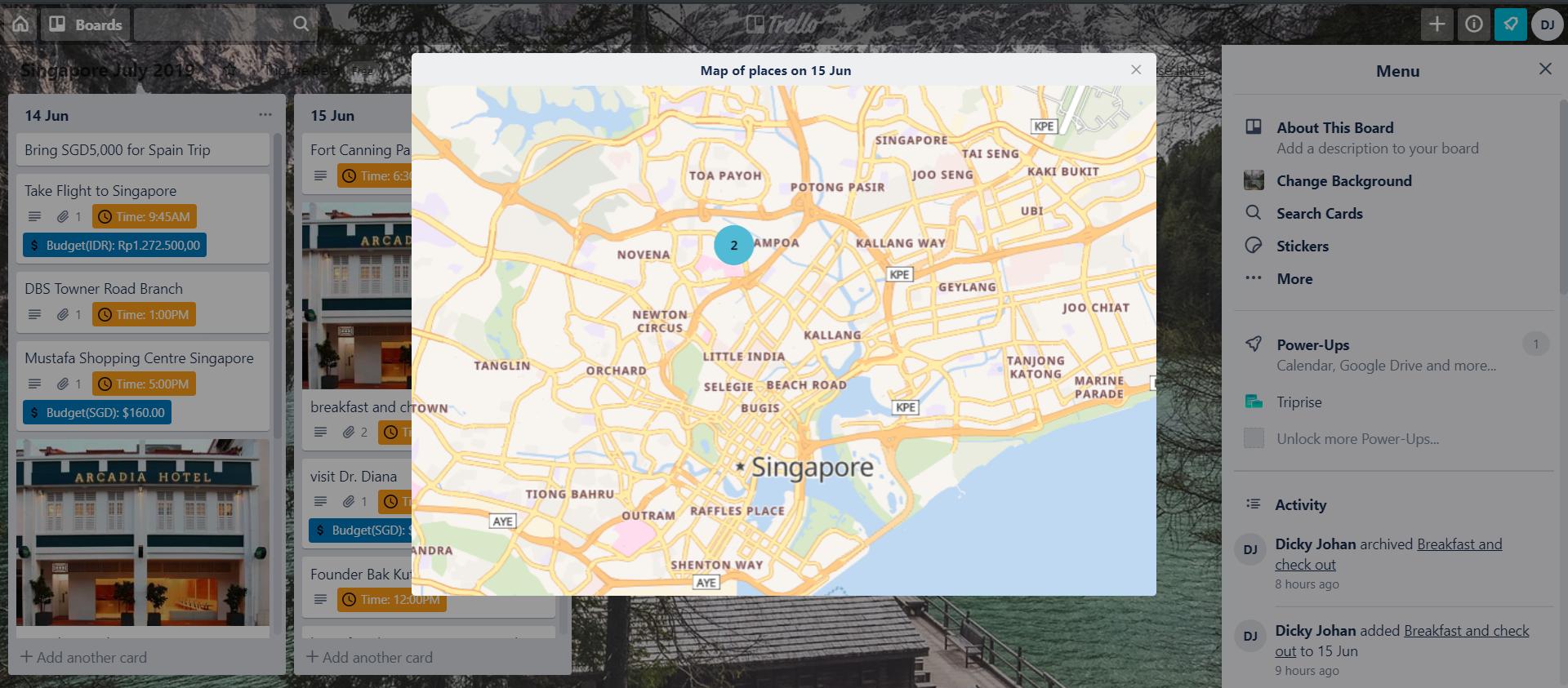
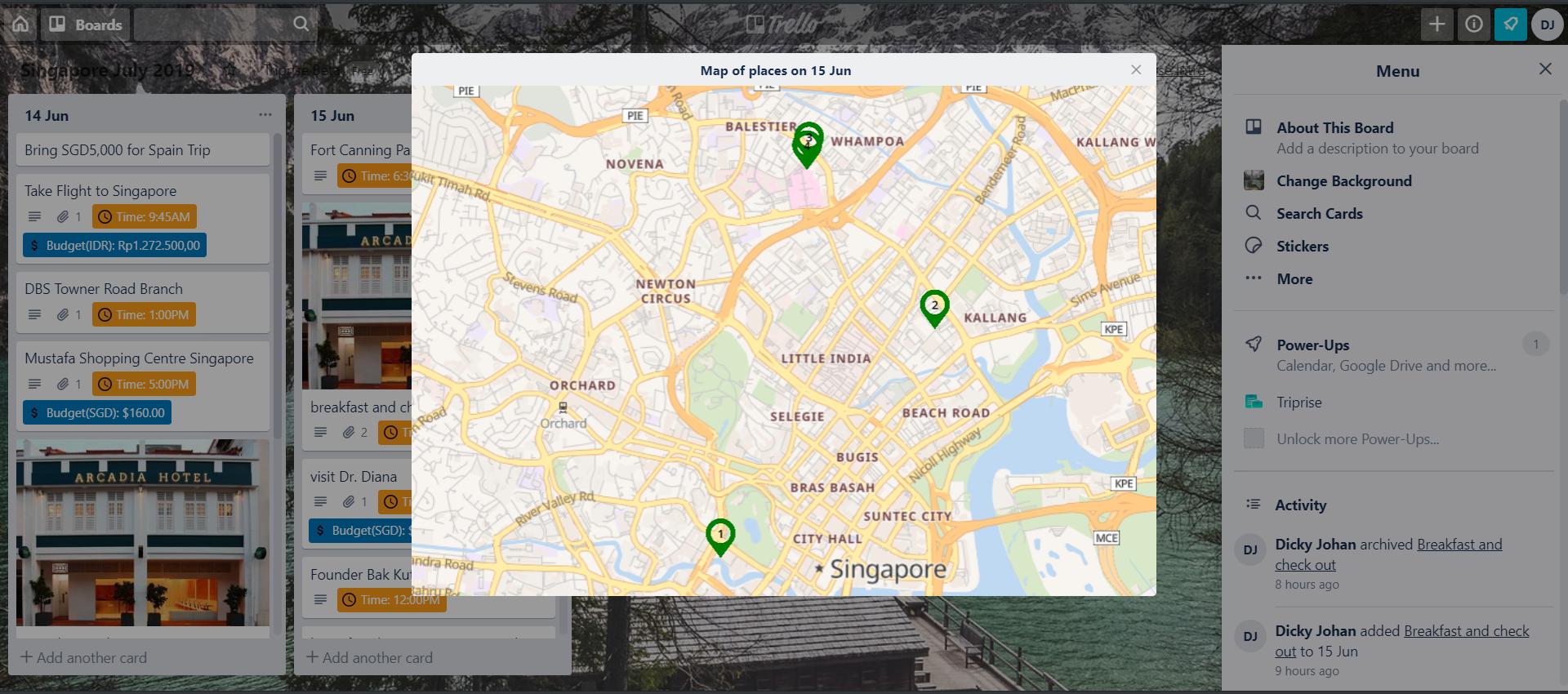
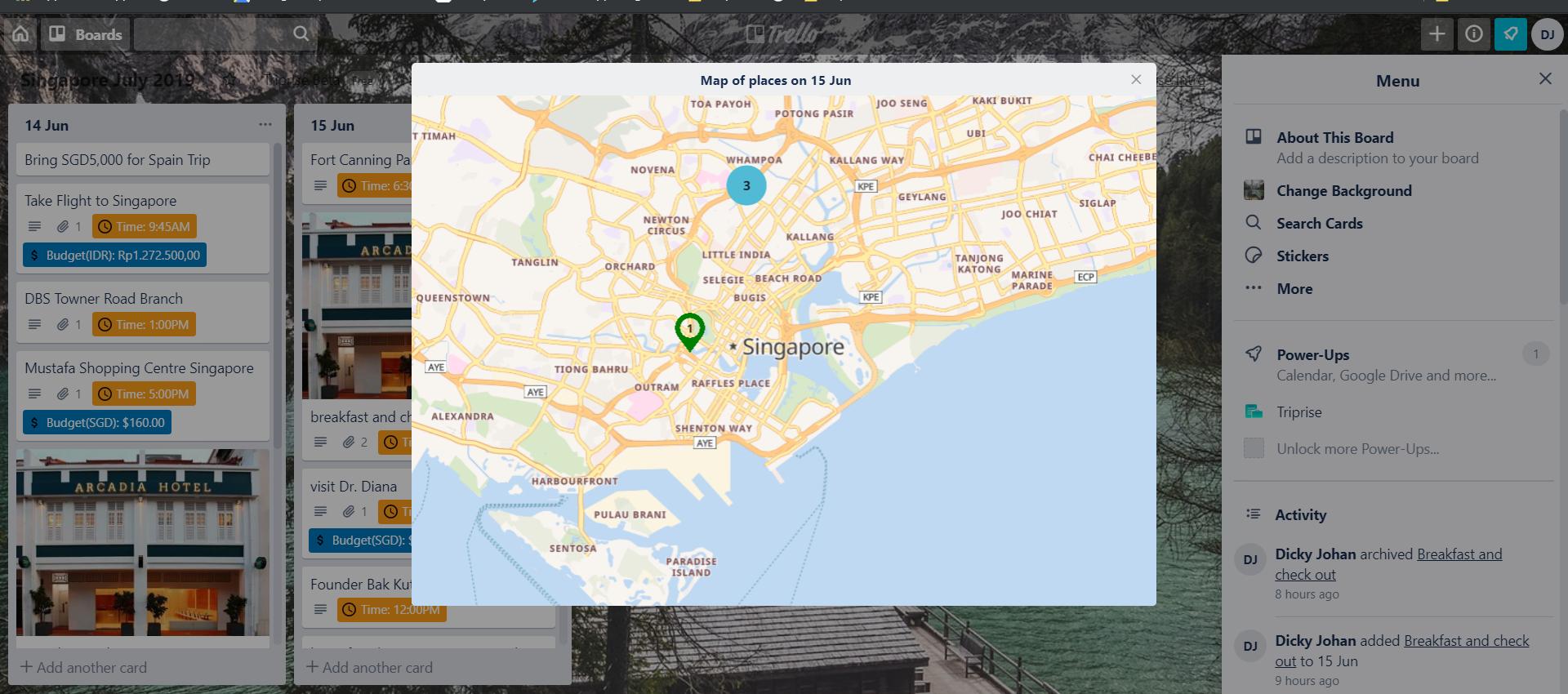
我使用的是mapBoxGL 1.0版JS库,我使用的是集群映射功能。但我注意到,在特定的缩放级别上,图层中的一些符号会消失,然后在其他缩放级别上再次出现。我似乎不知道配置有什么问题。随函附上这些图像,并注意到集群的总大小也与总符号不相对应。
map.addSource("dayplaces", {
    type: "geojson",
    // Point to GeoJSON data. This example visualizes all M1.0+ earthquakes
    // from 12/22/15 to 1/21/16 as logged by USGS' Earthquake hazards program.
    data: geojson,
    cluster: true,
    clusterMaxZoom: 12, // Max zoom to cluster points on
    clusterRadius: 50 // Radius of each cluster when clustering points (defaults to 50)
});

map.addLayer({
    id: "clusters",
    type: "circle",
    source: "dayplaces",
    filter: ["has", "point_count"],
    paint: {
        // Use step expressions (https://docs.mapbox.com/mapbox-gl-js/style-spec/#expressions-step)
        // with three steps to implement three types of circles:
        //   * Blue, 20px circles when point count is less than 100
        //   * Yellow, 30px circles when point count is between 100 and 750
        //   * Pink, 40px circles when point count is greater than or equal to 750
        "circle-color": [
            "step",
            ["get", "point_count"],
            "#51bbd6",
            100,
            "#f1f075",
            750,
            "#f28cb1"
        ],
        "circle-radius": [
            "step",
            ["get", "point_count"],
            20,
            100,
            30,
            750,
            40
        ]
    }
});

map.addLayer({
    id: "cluster-count",
    type: "symbol",
    source: "dayplaces",
    filter: ["has", "point_count"],
    layout: {
        "text-field": "{point_count_abbreviated}",
        "text-font": ["Open Sans Semibold"],
        "text-size": 12,
        "text-allow-overlap": true
    }
});

// https://svgtopng.com/
// https://www.flaticon.com/free-icon/map-marker_34468
map.loadImage('https://cdn.glitch.com/0a178325-3429-4356-9e0e-c6aed80fea14%2F34468green.png?v=1560084647010', function(error, image) {
    if (!error) {
        map.addImage('pin', image);
        map.addLayer({
            id: "unclustered-point",
            type: "symbol",
            source: "dayplaces",
            filter: ["!", ["has", "point_count"]],
            "layout": {
                "visibility": "visible",
                "icon-image": "pin",
                "icon-size": 0.08,
                "icon-allow-overlap": true,
                "text-field": ["get", "order"],
                "text-font": ["Open Sans Semibold"],
                "text-allow-overlap": true,
                "text-size": 11,
                "text-offset": [0, 0.2],
                "text-anchor": "bottom"
            }
        });
    } else {
        console.log("MAP LOAD IMAGE ERROR:" + error);
    }

});


// inspect a cluster on click
map.on('click', 'clusters', function(e) {
    var features = map.queryRenderedFeatures(e.point, {
        layers: ['clusters']
    });
    var clusterId = features[0].properties.cluster_id;
    map.getSource('dayplaces').getClusterExpansionZoom(clusterId, function(err, zoom) {
        if (err)
            return;

        map.easeTo({
            center: features[0].geometry.coordinates,
            zoom: zoom
        });
    });
});回答 1
Stack Overflow用户
发布于 2020-12-18 16:25:58
在在Mapbox中使用大型GeoJSON源的文档中,它指出:
Mapbox GL GeoJSON源由客户端动态转换为Mapbox矢量块。
在此过程中,进行简化以提高性能。在添加源时,可以使用公差属性来控制这种简化。Mapbox公差文档如下:
可选号码。默认为0.375。道格拉斯-派克简化公差(更高的意味着更简单的几何学和更快的性能)。
因此,要阻止简化发生,必须在添加源时设置tolerance: 0。添加GeoJSON源代码的示例没有进行任何简化:
this.map.addSource(`example-source`, <any>{
  type: 'geojson',
  data: exampleData,
  tolerance: 0
});
这为我解决了这个问题,希望能有所帮助。
页面原文内容由Stack Overflow提供。腾讯云小微IT领域专用引擎提供翻译支持
原文链接:
https://stackoverflow.com/questions/56581869
复制相关文章
相似问题
腾讯云开发者

Copyright © 2013 - 2026 Tencent Cloud. All Rights Reserved. 腾讯云 版权所有
深圳市腾讯计算机系统有限公司 ICP备案/许可证号:粤B2-20090059  粤公网安备44030502008569号
腾讯云计算(北京)有限责任公司 京ICP证150476号 | 京ICP备11018762号