
在使用大小类时如何处理安全区域?
在使用大小类时如何处理安全区域?
提问于 2019-06-12 14:45:28
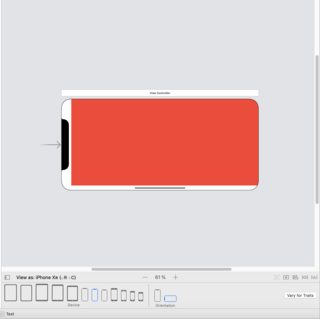
我刚刚创建了一个简单的红色视图,并为它创建了4个约束(上、左、右、下)。我试图使用大小类进行自适应布局,但无法在“景观正确”的方向上实现正确的布局:
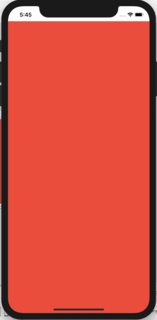
- 在肖像模式下,一切都是正确的。底部,左,右边缘到superview的边缘,顶部边缘到安全区域的顶部。
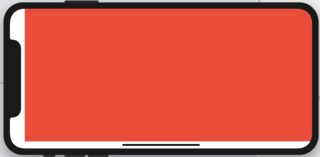
- 在景观左侧模式下,这一切都是正确的。上,右边到监督的边缘,左和下到安全区的边缘。
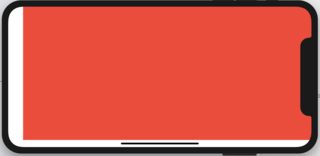
- 但在景观权模式布局上是不正确的。我预计,左边的边沿将等于superview的左侧边缘,但实际上它等于安全区域。同样的事情与右边的边缘:我希望它将等于安全区的边缘,但实际上它等于superview的边缘。如何修复呢?
回答 4
Stack Overflow用户
发布于 2019-06-21 18:48:20
首先,只为size类的top约束设置单独的常量。看看我的照片。然后为引导和跟踪约束创建一个出口。
import UIKit

class ViewController: UIViewController {

    @IBOutlet weak var conTrailing: NSLayoutConstraint!
    @IBOutlet weak var conLeading: NSLayoutConstraint!

    override func viewDidAppear(_ animated: Bool) {
        super.viewDidAppear(animated)
        self.setOrientationAllignment()
    }

    func setOrientationAllignment() {
        switch UIDevice.current.orientation {
        case .portrait:
            self.conLeading.constant = 0
            self.conTrailing.constant = 0
        case .landscapeLeft:
            self.conLeading.constant = 40
            self.conTrailing.constant = 0
        case .landscapeRight:
            self.conLeading.constant = 00
            self.conTrailing.constant = 40
        default:
            break
        }
        self.view.layoutSubviews() //  no  need  now
        self.view.layoutIfNeeded()
    }

    override func viewWillTransition(to size: CGSize, with coordinator: UIViewControllerTransitionCoordinator) {
        super.viewWillTransition(to: size, with: coordinator)
        self.setOrientationAllignment()
    }
}
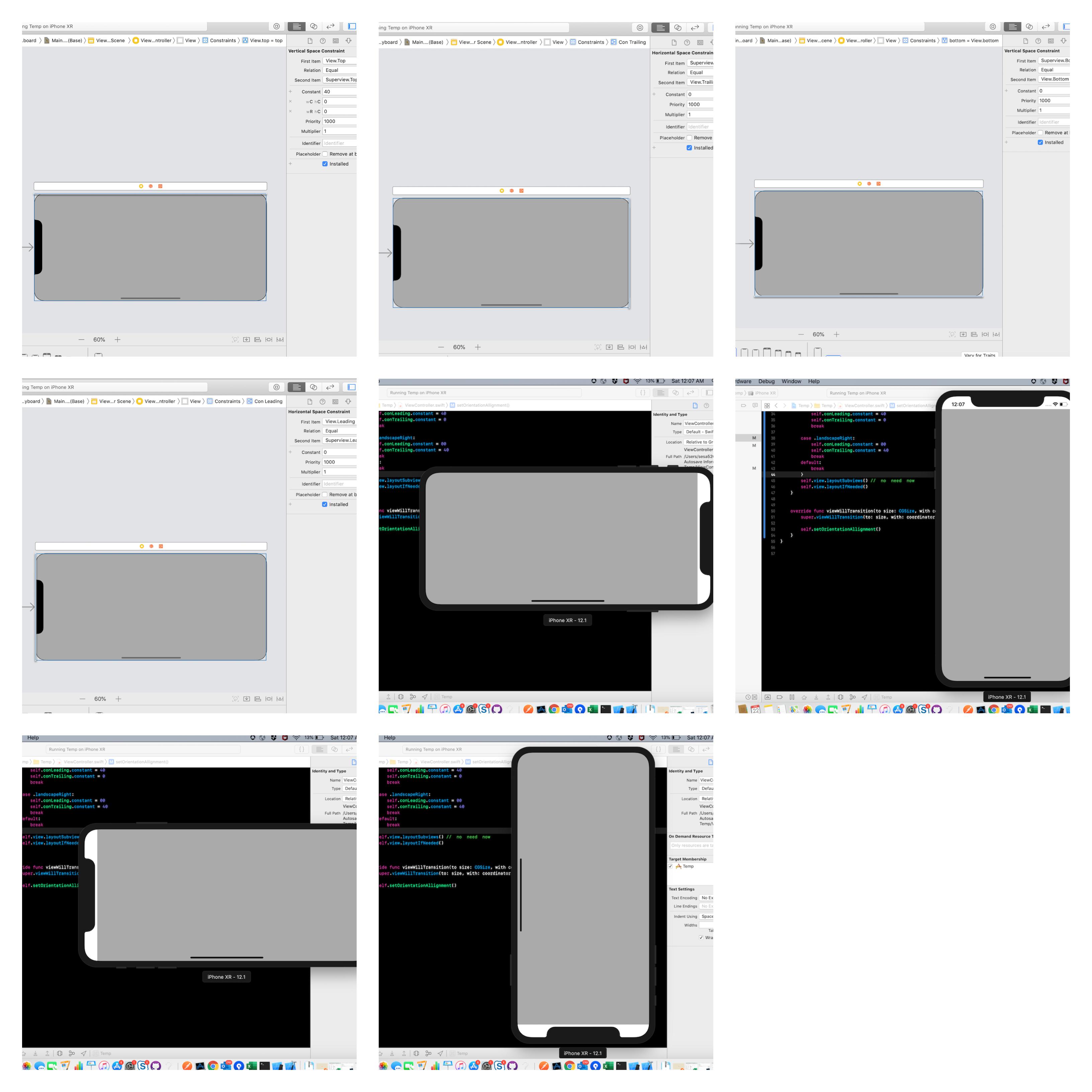
Stack Overflow用户
发布于 2019-06-18 09:55:08
据我所知,当手机处于横向位置时,您的红色视图的边缘应该等于superview在手机底部的相应边缘。如果是这样,您可以创建4个约束,2个用于右侧,2个用于左侧。
让我们考虑红色视图前缘的两个约束: 1)红色视图的前缘等于superview的前缘2)红色视图的前缘等于SafeArea
所有约束的默认优先级为999。
然后,在视图控制器中可以做的是:
override func viewWillTransition(to size: CGSize, with coordinator: UIViewControllerTransitionCoordinator) {
    super.viewWillTransition(to: size, with: coordinator)

    let lowPriority = UILayoutPriority(rawValue: 250)
    let highPriority = UILayoutPriority(rawValue: 999)

    switch UIDevice.current.orientation {
    case .landscapeLeft:
        leftEdgeToSafeAreaConstraint.priority = highPriority
        rightEdgeToSafeAreaConstraint.priority = lowPriority

        leftEdgeToSuperviewConstraint.priority = lowPriority
        rightEdgeToSuperviewConstraint.priority = highPriority
    case .landscapeRight:
        leftEdgeToSafeAreaConstraint.priority = lowPriority
        rightEdgeToSafeAreaConstraint.priority = highPriority

        leftEdgeToSuperviewConstraint.priority = highPriority
        rightEdgeToSuperviewConstraint.priority = lowPriority
    default:
        leftEdgeToSafeAreaConstraint.priority = highPriority
        rightEdgeToSafeAreaConstraint.priority = highPriority

        leftEdgeToSuperviewConstraint.priority = lowPriority
        rightEdgeToSuperviewConstraint.priority = lowPriority
    }
}Stack Overflow用户
发布于 2019-06-20 05:25:38
我正在挣扎的设备旋转使用左,右,上,底部锚。
对于正确的景观,你应该安静的顶部边缘和状态栏。
如果正确理解视图层次结构,可以使用如下代码示例:
        let deleteButtonImage = UIImage(named: "DeleteButton") as UIImage?
        let deleteButtonImageSize: CGSize = CGSize(width: 295, height: 45)
        let deleteButton = UIButton(type: UIButton.ButtonType.custom)
        deleteButton.translatesAutoresizingMaskIntoConstraints = false
        deleteButton.tintColor = .white
        deleteButton.frame = CGRect(x: 0, y: 0, width: 250, height: 135)
        deleteButton.setImage(deleteButtonImage, for: .normal)

        deleteButton.imageEdgeInsets = UIEdgeInsets(
            top: (deleteButton.frame.size.height - deleteButtonImageSize.height) / 2,
            left: (deleteButton.frame.size.width - deleteButtonImageSize.width) / 2.5,
            bottom: (deleteButton.frame.size.height - deleteButtonImageSize.height) / 2,
            right: (deleteButton.frame.size.width - deleteButtonImageSize.width) / 2.5)


        scrollView.addSubview(deleteButton)

        deleteButton.rightAnchor.constraint(equalTo: self.view.rightAnchor).isActive = true
        deleteButton.leftAnchor.constraint(equalTo: self.view.leftAnchor, constant: -150).isActive = true
        deleteButton.topAnchor.constraint(equalTo: scrollView.topAnchor, constant: 370).isActive = true
        deleteButton.widthAnchor.constraint(equalTo: self.scrollView.safeAreaLayoutGuide.widthAnchor).isActive = true
        deleteButton.heightAnchor.constraint(equalToConstant: 45).isActive = true

}页面原文内容由Stack Overflow提供。腾讯云小微IT领域专用引擎提供翻译支持
原文链接:
https://stackoverflow.com/questions/56564917
复制相关文章
相似问题
腾讯云开发者

Copyright © 2013 - 2026 Tencent Cloud. All Rights Reserved. 腾讯云 版权所有
深圳市腾讯计算机系统有限公司 ICP备案/许可证号:粤B2-20090059  粤公网安备44030502008569号
腾讯云计算(北京)有限责任公司 京ICP证150476号 | 京ICP备11018762号