
如何通过Python使用Selenium登录suntrust银行帐户
目标是登录到suntrust银行帐户,并刮取有关支票帐户事务数据的信息。
我尝试过使用请求库和selenium库。我目前正在使用selenium查看代码在哪里失败。
import time
from selenium import webdriver
from selenium.webdriver.common.keys import Keys
from selenium.webdriver.common.by import By
from selenium.webdriver.support.ui import WebDriverWait
from selenium.webdriver.support import expected_conditions as EC

LOGIN_URL = 'https://login.onlinebanking.suntrust.com/olb/login'
userID = 'username'
password = 'password'

chrome_path= "path_to_chromedriver"
chrome_options=webdriver.ChromeOptions()
driver=webdriver.Chrome(chrome_path)

driver.get(LOGIN_URL)
time.sleep(5)
driver.get_cookies()
driver.find_element_by_id('userId').send_keys(userID)
driver.find_element_by_id('password').send_keys(password)
driver.find_element_by_class_name("suntrust-sign-on").click()程序应该成功地登录用户。但是,我收到一条错误消息,即ReasonCode = 6004。
回答 1
Stack Overflow用户
发布于 2019-06-10 20:33:41
我修改了您的代码,并尝试按以下方式登录:
from selenium import webdriver
from selenium.webdriver.support.ui import WebDriverWait
from selenium.webdriver.common.by import By
from selenium.webdriver.support import expected_conditions as EC
from selenium.common.exceptions import TimeoutException

options = webdriver.ChromeOptions()
options.add_argument('start-maximized')
options.add_argument('disable-infobars')
options.add_argument('--disable-extensions')
driver = webdriver.Chrome(chrome_options=options, executable_path=r'C:\WebDrivers\chromedriver.exe')
driver.get("https://login.onlinebanking.suntrust.com/olb/login")

WebDriverWait(driver, 20).until(EC.element_to_be_clickable((By.CSS_SELECTOR, "input.suntrust-input-text.ng-pristine.ng-valid.ng-touched#userId"))).send_keys("username")
driver.find_element_by_css_selector("input.suntrust-input-text.ng-untouched.ng-pristine.ng-valid#password").send_keys("password")
driver.find_element_by_css_selector("button.suntrust-sign-on.suntrust-button-text>span").click()
但仍然无法登录。
现在,在检查DOM树 of SUNTRUST - Online Banking 登录页面时,您将在<body>标记中找到以下标记:
<script type="text/javascript" src="dist/runtime.7d6aba6a1596ee0b757c.js"></script><script type="text/javascript" src="dist/polyfills.65913a8531010587b6fe.js"></script><script type="text/javascript" src="dist/scripts.46e57c2d57ad1b3d210d.js"></script><script type="text/javascript" src="dist/vendor.43f2240dc35276d98b10.js"></script><script type="text/javascript" src="dist/main.5d227767baa37ef78819.js"></script>
快照
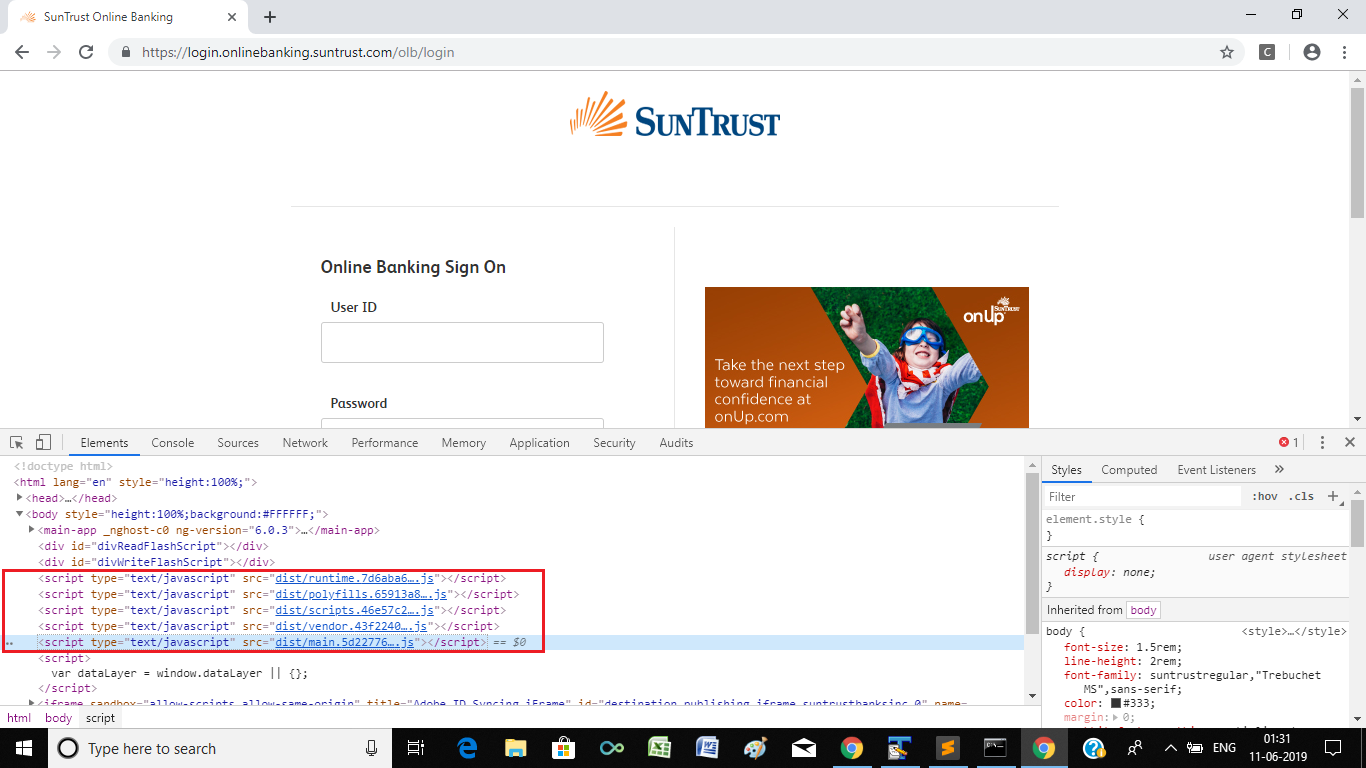
dist这一短语的存在清楚地表明,该网站受到Bot管理服务提供商蒸馏网络的保护,ChromeDriver的导航被检测到,随后阻塞了。
蒸馏
根据Distil.it真的有一些东西..。的文章
通过观察站点的行为和识别刮板特有的模式来保护站点免受自动内容刮除机器人的影响。当Distil在一个站点上识别一个恶意的机器人时,它会创建一个黑名单的行为概要文件,部署到它的所有客户。类似于机器人防火墙,蒂尔会检测模式并做出反应。
此外,
迪斯蒂首席执行官拉米·埃赛义德( Rami )上周在接受采访时说,
"One pattern with **Selenium** was automating the theft of Web content"。"Even though they can create new bots, we figured out a way to identify Selenium the a tool they're using, so we're blocking Selenium no matter how many times they iterate on that bot. We're doing that now with Python and a lot of different technologies. Once we see a pattern emerge from one type of bot, then we work to reverse engineer the technology they use and identify it as malicious".
参考文献
您可以在以下几个方面找到相关的讨论:
https://stackoverflow.com/questions/56531513
复制相似问题
腾讯云开发者

Copyright © 2013 - 2026 Tencent Cloud. All Rights Reserved. 腾讯云 版权所有
深圳市腾讯计算机系统有限公司 ICP备案/许可证号:粤B2-20090059  粤公网安备44030502008569号
腾讯云计算(北京)有限责任公司 京ICP证150476号 | 京ICP备11018762号