
用tweenr和gganimate作图
用tweenr和gganimate作图
提问于 2019-06-07 02:17:08
如何使用tweenr和gganimate在下面的两个条形图之间创建一个非常流畅的动画?
library(tweenr)
library(gganimate)
library(tidyverse)

df <- tibble(
  decile = c("lowest", "second", "third", "lowest", "second", "third"),
  change = c(1, 2, -0.5, -2, -3, 4),
  year = c(2001L, 2001L, 2001L, 2002L, 2002L, 2002L)
)

df2001 <- filter(df, year == 2001)
df2002 <- filter(df, year == 2002)

ggplot(df2001, aes(x = decile, y = change)) +
  geom_col() +
  scale_y_continuous(limits = c(-5, 5)) +
  theme_minimal()

ggplot(df2002, aes(x = decile, y = change)) +
  geom_col() +
  scale_y_continuous(limits = c(-5, 5)) +
theme_minimal()回答 1
Stack Overflow用户
回答已采纳
发布于 2019-06-07 02:39:56
编辑:更改transition_states和ease_aes,使其花费更多时间在转换上,增加字体大小,并更改animate术语以延长持续时间&移动速度更慢。
a <- ggplot(df, aes(x = decile, y = change/2,
                    height = change, width = 0.9, group = decile)) +
  geom_tile() +
  scale_y_continuous(limits = c(-5, 5), name = "change") +
  theme_minimal(base_size = 16) +
  transition_states(year, wrap = T, transition_length = 10, state_length = 1) +
  ease_aes("cubic-in-out")

animate(a, fps = 30, duration = 10, width = 500, height = 300)
# Use up to two of fps, nframes, and duration to define the
#   length and frame rate of the animation.
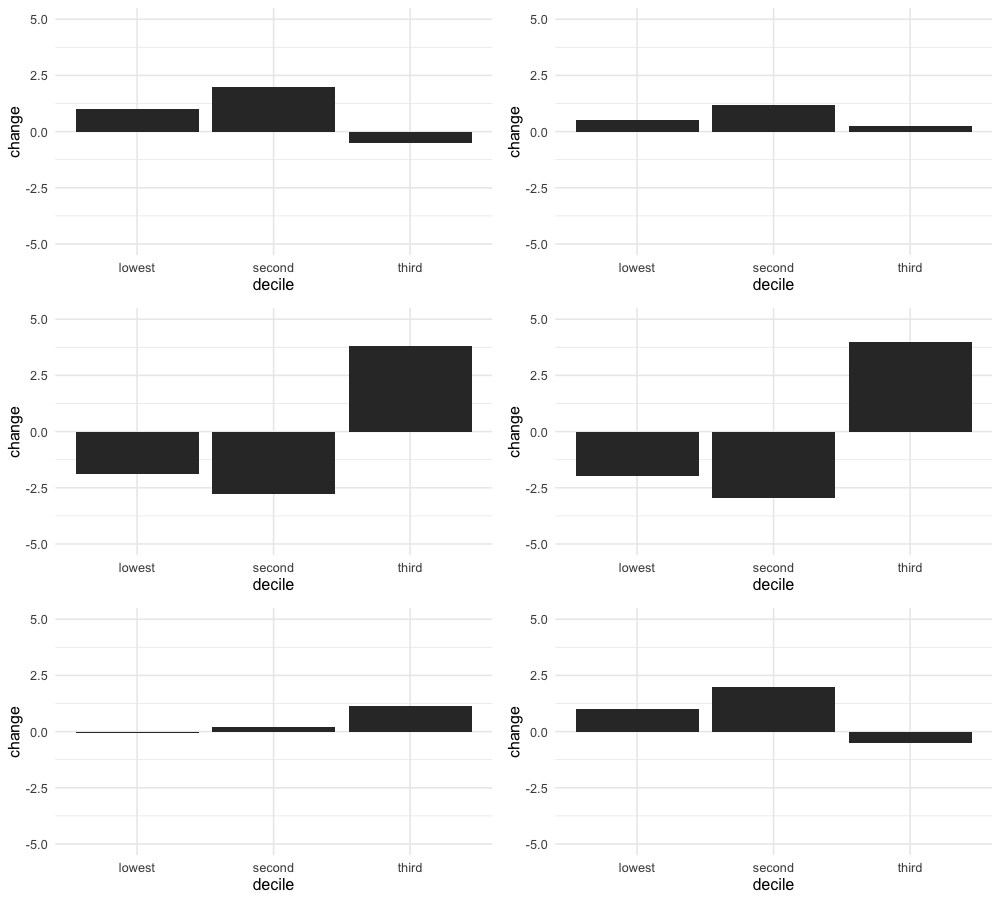
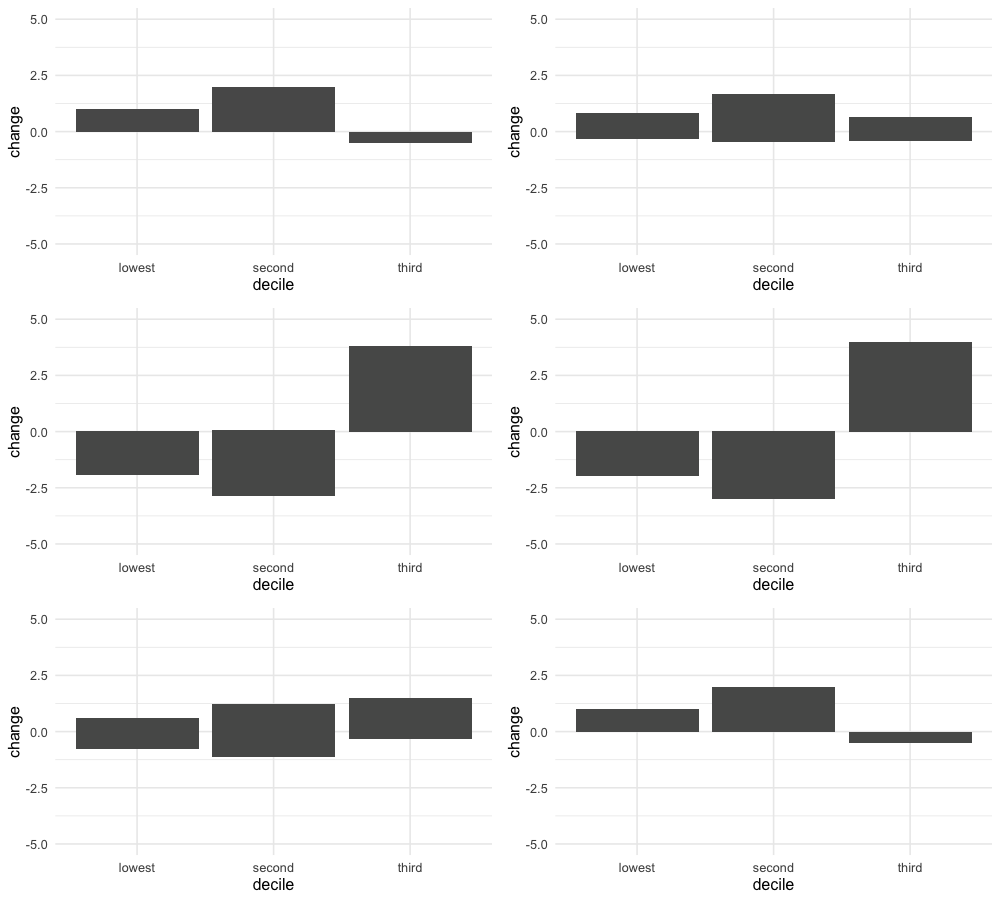
请注意,我在上面使用了geom_tile,因为geom_col在转换时产生了这种非常规行为。我怀疑绘制的geom_col没有区分它的基线和范围,而是区分它的min和max,从而导致了“滑动”动画。(好奇的是,其他人是否能找到更简单的解决办法。)
a <- ggplot(df, aes(x = decile, y = change)) +
  geom_col() +
  ...
页面原文内容由Stack Overflow提供。腾讯云小微IT领域专用引擎提供翻译支持
原文链接:
https://stackoverflow.com/questions/56487195
复制相关文章
相似问题
腾讯云开发者

Copyright © 2013 - 2026 Tencent Cloud. All Rights Reserved. 腾讯云 版权所有
深圳市腾讯计算机系统有限公司 ICP备案/许可证号:粤B2-20090059  粤公网安备44030502008569号
腾讯云计算(北京)有限责任公司 京ICP证150476号 | 京ICP备11018762号