
如何在React本机中实现在滚动中折叠的UI部件?
如何在React本机中实现在滚动中折叠的UI部件?
提问于 2019-05-31 11:03:59
标准的iOS天气应用程序有一个特殊的滚动UI行为:
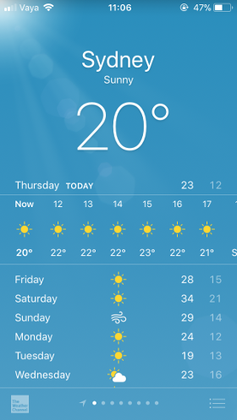
UI中有不同的部分:上部(大20)、中间(水平)栏、下半部(平日和页脚)。
当你向上滚动时,
- 上面的部分不滚动,但它折叠,直到它有一定的最低高度,然后它停留在那里“粘性”。
- 中间的条形滚动,直到上部不再塌陷,然后它停留在那里“粘着”。
- 较低的部分(比屏幕上的高度更高)滚动起来,没有任何特殊的行为。
- 页脚是固定的,并且与下部重叠。
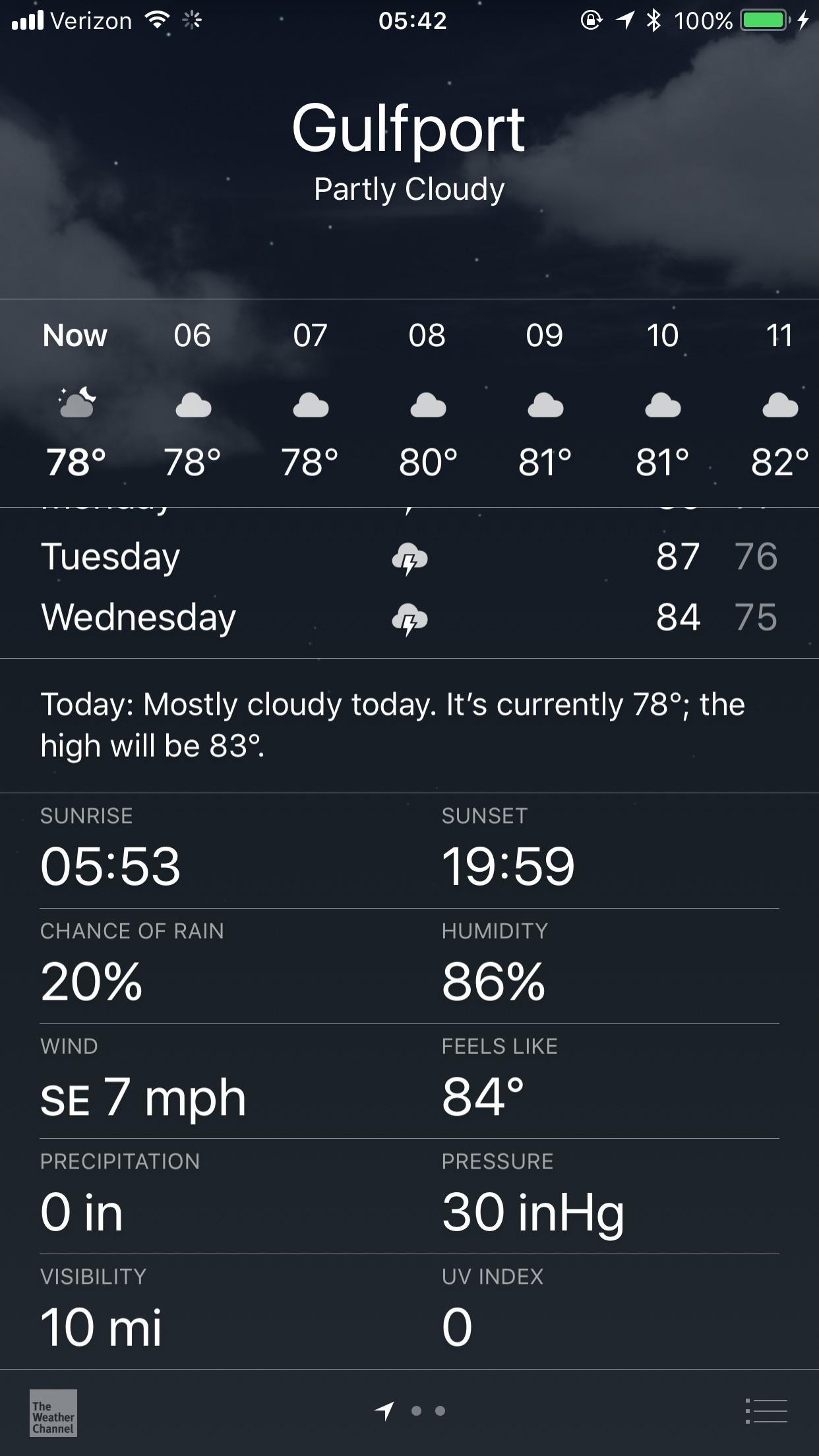
我如何在realized中实现类似的东西?--我不需要所有的细节,只需要知道如何实现上半部分,即一个组件在滚动时崩溃,直到它固定在顶部,并且有一个最小的高度。
当然,我更喜欢纯RN解决方案,它既适用于iOS,也适用于安卓。
回答 1
Stack Overflow用户
回答已采纳
发布于 2019-05-31 12:00:32
找到了一个例子这里。
只有真正滚动的部分在ScrollView中,而折叠部分则不是。然后连接到ScrollView.onScroll事件,并通过Animated.event和Animated.interpolate将contentOffset属性连接到标头的高度:
const HEADER_EXPANDED_HEIGHT = 300
const HEADER_COLLAPSED_HEIGHT = 60
export default class App extends Component {
  constructor() {
    super()
    this.state = {
      scrollY: new Animated.Value(0)
    }
  }
  render() {
    const headerHeight = this.state.scrollY.interpolate({
      inputRange: [0, HEADER_EXPANDED_HEIGHT-HEADER_COLLAPSED_HEIGHT],
      outputRange: [HEADER_EXPANDED_HEIGHT, HEADER_COLLAPSED_HEIGHT],
      extrapolate: 'clamp'
    })
    return(
      <View style={styles.container}>
        <Animated.View style={{height: headerHeight}}/>
          <ScrollView
            contentContainerStyle={styles.scrollContainer}
            onScroll={Animated.event(
              [{ nativeEvent: {
                   contentOffset: {
                     y: this.state.scrollY
                   }
                 }
              }])}
            scrollEventThrottle={16}>
            ...
          </ScrollView>
      </View>
    )
  }
}页面原文内容由Stack Overflow提供。腾讯云小微IT领域专用引擎提供翻译支持
原文链接:
https://stackoverflow.com/questions/56393903
复制相关文章
相似问题
腾讯云开发者

Copyright © 2013 - 2026 Tencent Cloud. All Rights Reserved. 腾讯云 版权所有
深圳市腾讯计算机系统有限公司 ICP备案/许可证号:粤B2-20090059  粤公网安备44030502008569号
腾讯云计算(北京)有限责任公司 京ICP证150476号 | 京ICP备11018762号