
无法使用UIDocumentPickerViewController选择页面文件
无法使用UIDocumentPickerViewController选择页面文件
提问于 2019-05-27 07:41:22
我正在使用UIDocumentPickerViewController来挑选文档。下面是指定的UTI:
NSArray *types = @[(NSString*)kUTTypeImage,(NSString*)kUTTypeSpreadsheet,(NSString*)kUTTypePresentation,(NSString*)kUTTypePDF,(NSString*)kUTTypeRTF,(NSString*)kUTTypePlainText,(NSString*)kUTTypeText];

UIDocumentPickerViewController *dpvc = [[UIDocumentPickerViewController alloc] initWithDocumentTypes:types inMode:UIDocumentPickerModeImport];
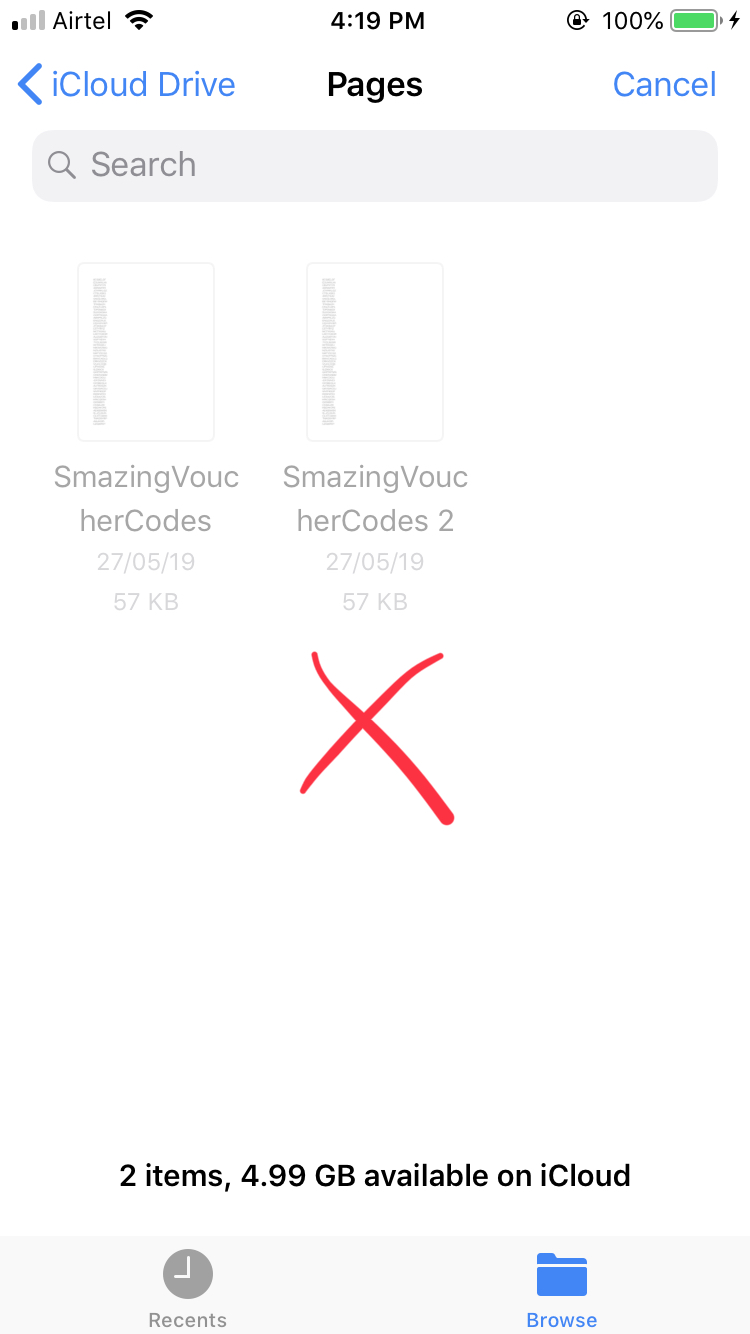
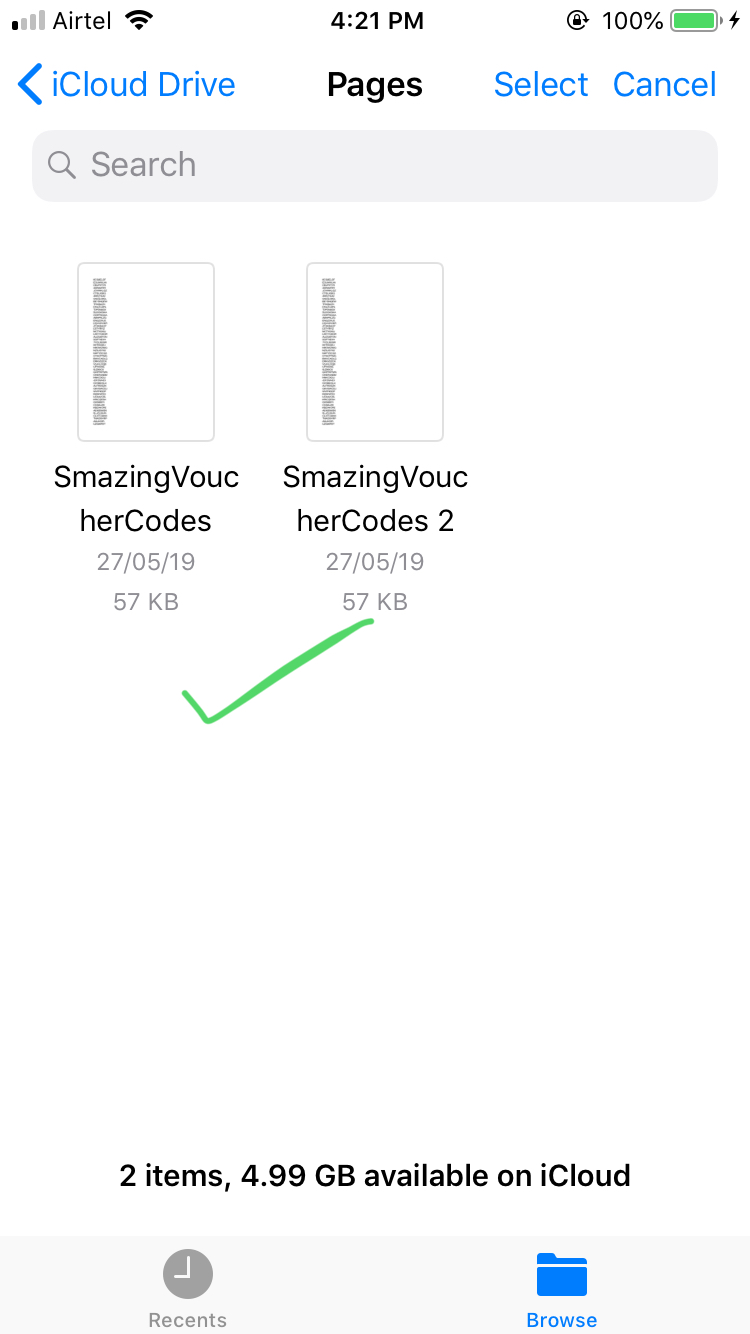
从页面应用程序(页面文件)创建的文件是灰色的,无法选择。但是WhatsApp文档选择器允许选择相同的文件。我错过了任何必要的UTI吗?
我的应用程序:
WhatsApp:
更新
com.apple.iwork.pages.sffpages为我的设备上的页面文件做了一些技巧,但不适用于icloud驱动器上的文件。当前文档选择器的完整代码是:
-(IBAction)showDocumentPicker:(id)sender
{
    NSArray *types = @[(NSString*)kUTTypeImage,(NSString*)kUTTypeSpreadsheet,(NSString*)kUTTypePresentation,(NSString*)kUTTypePDF,(NSString*)kUTTypeRTF,(NSString*)kUTTypePlainText,(NSString*)kUTTypeText, @"com.apple.iwork.pages.sffpages"];

    UIDocumentPickerViewController *dpvc = [[UIDocumentPickerViewController alloc] initWithDocumentTypes:types inMode:UIDocumentPickerModeImport];

    dpvc.delegate = self;

    //colorFromHex 4285f4
    [[UINavigationBar appearance] setTintColor:[UIColor colorWithRed:66.0/255.0 green:133.0/255.0 blue:244.0/255.0 alpha:1.0]];

    [self presentViewController:dpvc animated:YES completion:nil];
}回答 1
Stack Overflow用户
回答已采纳
发布于 2019-06-03 14:52:47
实际上,页面文件有两种不同的类型,可以是一个包,也可以是一个单独的文件,我认为您希望您的应用程序同时处理这两种文件。
相应的UTI是com.apple.iwork.pages.sffpages和com.apple.iwork.pages.pages。
导入iWork文件的代码示例:
NSArray *types = @[@"com.apple.iwork.pages.sffpages", @"com.apple.iwork.pages.pages", @"com.apple.iwork.numbers.numbers", @"com.apple.iwork.keynote.key"];

UIDocumentPickerViewController *dpvc = [[UIDocumentPickerViewController alloc] initWithDocumentTypes:types inMode:UIDocumentPickerModeImport];我还建议,如果您仍然对UIDocumentPickerViewController:https://developer.apple.com/videos/play/wwdc2018/216有问题,请观看这个WWDC会话。
页面原文内容由Stack Overflow提供。腾讯云小微IT领域专用引擎提供翻译支持
原文链接:
https://stackoverflow.com/questions/56321712
复制相关文章
相似问题
腾讯云开发者

Copyright © 2013 - 2026 Tencent Cloud. All Rights Reserved. 腾讯云 版权所有
深圳市腾讯计算机系统有限公司 ICP备案/许可证号:粤B2-20090059  粤公网安备44030502008569号
腾讯云计算(北京)有限责任公司 京ICP证150476号 | 京ICP备11018762号