
只有Tesseract.Js英语?
只有Tesseract.Js英语?
提问于 2019-05-14 17:42:11
我使用下面的示例代码在broswer中测试库
<html>
    <head>
        <meta content="text/html;charset=utf-8" http-equiv="Content-Type">
        <script src='https://unpkg.com/tesseract.js@2.0.0-alpha.4/dist/tesseract.min.js'></script>
    </head>
    <body>
        <input type="file" id="file">
        <input type="button" id="go_button" value="Run" />
        <output id="list"></output>
        <div id="ocr_results"> </div>
        <div id="ocr_status"> </div>

        <script>
            var MICR_CHARACTERS = '0123456789abcd';

            const { TesseractWorker } = Tesseract;
            const worker = new TesseractWorker({
                langPath: "./tessdata/",
                tessedit_debug_fonts: 1,
                tessedit_char_whitelist: MICR_CHARACTERS, });

            function handleFileSelect(evt) {
                var files = evt.target.files; // FileList object

                // files is a FileList of File objects. List some properties.
                var output = [];
                for (var i = 0, f; f = files[i]; i++) {
                    worker.recognize(f, "ara", {
                        langPath: "./tessdata/",
                        tessedit_debug_fonts: 1,
                        tessedit_char_whitelist: MICR_CHARACTERS,
                    }).then(function(result) {
                        document.getElementById("ocr_results").innerText = result.text;
                    }).progress(function(result) {
                        document.getElementById("ocr_status").innerText = result["status"] + " (" + (result["progress"] * 100) + "%)";
                    });
                }
            }

            document.getElementById('file').addEventListener('change', handleFileSelect, false);
        </script>
    </body>
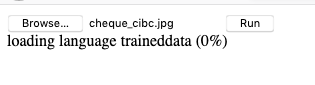
</html>我使用了recognize函数的第二个参数,https://github.com/naptha/tesseract.js/blob/master/examples/browser/demo.html中的每一个样本都应该表示语言代码。但我尝试了不同的价值观,似乎只有eng才能工作。list.md中的所有其他值通过显示以下消息将应用程序挂在浏览器中。
加载语言培训数据(0%)
回答 1
Stack Overflow用户
发布于 2019-06-04 08:49:24
我认为问题在于tesseract.js无法下载*.traineddata,也许您可以尝试删除langPath: './tessdata'并使用默认的langPath。如果您想要执行脱机版本,可以检查这个存储库:
页面原文内容由Stack Overflow提供。腾讯云小微IT领域专用引擎提供翻译支持
原文链接:
https://stackoverflow.com/questions/56135851
复制相关文章
相似问题
腾讯云开发者

Copyright © 2013 - 2026 Tencent Cloud. All Rights Reserved. 腾讯云 版权所有
深圳市腾讯计算机系统有限公司 ICP备案/许可证号:粤B2-20090059  粤公网安备44030502008569号
腾讯云计算(北京)有限责任公司 京ICP证150476号 | 京ICP备11018762号