
为多个方案环境安装Pod
为多个方案环境安装Pod
提问于 2019-05-14 10:37:13
我是iOS编程的新手,现在我想为我当前的应用程序构建多个环境。但是当我安装吊舱时,它是成功的,但我的吊舱却不被识别。它显示出错误
“没有这样的模块”
在我安装的所有框架中。
所以我的计划是:
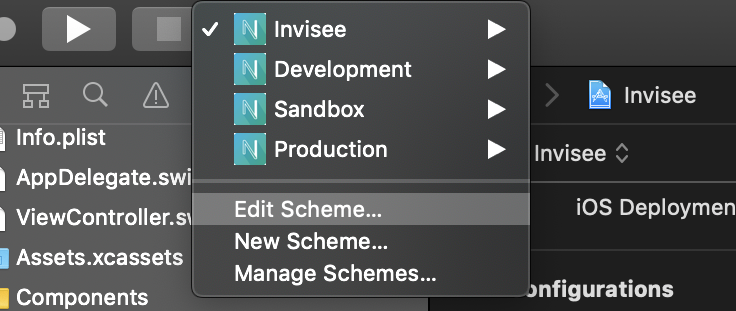
下面是我的配置文件设置如下所示:
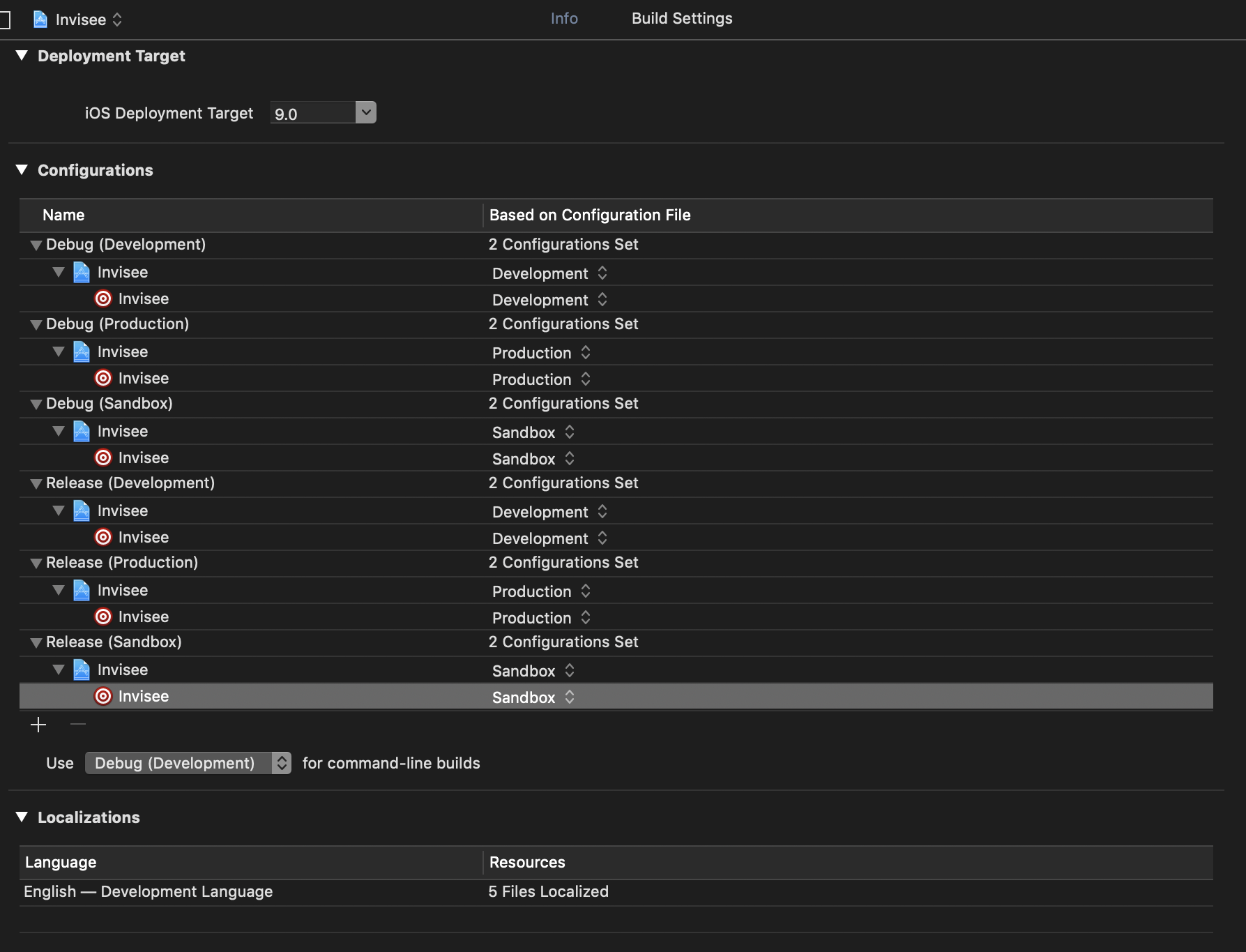
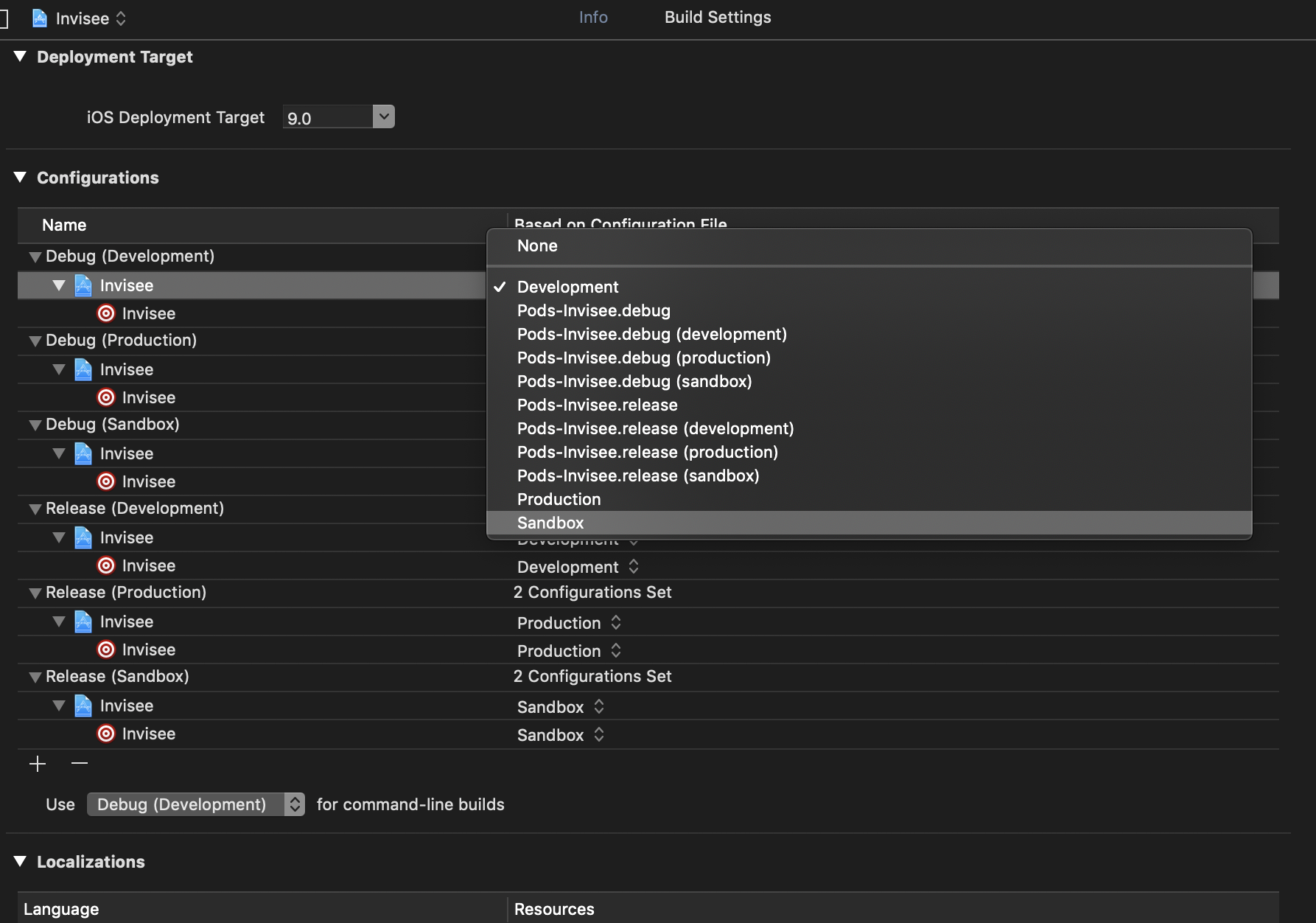
这是我的Podfile
# Uncomment the next line to define a global platform for your project
platform :ios, '9.0'

abstract_target 'InviseeCommon' do
target 'Invisee' do
  # Comment the next line if you're not using Swift and don't want to use dynamic frameworks
  use_frameworks!

  # Pods for Invisee
  pod 'Alamofire', '~> 4.7.3'
  pod 'Gloss', '~> 2.0.1'
  pod 'RxSwift',    '~> 4.1.1'
  pod 'RxCocoa',    '~> 4.1.1'
  pod 'SkyFloatingLabelTextField', '~> 3.0'
  pod 'UICheckbox.Swift', '~> 1.0.0'
  pod 'M13Checkbox', '~> 3.2.2'
  pod 'ImageSlideshow', '~> 1.5'
  pod 'ImageSlideshow/Alamofire', '~> 1.7.0'
  pod 'SwiftyJSON', '~> 4.2.0'
  pod 'EPSignature', '~> 1.0.6'
  pod 'Firebase/Core'
  pod 'Firebase/Messaging'
#  pod 'netfox' # network debugging
#   pod 'NTMonthYearPicker' # date picker mode (for only show month and year
  pod 'SDWebImage', '~> 4.0'
  pod 'Kanna', '~> 4.0.0'
  pod 'IQKeyboardManagerSwift', '~> 6.1.1'
  pod 'RealmSwift'

  # UIs KIT
  pod 'SVProgressHUD' , '~> 2.2.5'
#   pod 'FlatUIKit' # flat ui kits
  pod "FDStackView", "1.0" # stack view backports  ( < ios 9.0 )
  pod 'XLPagerTabStrip', '~> 8.0.1' # android-pager-strip like tab
  pod "OALayoutAnchor", '~> 0.2.0' # layout anchor backport for ios <=8
  pod 'ActionSheetPicker-3.0', '~> 2.3.0' # ui sheet for picker
  pod 'Charts', '~> 3.2.0' # draw chart ability
  pod "FlexibleSteppedProgressBar", '~> 0.5.0'
  pod 'Pulley', '~> 2.6.0' # bottom sheet behavior like android
  pod "SwiftChart", '~> 1.0.1'
  pod 'LTHRadioButton', '~> 1.2.2'
  pod 'DropDown', '~> 2.3.6'
  pod 'QRCode', '~> 2.0'
  pod 'NVActivityIndicatorView', '~> 4.4.0'
  pod 'QRCodeReader.swift', '~> 8.2.0'
  pod 'EPSignature', '~> 1.0.6'
end

target 'Development' do
    pod 'InviseeDevelopment'
end

end

post_install do |installer|
    installer.pods_project.build_configurations.each do |config|
        config.build_settings.delete('CODE_SIGNING_ALLOWED')
        config.build_settings.delete('CODE_SIGNING_REQUIRED')
        config.build_settings['SWIFT_VERSION'] = '4.0'
    end

    installer.pods_project.targets.each do |target|
        if ['Charts','DropDown', 'RealmSwift', 'Pulley', 'LTHRadioButton'].include? "#{target}"
            print "Setting #{target}'s SWIFT_VERSION to 3.0\n"
            target.build_configurations.each do |config|
                config.build_settings['SWIFT_VERSION'] = '4.2'
            end
        else
            print "Setting #{target}'s SWIFT_VERSION to Undefined (Xcode will automatically resolve)\n"
            target.build_configurations.each do |config|
                config.build_settings.delete('SWIFT_VERSION')
            end
        end
    end
end
我该怎么办?谢谢。
回答 2
Stack Overflow用户
回答已采纳
发布于 2019-05-14 11:23:24
鲁氏答案不再有效,因为使用是由cocoapods最新版本的目标替换的。
请参阅下面的共同框架的概要结构和每个目标的不同框架。
# There are no targets called "InviseeCommon" in any Xcode projects
abstract_target 'InviseeCommon' do
  pod 'Fabric'

  target 'Invisee' do
    pod 'Invisee'
  end

  target 'Development' do
    pod 'InviseeDevelopment'
  end
end
最新情况:1
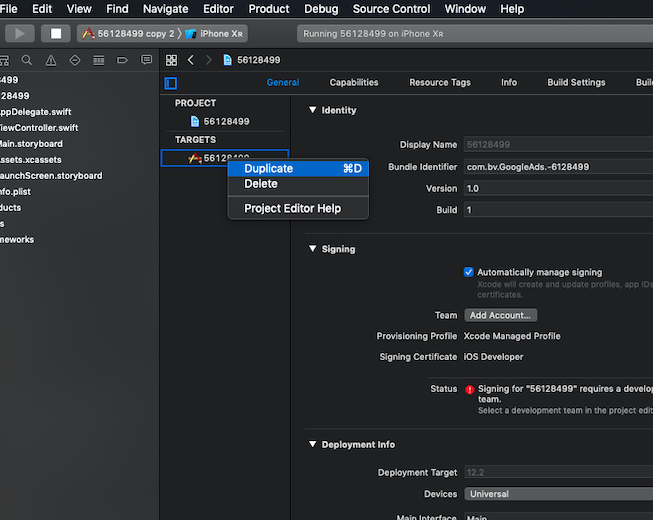
对于新的/重复的目标:
创建一个重复的目标,而不是一个新的方案。请参考下面的截图如何创建一个重复的目标。
示例Podfile用于我的演示项目
abstract_target 'InviseeCommon' do
  pod 'Fabric'

  target '56128499' do
      pod 'Alamofire', '~> 4.7.3'
  end

  target 'Development' do
      pod 'Alamofire', '~> 4.7.1'
  end
end在这里,Fabric对于所有目标都是通用的,Alamofire(4.7.1)促进发展和Alamofire(4.7.3)用于56128499
一项新计划:
只有reinstall可可豆
Stack Overflow用户
发布于 2019-05-14 10:51:51
转到pod文件并定义荚,然后将它们添加到特定的目标中:
def pods
    pod 'Pod 1', '~> 1.0'
end

target 'Target 1' do
    pods
end

target 'Target 2' do
    pods
end页面原文内容由Stack Overflow提供。腾讯云小微IT领域专用引擎提供翻译支持
原文链接:
https://stackoverflow.com/questions/56128499
复制相关文章
相似问题
腾讯云开发者

Copyright © 2013 - 2026 Tencent Cloud. All Rights Reserved. 腾讯云 版权所有
深圳市腾讯计算机系统有限公司 ICP备案/许可证号:粤B2-20090059  粤公网安备44030502008569号
腾讯云计算(北京)有限责任公司 京ICP证150476号 | 京ICP备11018762号