
斯威夫特: UILabel,眨眼textColor动画
斯威夫特: UILabel,眨眼textColor动画
提问于 2019-05-08 10:14:52
我想闪现我的textColor of UILabel fromColor toColor,但我做不到。你能帮帮我吗,这是我所做的
extension UILabel {

    func blinkTextColor(fromColor: UIColor, toColor: UIColor, duration: TimeInterval, completion: ((_ view: UIView) -> ())? = nil) {
        UIView.animate(withDuration: duration, delay: 0.0, options: [.curveLinear, .repeat, .autoreverse, .allowUserInteraction], animations: {
            self.textColor = fromColor
            self.textColor = toColor
        }, completion: { _ in
            completion?(self)
        })
    }

}
它不起作用。
回答 2
Stack Overflow用户
回答已采纳
发布于 2019-05-08 11:16:38
您需要接受两个颜色变量,并在动画完成后交换它们,并递归调用颜色更改函数。
我在这里回答过一次,Animate CAGradientLayer in Swift。看上去是一样的。
虽然我试过了,下面是为我工作的代码。
为了方便起见,我创建了一个自定义的UILabel类,它可以很容易地使用。
class BlinkLabel: UILabel, CAAnimationDelegate {

    var colours: [UIColor] = []
    var speed: Double = 1.0
    fileprivate var shouldAnimate = true
    fileprivate var currentColourIndex = 0

    func startBlinking() {
        if colours.count <= 1 {
            /// Can not blink
            return
        }

        shouldAnimate = true
        currentColourIndex = 0
        let toColor = self.colours[self.currentColourIndex]
        animateToColor(toColor)
    }

    func stopBlinking() {
        shouldAnimate = false
        self.layer.removeAllAnimations()
    }

    fileprivate func animateToColor(_ color: UIColor) {

        if !shouldAnimate {return}

        let changeColor = CATransition()
        changeColor.duration = speed
        changeColor.type = .fade
        changeColor.repeatCount = 1
        changeColor.delegate = self
        changeColor.isRemovedOnCompletion = true
        CATransaction.begin()
        CATransaction.setCompletionBlock {
            self.layer.add(changeColor, forKey: nil)
            self.textColor = color
        }
        CATransaction.commit()
    }

    // MARK:- CAAnimationDelegate
    func animationDidStop(_ anim: CAAnimation, finished flag: Bool) {
        if flag {

            if !self.shouldAnimate {return}

            /// Calculating the next colour
            self.currentColourIndex += 1
            if self.currentColourIndex == self.colours.count {
                self.currentColourIndex = 0
            }

            let toColor = self.colours[self.currentColourIndex]

            /// You can remove this delay and directly call the function self.animateToColor(toColor) I just gave this to increase the visible time for each colour.
            DispatchQueue.main.asyncAfter(deadline: DispatchTime.now() + 0.2, execute: {
                self.animateToColor(toColor)
            })
        }
    }
}
使用:
label.colours = [.red, .green, .blue, .orange]
label.speed = 1.0
label.startBlinking()

/// Stop after 10 seconds
DispatchQueue.main.asyncAfter(deadline: DispatchTime.now() + 10) {
    self.label.stopBlinking()
}
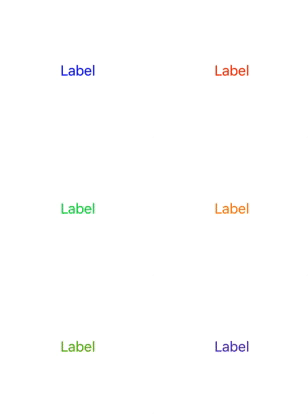
你可以用多种颜色动画标签。
Stack Overflow用户
发布于 2019-05-08 10:26:30
let changeColor = CATransition()
changeColor.duration = 1
changeColor.type = .fade
changeColor.repeatCount = Float.infinity
CATransaction.begin()
CATransaction.setCompletionBlock {
    self.lbl.layer.add(changeColor, forKey: nil)
    self.lbl.textColor = .green
}
self.lbl.textColor = .red
CATransaction.commit()

页面原文内容由Stack Overflow提供。腾讯云小微IT领域专用引擎提供翻译支持
原文链接:
https://stackoverflow.com/questions/56038362
复制相关文章
相似问题
腾讯云开发者

Copyright © 2013 - 2026 Tencent Cloud. All Rights Reserved. 腾讯云 版权所有
深圳市腾讯计算机系统有限公司 ICP备案/许可证号:粤B2-20090059  粤公网安备44030502008569号
腾讯云计算(北京)有限责任公司 京ICP证150476号 | 京ICP备11018762号