
HTTP状态406 -不能接受[使用Spring4.3.x+ Java 8从后端流来的大量数据]
我使用Spring 4.3.x,java 8,Tomcat 7
代码:
@Controller
public class StreamRecordsController {

    @RequestMapping(value = "/streamrecords", method = RequestMethod.GET, consumes = MediaType.ALL_VALUE,
            produces = "application/octet-stream")
    @ResponseBody
    public ResponseEntity<StreamingResponseBody> export() throws FileNotFoundException {
        File file = new File("C:\\Users\\Ankur\\sample.pdf");
        StreamingResponseBody responseBody = outputStream -> {
            Files.copy(file.toPath(), outputStream);
        };
        return ResponseEntity.ok()
                .header(HttpHeaders.CONTENT_DISPOSITION, "attachment; filename=generic_file_name.pdf")
                .contentType(MediaType.APPLICATION_OCTET_STREAM)
                .body(responseBody);
    }
}
异常:
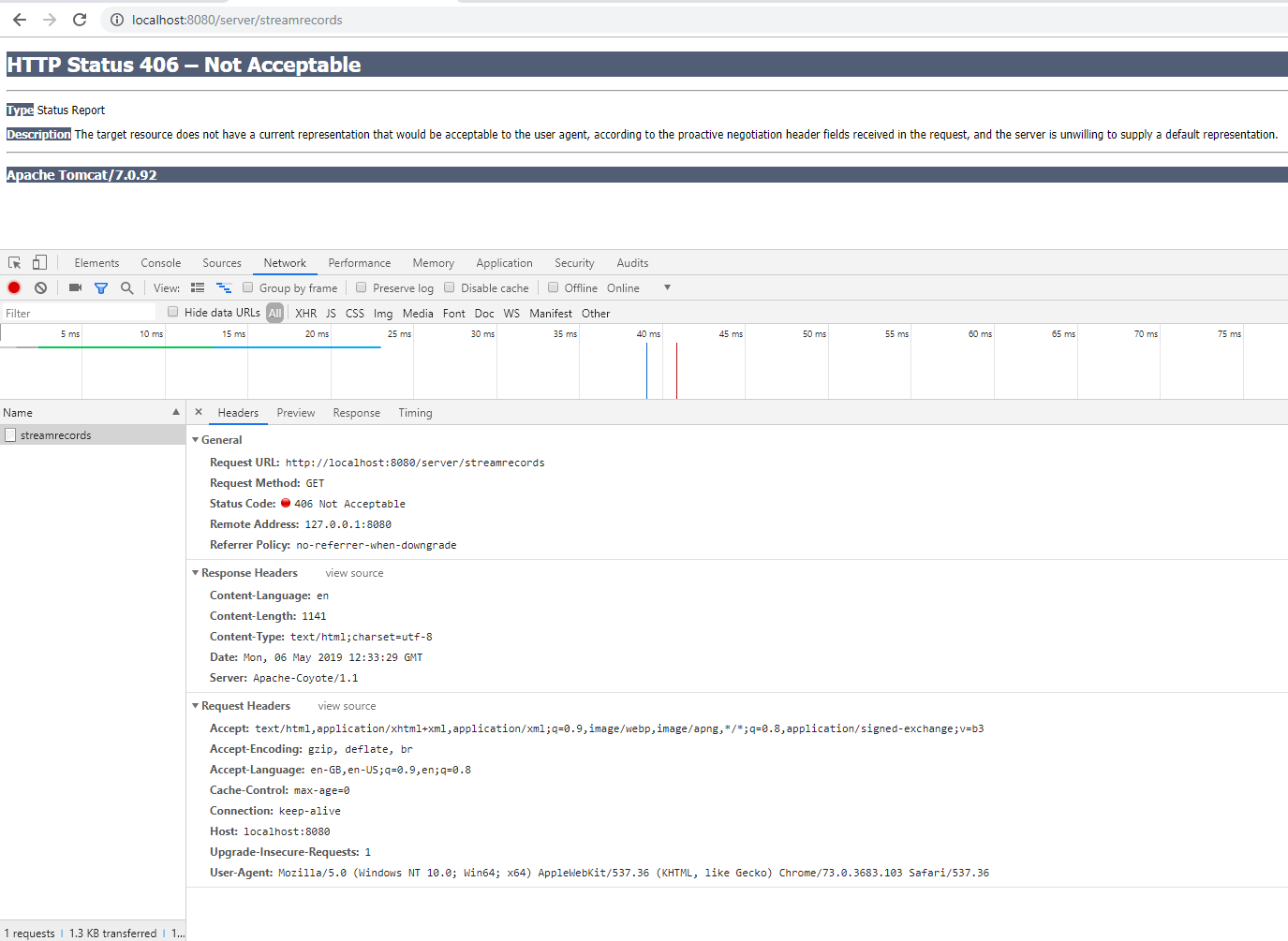
邮递员快照
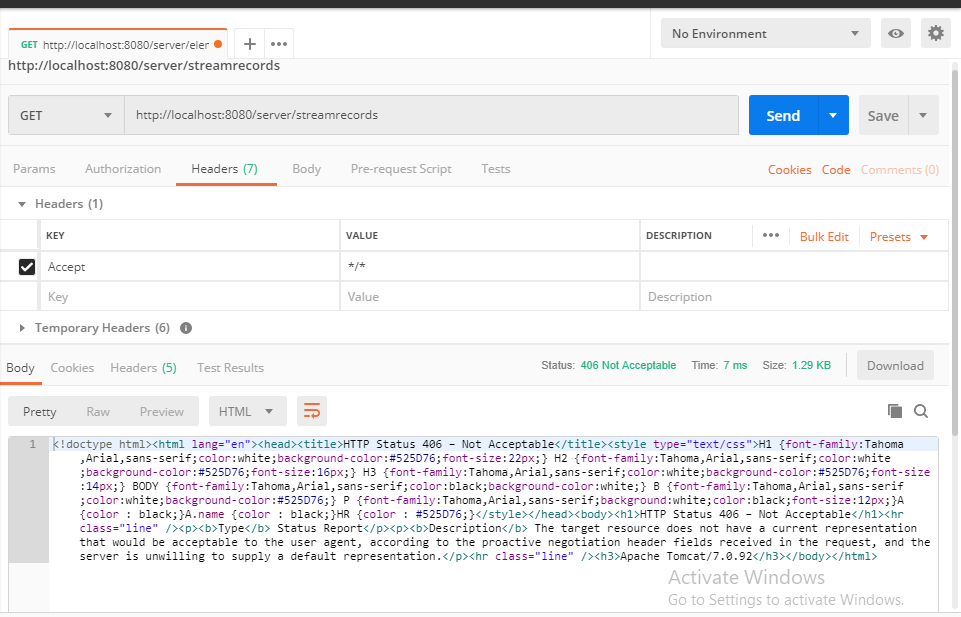
问题:
我在这里错过了什么?
回答 5
Stack Overflow用户
发布于 2019-05-08 14:48:53
最后,我能够解决这个问题,这有助于我使用Spring4.3.x将大量数据从后端流到前端,正如我在文章中提到的那样。下面是指导您成功执行程序的要点。
下面的过程非常有效,您甚至可以在后端分页(可以是hibernate、Mongo驱动程序、cassandra java驱动程序等),并继续播放数据,除非db操作完成。在一些领域,如制造、保险、物流等,您需要这样的实用工具,即终端用户需要从服务器上以CSV、JSON等的形式安静地大量数据来分析原始数据。
- 在控制器类之上再添加一个注释
@EnableWebMvc。 - 当添加上述注释时,代码将在运行时中断,您可以在
catalina.log中看到以下错误:java.lang.NoClassDefFoundError: com/fasterxml/jackson/core/util/DefaultIndenter - 要解决这个问题,您需要在
pom.xml中添加以下jar依赖项 com.fasterxml.jackson.core jackson-数据库2.9.8 - 现在,在
<async-supported>true</async-supported>标记下添加web.xml中的<servlet>,如下例所示, 春org.springframework.web.servlet.DispatcherServlet 1真
下面是文件流下载和数据流支持的代码。
数据流代码:
package com.emg.server.controller.rest;

import java.io.IOException;
import java.io.OutputStream;

import org.springframework.stereotype.Controller;
import org.springframework.web.bind.annotation.RequestMapping;
import org.springframework.web.bind.annotation.ResponseBody;
import org.springframework.web.servlet.config.annotation.EnableWebMvc;
import org.springframework.web.servlet.mvc.method.annotation.StreamingResponseBody;

@Controller
@EnableWebMvc
public class StreamRecordsController {

    @RequestMapping(value = "/streamrecords")
    @ResponseBody
    public StreamingResponseBody export() {
        return new StreamingResponseBody() {
            @Override
            public void writeTo (OutputStream out) throws IOException {
                for (int i = 0; i < 1000; i++) {
                    out.write((Integer.toString(i) + " - ")
                                        .getBytes());
                    out.flush();
                    try {
                        Thread.sleep(5);
                    } catch (InterruptedException e) {
                        e.printStackTrace();
                    }
                }
            }
        };
    }
}
文件流代码:
package com.emg.server.controller.rest;

import java.io.File;
import java.nio.file.Files;

import org.springframework.http.HttpHeaders;
import org.springframework.http.MediaType;
import org.springframework.http.ResponseEntity;
import org.springframework.stereotype.Controller;
import org.springframework.web.bind.annotation.RequestMapping;
import org.springframework.web.bind.annotation.RequestMethod;
import org.springframework.web.bind.annotation.ResponseBody;
import org.springframework.web.servlet.config.annotation.EnableWebMvc;
import org.springframework.web.servlet.mvc.method.annotation.StreamingResponseBody;

@Controller
@EnableWebMvc
public class StreamRecordsController {

    @RequestMapping(value = "/streamrecords", method = RequestMethod.GET, produces = "application/json; charset=UTF-8")
    @ResponseBody
    public ResponseEntity<StreamingResponseBody> export() {
         File file = new File("C:\\Users\\Ankur\\sample.pdf");
            StreamingResponseBody responseBody = outputStream -> {
                Files.copy(file.toPath(), outputStream);
            };
            return ResponseEntity.ok()
                    .header(HttpHeaders.CONTENT_DISPOSITION, "attachment; filename=generic_file_name.pdf")
                    .contentType(MediaType.APPLICATION_OCTET_STREAM)
                    .body(responseBody);
        }
}两种流样式的输出
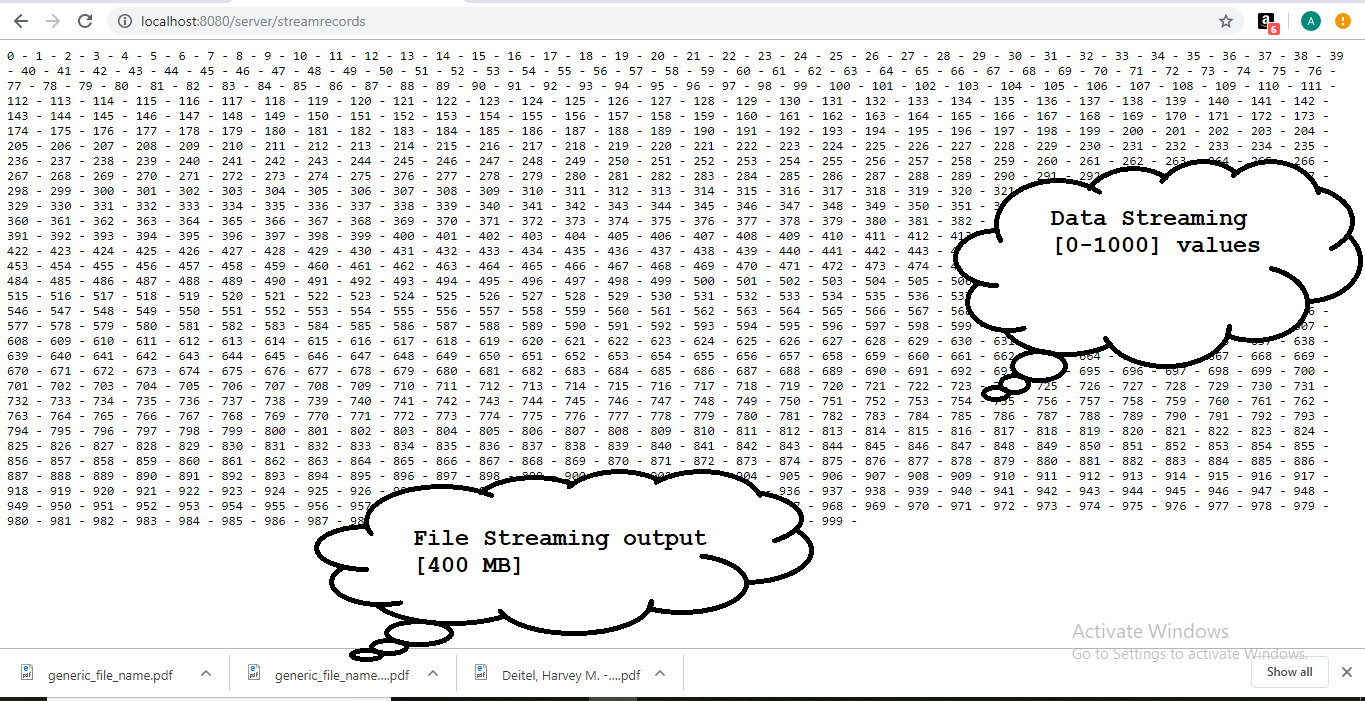
注意:我分别执行两个程序,分别进行部署和测试。
Stack Overflow用户
发布于 2019-05-06 13:01:34
好像你错过了两件事:
首先,您的代码将MediaType.APPLICATION_OCTET_STREAM作为内容类型返回。如果您告诉spring export()方法正在产生这种类型,那就太好了。您可以使用produces属性@RequestMapping来完成这一任务。
第二件事是,您的浏览器并不要求APPLICATION_OCTET_STREAM --您可以通过Accept头值看到这一点。APPLICATION_OCTET_STREAM映射到application/octet-stream -您来自浏览器的请求需要将它包含在Accept头值中,这样Accept就能够识别控制器中应该调用的方法。
编辑:在修复它之后,看看可以使用的@RestController注释,而不是@Controller --您将不必添加@ResponseBody注释,因为默认情况下它将包括在内。还可以查看@GetMapping,它是HTTP方法的@RequestMapping注释的覆盖。
Stack Overflow用户
发布于 2019-05-06 13:01:38
406不可接受
由请求标识的资源仅能够生成响应实体,这些响应实体具有根据在请求中发送的接受标头不可接受的内容特征。
尝试在控制器方法中使用Produces注释:
@Produces({MediaType.APPLICATION_JSON})https://stackoverflow.com/questions/56005549
复制相似问题
腾讯云开发者

Copyright © 2013 - 2026 Tencent Cloud. All Rights Reserved. 腾讯云 版权所有
深圳市腾讯计算机系统有限公司 ICP备案/许可证号:粤B2-20090059  粤公网安备44030502008569号
腾讯云计算(北京)有限责任公司 京ICP证150476号 | 京ICP备11018762号