
TestFX Spock分级项目Openjdk 11 -零测试结果
为什么没有执行我的史波克测试,而我执行时得到的测试结果为零:
./gradlew clean test使用我的TestFX Spock Gradle项目和Openjdk 11
以下是零测试结果:
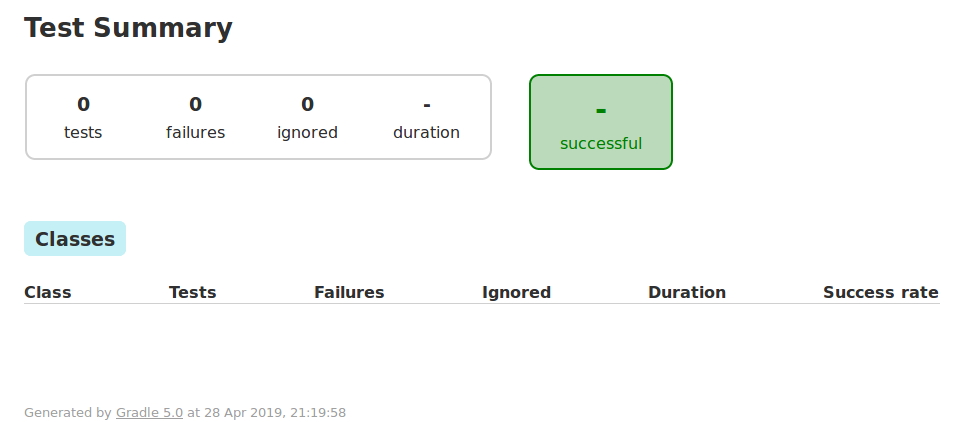
我的Spock测试类是编译好的,但没有执行。
这是我的控制台
Working Directory: /home/~/EclipseProjects/gradleTestfxSpock
Gradle user home: /home/~/.gradle
Gradle Distribution: Gradle wrapper from target build
Gradle Version: 5.0
Java Home: /usr/lib/jvm/jdk-11.0.2+9
JVM Arguments: None
Program Arguments: None
Build Scans Enabled: false
Offline Mode Enabled: false
Gradle Tasks: clean test


> Configure project :
Found module name 'mtd'

> Task :clean
> Task :compileJava
> Task :compileGroovy NO-SOURCE
> Task :processResources
> Task :classes
> Task :compileTestJava NO-SOURCE
> Task :compileTestGroovy
> Task :processTestResources
> Task :testClasses
> Task :test

BUILD SUCCESSFUL in 6s
6 actionable tasks: 6 executed这是我的build.gradle
plugins {
    id 'org.openjfx.javafxplugin' version '0.0.7'
    id 'application'
    id 'groovy'
}

mainClassName = 'mtd/gradleTestfxSpock.Main'

sourceCompatibility = 11
targetCompatibility = 11

repositories {
    jcenter()
}

dependencies {
    implementation 'org.testfx:testfx-spock:4.0.15-alpha'
    testCompile    'org.testfx:testfx-core:4.0.15-alpha'

    testCompile (group: 'org.spockframework', name: 'spock-core', version: '1.3-groovy-2.5')
    testCompile ('org.codehaus.groovy:groovy-all:2.5.6')
    testRuntime(
        'com.athaydes:spock-reports:1.2.7',
        'cglib:cglib-nodep:3.2.4'
    )
}

javafx {
    version = "11.0.2"
    modules = [ 'javafx.controls',
            'javafx.fxml',
            'javafx.web'
          ]
}

compileJava {
    doFirst {
        options.compilerArgs = [
                '--module-path', classpath.asPath,
                '--add-modules', 'javafx.controls',
                '--add-modules', 'javafx.fxml',
                '--add-modules', 'javafx.web'
        ]
    }
}

test {
    doFirst {
        jvmArgs = [
            '--module-path', classpath.asPath,
            '--add-modules', 'ALL-MODULE-PATH',
            '--add-exports', 'javafx.graphics/com.sun.javafx.application=org.testfx'
        ]
    }
}这是我的module-info.java
module mtd {

requires javafx.controls;
requires javafx.fxml;
requires transitive javafx.graphics;
requires javafx.web;

requires org.testfx;
requires testfx.spock;

opens gradleTestfxSpock to javafx.graphics;

exports gradleTestfxSpock;
}这是我的史波克测试代码
package gradleTestfxSpock;

import org.testfx.framework.spock.ApplicationSpec;
import javafx.stage.Stage


public class MainTest extends ApplicationSpec{


    def "Main Test 01"() {
        expect:
        println("you are in Main test 01");
    }

    @Override
    public void start(Stage arg0) throws Exception {
        // TODO Auto-generated method stub
    }


}这是我的JavaFX代码
package gradleTestfxSpock;

import javafx.application.Application;
import javafx.fxml.FXMLLoader;
import javafx.scene.Parent;
import javafx.scene.Scene;
import javafx.stage.Stage;

public class Main extends Application {

    @Override
    public void start(Stage primaryStage) throws Exception{
        Parent root = FXMLLoader.load(getClass().getResource("/fxml/sample.fxml"));
        primaryStage.setTitle("Hello World");
    primaryStage.setScene(new Scene(root, 300, 275));
    primaryStage.show();
    }


    public static void main(String[] args) {
    launch(args);
    }
}和控制器
package gradleTestfxSpock;
public class Controller {
}这是我的eclipse gradle项目结构
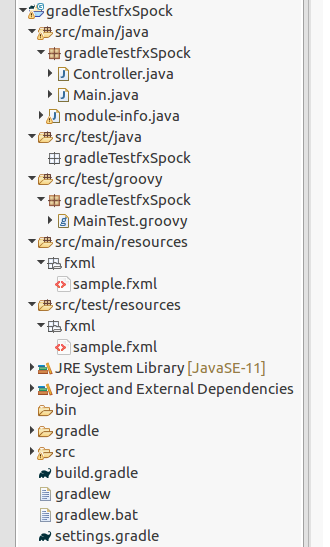
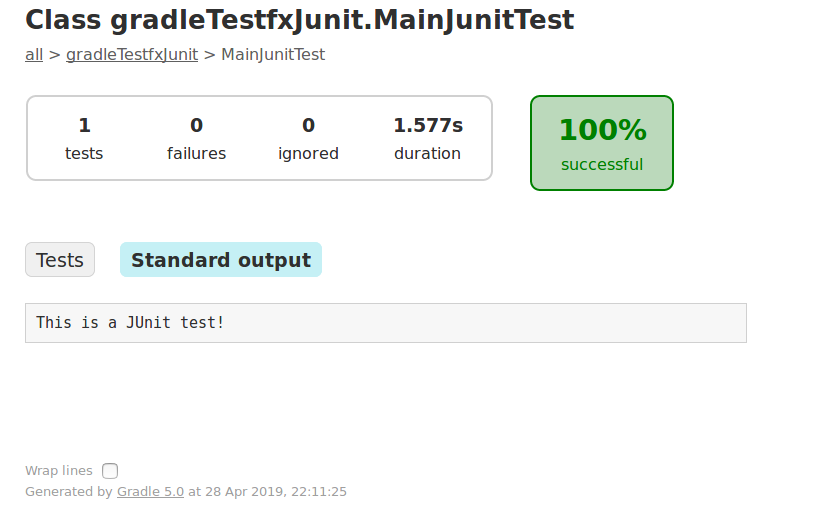
在其他eclipse项目中,我成功地执行了一个TestFX Junit4测试而没有Spock
另外,我成功地执行了相同的Spock测试,没有TestFX,没有JUnit
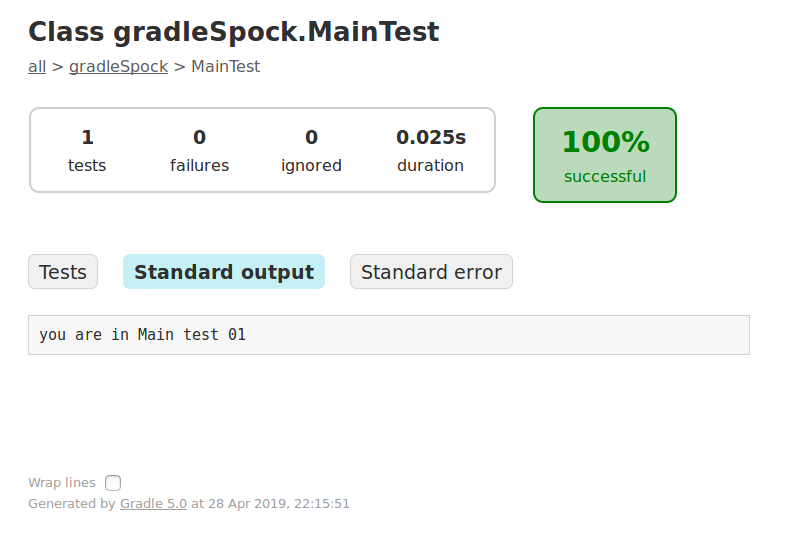
我确实注意到了斯波克测试中的一些警告:
Working Directory: /home/~/EclipseProjects/gradleSpock
Gradle user home: /home/~/.gradle
Gradle Distribution: Gradle wrapper from target build
Gradle Version: 5.0
Java Home: /usr/lib/jvm/jdk-11.0.2+9
JVM Arguments: None
Program Arguments: None
Build Scans Enabled: false
Offline Mode Enabled: false
Gradle Tasks: clean test

> Task :clean
> Task :compileJava
> Task :compileGroovy NO-SOURCE
> Task :processResources NO-SOURCE
> Task :classes
> Task :compileTestJava NO-SOURCE
> Task :compileTestGroovy
> Task :processTestResources NO-SOURCE
> Task :testClasses

> Task :test
WARNING: An illegal reflective access operation has occurred
WARNING: Illegal reflective access by org.codehaus.groovy.vmplugin.v7.Java7$1 (file:/home/dm/.gradle/caches/modules-2/files-2.1/org.codehaus.groovy/groovy/2.5.6/6936e700f0fb1b50bac0698ada4347a769d40199/groovy-2.5.6.jar) to constructor java.lang.invoke.MethodHandles$Lookup(java.lang.Class,int)
WARNING: Please consider reporting this to the maintainers of org.codehaus.groovy.vmplugin.v7.Java7$1
WARNING: Use --illegal-access=warn to enable warnings of further illegal reflective access operations
WARNING: All illegal access operations will be denied in a future release

BUILD SUCCESSFUL in 9s
4 actionable tasks: 4 executed
结论
如果TestFX与JUnit一起工作,而Spock单独工作,但是TestFX与Spock不起作用,那么配置是否有问题:
'org.testfx:testfx-spock:4.0.15-alpha'任何想法或帮助都受到极大的赞赏。
ps忘了说我还在Netbeans中创建了TestFX/Spock项目,复制了eclipse项目,我得到了同样的结果!
更多测试
更多的测试组合跟随伦纳德布鲁宁,很好的建议,在下面的评论,不幸的是,没有工作。
我修改的模块-info.java看起来如下:
module mtd {

requires javafx.controls;
requires javafx.fxml;
requires transitive javafx.graphics;
requires javafx.web;

requires org.testfx.junit;
requires org.testfx;
requires testfx.spock;
requires spock.core;
requires junit;

opens gradleTestfxSpock to javafx.graphics, org.testfx, testfx.spock, spock.core, junit, org.testfx.junit;

exports gradleTestfxSpock;
}
我将它添加到我的gradle.build依赖项中,以防万一:
implementation 'org.testfx:testfx-junit:4.0.15-alpha'仍然没有joy..。
回答 2
Stack Overflow用户
发布于 2019-05-06 21:07:45
溶液
我发现这个插件是问题所在,并且停止了我的Spock测试的成功执行:
`plugins {
    id 'org.openjfx.javafxplugin' version '0.0.7'
}`当我从我的build.gradle中删除它时,我的TestFX Spock测试工作正常。
使用这个经过重新处理的build.gradle和模块info.java,我可以成功地执行我的Spock测试:
plugins {
    id 'application'
    id 'groovy'
}

ext {
    moduleName = "mtd"
    mainQualifiedClassName = "gradleTestfxSpock.Main"
}

application {
    mainClassName = "$moduleName/$mainQualifiedClassName"
}

sourceCompatibility = 11
targetCompatibility = 11

repositories {
    jcenter()
}

dependencies {
    implementation("org.openjfx:javafx-fxml:11:linux")
    implementation("org.openjfx:javafx-web:11:linux")
    implementation("org.openjfx:javafx-media:11:linux")
    implementation("org.openjfx:javafx-base:11:linux")
    implementation("org.openjfx:javafx-graphics:11:linux")
    implementation("org.openjfx:javafx-controls:11:linux")

    testImplementation ('org.testfx:testfx-spock:4.0.15-alpha')
    testImplementation ('org.testfx:testfx-core:4.0.15-alpha')

    testImplementation (group: 'org.spockframework', name: 'spock-core', version: '1.3-groovy-2.5')
    testImplementation ('org.codehaus.groovy:groovy-all:2.5.6')

    testRuntimeOnly (
            'com.athaydes:spock-reports:1.2.7',
            'cglib:cglib-nodep:3.2.4'
    )
}


compileJava {
    doFirst {
       options.compilerArgs = [
            '--module-path', classpath.asPath,
            '--add-modules', 'javafx.controls',
            '--add-modules', 'javafx.fxml',
            '--add-modules', 'javafx.web'
       ]
    }
}

run {
    doFirst {
        jvmArgs = [
                '--module-path', classpath.asPath,
                '--patch-module', "$moduleName=" + files(sourceSets.main.output.resourcesDir).asPath,
                '--module', mainClassName
        ]
    }
}
我需要添加到build.gradle的run部分:
'--module', mainClassName-so,可以找到mainClassName'--patch-module', "$moduleName=" + files(sourceSets.main.output.resourcesDir).asPath-to提供对资源文件的访问(如getClass().getResource("/fxml/sample.fxml"))
module mtd {

requires javafx.controls;
requires javafx.fxml;
requires transitive javafx.graphics;
requires javafx.web;


exports gradleTestfxSpock;
}Stack Overflow用户
发布于 2019-09-29 01:11:11
我不是这方面的专家,这可能是为什么我花了很长时间才达到这一点的原因,但是FWIW -我想我可能只是提到我已经成功地让它工作了:我的意思是: Java 11,JavaFX,TestFX,以及使用javafxplugin。一个帮助我的人,若泽·佩雷达,appears to recommend using it,如果你能的话。所以我想我应该把我的文件删减到最低限度。这里没有任何模块-info.java,我使用Groovy作为我的应用程序代码,以及Spock和Gradle。
(精简) build.gradle:
plugins {
    id 'java-library'
    id 'groovy'
    id 'eclipse'
    id 'application'
    id 'org.openjfx.javafxplugin' version '0.0.8'
}
repositories {
    mavenCentral()
}
dependencies {
    api 'org.apache.commons:commons-math3:3.6.1'
    implementation 'com.google.guava:guava:27.0.1-jre'
    // although not using JUnit I think it's best to leave this line
    // (included at start by Gradle):
    testImplementation 'junit:junit:4.12'
    implementation 'org.codehaus.groovy:groovy-all:2.5.8'
    testImplementation 'org.spockframework:spock-core:1.2-groovy-2.5'
    testImplementation 'org.testfx:testfx-spock:4.0.15-alpha'
}
mainClassName = 'core.App'
group 'Project'
version '1.0'
sourceCompatibility = 11
javafx {
    version = "13"
    modules = [ "javafx.controls", "javafx.fxml" ]
}
src/main/groovy/core/main.groovy:
package core
// (imports omitted)
public class App extends Application {
    void start(Stage primaryStage) throws Exception{
        Parent root = FXMLLoader.load(getClass().getResource("sample.fxml"))
        primaryStage.title = "Hello World"
        primaryStage.scene = new Scene(root, 300, 275)
        primaryStage.show()
    }
    def main(String[] args) {
        launch( App.class, args)
    }
}

class Controller {
    @FXML
    TextField inputField
    @FXML
    Label label
    @FXML
    Button applyButton
    public void applyButtonClicked () {
        label.text = inputField.text
    }
}
src/test/groovy/core/test.groovy:
package core
// (imports omitted)
class FuncSpec extends ApplicationSpec {
    void init() throws Exception {
        FxToolkit.registerStage { new Stage() }
    }
    def cleanup() {
        FxToolkit.hideStage()
        // as explained for org.testfx.robot.KeyboardRobot, passing an
        // empty array of the appropriate type releases all keys/mouse buttons
        // NB this is how you create an empty typed array in Groovy
        release(new KeyCode[0])
        release(new MouseButton[0])
    }
    @Override
    public void start(Stage stage) throws Exception {
        Parent mainNode = FXMLLoader.load( App.class.getResource("sample.fxml"))
        stage.scene = new Scene(mainNode)
        stage.show()
        stage.toFront()
    }
    def "test English input"(){
        when:
        Label label = lookup("#label").query()
        clickOn("#inputField")
        write("This is a test!")
        clickOn("#applyButton")

        then:
        label.text == "This is a test!"
    }
}
src/main/resources/core/sample.fxml // NB注意到包含"core“(包名)
<?xml version="1.0" encoding="UTF-8"?>
<?import javafx.scene.control.Button?>
<?import javafx.scene.control.Label?>
<?import javafx.scene.control.TextField?>
<?import javafx.scene.layout.AnchorPane?>
<?import javafx.scene.layout.ColumnConstraints?>
<?import javafx.scene.layout.GridPane?>
<?import javafx.scene.layout.RowConstraints?>
<GridPane alignment="center" hgap="10" vgap="10"
    xmlns:fx="http://javafx.com/fxml/1"
    xmlns="http://javafx.com/javafx/8.0.111"
    fx:controller="core.Controller">
    <children>
        <TextField layoutX="15.0" layoutY="25.0" fx:id="inputField" />
        <Label layoutX="15.0" layoutY="84.0" text="TEXT GOES HERE"
            fx:id="label" />
        <Button layoutX="124.0" layoutY="160.0" mnemonicParsing="false"
            text="Apply" onAction="#applyButtonClicked" fx:id="applyButton" />
    </children>
</GridPane>https://stackoverflow.com/questions/55894842
复制相似问题
腾讯云开发者

Copyright © 2013 - 2026 Tencent Cloud. All Rights Reserved. 腾讯云 版权所有
深圳市腾讯计算机系统有限公司 ICP备案/许可证号:粤B2-20090059  粤公网安备44030502008569号
腾讯云计算(北京)有限责任公司 京ICP证150476号 | 京ICP备11018762号