
狮身人面像(RTD主题)部分导航不一致
狮身人面像(RTD主题)部分导航不一致
提问于 2019-04-22 04:33:46
我的问题很难用语言表达。我会尽我所能。
使用Sphinx2.0.0,我有一个具有以下“根”树的项目。这是索引树:
Welcome to FIRST Robotics Documentation
========================================================

.. toctree::
   :maxdepth: 2
   :caption: WPILib Software

   software

.. toctree::
   :maxdepth: 2
   :caption: WPILib Hardware

   hardware

.. toctree::
   :maxdepth: 2
   :caption: Robot Networking

   networking
这个很好用。
我现在有一个看起来有点像这样的结构:
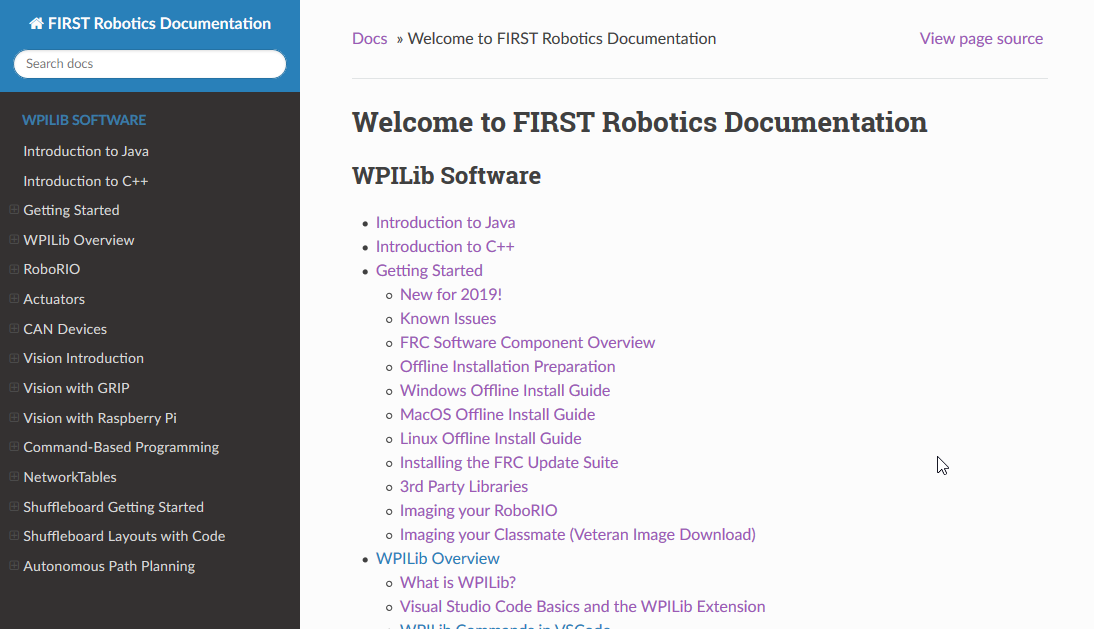
现在让我们使用“软件”树索引页面
.. toctree::
   :maxdepth: 1

   quick urls here

Getting Started
===============

.. toctree::
   :maxdepth: 1

   docs here

WPILib Overview
===============

.. toctree::
   :maxdepth: 1

   docs here
这给了我一页,看起来是这样的:
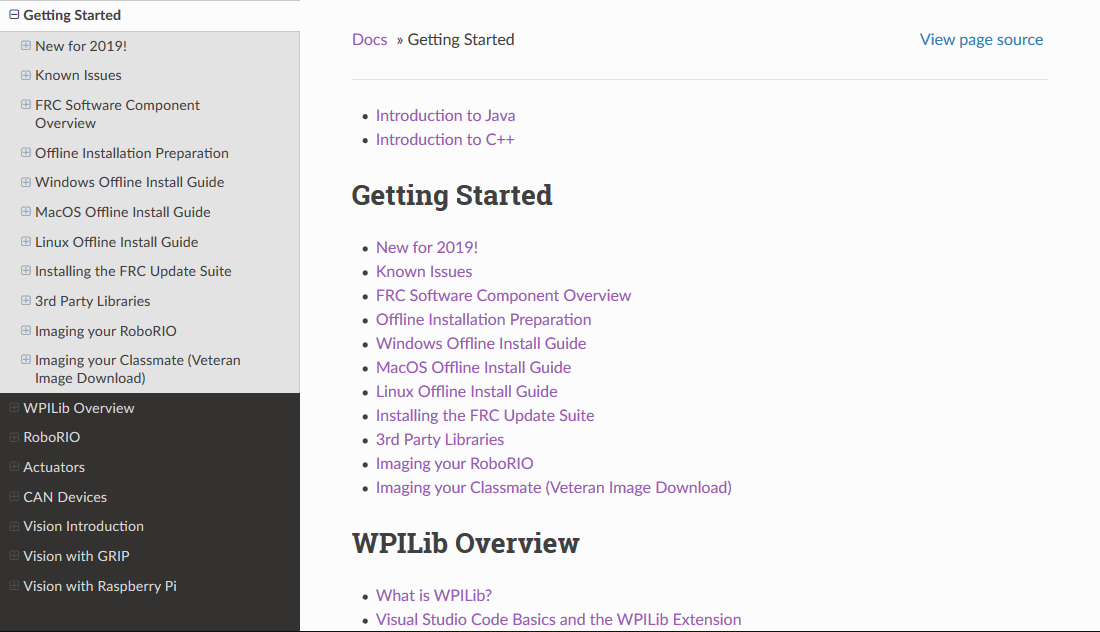
但是,问题是当您开始导航到子子树时。当您进入"WPILib概述“部分时,顶部的导航栏显示为”入门“,这在其他部分也是可复制的。

在上面的图片中,它应该显示"WPILib概述“而不是”入门“。不幸的是,事实并非如此。
源代码可公开查阅:https://github.com/daltz333/frc-docs网页源代码和问题网址:https://frc-docs.rtfd.io/en/develop
我想不出任何解决方案,除了将每个部分分解到它自己的文件中外,这是而不是的一个选项。
回答 1
Stack Overflow用户
发布于 2019-10-10 13:12:50
您需要将navigation_depth设置为html_theme_options在conf.py中的一个属性,即:
# Theme options are theme-specific and customize the look and feel of a theme
# further.  For a list of options available for each theme, see the
# documentation.
html_theme_options = {
    'navigation_depth': 2
}有关更多信息,请参见关于主题选项配置的他们的文件。
页面原文内容由Stack Overflow提供。腾讯云小微IT领域专用引擎提供翻译支持
原文链接:
https://stackoverflow.com/questions/55789145
复制相关文章
相似问题
腾讯云开发者

Copyright © 2013 - 2026 Tencent Cloud. All Rights Reserved. 腾讯云 版权所有
深圳市腾讯计算机系统有限公司 ICP备案/许可证号:粤B2-20090059  粤公网安备44030502008569号
腾讯云计算(北京)有限责任公司 京ICP证150476号 | 京ICP备11018762号