
如何在Google智能显示器上更改卡片标题的位置
如何在Google智能显示器上更改卡片标题的位置
提问于 2019-04-07 16:21:34
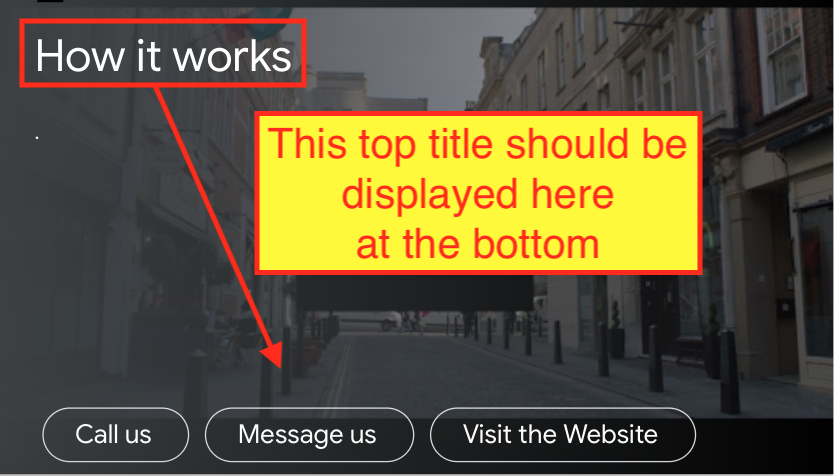
我已经为谷歌助理创建了谷歌主页行动。在某些情况下,它会在智能显示器上显示卡片。卡片标题显示在左上角。我开发这个应用程序的客户要求我在智能显示器的底部显示标题。有可能吗?如果是,请帮助我如何将标题移至智能显示器的底部角?
我尝试过使用格式化文本属性。我在这里引用了谷歌助理响应文档:https://developers.google.com/actions/assistant/responses。
{
  "basicCard": {
    "title": "Title",
    "formattedText": "This is the Formatted Title",
    "footer": "this is footer",
    "buttons": [
      {
        "title": "Visit Website",
        "openUrlAction": {
          "url": url
        }
      }
    ]
  }
}
我期待卡片标题或格式化文本显示在屏幕的下端,但是卡片标题总是显示在屏幕的顶部。如何从上到下更改卡标题位置。
回答 1
Stack Overflow用户
回答已采纳
发布于 2019-04-07 18:31:23
我还没有试过,但我想TableCards应该能工作。你查过文档了吗
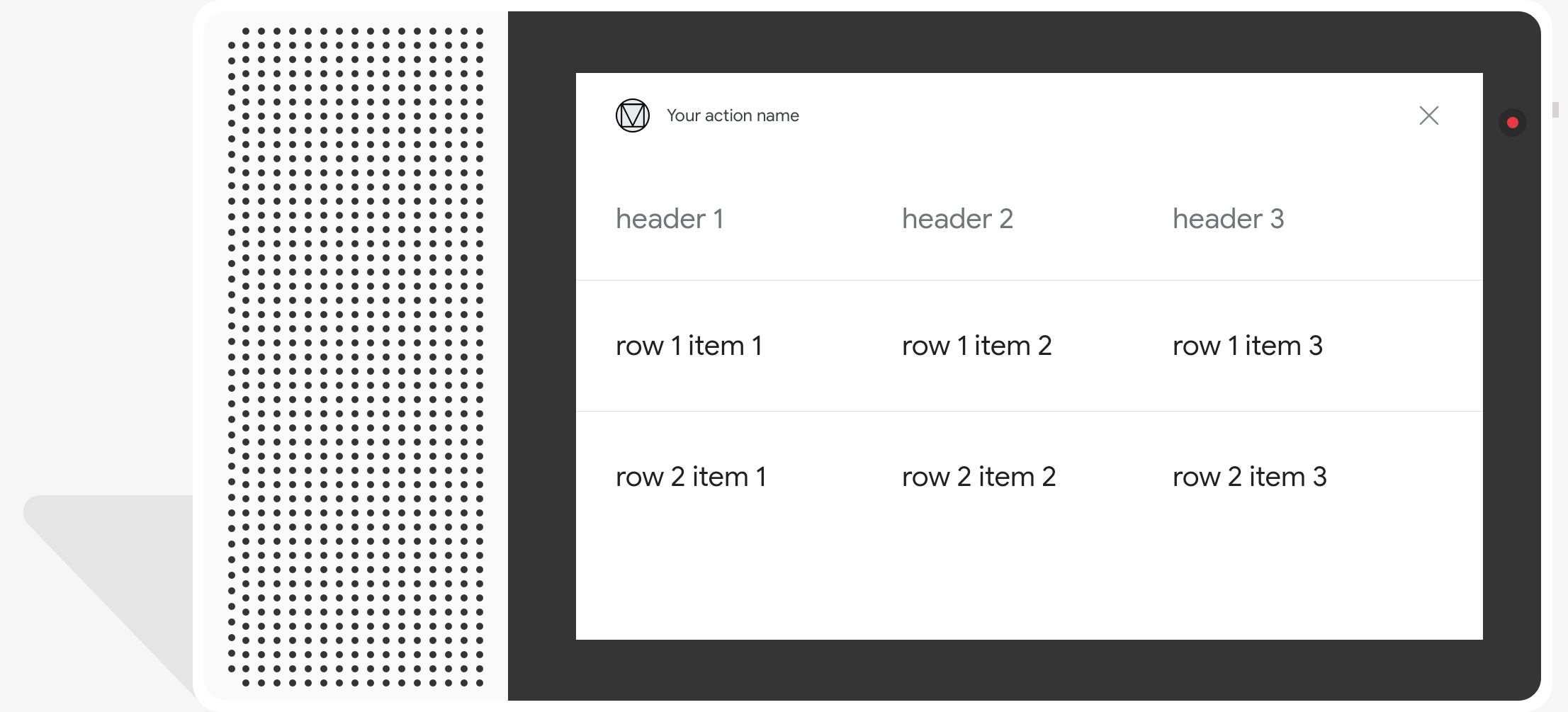
由于无法检测您实际使用的JSON格式,所以我以node.js示例代码为例:
// Simple table
conv.ask('Is that fine for you?')
conv.ask(new Table({
  dividers: false,
  columns: [''],
  rows: [
    [''],
    ['Your sting goes here'],
  ],
}))页面原文内容由Stack Overflow提供。腾讯云小微IT领域专用引擎提供翻译支持
原文链接:
https://stackoverflow.com/questions/55561158
复制相关文章
相似问题
腾讯云开发者

Copyright © 2013 - 2026 Tencent Cloud. All Rights Reserved. 腾讯云 版权所有
深圳市腾讯计算机系统有限公司 ICP备案/许可证号:粤B2-20090059  粤公网安备44030502008569号
腾讯云计算(北京)有限责任公司 京ICP证150476号 | 京ICP备11018762号