
如何使文本严格地显示在图像的底部,与上面图像的左边钻孔者对齐--而不考虑父对齐?
我试图在HTML/CSS/Bootstrap中实现一个视图,其中在图像下面有一个图像和一些文本,但是严格地说,文本必须从图像的左侧边框开始,而不管文本的长度!!
以下是所需的视图:
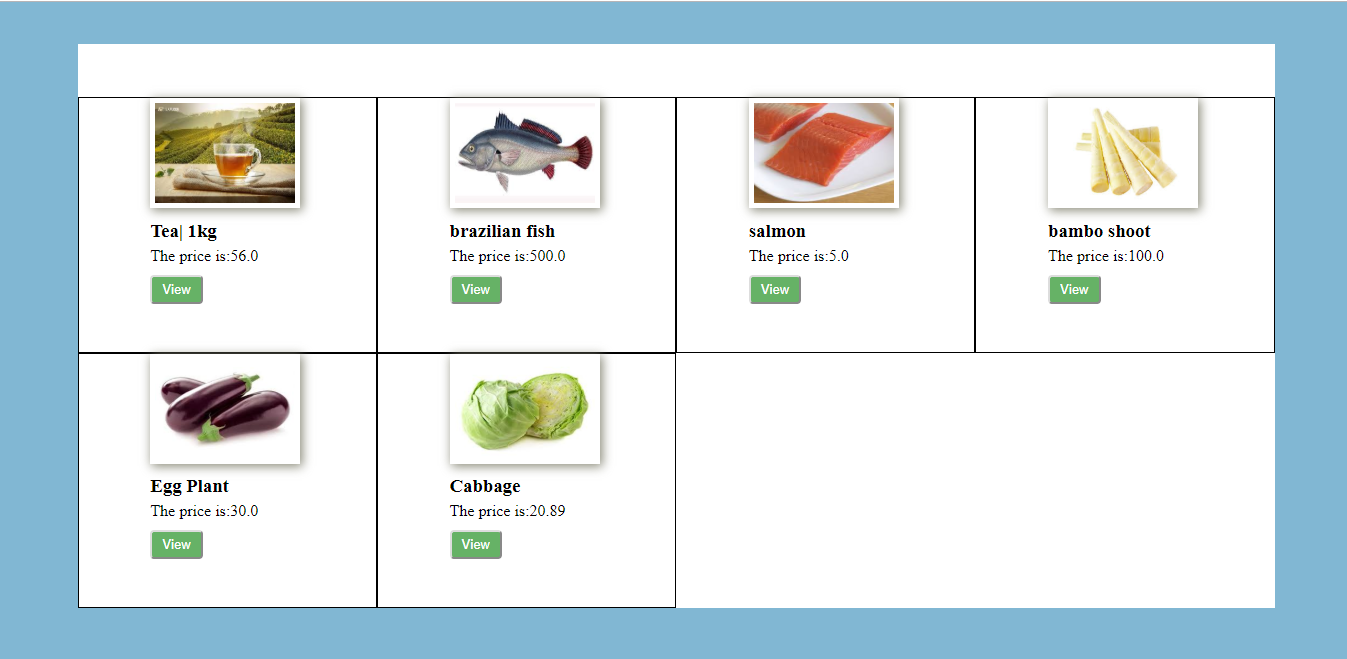
问题是,如果我将text-alignment:center;应用于引导列的div (我在这里使用引导栅格),图片会转到div的中心,但是图片下面的文本对齐也会集中在图片下面,但是正如我前面所说的,我想要将文本对齐到左下角--不管父css是什么!
下面是我尝试过的内容(我只包括引导网格中的一列,因为其他列也包含类似的信息):
<div class="container main-div">
        <div class="row">

            <div class="col-auto col-md-3 col-xs-6 col-sm-4">
                <div class="card-d">
                    <img src="pics/tea.jpg"  alt="tea">
                    <div class="desc">
                    <span><h4>Tea | 1 Kg</h4></span>
                    <p>The price is : 56.0</p>
                    <button>View</button>
                    </div>
                </div>
            </div>
CSS:
    .main-div{
    width:90%;
    background-color:white;
    padding:5% 1%;
    text-align:center;
    margin-left:auto;
}

.col-auto{
    position:relative;
    border:1px solid blue;
    margin:10px auto;
    padding-left:6%;
    padding-bottom:4%;

}
.col-auto > .desc{
    width:100%;
    justify-content:left;
    font-family:Arial;
    text-align:left;

}

.col-auto img{
    width:140px;
    height:100px;
    padding:5px;
    display:inline-block;
    margin:0 auto;
    border: 1px solid #088837;
}
button{
    background-color:green;
    color:white;
    font-size:1em;
    border:0.1px;
    border-radius:3px;
    padding: 5px 10px;
}
经过反复尝试,我得到了同样的结果:
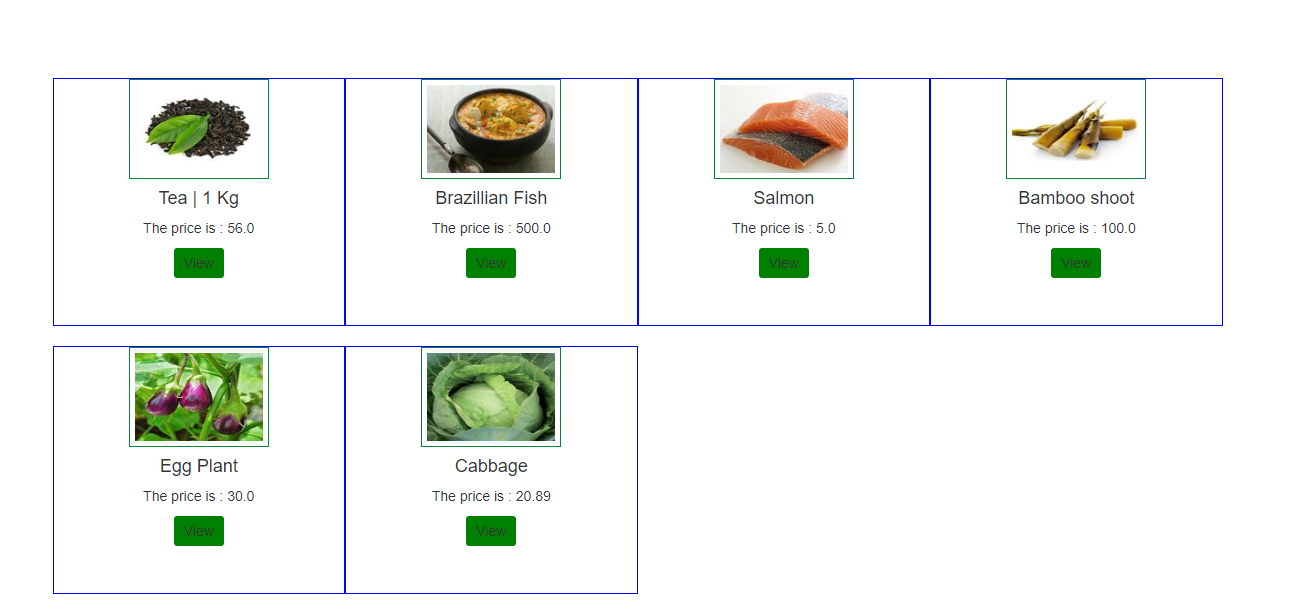
这是我的功劳:
回答 2
Stack Overflow用户
发布于 2019-03-31 17:50:45
问题是,在您的css中,您一直以直接子对象为目标,当您编写>时,它使用的是直接子级,但是您的.desc不是col的直接子级。
检查我修改过的jsfidle https://jsfiddle.net/752bkhj9/3/版本
你写过
.col-auto > .desc但是在你的.中没有直接的子.desc,检查你的html
text-align规则是可继承的,它继承了来自父元素的样式,您认为您正在使用col-auto > .desc覆盖此规则,但使用>则针对的是不存在的元素。
Stack Overflow用户
发布于 2019-03-31 18:56:04
是的,问题是您的html中没有.col-auto > .desc。看看你的html你有.col-auto > .card-d > .desc
因此,与其:
.col-auto > .desc {
    width: 100%;
    position: relative;
    left: 0%;
    font-family: Arial;
    text-align: left;
}
你可以试试:
 .col-auto .desc {
  width: 140px; /* this is the width of your '.col-auto img' selector set earlier */
  position: relative;
  left: 0%;
  font-family: Arial;
  text-align: left;
  margin: auto; /* use this to auto-center the div, but since it is the same width */
                /* as your img, it will auto-align itself with the left edge of the img */
}
或者如果您想要保持父子关系:
 .col-auto > .card-d > .desc {
  width: 140px; /* this is the width of your '.col-auto img' selector set earlier */
  position: relative;
  left: 0%;
  font-family: Arial;
  text-align: left;
  margin: auto; /* use this to auto-center the div, but since it is the same width */
                /* as your img, it will auto-align itself with the left edge of the img */
}https://stackoverflow.com/questions/55443153
复制相似问题
腾讯云开发者

Copyright © 2013 - 2026 Tencent Cloud. All Rights Reserved. 腾讯云 版权所有
深圳市腾讯计算机系统有限公司 ICP备案/许可证号:粤B2-20090059  粤公网安备44030502008569号
腾讯云计算(北京)有限责任公司 京ICP证150476号 | 京ICP备11018762号