
在Pygal图表中对齐标题
我在用Pygal做一张线图。我想把图表的标题居中,但我不知道怎么做。
我试着翻阅Pygal文档,但找不到任何与标题对齐相关的内容。我现在拥有的是:
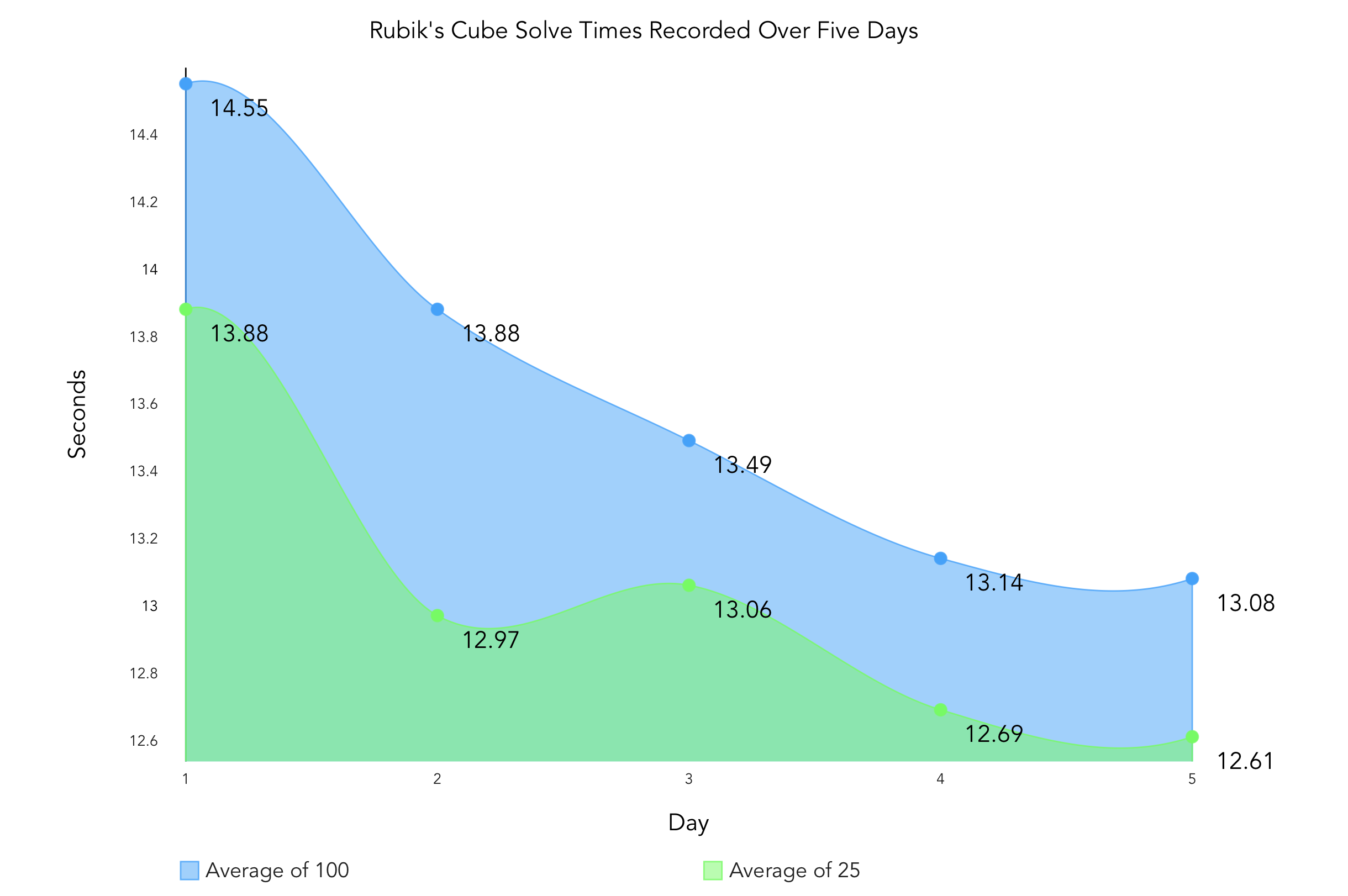
custom_style = Style(
    background = 'transparent',
    font_family='Avenir',
    colors = ['#14A1FF', '#14FF47'],
    opacity = .5)

chart = pygal.Line(
    style=custom_style,
    print_values=True,
    interpolate='hermite',
    fill=True, dots_size=4,
    show_y_guides=False,
    legend_at_bottom=True,
    legend_at_bottom_columns=2)

chart.title = "Rubik's Cube Solve Times Recorded Over Five Days"
chart.x_labels = ["1", "2", "3", "4", "5"]
chart.x_title = "Day"
chart.y_title = "Seconds"
chart.add("Average of 100", ao100)
chart.add("Average of 25", ao25)
chart.render_to_file('times.svg')回答 2
Stack Overflow用户
发布于 2019-03-26 21:28:52
正如评论中所提到的,图形标题相对于图形而言是中心的,而不是轴。这种行为在呈现函数中是硬编码的,没有任何配置选项可以改变它。
解决方法之一是创建您自己的类,它继承自pygal.Line,并重写呈现标题的函数(它不是很大):
class MyLineChart(pygal.Line):

    def __init__(self, *args, **kwargs):
        super(MyLineChart, self).__init__(*args, **kwargs)

    def _make_title(self):
        """Make the title"""
        if self._title:
            for i, title_line in enumerate(self._title, 1):
                self.svg.node(
                    self.nodes['title'],
                    'text',
                    class_='title plot_title',
                    x=self.margin_box.left + self.view.width / 2, # Modified
                    y=i * (self.style.title_font_size + self.spacing)
).text = title_line上面的_make_title函数是直接从 class ( Line本身继承的类)复制的。唯一的更改是注释‘修改’所指示的行,这是从呈现x轴标签的函数(因为它以轴为中心)中提取的。
这样,您可以用chart = pygal.Line替换chart = MyLineChart,但保留代码的其余部分。您还可能希望将类的名称更改为更有意义的内容。
Stack Overflow用户
发布于 2019-03-24 03:22:16
默认情况下,标题具有属性text-anchor:middle。
text-anchor属性用于对齐与给定点相关的文本字符串(开始对齐、中间对齐或结束对齐)。
您可以在finale文件中手动change this value,.i.e.到end (在文本编辑器中打开文件并找到.title )。
https://stackoverflow.com/questions/55320324
复制相似问题
腾讯云开发者

Copyright © 2013 - 2026 Tencent Cloud. All Rights Reserved. 腾讯云 版权所有
深圳市腾讯计算机系统有限公司 ICP备案/许可证号:粤B2-20090059  粤公网安备44030502008569号
腾讯云计算(北京)有限责任公司 京ICP证150476号 | 京ICP备11018762号