
使用mogrify实现从jpg到png的无损转换
我正在尝试使用jpg将一个png图像无损地转换为一个mogrify映像。为了得到这个结果,我使用以下命令:
mogrify -format png test.jpeg但是,检查这两个图像是否相同的测试失败。为了执行测试,我使用了以下python脚本:
import cv2

jpg_image = cv2.imread("test.jpeg")
png_image = cv2.imread("test.png")

diff = jpg_image - png_image

cv2.imshow("diff", diff)
cv2.waitKey(0)
cv2.closeAllWindows()
如果两个图像相同,则此脚本的执行将显示一个黑色矩形。
我试着使用opencv进行转换,它可以工作。这是我用来用python获得结果的opencv脚本
import cv2

jpg_image = cv2.imread("/home/roberto/Downloads/index.jpeg")
cv2.imwrite("/home/roberto/Downloads/index.png", jpg_image)正如下面的注释中所建议的,我还对由identify -verbose和opencv生成的png文件运行了mogrify命令。这些是产出:
mogrify
Image: index.png24
  Format: PNG (Portable Network Graphics)
  Mime type: image/png
  Class: DirectClass
  Geometry: 276x183+0+0
  Units: Undefined
  Type: TrueColor
  Endianess: Undefined
  Colorspace: sRGB
  Depth: 8-bit
  Channel depth:
    red: 8-bit
    green: 8-bit
    blue: 8-bit
  Channel statistics:
    Pixels: 50508
    Red:
      min: 0 (0)
      max: 153 (0.6)
      mean: 19.2985 (0.0756804)
      standard deviation: 16.1262 (0.06324)
      kurtosis: 4.912
      skewness: 1.86378
      entropy: 0.805148
    Green:
      min: 0 (0)
      max: 176 (0.690196)
      mean: 64.9359 (0.254651)
      standard deviation: 45.101 (0.176867)
      kurtosis: -0.895497
      skewness: 0.554883
      entropy: 0.968001
    Blue:
      min: 0 (0)
      max: 255 (1)
      mean: 144.46 (0.566511)
      standard deviation: 50.6283 (0.198542)
      kurtosis: -0.289594
      skewness: -0.566585
      entropy: 0.950031
  Image statistics:
    Overall:
      min: 0 (0)
      max: 255 (1)
      mean: 76.2316 (0.298948)
      standard deviation: 40.2384 (0.157798)
      kurtosis: 11.4068
      skewness: 2.70212
      entropy: 0.907726
  Rendering intent: Perceptual
  Gamma: 0.45455
  Chromaticity:
    red primary: (0.64,0.33)
    green primary: (0.3,0.6)
    blue primary: (0.15,0.06)
    white point: (0.3127,0.329)
  Background color: white
  Border color: srgb(223,223,223)
  Matte color: grey74
  Transparent color: black
  Interlace: None
  Intensity: Undefined
  Compose: Over
  Page geometry: 276x183+0+0
  Dispose: Undefined
  Iterations: 0
  Compression: Zip
  Orientation: Undefined
  Properties:
    date:create: 2019-03-21T09:51:42+01:00
    date:modify: 2019-03-21T09:51:42+01:00
    png:bKGD: chunk was found (see Background color, above)
    png:cHRM: chunk was found (see Chromaticity, above)
    png:gAMA: gamma=0.45454544 (See Gamma, above)
    png:IHDR.bit-depth-orig: 8
    png:IHDR.bit_depth: 8
    png:IHDR.color-type-orig: 2
    png:IHDR.color_type: 2 (Truecolor)
    png:IHDR.interlace_method: 0 (Not interlaced)
    png:IHDR.width,height: 276, 183
    png:sRGB: intent=0 (Perceptual Intent)
    png:text: 2 tEXt/zTXt/iTXt chunks were found
    signature: 1bdb735da64a7036eb46f2d257997fbd10044ddc633c2aea5703f1887614709c
  Artifacts:
    filename: index-mogrify.png
    verbose: true
  Tainted: False
  Filesize: 79.9KB
  Number pixels: 50.5K
  User time: 0.000u
  Elapsed time: 0:01.000
  Version: ImageMagick 6.9.7-4 Q16 x86_64 20170114 http://www.imagemagick.org
opencv
Image: index-opencv.png
  Format: PNG (Portable Network Graphics)
  Mime type: image/png
  Class: DirectClass
  Geometry: 276x183+0+0
  Units: Undefined
  Type: TrueColor
  Endianess: Undefined
  Colorspace: sRGB
  Depth: 8-bit
  Channel depth:
    red: 8-bit
    green: 8-bit
    blue: 8-bit
  Channel statistics:
    Pixels: 50508
    Red:
      min: 0 (0)
      max: 153 (0.6)
      mean: 19.299 (0.0756825)
      standard deviation: 16.1246 (0.0632336)
      kurtosis: 4.91164
      skewness: 1.86412
      entropy: 0.80384
    Green:
      min: 0 (0)
      max: 175 (0.686275)
      mean: 64.9195 (0.254586)
      standard deviation: 45.064 (0.176722)
      kurtosis: -0.898132
      skewness: 0.553704
      entropy: 0.968909
    Blue:
      min: 0 (0)
      max: 255 (1)
      mean: 144.561 (0.566908)
      standard deviation: 50.7463 (0.199005)
      kurtosis: -0.296128
      skewness: -0.559014
      entropy: 0.950698
  Image statistics:
    Overall:
      min: 0 (0)
      max: 255 (1)
      mean: 76.26 (0.299059)
      standard deviation: 40.2739 (0.157937)
      kurtosis: 11.4583
      skewness: 2.7144
      entropy: 0.907815
  Rendering intent: Perceptual
  Gamma: 0.454545
  Chromaticity:
    red primary: (0.64,0.33)
    green primary: (0.3,0.6)
    blue primary: (0.15,0.06)
    white point: (0.3127,0.329)
  Background color: white
  Border color: srgb(223,223,223)
  Matte color: grey74
  Transparent color: black
  Interlace: None
  Intensity: Undefined
  Compose: Over
  Page geometry: 276x183+0+0
  Dispose: Undefined
  Iterations: 0
  Compression: Zip
  Orientation: Undefined
  Properties:
    date:create: 2019-03-21T09:50:20+01:00
    date:modify: 2019-03-21T09:50:20+01:00
    png:IHDR.bit-depth-orig: 8
    png:IHDR.bit_depth: 8
    png:IHDR.color-type-orig: 2
    png:IHDR.color_type: 2 (Truecolor)
    png:IHDR.interlace_method: 0 (Not interlaced)
    png:IHDR.width,height: 276, 183
    png:sRGB: intent=0 (Perceptual Intent)
    signature: 217fe60358faf232f04ccc66dd92ec508fbf82b37858f0b954c87372720b88a1
  Artifacts:
    filename: index-opencv.png
    verbose: true
  Tainted: False
  Filesize: 89.3KB
  Number pixels: 50.5K
  User time: 0.000u
  Elapsed time: 0:01.000
Version: ImageMagick 6.9.7-4 Q16 x86_64 20170114 http://www.imagemagick.org有人能解释一下第一种方法和第二种方法(mogirfy vs opencv)之间的区别吗?
回答 1
Stack Overflow用户
发布于 2019-03-25 13:34:42
这两幅图像之间的差异可以忽略不计。我展示了ImageMagick在左边生成了一个,OpenCV在右边显示了一个。
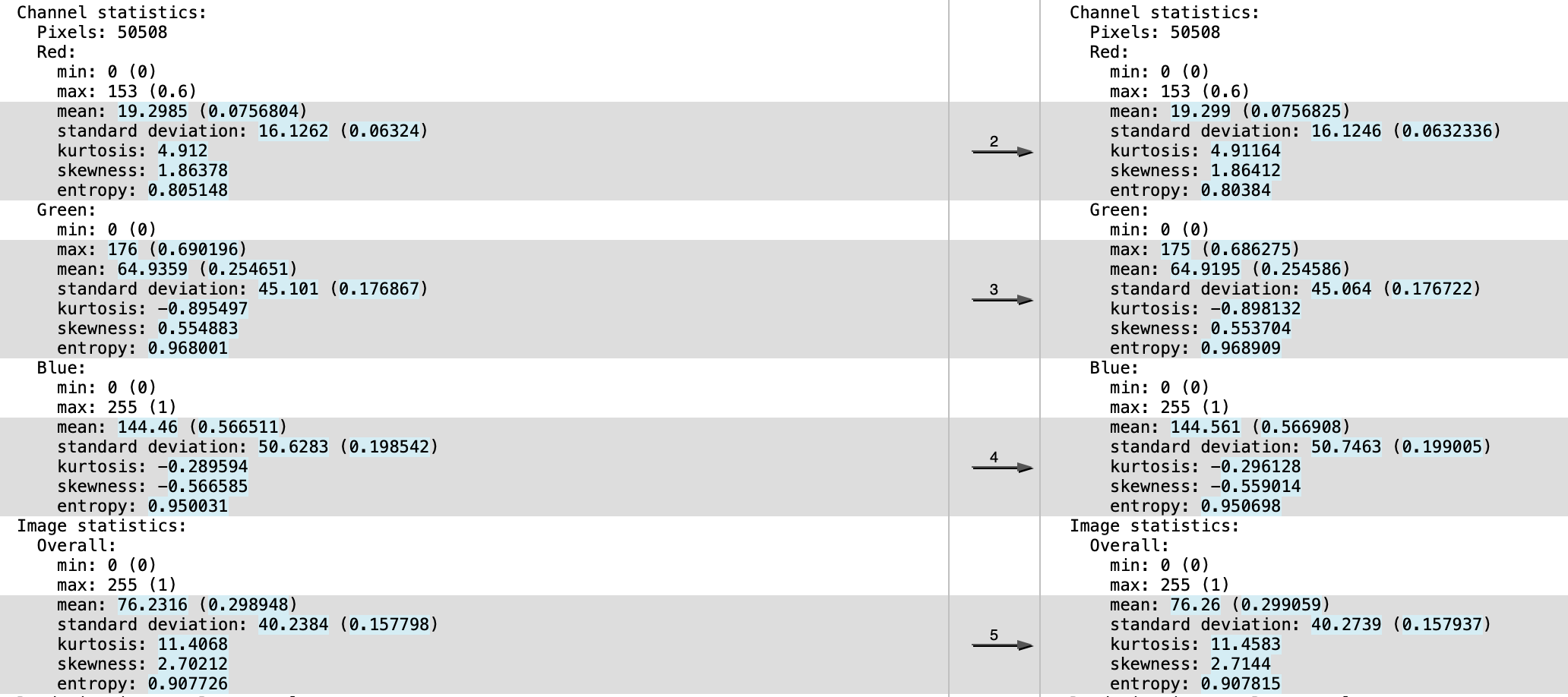
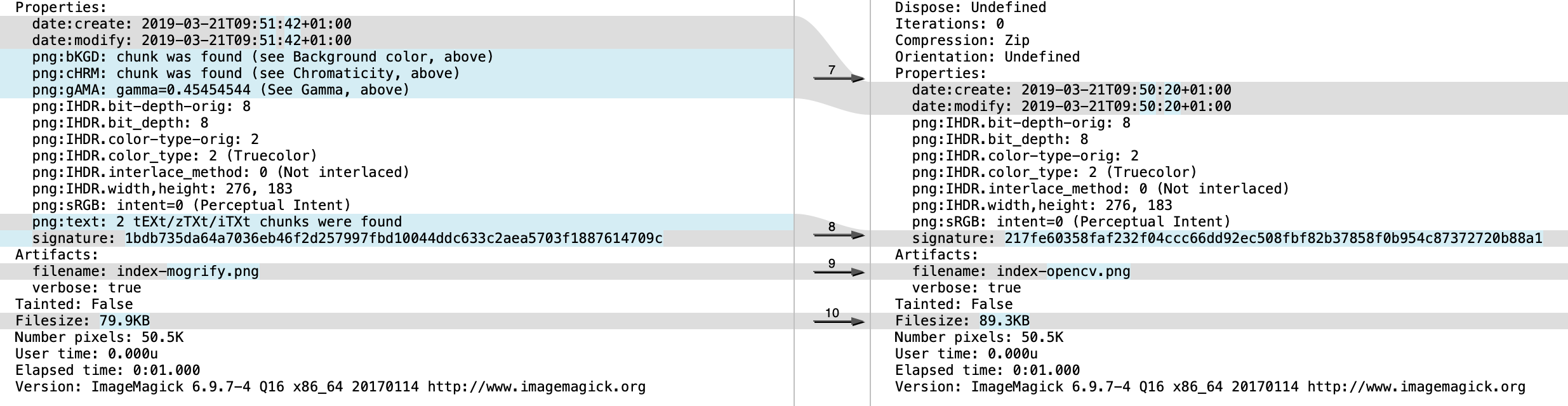
唯一的区别是像素数据中的一个很小的百分比。假设用ImageMagick读取有损图像格式(如JPEG )将导致OpenCV读取相同的图像是不合理的。格式本身是有损的,解码器可以在其实现的准确性和他们所做的权衡方面有一定的判断力。例如,OpenCV可能倾向于绝对速度和性能。ImageMagick可能更倾向于兼容性和准确性。
别忘了,虽然你只看到0.255之间的整数,但它们实际上被转换成浮点数,转换成频域,量化,打包和压缩,然后在读取时发生相反的情况。
https://stackoverflow.com/questions/55265055
复制相似问题
腾讯云开发者

Copyright © 2013 - 2026 Tencent Cloud. All Rights Reserved. 腾讯云 版权所有
深圳市腾讯计算机系统有限公司 ICP备案/许可证号:粤B2-20090059  粤公网安备44030502008569号
腾讯云计算(北京)有限责任公司 京ICP证150476号 | 京ICP备11018762号