
获取不变量冲突:元素类型无效:预期为一个字符串,但我的导入是正确的
获取不变量冲突:元素类型无效:预期为一个字符串,但我的导入是正确的
提问于 2019-02-25 18:03:02
我一直在试图得到一个非常基本的表面/反应艺术样本,并运行。但是每次我尝试使用<Surface>时,它都会给我一个不变的违规。我不会在任何地方使用默认导出。我已经安装了art插件,并通过react-native link链接了它,并重新启动/重新构建了所有的东西,但是我仍然会遇到同样的错误。我也尝试过从反应本土引进艺术,然后从那里获得表面,但也失败了。现在我正在用iOS模拟器使用react-native run ios进行测试
import {PureComponent} from 'react';
import {Group, Shape, Surface, View} from 'react-native';
import React from 'react';

export class Chart extends PureComponent {
    render() {
        return <View>
            <Surface width={100} height={100}>
            </Surface>
        </View>;
    }
}
以下是我对npm的依赖关系
    "@tradle/react-native-http": "^2.0.1",
    "@types/d3": "^5.7.1",
    "@types/d3-shape": "^1.3.1",
    "@types/lodash-es": "^4.17.2",
    "@types/react-navigation": "^3.0.1",
    "art": "^0.10.3",
    "assert": "^1.4.1",
    "browserify-zlib": "^0.1.4",
    "console-browserify": "^1.1.0",
    "constants-browserify": "^1.0.0",
    "d3": "^5.9.1",
    "d3-shape": "^1.3.4",
    "dns.js": "^1.0.1",
    "domain-browser": "^1.2.0",
    "events": "^1.1.1",
    "fetch-intercept": "^2.3.1",
    "https-browserify": "0.0.1",
    "lodash-es": "^4.17.11",
    "moment": "^2.24.0",
    "path-browserify": "0.0.0",
    "process": "^0.11.10",
    "punycode": "^1.4.1",
    "querystring-es3": "^0.2.1",
    "react": "16.6.3",
    "react-native": "0.58.2",
    "react-native-crypto": "^2.1.2",
    "react-native-elements": "^1.0.0",
    "react-native-gesture-handler": "^1.0.15",
    "react-native-level-fs": "^3.0.1",
    "react-native-os": "^1.2.2",
    "react-native-randombytes": "^3.5.2",
    "react-native-render-html": "^4.0.0",
    "react-native-tcp": "^3.3.0",
    "react-native-udp": "^2.4.0",
    "react-native-vector-icons": "^6.2.0",
    "react-native-voice": "^0.2.6",
    "react-navigation": "^3.1.5",
    "readable-stream": "^1.1.14",
    "stream-browserify": "^1.0.0",
    "string_decoder": "^0.10.31",
    "timers-browserify": "^1.4.2",
    "tslint": "^5.12.1",
    "tty-browserify": "0.0.0",
    "url": "^0.10.3",
    "util": "^0.10.4",
"vm-browserify": "0.0.4"回答 1
Stack Overflow用户
回答已采纳
发布于 2019-02-25 19:29:27
我想你还没把图书馆连接好。
要正确链接它,您需要首先导航到node_modules/react-native/Libraries/ART/并找到ART.xcodeproj
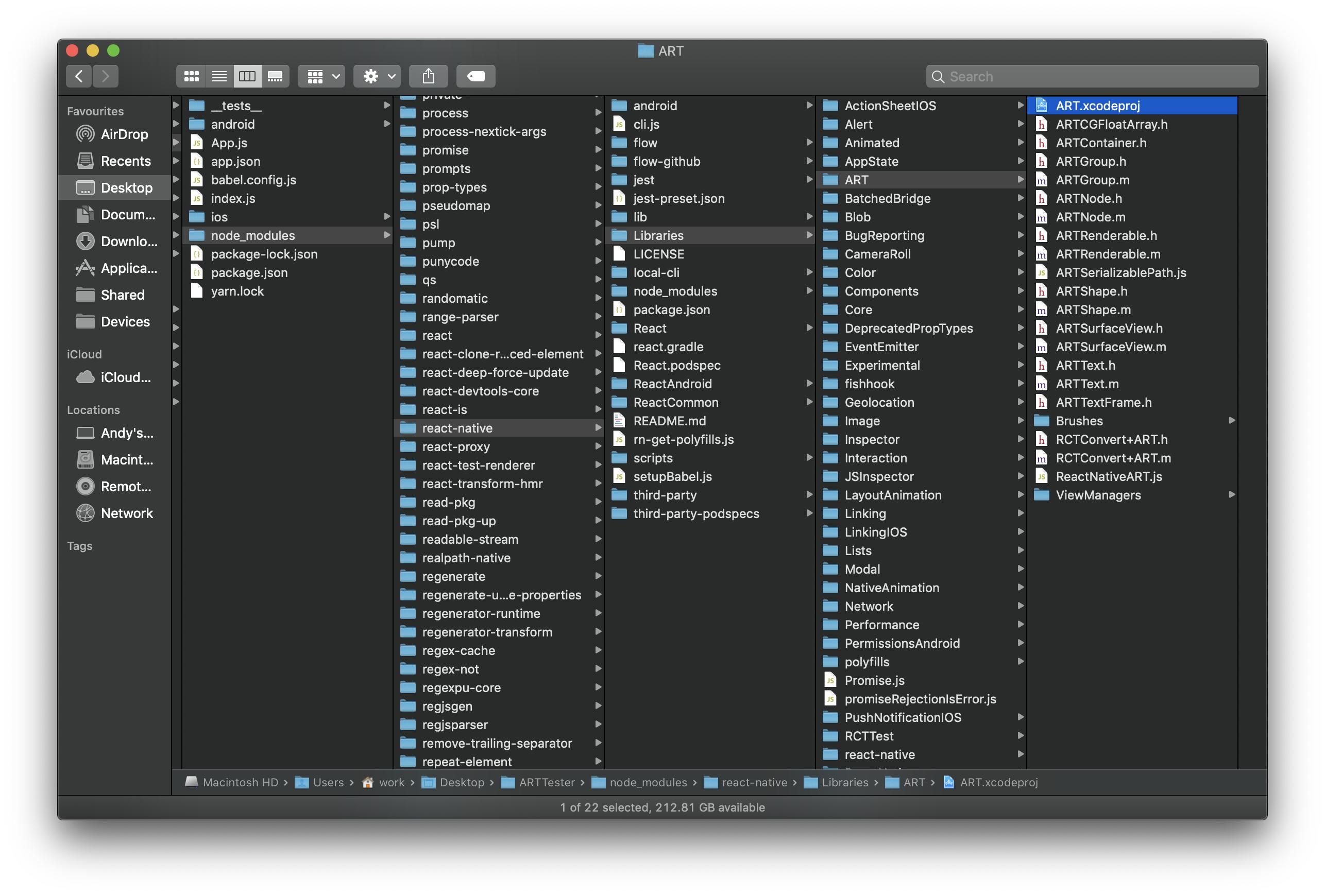
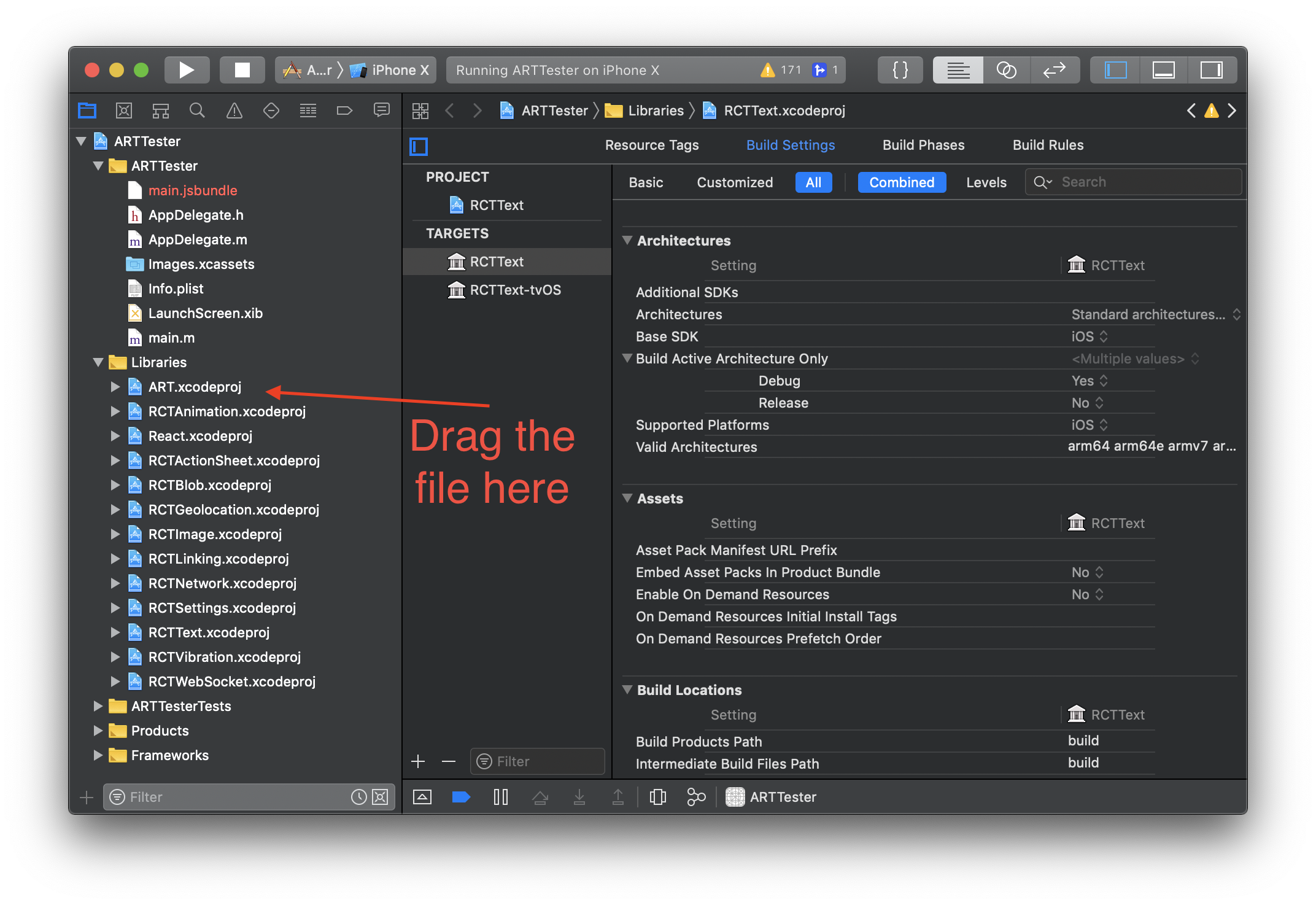
确保用Xcode打开项目,然后将ART.xcodeproj拖到Libraries列表中。
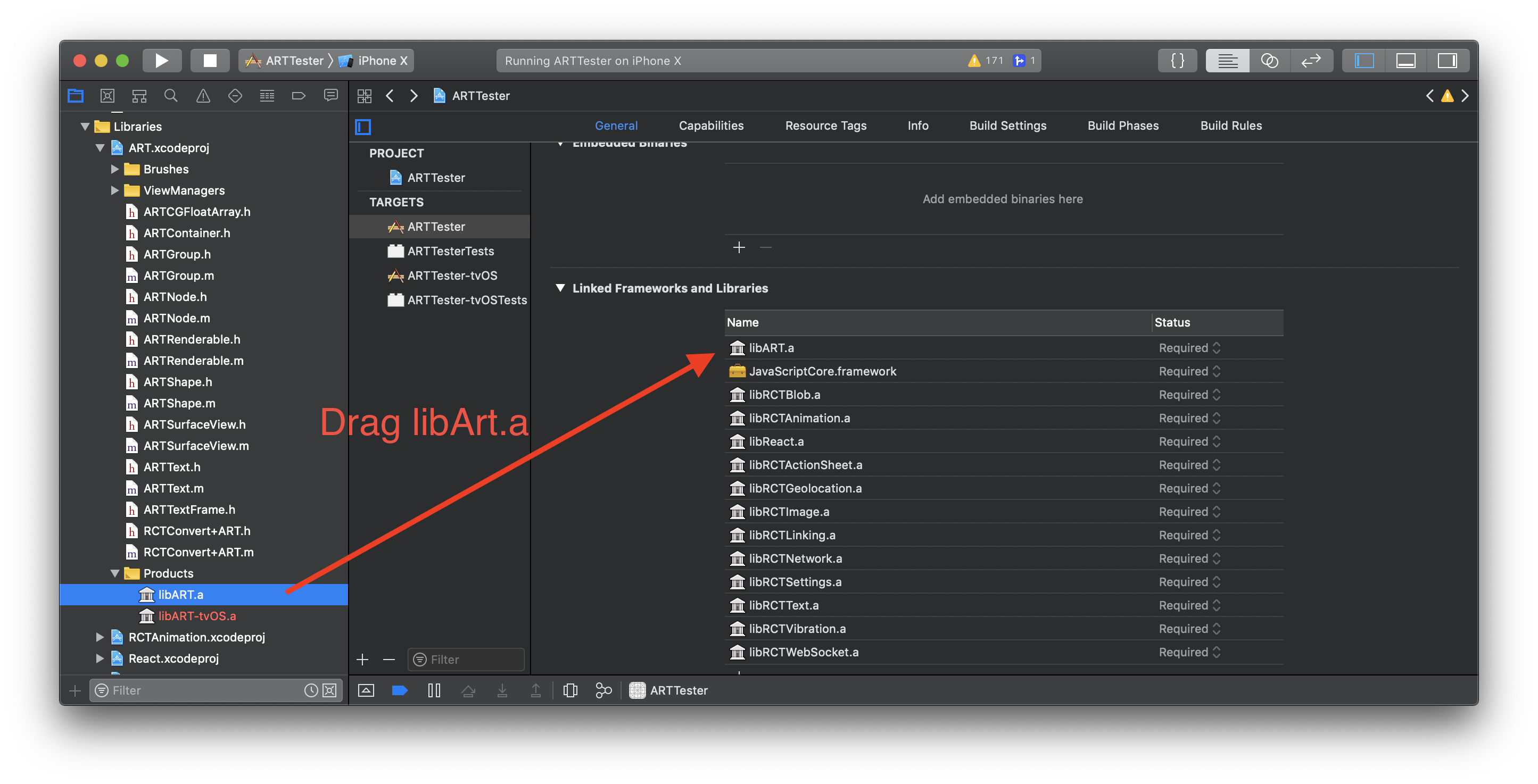
然后,您需要将libArt.a从Art.xcodeproj中的products文件夹拖到链接框架和库中。
然后,在您的App.js中,我们可以执行以下操作:
import React, {Component} from 'react';
import { StyleSheet, View, ART } from 'react-native';
// notice that we import ART and then we can full the values Group, Shape and Surface out of ART
const { Group, Shape, Surface } = ART;

type Props = {};
export default class App extends Component<Props> {
  render() {
    return (
      <View style={styles.container}>
        <Surface width={200} height={200}>
        <Group x={0} y={0}>
          <Shape d={"M10 80 C 40 10, 65 10, 95 80 S 150 150, 180 80"} stroke="#000" strokeWidth={1} />
        </Group>
      </Surface>
      </View>
    );
  }
}

const styles = StyleSheet.create({
  container: {
    flex: 1,
    justifyContent: 'center',
    alignItems: 'center',
    backgroundColor: '#F5FCFF',
  }
});
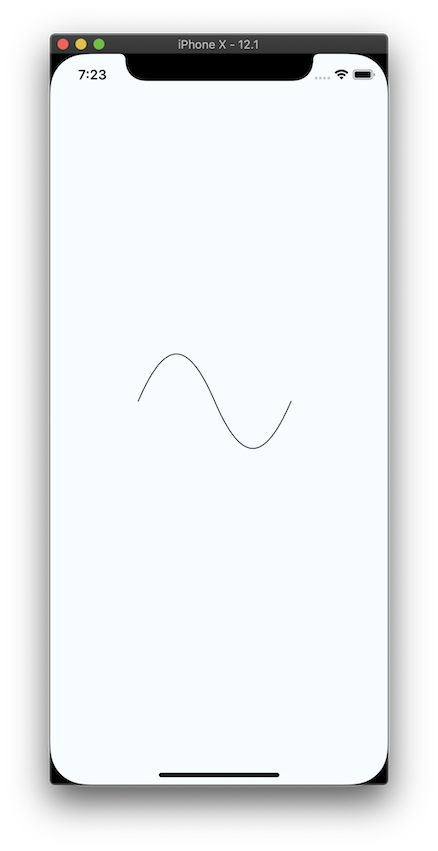
这将为我们提供以下输出:
页面原文内容由Stack Overflow提供。腾讯云小微IT领域专用引擎提供翻译支持
原文链接:
https://stackoverflow.com/questions/54872173
复制相关文章
相似问题
腾讯云开发者

Copyright © 2013 - 2026 Tencent Cloud. All Rights Reserved. 腾讯云 版权所有
深圳市腾讯计算机系统有限公司 ICP备案/许可证号:粤B2-20090059  粤公网安备44030502008569号
腾讯云计算(北京)有限责任公司 京ICP证150476号 | 京ICP备11018762号