
前台服务崩溃和重新启动时,用户杀死应用程序(努格特)
我在这里遇到了麻烦,我希望前台服务应该运行,直到它的任务完成,一旦任务完成,前台服务应该停止。但这里的问题是,即使它的前台服务服务,服务被杀死时,用户关闭应用程序仅在努格特版本。我检查了玛莎露,奥利奥,安卓派的版本--这个场景很好用。但在努格特和MI手机中,这种情况不能正常工作。
下面是我作为演示程序运行的服务代码
public class MyForeGroundService  extends Service {
    private static final String TAG_FOREGROUND_SERVICE = "FOREGROUND_SERVICE";

    public static final String ACTION_START_FOREGROUND_SERVICE = "ACTION_START_FOREGROUND_SERVICE";

    public static final String ACTION_STOP_FOREGROUND_SERVICE = "ACTION_STOP_FOREGROUND_SERVICE";


    public static final String PRIMARY_CHANNEL = "default";

    public MyForeGroundService() {
    }

    @Override
    public IBinder onBind(Intent intent) {
        // TODO: Return the communication channel to the service.
        throw new UnsupportedOperationException("Not yet implemented");
    }

    @Override
    public void onCreate() {
        super.onCreate();
        Log.d(TAG_FOREGROUND_SERVICE, "My foreground service onCreate().");
    }

    @Override
    public int onStartCommand(Intent intent, int flags, int startId) {
        if(intent != null)
        {
            String action = intent.getAction();

            switch (action)
            {
                case ACTION_START_FOREGROUND_SERVICE:
                    startForegroundService();
                    Toast.makeText(getApplicationContext(), "Foreground service is started.", Toast.LENGTH_LONG).show();
                    break;
                case ACTION_STOP_FOREGROUND_SERVICE:
                    stopForegroundService();
                    Toast.makeText(getApplicationContext(), "Foreground service is stopped.", Toast.LENGTH_LONG).show();
                    break;

            }
        }
        return super.onStartCommand(intent, flags, startId);
    }

    /* Used to build and start foreground service. */
    private void startForegroundService()
    {

        NotificationCompat.Builder mBuilder = notificationBuilder();
        // Start foreground service.
        startForeground(1, mBuilder.build());


        Handler handler = new Handler();
        handler.postDelayed(new Runnable() {
            @Override
            public void run() {
                Intent intent = new Intent();
                intent.setAction("SERVICE_CONNECTED");
                LocalBroadcastManager.getInstance(getApplicationContext()).sendBroadcast(intent);

            }
        },10000);
    }

    private void stopForegroundService()
    {
        Log.d(TAG_FOREGROUND_SERVICE, "Stop foreground service.");

        // Stop foreground service and remove the notification.
        stopForeground(true);

        // Stop the foreground service.
        stopSelf();
    }


    public NotificationCompat.Builder  notificationBuilder(){
        NotificationCompat.Builder mBuilder=  new NotificationCompat.Builder(this, PRIMARY_CHANNEL)
                .setContentTitle("Dummy Title")
                .setContentText("Dummy Message")
                .setStyle(new NotificationCompat.BigTextStyle()
                        .bigText("Big text Message"
                        ))
                .setPriority(NotificationCompat.PRIORITY_DEFAULT);

        if (android.os.Build.VERSION.SDK_INT >= Build.VERSION_CODES.LOLLIPOP) {
            mBuilder.setSmallIcon(R.drawable.app_icon_white);
            mBuilder.setColor(getResources().getColor(R.color.theme_color));
        } else {
            mBuilder.setSmallIcon(R.drawable.app_icon_white);
        }

        if (Build.VERSION.SDK_INT >= Build.VERSION_CODES.O) {
            CharSequence name = getResources().getString(R.string.feroz_channel_name);
            String description = getResources().getString(R.string.feroz_channel_description);
            int importance = NotificationManager.IMPORTANCE_DEFAULT;
            NotificationChannel channel = new NotificationChannel(PRIMARY_CHANNEL, name, importance);
            channel.enableLights(true);
            channel.setLightColor(getResources().getColor(R.color.theme_color));
            channel.enableVibration(true);
            channel.setDescription(description);

            NotificationManager notificationManager1 = getSystemService(NotificationManager.class);
            notificationManager1.createNotificationChannel(channel);
        }


        Intent stopIntent = new Intent(this, MyForeGroundService.class);
        stopIntent.setAction(ACTION_STOP_FOREGROUND_SERVICE);
        PendingIntent stopPlayIntent = PendingIntent.getService(this, 0, stopIntent, 0);
        mBuilder.addAction(R.drawable.ic_launcher_new,"STOP",stopPlayIntent);
        Intent intent = new Intent(this, CreateForegroundServiceActivity.class);
        intent.setFlags(Intent.FLAG_ACTIVITY_NEW_TASK | Intent.FLAG_ACTIVITY_CLEAR_TASK);

        PendingIntent pendingIntent = PendingIntent.getActivity(this, 0, intent,  PendingIntent.FLAG_UPDATE_CURRENT);
        mBuilder.setContentIntent(pendingIntent);
         mBuilder.setUsesChronometer(true);

        return mBuilder;
    }
}
下面是从活动开始服务的代码
startServiceButton.setOnClickListener(new View.OnClickListener() {
            @Override
            public void onClick(View v) {
                Intent intent = new Intent(CreateForegroundServiceActivity.this, MyForeGroundService.class);
                intent.setAction(MyForeGroundService.ACTION_START_FOREGROUND_SERVICE);
                if (Build.VERSION.SDK_INT >= Build.VERSION_CODES.O) {
                    startForegroundService(intent);
                } else {
                    startService(intent);
                }
            }
        });

        Button stopServiceButton = (Button)findViewById(R.id.stop_foreground_service_button);
        stopServiceButton.setOnClickListener(new View.OnClickListener() {
            @Override
            public void onClick(View v) {
                Intent intent = new Intent(CreateForegroundServiceActivity.this, MyForeGroundService.class);
                intent.setAction(MyForeGroundService.ACTION_STOP_FOREGROUND_SERVICE);
                if (Build.VERSION.SDK_INT >= Build.VERSION_CODES.O) {
                    startForegroundService(intent);
                } else {
                    startService(intent);
                }
            }
        });
我认为startForeGroundService运行得很好,但是startService并没有像预期的那样工作。这种行为是如此混乱,当我杀死app前台服务重新启动,但如果我打开应用程序并按下一个按钮来停止服务,我可以看到发送给服务的意图。但服务仍在运行。
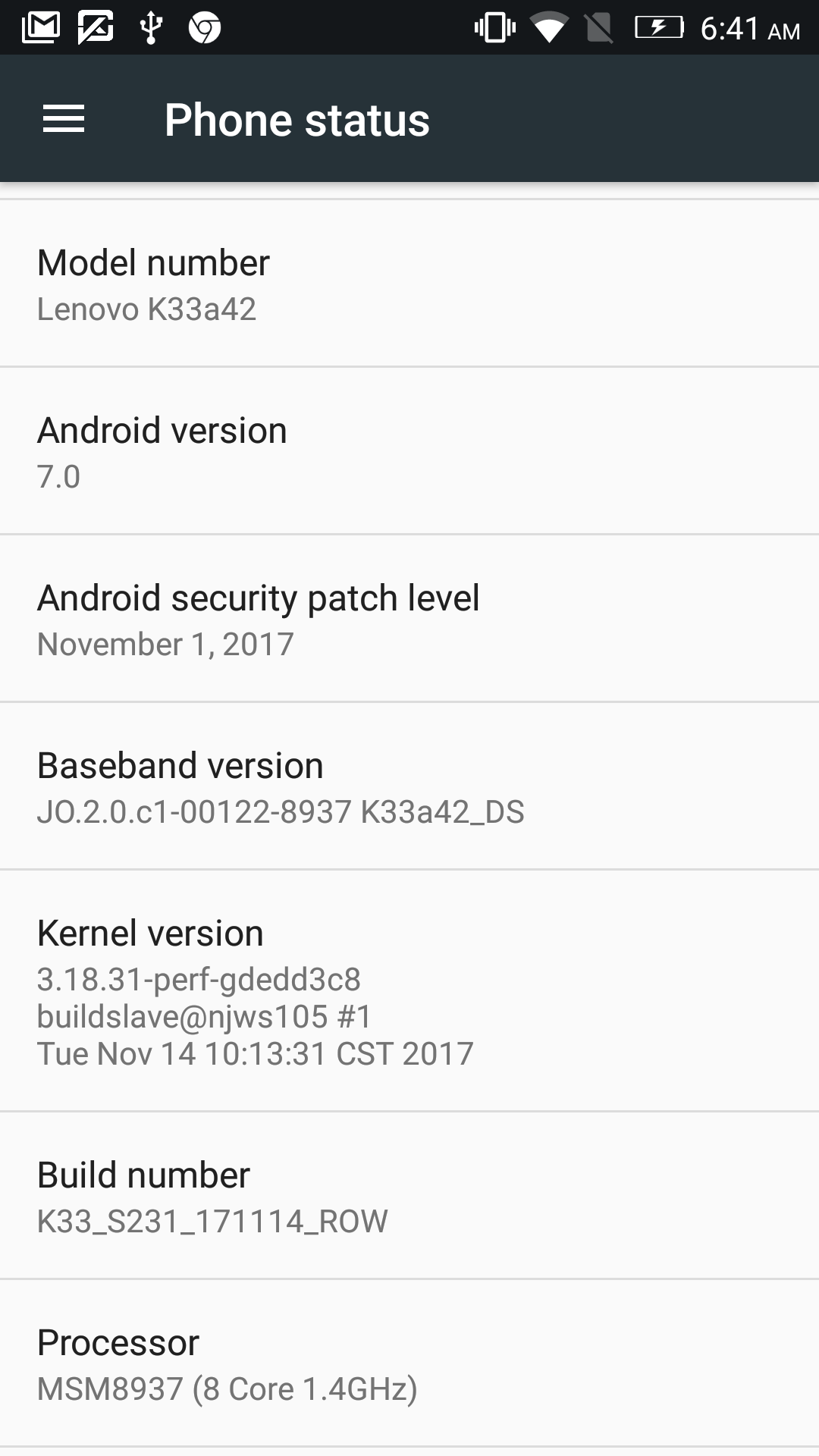
PS:我想要一个运行大约10分钟的服务,而不管应用程序是否有背景。它不应该不惜任何代价重新启动。例如,如果我正在从背景中演奏一首音乐,它应该会一直播放到最后。音乐一结束就应该停止。当我按一下按钮启动服务时,我不希望在下面的是日志中重新启动这个应用程序:
2019-02-15 13:35:56.091 11120-11120/sample.androido.com.myapplication D/MyForeGroundService: My foreground service onCreate().
2019-02-15 13:36:01.956 1459-3975/? W/ActivityManager: Scheduling restart of crashed service sample.androido.com.myapplication/.services.MyForeGroundService in 1000ms
2019-02-15 13:36:02.975 1459-1509/? I/ActivityManager: Start proc 11170:sample.androido.com.myapplication/u0a154 for service sample.androido.com.myapplication/.services.MyForeGroundService
2019-02-15 13:36:03.674 11170-11170/? D/MyForeGroundService: My foreground service onCreate().回答 1
Stack Overflow用户
发布于 2019-02-15 07:30:18
来自官方的Android 文档 for startForegroundService()方法。
请注意,调用此方法并不会使服务本身处于已启动状态,即使名称听起来与它类似。您必须始终调用ContextWrapper.startService(意图),首先告诉系统它应该保持服务运行,然后使用此方法告诉它使它更难运行。
根据上述语句,您应该先调用startService(),然后调用startForegroundService()
https://stackoverflow.com/questions/54704186
复制相似问题
腾讯云开发者

Copyright © 2013 - 2026 Tencent Cloud. All Rights Reserved. 腾讯云 版权所有
深圳市腾讯计算机系统有限公司 ICP备案/许可证号:粤B2-20090059  粤公网安备44030502008569号
腾讯云计算(北京)有限责任公司 京ICP证150476号 | 京ICP备11018762号