
使用GDLib将转换为可彩色图像
使用GDLib将转换为可彩色图像
提问于 2019-02-09 04:27:03
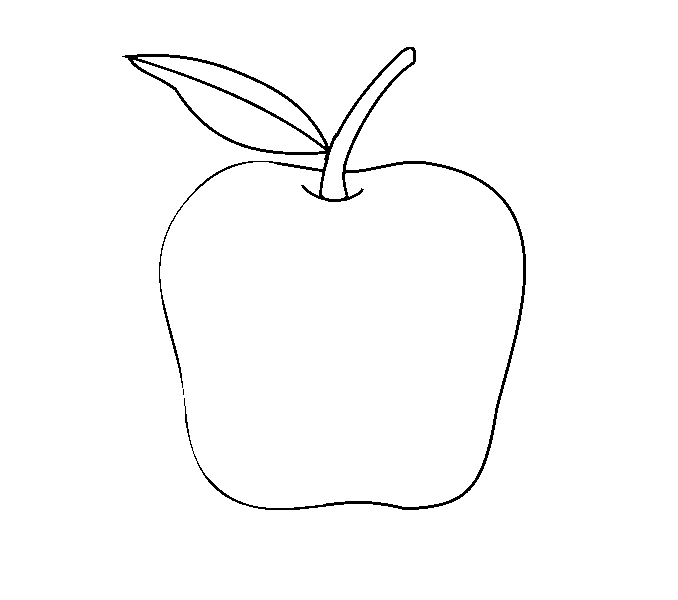
我目前正在开发一个PHP脚本来构建一个着色书。用户将上传图片(彩色),我已经将这些图像转换成无色图像(颜色可选),并将它们放在PDF文件中。一切都是管理的,但我无法将图像转换成可着色的图像。图像显示有白色背景和黑色笔画。
目前,我正在使用以下代码:
$im = imagecreatefromjpeg($_FILES['image']['tmp_name'][$i]);
/* R, G, B, so 0, 255, 0 is green */

if ($im) {
    imagefilter($im, IMG_FILTER_GRAYSCALE);
    imagefilter($im, IMG_FILTER_EDGEDETECT);
    imagefilter($im, IMG_FILTER_MEAN_REMOVAL);
    imagefilter($im, IMG_FILTER_CONTRAST, -1000);
    imagejpeg($im, "tmp_image/image-".$i.".jpg");
    $pdf_images[] = "tmp_image/image-".$i.".jpg";
    imagedestroy($im);
}
例如:


谢谢你的帮助。
我尝试了PHP检测过滤器,但是无法获得所需的结果。
回答 2
Stack Overflow用户
回答已采纳
发布于 2019-02-09 13:06:32
不知道你为什么要过滤或者做边缘检测,如果你的图像已经在黑色中抚摸?当然,你只是想做所有的事情:
- 要么透明,要么
- 不是黑色
都变白了。
#!/usr/bin/php -f
<?php

$img  = imagecreatefrompng('apple.png');
$w = imagesx($img);
$h = imagesy($img);

// Create a new palettised colorable image same size
// We only need 2 colours so palettised will be fine and nice and small
$colorable = imagecreate($w,$h);
$white = imagecolorallocate($colorable,255,255,255);
$black = imagecolorallocate($colorable,0,0,0);

for($x=0;$x<=$w;$x++){
    for($y=0;$y<=$h;$y++){
        $px = imagecolorsforindex($img,imagecolorat($img,$x,$y));
        // Assume we will make this pixel black in new image
        $newcolour = $black;
        $R = $px['red']; $G = $px['green']; $B = $px['blue']; $A = $px['alpha'];

        // If this pixel is transparent, or has any significant red, green or blue component, make it white
        if(($A==127) || ($R > 80) || ($G > 80) || ($B > 80)){
            $newcolour = $white;
        }
        imagesetpixel($colorable,$x,$y,$newcolour);
    }
}
imagepng($colorable,'result.png');
?>
Stack Overflow用户
发布于 2019-02-09 11:12:47
你想要的是相当困难的,我不知道这是否能适用于所有的图片,但这将帮助你的道路上:
<?php

$image_name = 'apple.png';

$img = imagecreatefrompng ( $image_name );
$size = getimagesize( $image_name );

if( $img ){
    $new_image = colourable( $img , $size );
}

function colourable( $img , $size ) {

    $new_img = imagecreate( $size[0] , $size[1] );
    $white = imagecolorallocate( $new_img , 255 , 255 , 255 );
    imagefill( $new_img , 0 , 0 , $white );

    $black = imagecolorallocate( $new_img , 0 , 0 , 0 );

    for( $x = 0; $x <= ( $size[0] - 1 ); $x++ ){
        for( $y = 0; $y <= ( $size[1] - 1 ); $y++ ){
            $pixel = imagecolorsforindex( $img, imagecolorat ( $img , $x , $y ) );
            if( ( $pixel['red'] >= 0 &&  $pixel['red'] < 50 ) && ( $pixel['green'] >= 0 && $pixel['green'] < 50 ) && ( $pixel['blue'] >= 0 && $pixel['blue'] < 50 ) ){
                imagesetpixel( $new_img , $x , $y , $black );
            }
        }
    }
    return $new_img;
}

header ( 'Content-Type: image/png' );
imagepng( $new_image );

?>
这是提供的图像的结果:

它也适用于一些其他的图片,一些好的,有些不太好,但在周围玩,看看你能做什么。这是相当不言自明的,但它基本上抓取了图像中每个像素的颜色,并检查它是否属于RGB代码中的黑色,具有一定的容忍度。(黑色为0,0,0)。可以调得很好。
它检查:在rgb的比例上,红色、绿色和蓝色是否都在0到50之间。
if( ( $pixel['red'] >= 0 && $pixel['red'] < 50 ) && ( $pixel['green'] >= 0 && $pixel['green'] < 50 ) && ( $pixel['blue'] >= 0 && $pixel['blue'] < 50 ) ){页面原文内容由Stack Overflow提供。腾讯云小微IT领域专用引擎提供翻译支持
原文链接:
https://stackoverflow.com/questions/54603169
复制相关文章
相似问题
腾讯云开发者

Copyright © 2013 - 2026 Tencent Cloud. All Rights Reserved. 腾讯云 版权所有
深圳市腾讯计算机系统有限公司 ICP备案/许可证号:粤B2-20090059  粤公网安备44030502008569号
腾讯云计算(北京)有限责任公司 京ICP证150476号 | 京ICP备11018762号