
颤振垂直ScrollView内的水平ScrollView
我现在正试图实现一种非常常见的行为,即在另一个小部件中有一个水平列表,该小部件同时可滚动。想一想IMDb应用程序的主屏幕:

所以我想要一个小部件,它垂直滚动,上面没有几个项目。在它的顶部,应该有一个水平的ListView,后面是一些名为motivationCard的项目。在列表和卡片之间有一些标题。
我的Widget上有这样的东西
@override
  Widget build(BuildContext context) => BlocBuilder<HomeEvent, HomeState>(
        bloc: _homeBloc,
        builder: (BuildContext context, HomeState state) => Scaffold(
              appBar: AppBar(),
              body: Column(
                children: <Widget>[
                  Text(
                    Strings.dailyTasks,
                  ),
                  ListView.builder(
                    scrollDirection: Axis.horizontal,
                    itemCount: tasks.length,
                    itemBuilder: (BuildContext context, int index) =>
                        taskCard(
                          taskNumber: index + 1,
                          taskTotal: tasks.length,
                          task: tasks[index],
                        ),
                  ),
                  Text(
                    Strings.motivations,
                  ),
                  motivationCard(
                    motivation: Motivation(
                        title: 'Motivation 1',
                        description:
                        'this is a description of the motivation'),
                  ),
                  motivationCard(
                    motivation: Motivation(
                        title: 'Motivation 2',
                        description:
                        'this is a description of the motivation'),
                  ),
                  motivationCard(
                    motivation: Motivation(
                        title: 'Motivation 3',
                        description:
                        'this is a description of the motivation'),
                  ),
                ],
              ),
            ),
      );
这是我得到的错误:
I/flutter (23780): ══╡ EXCEPTION CAUGHT BY RENDERING LIBRARY ╞═════════════════════════════════════════════════════════
I/flutter (23780): The following assertion was thrown during performResize():
I/flutter (23780): Horizontal viewport was given unbounded height.
I/flutter (23780): Viewports expand in the cross axis to fill their container and constrain their children to match
I/flutter (23780): their extent in the cross axis. In this case, a horizontal viewport was given an unlimited amount of
I/flutter (23780): vertical space in which to expand.
我试过:
- 用一个ListView小部件包装
Expanded - 用
SingleChildScrollView > ConstrainedBox > IntrinsicHeight包装列 - 将
CustomScrollView作为父级,具有SliverList和SliverChildListDelegate中的列表
这些工作和我都不会再犯同样的错误。这是一件很平常的事,不应该很难,不知怎么的,我就是搞不懂。
任何帮助都将不胜感激,谢谢!
编辑:
我原以为这能帮我,但事实并非如此。
回答 8
Stack Overflow用户
发布于 2019-02-04 08:27:05
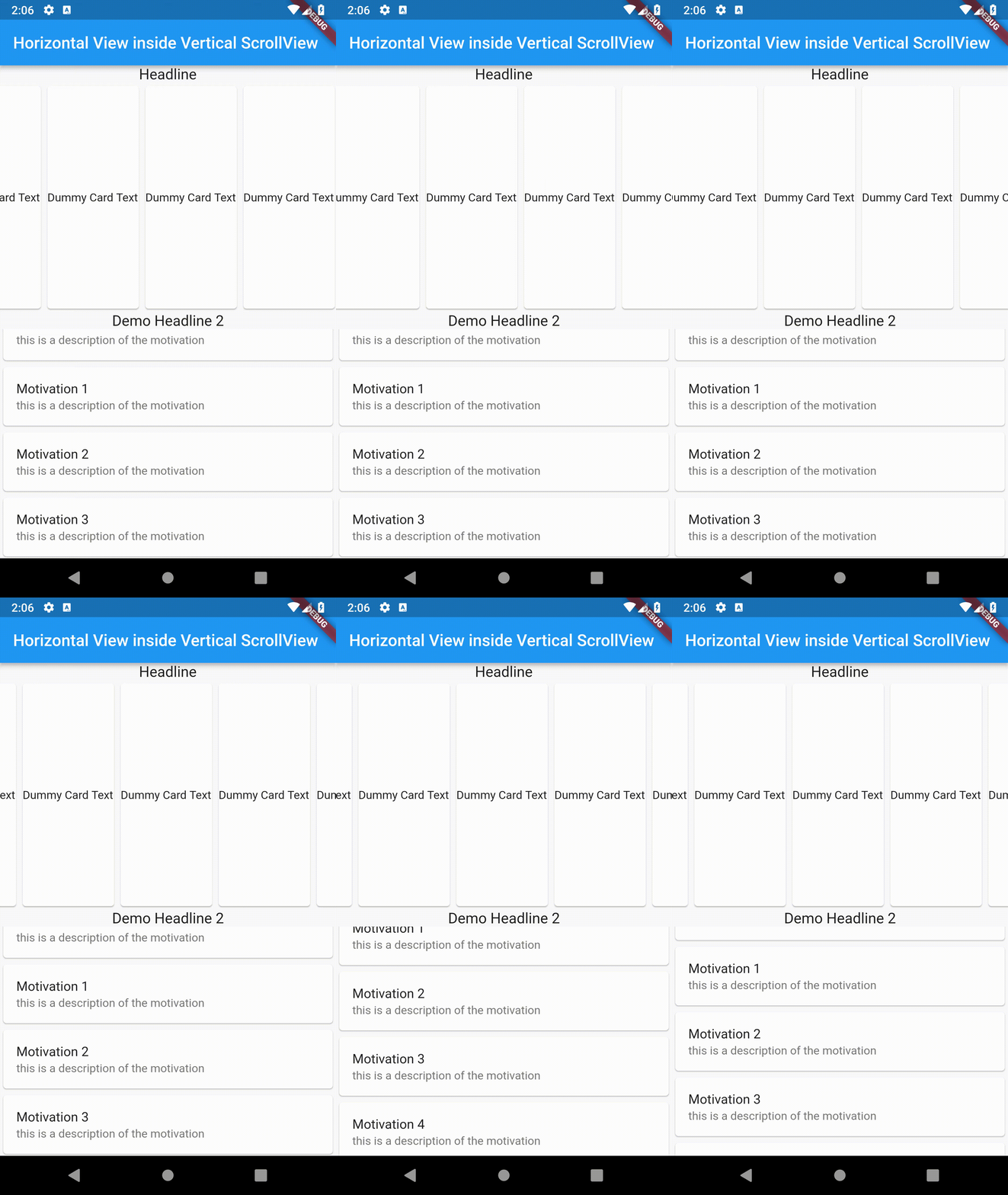
好的,您的代码可以很好地包装您的- ListView.builder与Expanded Widget &设置Column Widget的mainAxisSize: MainAxisSize.min,。
你所拥有的代码。
 body: Column(
        mainAxisSize: MainAxisSize.min,
        children: <Widget>[
          Text(
            'Headline',
            style: TextStyle(fontSize: 18),
          ),
          Expanded(
            child: ListView.builder(
              shrinkWrap: true,
              scrollDirection: Axis.horizontal,
              itemCount: 15,
              itemBuilder: (BuildContext context, int index) => Card(
                    child: Center(child: Text('Dummy Card Text')),
                  ),
            ),
          ),
          Text(
            'Demo Headline 2',
            style: TextStyle(fontSize: 18),
          ),
          Expanded(
            child: ListView.builder(
              shrinkWrap: true,
              itemBuilder: (ctx,int){
                return Card(
                  child: ListTile(
                      title: Text('Motivation $int'),
                      subtitle: Text('this is a description of the motivation')),
                );
              },
            ),
          ),
        ],
      ),
更新:
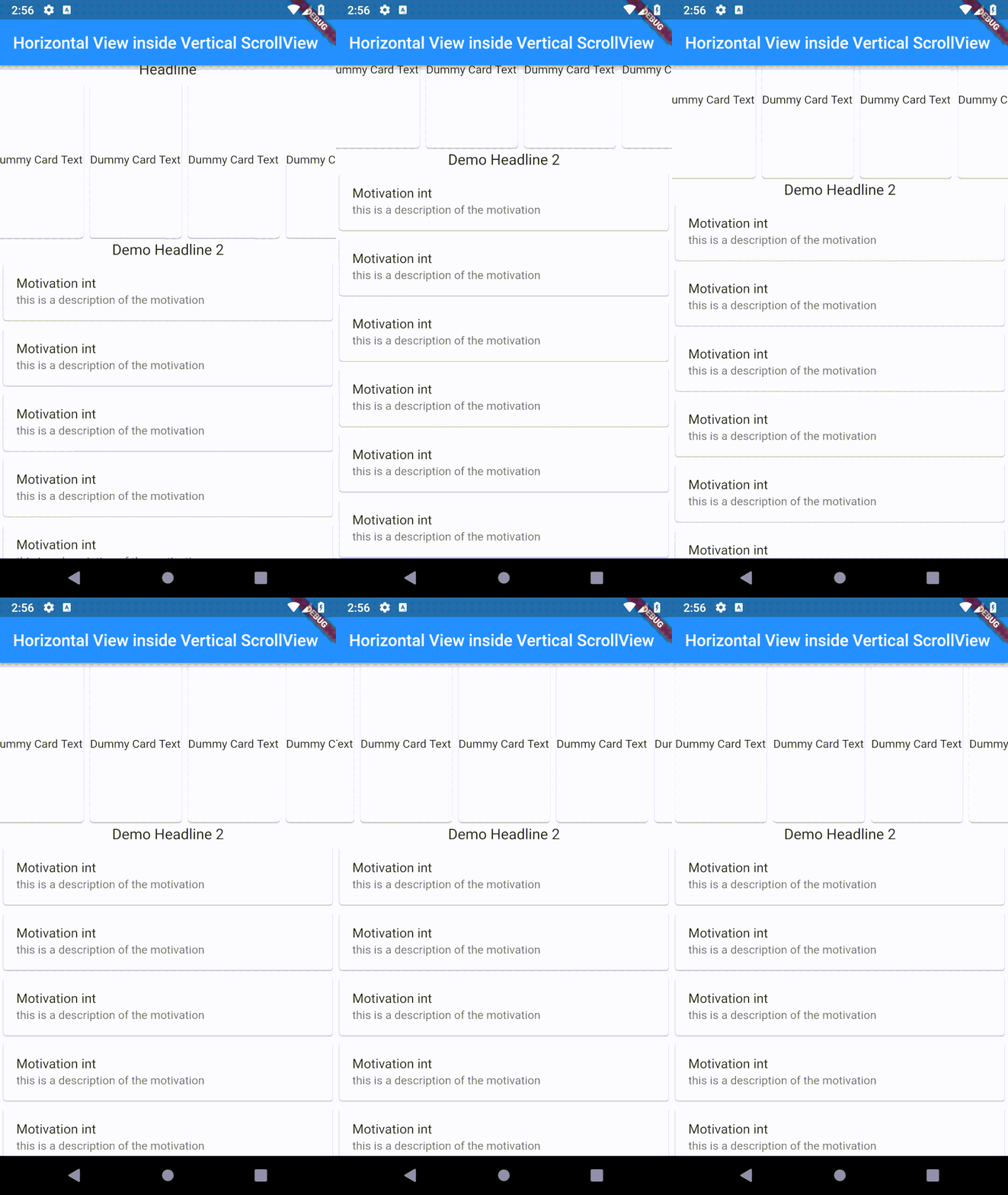
整个页面都可以使用- SingleChildScrollView.滚动。
body: SingleChildScrollView(
  child: Column(
    mainAxisSize: MainAxisSize.min,
    children: <Widget>[
      Text(
        'Headline',
        style: TextStyle(fontSize: 18),
      ),
      SizedBox(
        height: 200.0,
        child: ListView.builder(
          physics: ClampingScrollPhysics(),
          shrinkWrap: true,
          scrollDirection: Axis.horizontal,
          itemCount: 15,
          itemBuilder: (BuildContext context, int index) => Card(
                child: Center(child: Text('Dummy Card Text')),
              ),
        ),
      ),
      Text(
        'Demo Headline 2',
        style: TextStyle(fontSize: 18),
      ),
      Card(
        child: ListTile(title: Text('Motivation $int'), subtitle: Text('this is a description of the motivation')),
      ),
      Card(
        child: ListTile(title: Text('Motivation $int'), subtitle: Text('this is a description of the motivation')),
      ),
      Card(
        child: ListTile(title: Text('Motivation $int'), subtitle: Text('this is a description of the motivation')),
      ),
      Card(
        child: ListTile(title: Text('Motivation $int'), subtitle: Text('this is a description of the motivation')),
      ),
      Card(
        child: ListTile(title: Text('Motivation $int'), subtitle: Text('this is a description of the motivation')),
      ),
    ],
  ),
),
Stack Overflow用户
发布于 2020-02-29 08:10:37
截图:
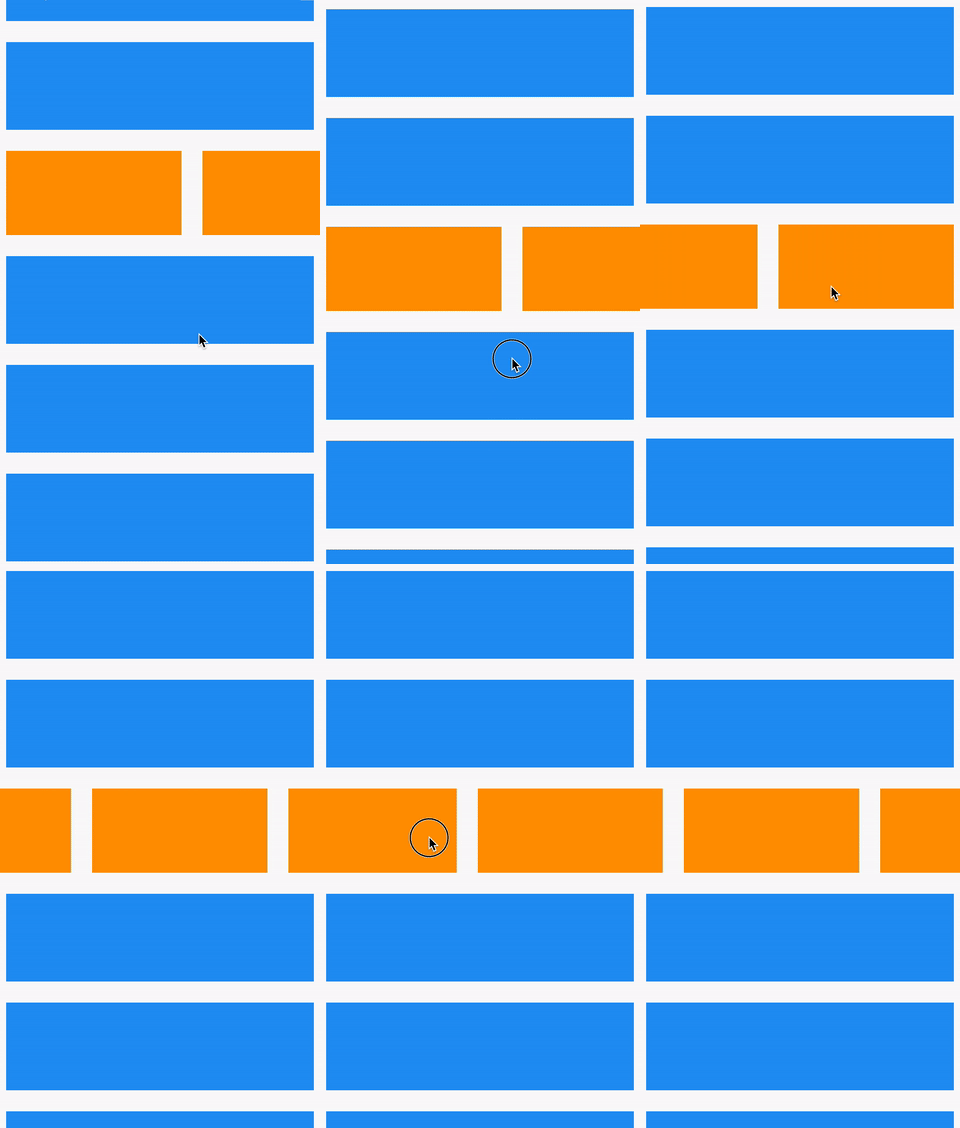
class _HomePageState extends State<HomePage> {
  @override
  Widget build(BuildContext context) {
    return Scaffold(
      body: ListView.builder(
        itemCount: 7,
        itemBuilder: (_, i) {
          if (i < 2)
            return _buildBox(color: Colors.blue);
          else if (i == 3)
            return _horizontalListView();
          else
            return _buildBox(color: Colors.blue);
        },
      ),
    );
  }

  Widget _horizontalListView() {
    return SizedBox(
      height: 120,
      child: ListView.builder(
        scrollDirection: Axis.horizontal,
        itemBuilder: (_, __) => _buildBox(color: Colors.orange),
      ),
    );
  }

  Widget _buildBox({Color color}) => Container(margin: EdgeInsets.all(12), height: 100, width: 200, color: color);
}Stack Overflow用户
发布于 2021-05-16 11:27:47
我们必须在另一个SingleScrollView中使用SingleScrollView,使用ListView需要固定的高度。
SingleChildScrollView(
   child: Column(
      children: <Widget>[
        SingleChildScrollView(
          scrollDirection: Axis.horizontal,
          child: Row(
          children: [Text('H1'), Text('H2'), Text('H3')])),
        Text('V1'),
        Text('V2'),
Text('V3')]))https://stackoverflow.com/questions/54512171
复制相似问题
腾讯云开发者

Copyright © 2013 - 2026 Tencent Cloud. All Rights Reserved. 腾讯云 版权所有
深圳市腾讯计算机系统有限公司 ICP备案/许可证号:粤B2-20090059  粤公网安备44030502008569号
腾讯云计算(北京)有限责任公司 京ICP证150476号 | 京ICP备11018762号