
如何使按钮居中,<center> </ center >不能工作
我只是在写一页或者类似的东西。我想把我的按钮调到中心但它不起作用。
我试着用不同的方法把它集中起来,但它不起作用。看看密码。它有,但它不对整页居中,但只像..。我不知道。图片:http://prntscr.com/mfrkam
<div class="form-group">
<div class="row">
<center>
<input type="submit" class="btn btn-outline-success" name="submit" value="Add Website">
<input type="reset" class="btn btn-outline-danger" name="cancel" value="Cancel">
</center>
</div>
</div>回答 4
Stack Overflow用户
发布于 2019-02-03 02:04:46
<center>标记在引入HTML5时被废弃。若要对文本内容(包括按钮)进行居中,请将内容包装在div中,给该div一个类或唯一ID,然后使用CSS锁定div。将text-align: center;的CSS规则应用于该div。
试试这个:
<!-- style tags allow CSS to be written in an HTML file -->
<style>
/* centers all the text in the div with a class of row */
.row {
text-align: center;
}
</style>
<div class="form-group">
<div class="row">
<input type="submit" class="btn btn-outline-success" name="submit" value="Add Website">
<input type="reset" class="btn btn-outline-danger" name="cancel" value="Cancel">
</div>
</div>注意,为所有CSS包含一个单独的文件是公认的,也是最常见的做法。它在这里适用于样式标记,但这不是标准实践。希望这能有所帮助!
Stack Overflow用户
发布于 2019-02-02 19:41:32
如mozilla开发人员网站https://developer.mozilla.org/it/docs/Web/HTML/Element/center中所述
不再建议使用此功能。虽然有些浏览器可能仍然支持它,但它可能已经从相关的web标准中删除,可能正在被删除,或者可能仅为兼容性目的而保留。避免使用它,并在可能的情况下更新现有代码;请参阅本页底部的兼容性表,以指导您的决策。请注意,此功能可能在任何时候停止工作。
可能是它继承了.btn的规则,或者您的浏览器不再支持这个标记了。可以尝试将text-align: center或margin: auto应用于父容器。
Stack Overflow用户
发布于 2019-02-02 20:07:22
试试这个:
下面的css的第一行将在一个类名为row的div中对它们进行居中,而第二行将使它们具有相同的宽度。
<!DOCTYPE html>
<html>
  <head>
    <base target="_top">
    <style>
      .row{text-align:center;}//this will center the buttons
      input[type='submit'],input[type="reset"]{width:150px;}
    </style>
  </head>
  <body>
    <div class="form-group">
      <div class="row">
        <input type="submit" name="submit" value="Add Website"><br /><input type="reset" name="cancel" value="Cancel">
      </div>
    </div>
  </body>
</html>
这就是您的对话框的样子:
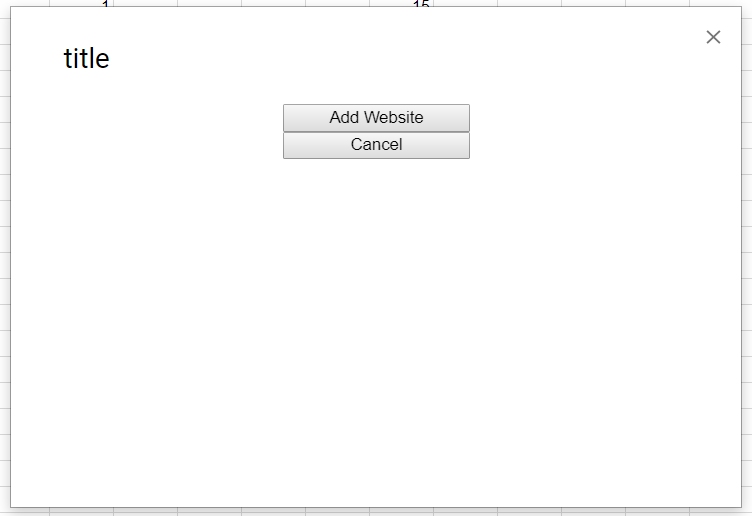
你可以在这里玩这类东西:text-align.asp
https://stackoverflow.com/questions/54496697
复制相似问题
腾讯云开发者

Copyright © 2013 - 2026 Tencent Cloud. All Rights Reserved. 腾讯云 版权所有
深圳市腾讯计算机系统有限公司 ICP备案/许可证号:粤B2-20090059  粤公网安备44030502008569号
腾讯云计算(北京)有限责任公司 京ICP证150476号 | 京ICP备11018762号