
Pixabay不会显示图片(响应jS)
Pixabay不会显示图片(响应jS)
提问于 2019-01-05 16:34:13
我用的是像素数组。我确实从我的数组中获得了数据,但是像素api不会显示它的图片。控制台从数组中获取数据,但不会显示:
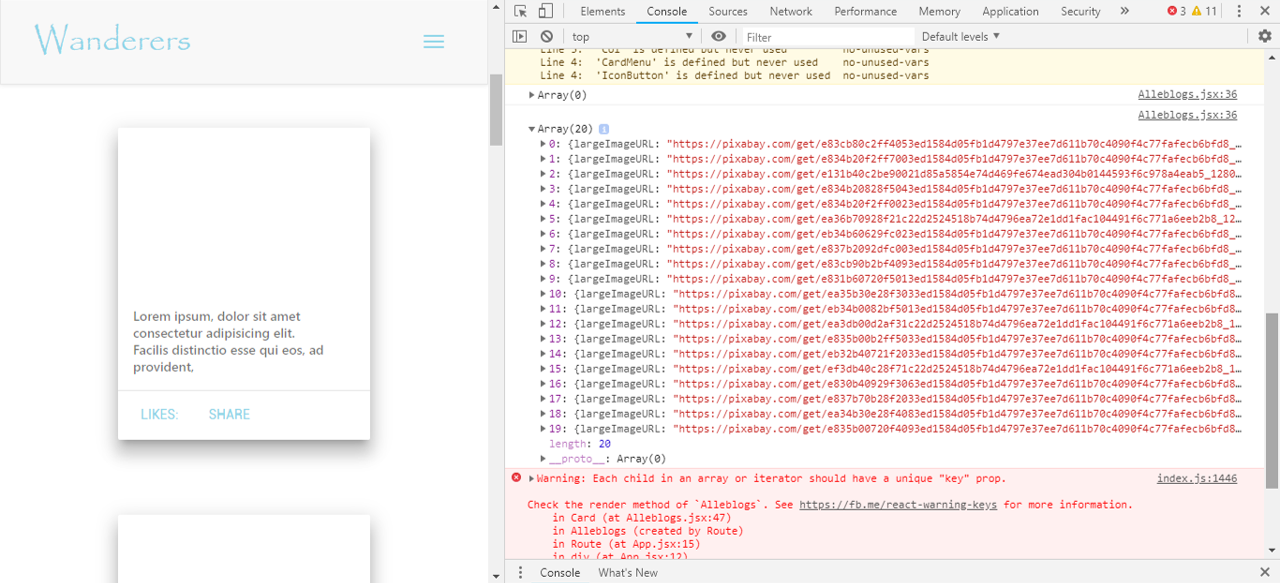
这就是我希望得到的:
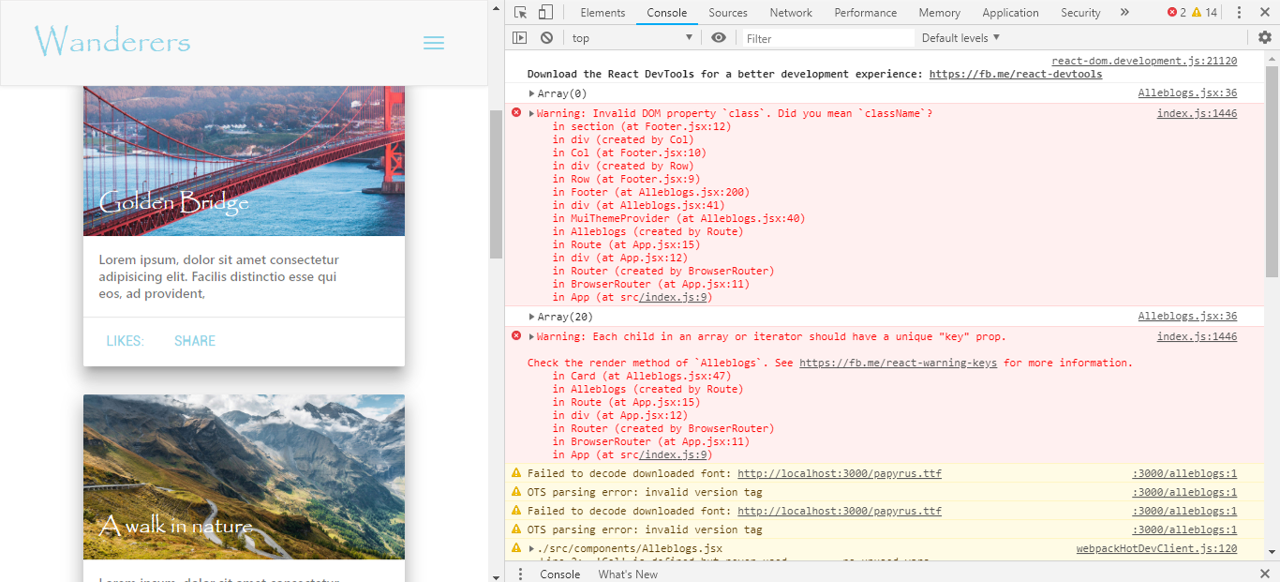
这是我的密码:
componentDidMount() {
    fetch("https://pixabay.com/api/?key=11095386-871fd43c33a92700d9bffb82d&q=travel&image_type=photo&pretty=true")
        .then(res => res.json())
        .then(
            (result) => {
                console.log(result)
                this.setState({
                    apiImg: result.hits
                });
            },
            (error) => {
                this.setState({
                    isLoaded: true,
                    error
                });
            }
        )ƒ
} // ---> This is where I fetch my api.

{
    apiImages.map(img => (
        <Card shadow={5} style={{ minWidth: '450', margin: 'auto' }}>
            <a href="/alleblogs">
                <CardTitle style={{ color: '#fff', height: '176px', background: 'url( {  } ) center / cover' }}>Golden Bridge</CardTitle>
                <CardText>
                    Lorem ipsum, dolor sit amet consectetur adipisicing elit. Facilis distinctio esse qui eos, ad provident,
                    </CardText>
                <CardActions border>
                    <Button style={{ color: '#8dd5e8' }}>Likes:</Button>
                    <Button style={{ color: '#8dd5e8' }}>Share</Button>
                </CardActions>
            </a></Card>
    ))
} //---> this is my card

<CardTitle style = {{ color: '#fff', height: '176px', background: 'url( {  } ) center / cover' }}> Golden Bridge</CardTitle >
我希望有人能帮我这个忙。
回答 1
Stack Overflow用户
回答已采纳
发布于 2019-01-05 16:44:35
请不要删除代码时,张贴在您的问题中的代码示例,也要确保它更易读。欢迎来到堆栈溢出!
您通过largeImageUrl获得的错误是null,因为您正在apiImages上迭代,因此您需要从迭代器中的返回对象获取largeImageProperty --在本例中:img尝试如下:
{
    apiImages.map(img => (
        <Card shadow={5} style={{ minWidth: '450', margin: 'auto' }}>
            <a href="/alleblogs">
                <CardTitle style={{
                    color: '#fff',
                    height: '176px',
                    backgroundImage: `url(${img.largeImageURL})`,
                    backgroundPosition: 'center',
                    backgroundSize: 'cover'
                }}>Golden Bridge</CardTitle>
                <CardText>
                    Lorem ipsum, dolor sit amet consectetur adipisicing elit. Facilis distinctio esse qui eos, ad provident,
                </CardText>
                <CardActions border>
                    <Button style={{ color: '#8dd5e8' }}>Likes:</Button>
                    <Button style={{ color: '#8dd5e8' }}>Share</Button>
                </CardActions>
            </a>
        </Card>
    ))
}页面原文内容由Stack Overflow提供。腾讯云小微IT领域专用引擎提供翻译支持
原文链接:
https://stackoverflow.com/questions/54053958
复制相关文章
相似问题
腾讯云开发者

Copyright © 2013 - 2026 Tencent Cloud. All Rights Reserved. 腾讯云 版权所有
深圳市腾讯计算机系统有限公司 ICP备案/许可证号:粤B2-20090059  粤公网安备44030502008569号
腾讯云计算(北京)有限责任公司 京ICP证150476号 | 京ICP备11018762号