
如何手动控制在geojson层内的活页弹出(通过道具)?
如何手动控制在geojson层内的活页弹出(通过道具)?
提问于 2019-01-03 02:41:41
我正在使用react-传单来呈现一个geojson特性集合,该集合具有点和线字符串:
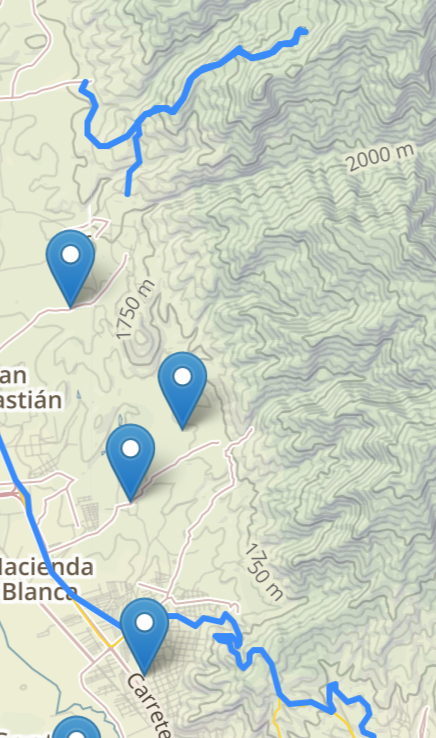
我能够让实际功能本身的点击和悬停事件正常工作。但我希望能够在列表项目(与地图上的项目相关)上悬停,并打开弹出窗口。我一直在整理文档,github,并尝试不同的东西。但似乎没办法这么做。或者,我必须手动呈现行字符串和点,而不是使用<GeoJSON data=。
我的地图可以很好地处理单击事件:
return (
<Map
style={{
height: '100%',
width: '100%',
margin: '0 auto'
}}
ref={(el) => {
this.leafletMap = el;
}}
center={position}
zoom={10}>
<TileLayer url='https://api.mapbox.com/v4/mapbox.outdoors/{z}/{x}/{y}@2x.png?access_token=pk.eyJ1IjoiYWJlbnMwefwefEiOiJjajJ1bDRtMzcwMDssmMzJydHdvcjF6ODA5In0.xdZi4pmkhj1zb9Krr64CXw' attribution='© <a href="https://www.mapbox.com/about/maps/">Mapbox</a>' />
<GeoJSON data={locations} onEachFeature={this.onEachFeature} />{' '}
</Map>
);onEachFeature按其应有的方式工作
onEachFeature = (feature, layer) => {
        console.log('onEachFeature fired: ');
        layer.on({
            mouseover: (e) => this.MouseOverFeature(e, feature),
            mouseout: (e) => this.MouseOutFeature(e, feature)

        });
};但是,我不知道如何在不使用layer.bindPopup的情况下调用onEachFeature。如何使用螺旋桨值对这些方法进行更改?我想让人们悬停在列表上,让它切换弹出窗口。
回答 1
Stack Overflow用户
回答已采纳
发布于 2019-01-04 16:58:18
例如,可以考虑使用扩展 GeoJSON组件:
const GeoJSONWithLayer = props => {
  const handleOnEachFeature = (feature, layer) => {
    let popupContent = "";
    if (props.popupContent.length) popupContent = props.popupContent;
    else if (feature.properties && feature.properties.popupContent) {
      popupContent = feature.properties.popupContent;
    }

    layer.bindPopup(popupContent);
    layer.on({
      mouseover: e => {
        layer.openPopup();
      },
      mouseout: e => {
        layer.closePopup();
      }
    });
  };
  return <GeoJSON {...props} onEachFeature={handleOnEachFeature} />;
}


GeoJSONWithLayer.defaultProps = {
  popupContent: '',
}
它支持传递额外的道具和默认属性,并包含一个层的弹出绑定逻辑。现在它可以像这样使用:
const MapExample = props => {
  const style = () => ({
    color: "green",
    weight: 20
  });

  const freeBus = {
    type: "FeatureCollection",
    features: [
      {
        type: "Feature",
        geometry: {
          type: "LineString",
          coordinates: [
            [-105.00341892242432, 39.75383843460583],
            [-105.0008225440979, 39.751891803969535],
            [-104.99820470809937, 39.74979664004068],
            [-104.98689651489258, 39.741052354709055]
          ]
        },
        properties: {
          popupContent:
            "This is a free bus line that will take you across downtown.",
          underConstruction: false
        },
        id: 1
      }
    ]
  };

  return (
    <Map zoom={14} center={{ lat: 39.74739, lng: -105 }}>
      <TileLayer url="https://{s}.tile.openstreetmap.org/{z}/{x}/{y}.png" />
      <GeoJSONWithLayer
        popupContent={"Some content goes here..."}
        data={freeBus}
        style={style}
      />
    </Map>
  );
};页面原文内容由Stack Overflow提供。腾讯云小微IT领域专用引擎提供翻译支持
原文链接:
https://stackoverflow.com/questions/54015659
复制相关文章
相似问题
腾讯云开发者

Copyright © 2013 - 2026 Tencent Cloud. All Rights Reserved. 腾讯云 版权所有
深圳市腾讯计算机系统有限公司 ICP备案/许可证号:粤B2-20090059  粤公网安备44030502008569号
腾讯云计算(北京)有限责任公司 京ICP证150476号 | 京ICP备11018762号