
指向特定目录的vlookup目录
我在运行我的vba脚本时遇到了这个问题。它应该打开4个excel文件和一个带有宏的模板。然后激活宏并使用vlookup将每个表填充到特定的excel文件中。2页有3列,2列正在寻找1 excel文件,第3列查找第2 excel文件。但是当我运行脚本时,前2列是#NA,而第3列是excel文件的文件目录。当我手动完成时(手动打开所有4个excel文件并单击一个按钮来运行宏),它成功地填充了两个工作表的所有3列。有什么问题吗?我四处搜索,vlookup搜索打开的excel文件,这就是为什么在运行宏填充表之前打开4个excel文件的原因。这是我的VBA脚本:
Option Explicit

Dim xlApp, xlBook, shell
Dim folderPath


' Set shell = CreateObject("WScript.Shell")
' shell.Run "C:\Users\NLTAdmin\Desktop\Extraction_Automation\TABLE_COUNT_SCRIPT\All_in_one.bat", 1, True


folderPath = "C:\Users\NLTAdmin\Desktop\Extraction_Automation\TABLE_COUNT_SCRIPT\"

Set xlApp = CreateObject("Excel.Application")
xlApp.Visible = True
xlApp.DisplayAlerts = False

xlApp.Workbooks.Open(folderPath & "Assetco\Assetco.csv")
xlApp.Workbooks.Open(folderPath & "BIOS\BIOS.csv")
' xlApp.Workbooks.Open(folderPath & "FDS\FDS.csv")
' xlApp.Workbooks.Open(folderPath & "FTTH\FTTH.csv")
' xlApp.Workbooks.Open(folderPath & "FTTH_Filter\ftth_union_filter_queries.csv")
' xlApp.Workbooks.Open(folderPath & "Gtech_Filter\Gtech_filter_queries.csv")
' xlApp.Workbooks.Open(folderPath & "Gtechv1\Gtech.csv")
' xlApp.Workbooks.Open(folderPath & "MARS\MARS.csv")
' xlApp.Workbooks.Open(folderPath & "MARS_Filter\mars_filter_queries.csv")
' xlApp.Workbooks.Open(folderPath & "WOMS\WOMS.csv")
' xlApp.Workbooks.Open(folderPath & "Workflow\WORKFLOW.csv")
' xlApp.Workbooks.Open(folderPath & "Workflow_Filter\workflow_filter_queries.csv")

folderPath = "C:\Users\NLTAdmin\Desktop\Extraction_Automation\Union_queries\"

Set xlApp = CreateObject("Excel.Application")
xlApp.Visible = True
xlApp.DisplayAlerts = False

xlApp.Workbooks.Open(folderPath & "ASSETCO_union.csv")
xlApp.Workbooks.Open(folderPath & "BIOS_union.csv")
' xlApp.Workbooks.Open(folderPath & "FDS_union.csv")
' xlApp.Workbooks.Open(folderPath & "FTTH_union.csv")
' xlApp.Workbooks.Open(folderPath & "GTECH_union.csv")
' xlApp.Workbooks.Open(folderPath & "MARS_union.csv")
' xlApp.Workbooks.Open(folderPath & "WOMS_union.csv")
' xlApp.Workbooks.Open(folderPath & "WORKFLOW_union.csv")

set xlBook = xlApp.Workbooks.Open("C:\Users\NLTAdmin\Desktop\Extraction_Automation\extraction_report_template.xlsm",0,True)
xlApp.Run "Macro1"

xlApp.DisplayAlerts = True
xlApp.Quit

Set xlApp = Nothing

WScript.Quit
第一个Workbooks.open应该打开excel文件来填充前2列,而第二个Workbooks.Open则是填充第3列。只有第三列被填充。第3列有文件目录,并填充如下:
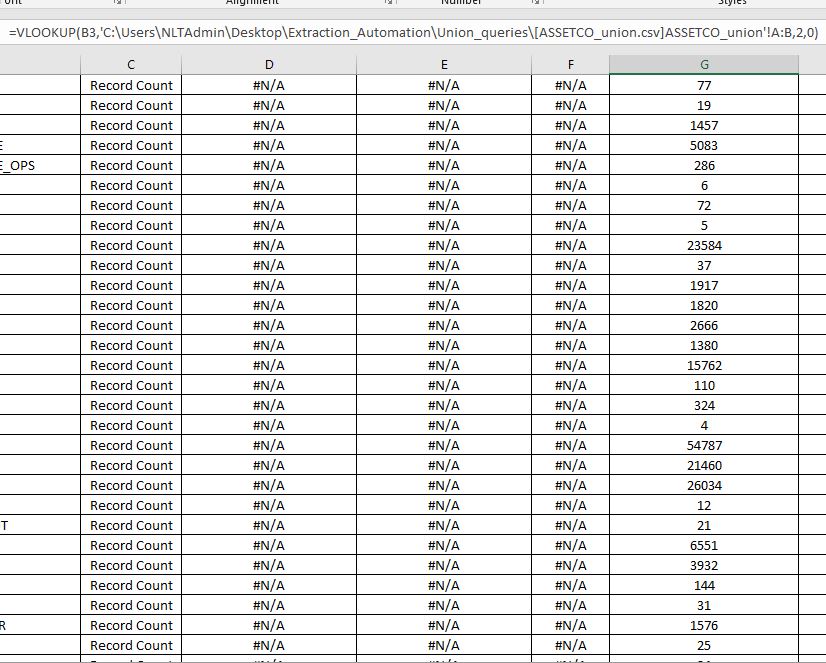
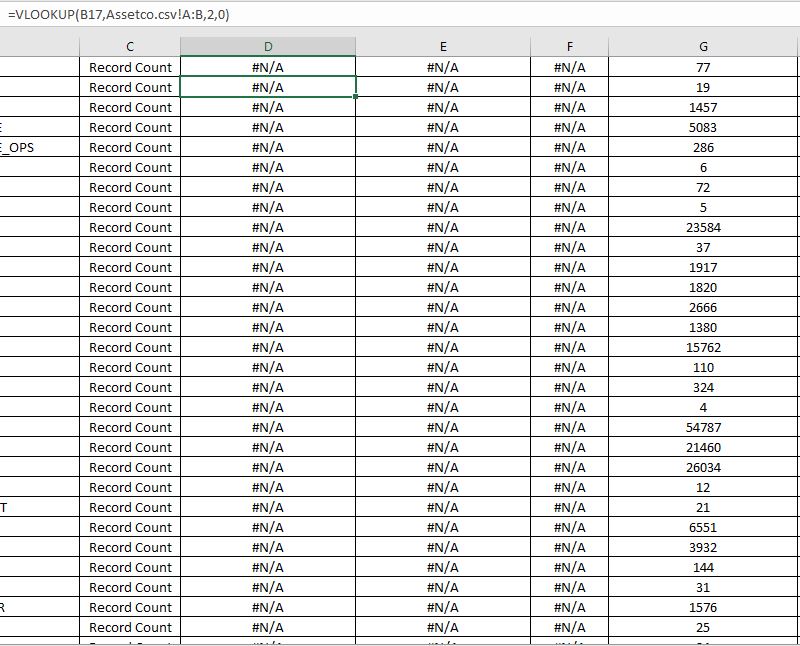
第1栏和第2栏找不到
回答 2
Stack Overflow用户
发布于 2018-12-26 15:33:40
VBScript中的Excel
Option Explicit

Dim xlApp, xlBook, shell
Dim folderPath

'  Set shell = CreateObject("WScript.Shell")
'  shell.Run "C:\Users\NLTAdmin\Desktop\Extraction_Automation\ _
'      & "TABLE_COUNT_SCRIPT\All_in_one.bat", 1, True

  folderPath = "C:\Users\NLTAdmin\Desktop\Extraction_Automation\" _
      & "TABLE_COUNT_SCRIPT\"

  ' To avoid multiple instances of Excel, when it is running,
  ' the GetObject Method has to be used, but when Excel is not running
  ' the CreateObject Method has to be used to open it.
  On Error Resume Next
  ' When Excel is running:
  Set xlApp = GetObject(, "Excel.Application")      ' Excel is running
  If Err Then
    Set xlApp = CreateObject("Excel.Application")   ' Excel not running.
  End If
  On Error GoTo 0

  With xlApp
    .Visible = True
    .DisplayAlerts = False

    .Workbooks.Open (folderPath & "Assetco\Assetco.csv")
    .Workbooks.Open (folderPath & "BIOS\BIOS.csv")
' .Workbooks.Open(folderPath & "FDS\FDS.csv")
' .Workbooks.Open(folderPath & "FTTH\FTTH.csv")
' .Workbooks.Open(folderPath & "FTTH_Filter\ftth_union_filter_queries.csv")
' .Workbooks.Open(folderPath & "Gtech_Filter\Gtech_filter_queries.csv")
' .Workbooks.Open(folderPath & "Gtechv1\Gtech.csv")
' .Workbooks.Open(folderPath & "MARS\MARS.csv")
' .Workbooks.Open(folderPath & "MARS_Filter\mars_filter_queries.csv")
' .Workbooks.Open(folderPath & "WOMS\WOMS.csv")
' .Workbooks.Open(folderPath & "Workflow\WORKFLOW.csv")
' .Workbooks.Open(folderPath & "Workflow_Filter\workflow_filter_queries.csv")

    folderPath = "C:\Users\NLTAdmin\Desktop\Extraction_Automation\" _
        & "Union_queries\"

    .Workbooks.Open (folderPath & "ASSETCO_union.csv")
    .Workbooks.Open (folderPath & "BIOS_union.csv")
' .Workbooks.Open(folderPath & "FDS_union.csv")
' .Workbooks.Open(folderPath & "FTTH_union.csv")
' .Workbooks.Open(folderPath & "GTECH_union.csv")
' .Workbooks.Open(folderPath & "MARS_union.csv")
' .Workbooks.Open(folderPath & "WOMS_union.csv")
' .Workbooks.Open(folderPath & "WORKFLOW_union.csv")

    Set xlBook = .Workbooks.Open(folderPath _
        & "extraction_report_template.xlsm", 0, True)
    .Run "Macro1"

    .DisplayAlerts = True
    .Quit

  End With

  Set xlApp = Nothing

WScript.QuitStack Overflow用户
发布于 2018-12-26 14:18:05
创建Excel的多个实例。删除除第一个CreateObject("Excel.Application")之外的所有
设置xlApp = CreateObject("Excel.Application")
https://stackoverflow.com/questions/53932727
复制相似问题
腾讯云开发者

Copyright © 2013 - 2026 Tencent Cloud. All Rights Reserved. 腾讯云 版权所有
深圳市腾讯计算机系统有限公司 ICP备案/许可证号:粤B2-20090059  粤公网安备44030502008569号
腾讯云计算(北京)有限责任公司 京ICP证150476号 | 京ICP备11018762号