
使用[ngClass]时的警告
使用[ngClass]时的警告
提问于 2018-12-05 10:30:18
我有一个叫做contact-list的组件。此组件用于显示联系人列表,照片如下:
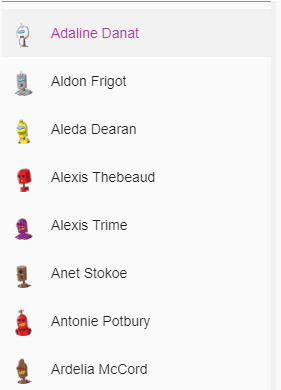
- 如图所示,默认情况下,我突出显示了第一个联系人(列表项更改的I,e
background -color和text-color)。 - 我使用另一个名为
display的组件在右侧显示选定的联系人详细信息,如下所示:
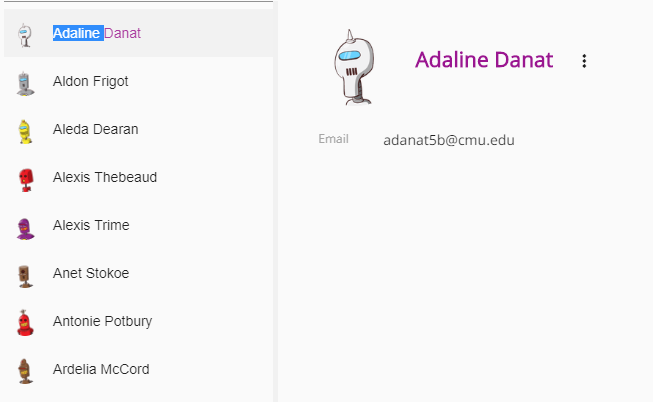
下面是contact-list组件代码:
 <mat-selection-list>
    <mat-list-option [ngClass]="{selected : contact.fullName == currentContact.fullName}"  *ngFor="let contact of contacts">
       <a mat-list-item (click)="onSelect(contact)"><img src="{{contact?.pictureUrl}}" > <span>{{ contact?.fullName }}</span> </a>
    </mat-list-option>
  </mat-selection-list>
TS
import {Component, EventEmitter, Input , Output, ViewChild } from
   '@angular/core';
 import { IContact } from 'src/app/models/app.models';

@Component({
  selector: 'btn-contact-list',
  templateUrl: './contact-list.component.html',
  styleUrls: ['./contact-list.component.scss'],
   })

 export class ContactListComponent {

  @Input()
    public contacts:  IContact[] ;
  @Output() public select: EventEmitter<{}> = new EventEmitter();

  public currentContact: IContact;

  public ngOnInit(): void {
   if (this.contacts && this.contacts.length > 0) {
     this.currentContact = this.contacts[0];
     this.select.emit(this.currentContact);
   }
  }

  public onSelect(contact: IContact): void {
    this.currentContact = contact;
    this.select.emit(contact);
   }

 }
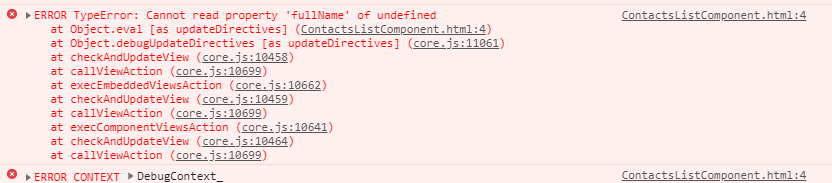
这个场景对我来说很好:但是在控制台中,我得到了这样的警告:
[ngClass]怎么了?
回答 1
Stack Overflow用户
回答已采纳
发布于 2018-12-05 10:37:46
在访问undefined属性之前,您应该对对象的object进行额外的检查。您可以修改代码如下-
<mat-list-option
     [ngClass]="{selected : contact && currentContact && contact.fullName == currentContact.fullName}"
*ngFor="let contact of contacts">页面原文内容由Stack Overflow提供。腾讯云小微IT领域专用引擎提供翻译支持
原文链接:
https://stackoverflow.com/questions/53630202
复制相关文章
相似问题
腾讯云开发者

Copyright © 2013 - 2026 Tencent Cloud. All Rights Reserved. 腾讯云 版权所有
深圳市腾讯计算机系统有限公司 ICP备案/许可证号:粤B2-20090059  粤公网安备44030502008569号
腾讯云计算(北京)有限责任公司 京ICP证150476号 | 京ICP备11018762号