
Arduino液晶显示器不打印
Arduino液晶显示器不打印
提问于 2018-11-28 03:32:26
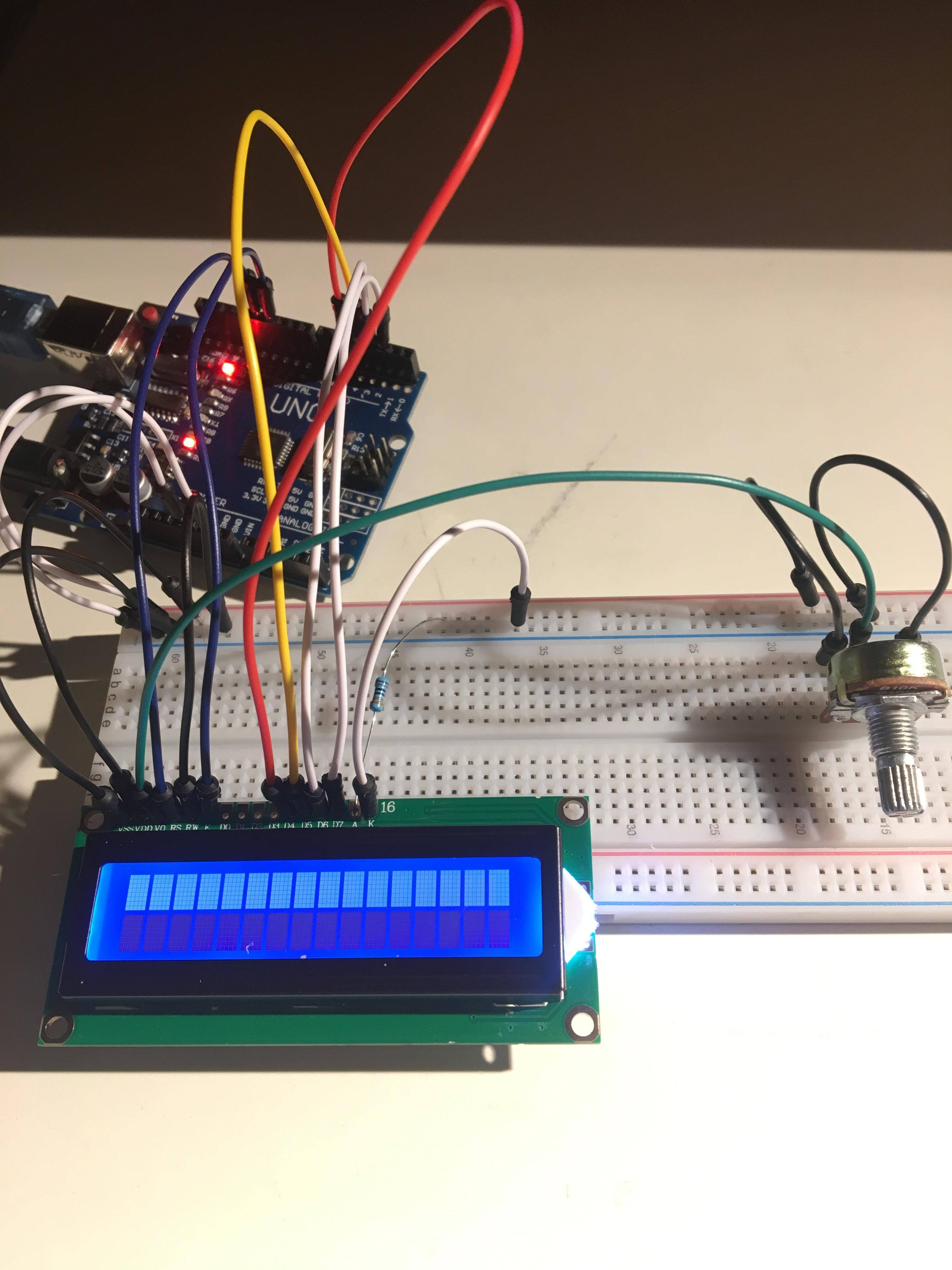
我正在尝试使用Arduino Uno液晶显示器作为一个学校项目。我完全按照https://www.arduino.cc/en/Tutorial/HelloWorld上的说明进行操作,并且没有打印文本。背光正常工作,对比用电位器调节,但没有文字出来。
#include <LiquidCrystal.h>
// initialize the library by associating any needed LCD interface pin
// with the arduino pin number it is connected to
const int rs = 12, en = 11, d4 = 5, d5 = 4, d6 = 3, d7 = 2;
LiquidCrystal lcd(rs, en, d4, d5, d6, d7);

void setup() {
    // set up the LCD's number of columns and rows:
    lcd.begin(16, 2);
    // Print a message to the LCD.
    lcd.print("hello, world!");
}

void loop() {
    // set the cursor to column 0, line 1
    // (note: line 1 is the second row, since counting begins with 0):
    lcd.setCursor(0, 1);
    // print the number of seconds since reset:
    lcd.print(millis() / 1000);
}
`
回答 1
Stack Overflow用户
回答已采纳
发布于 2018-11-28 03:47:01
从您所链接的图像判断,显示似乎没有正确地连接:您应该首先焊接一个引脚头。
参见红色箭头附近的部分:https://i.imgur.com/eSOMe1x.jpg

页面原文内容由Stack Overflow提供。腾讯云小微IT领域专用引擎提供翻译支持
原文链接:
https://stackoverflow.com/questions/53511700
复制相关文章
相似问题
腾讯云开发者

Copyright © 2013 - 2026 Tencent Cloud. All Rights Reserved. 腾讯云 版权所有
深圳市腾讯计算机系统有限公司 ICP备案/许可证号:粤B2-20090059  粤公网安备44030502008569号
腾讯云计算(北京)有限责任公司 京ICP证150476号 | 京ICP备11018762号